Zhenzhen's AI Radar · MiniMax H3 · 2026-11-13 Morning Briefing
This issue features 6 new versions: Strongly Recommended 1 · Recommended 2 · Worth Watching 2 · Listed Only 1
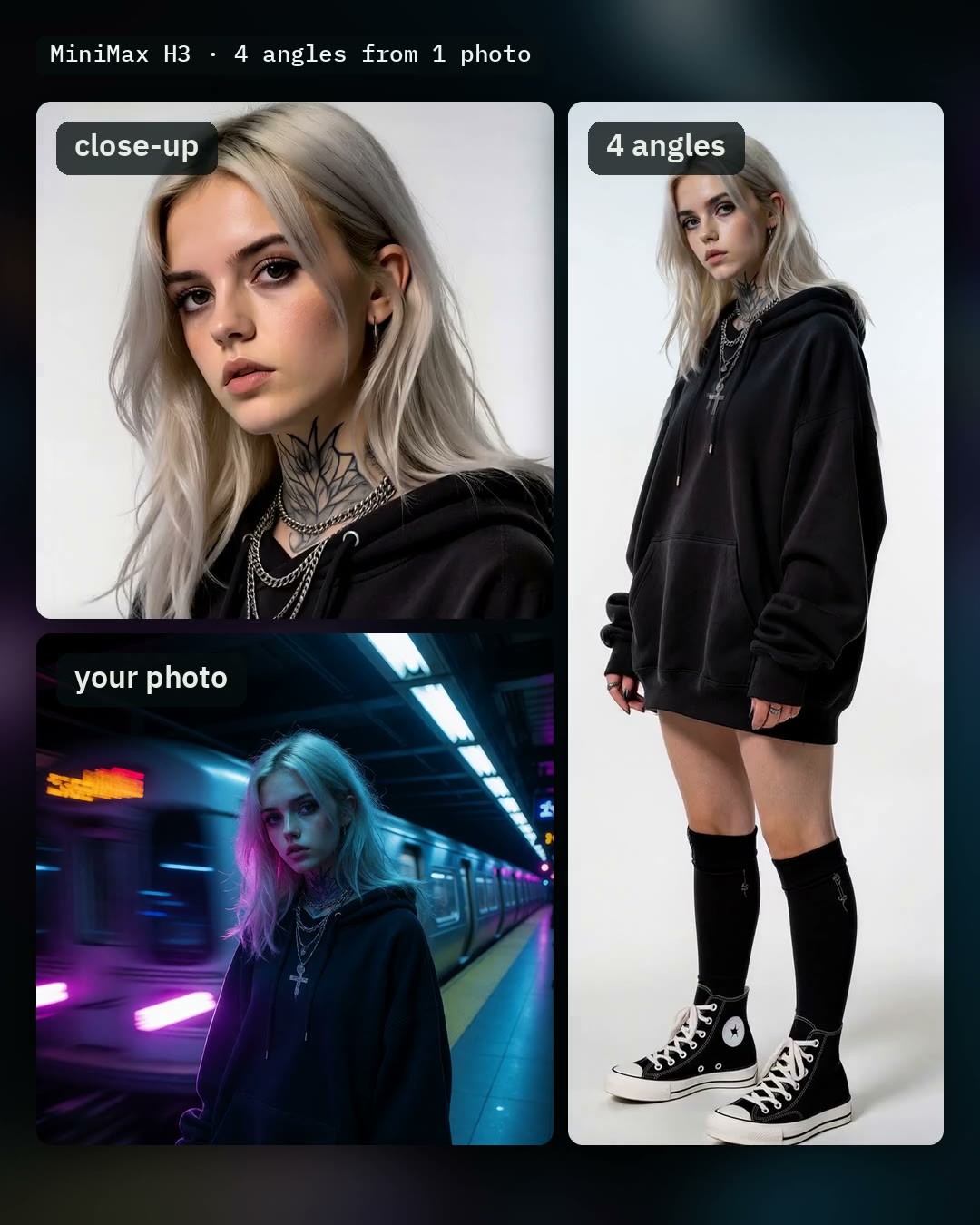
Editor's Note This issue reviewed 6 new versions of H3 (all included), with 1 rated S, 2 rated A, 2 rated B, and 1 rated C. Featured: AusBoss Character Sheet Workflow v1.2: generates front, three-quarter, side, and back views from a single portrait photo; this version replaces “redraw face” with “redraw each view,” fixing blurry ghosting around the chest area. EZ Studio integrates multi-shot timelines into ComfyUI, and LongForge 7.8 adds Bridge to insert transitions between two saved scenes; both are rated A. Wonder Shops has not yet been tested by the author with custom prompts, so its automatic S rating was downgraded to B. Scene DNA is a public beta storyboard planning tool, rated B. Esther is a standard Krea 2 character port, rated C.
Strongly Recommended (1)
[S] MiniMax H3 Character Sheet | Turnaround From One Photo · v1.2
Workflow · Version Update · Author AusBoss · Published 11-13 02:03 · Downloads 223
An H3 workflow v1.2 that takes one portrait photo and outputs a four-view character sheet: this version replaces “redraw face” with “redraw each view,” ensuring full-body clarity.
Image
Reasons for Recommendation
- Version update: The old toggle only redrew the upper half of the character sheet and blended it back near the chest, leaving soft ghosting edges while the lower body remained in draft quality; the new toggle “Redraw each view” redraws all four views at double resolution, ensuring clarity from head to toe for face, hair, and clothing.
- Serves character consistency tasks: Displays front, three-quarter, side, and back views of the same person side-by-side in one image; for half-body photos, you can specify pants and shoes in the “parts not visible in photo” field to complete full-body views.
- Comprehensive toggles: Fast (10 steps instead of 18), SeedVR2 2x upscaling, individual view saving, head close-up row or four-expression row; the author specifies resolutions: enabling “redraw each view” yields 6144 × 3072, and adding the close-up row yields 6144 × 4608.
How to Use
- Load a clear photo of a person; optionally specify background (leave blank for pure white) and “parts not visible in photo”; click Run.
- Requires ComfyUI 0.30.0 or higher and AusBoss nodes 2.24.0 or higher; enable the “Redraw each view” toggle to use this version’s new features.
Risks and Limitations
- The author states that “redraw each view” adds approximately 3 minutes per run; initial runs require loading models totaling about 42 GB.
- The back view is inferred by H3 from the photo; the author has only tested with real human photos, and strong colored lighting may normalize to standard studio lighting.
- The H3 community license does not apply in the EU, UK, South Korea, or the US, and generated content is similarly restricted (see full model card).
Recommended (2)
[A] H3 Continuum EZ Studio – Easy Video Timeline for ComfyUI · v1.0
Workflow · New Model · Author ukr8b3g201 · Published 11-12 23:53 · Downloads 79
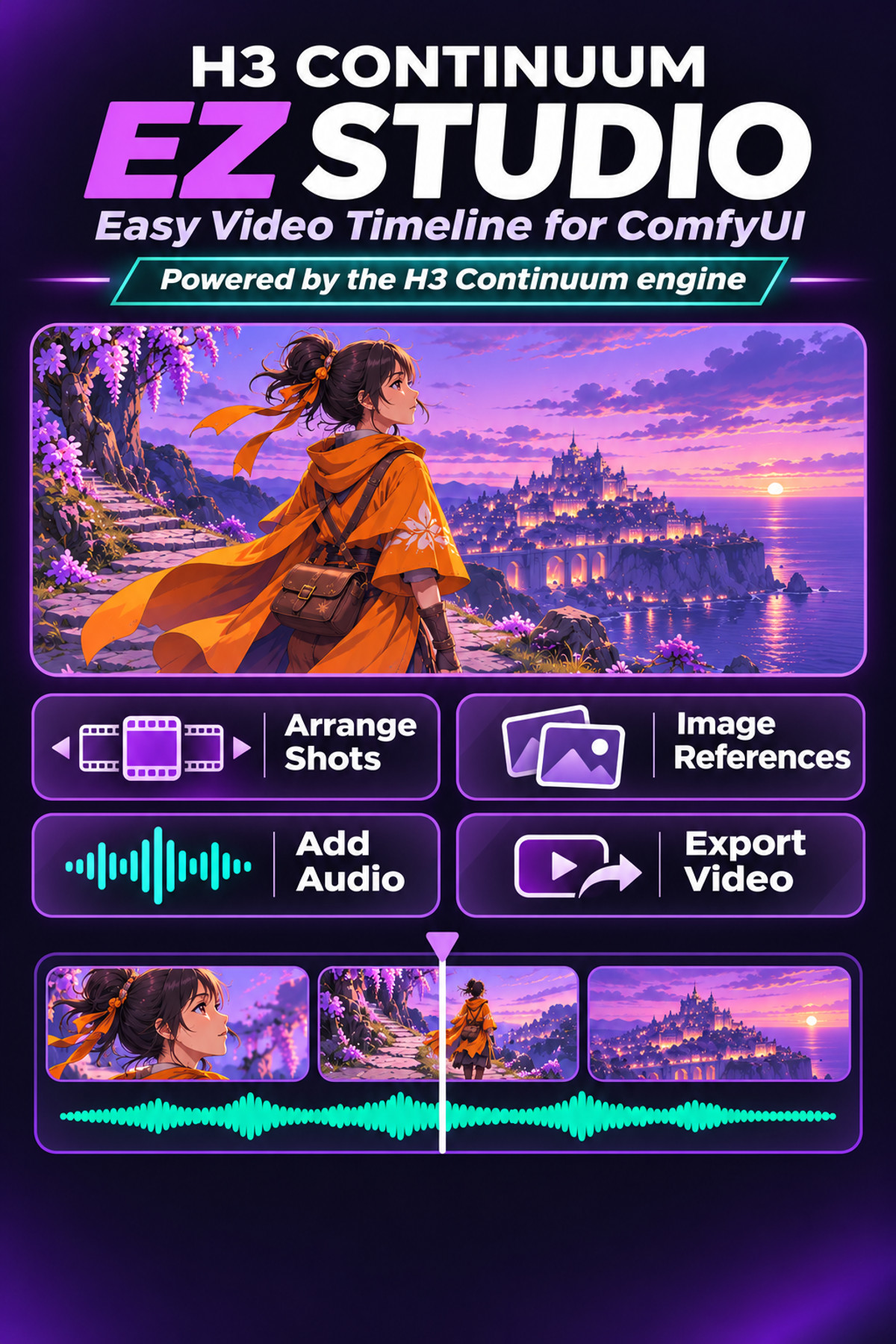
A simple video timeline within ComfyUI: arrange prompts, durations, reference images, and audio by shot, then queue to generate an entire H3 video in one go.
Image
Reasons for Recommendation
- New tool serving multi-shot short films: In Timeline Studio, set prompts and durations for each shot, attach reference images or audio, and long shots are automatically chunked during generation.
- Includes two workflows: FastH3 OmniRef (8 steps) and MiniMax H3 REF2VA + Pika Flex, each with model download instructions and storage directories.
- A simplified version of H3 Continuum: switch to H3 Continuum if you need single-chunk review, regeneration, resume-from-breakpoint, or secondary processing.
How to Use
- Git clone ComfyUI-H3-Continuum-EZ into the custom_nodes directory in ComfyUI and restart; the author recommends ComfyUI 0.44.0 or higher.
- Open any workflow JSON → enter the subgraph and select models as instructed → open Timeline Studio to configure each shot → Apply and Queue.
Risks and Limitations
- The author states it is only suitable for very simple timeline videos, cannot handle complex tasks, and seam artifacts between chunks remain unresolved.
- Weights must be downloaded separately; 2 examples are hidden, with 1 videos and 2 images visible.
[A] MiniMax H3 LongForge FL2VA & REF2VA (LONG VIDEO) · LongForge v7.8
Workflow · Version Update · Author AIBOB1199 · Published 11-13 05:14 · Downloads 101
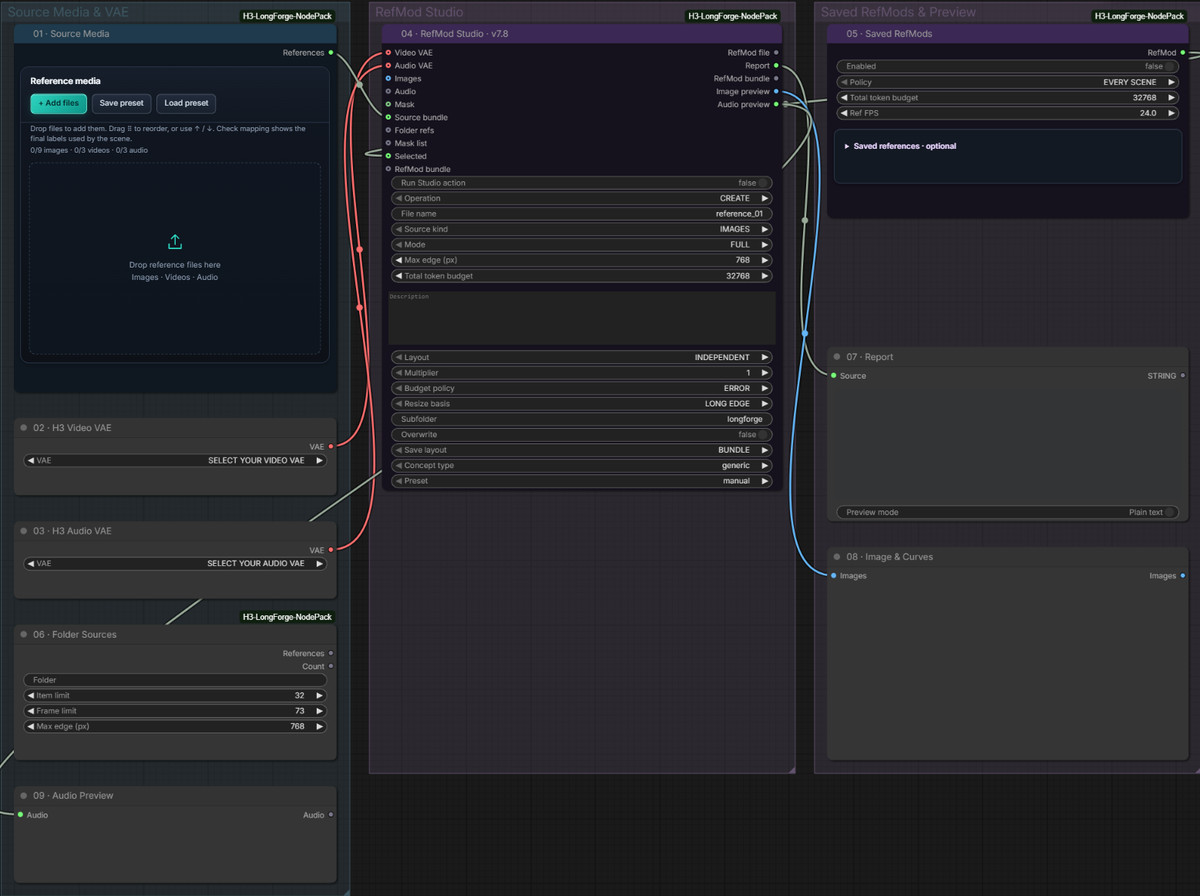
LongForge 7.8, which uses H3 to assemble long videos: adds Bridge to generate a transition between two saved scenes without recalculating the right-side content.
Image
Reasons for Recommendation
- Version update (the author included updates in the model card, leaving version notes empty): Bridge selects left and right saved scenes, accepts a single bridging action prompt to insert a new clip, directly reusing the video and audio from the right side; older versions remain in Saved chains.
- Before (context) supports night mode: ALL PENDING generates all pending context segments at once and exports the entire film; after interruption, it resumes from the first unsaved segment.
- Serves long videos with sound: FL2VA and REF2VA workflows, per-scene reshoots, version rollback, and clip export are all within one workflow, featuring built-in Russian/English bilingual instructions.
How to Use
- For output, the author requires CFG 1, at least 16 steps, and bypassing Turbo and VEDA.
- To insert Bridge: save at least two scenes first → select the left card in Project & Scenes and click Bridge → select the right endpoint scene → manually write the bridging action in the Bridge prompt → Run, then check both seams in Seam Lab.
Risks and Limitations
- Only 1 images are visible among examples, with 6 hidden; the workflow and node packages are heavy, resulting in a high learning curve.
- The author states that Bridge prompts must currently be written manually; automatic export upon completion (Export when done) and night queue do not apply to Bridge.
Worth Watching (2)
[B] Wonder Shops - Minimax H3 · V1
LoRA · New Model · Author Z1os · Published 11-13 07:10 · Downloads 22
A “fantasy shop” scene LoRA: places various small shops into fantasy or futuristic worlds such as steampunk, space, and medieval settings.
Image

Reasons for Recommendation
- New model serving scene/background text-to-video: tags include cats, steampunk, space, planets, medieval, and other themes.
- The author provides the trigger word z1os and strength 1; 3 videos are visible.
How to Use
- Trigger word z1os, strength 1; step count not tested by the author.
Risks and Limitations
- The author states that H3 generation on Civitai is currently unavailable; training was successful but has not yet been tested with custom prompts; example videos were automatically generated using dataset descriptions during training.
- Strict license: commercial use prohibited, training or merging prohibited, and selling generated content is also prohibited.
Trigger Word: z1os
[B] Scene DNA · 0.7.0
Workflow · New Model · Author artoftomworks · Published 11-13 03:45 · Downloads 41
Public beta of Scene DNA, a locally-run storyboard planning tool: plans scene recipes for 3–6 shots, with optional integration of H3 workflows for per-shot execution.
Image

Reasons for Recommendation
- New tool serving short film pre-production: shared lockable scene recipes, per-shot camera/composition/motion, image and video prompts, audio cues, with export options for storyboard PDFs and prompt tables.
- 0.7.0 adds an optional H3 Simple/Pro per-shot executor: preserves the original workflow’s models, LoRAs, samplers, and seeds, supporting failure retries, missing shot completion, and real-time monitoring.
How to Use
- Extract the full ZIP (available in Standard and Beginners packages); offline planning only requires a desktop browser, while local AI services and executors require separate Node.js installation; the author recommends testing with a short shot at medium resolution first.
Risks and Limitations
- Public beta; the author states that composition previews and natural language instructions are merely planning aids and do not guarantee consistency in shots, motion, or characters; no automatic stitching, transition editing, or lip-syncing.
- The executor only recognizes H3 Simple/Pro branches; the author has only tested on Windows/Brave; the sole example is hidden.
- Card images are AI-generated diagrams, not actual model outputs; the author has no publicly available standard-level examples.
Listed Only (1)
- Esther NordhavenLove · MiniMaxH3 — LoRA: A character LoRA for the fictional female character Esther NordhavenLove, ported from the Krea 2 version to H3.

Data: Civitai public API (base model MiniMax H3), inclusion window 11-12 20:31 → 11-13 09:01 (Beijing Time). Recommendation reasons have been reviewed by editors; download counts reflect attention only.