Zhenzhen's AI Radar · MiniMax H3 · 2026-11-15 Morning Report
This issue features 6 new versions: Strongly Recommended 0 · Recommended 2 · Worth Watching 1 · Listed Only 3
Editor's Note This issue reviews 6 new versions of H3, with 2 rated A, 1 rated B, and 3 rated C. Top pick: Nick Wilde reference-image-to-video character LoRA: When used with the accompanying character reference image, it makes the fox appearance more stable in Ref2V generation; the author provides strength settings, step tiers, and base model files. The Unified workflow Nova.5 adds "redo only a specific segment of a long video with automatic backup," maintaining its A rating; MinimaxH3-Studio 1.4.5 enables first-frame / first-last-frame / last-frame modes to generate long videos with editing, automatically upgrading from C to B. Original character LoRAs, Refmods without examples, and tutorial workflows containing only execution steps are rated C.
Recommended (2)
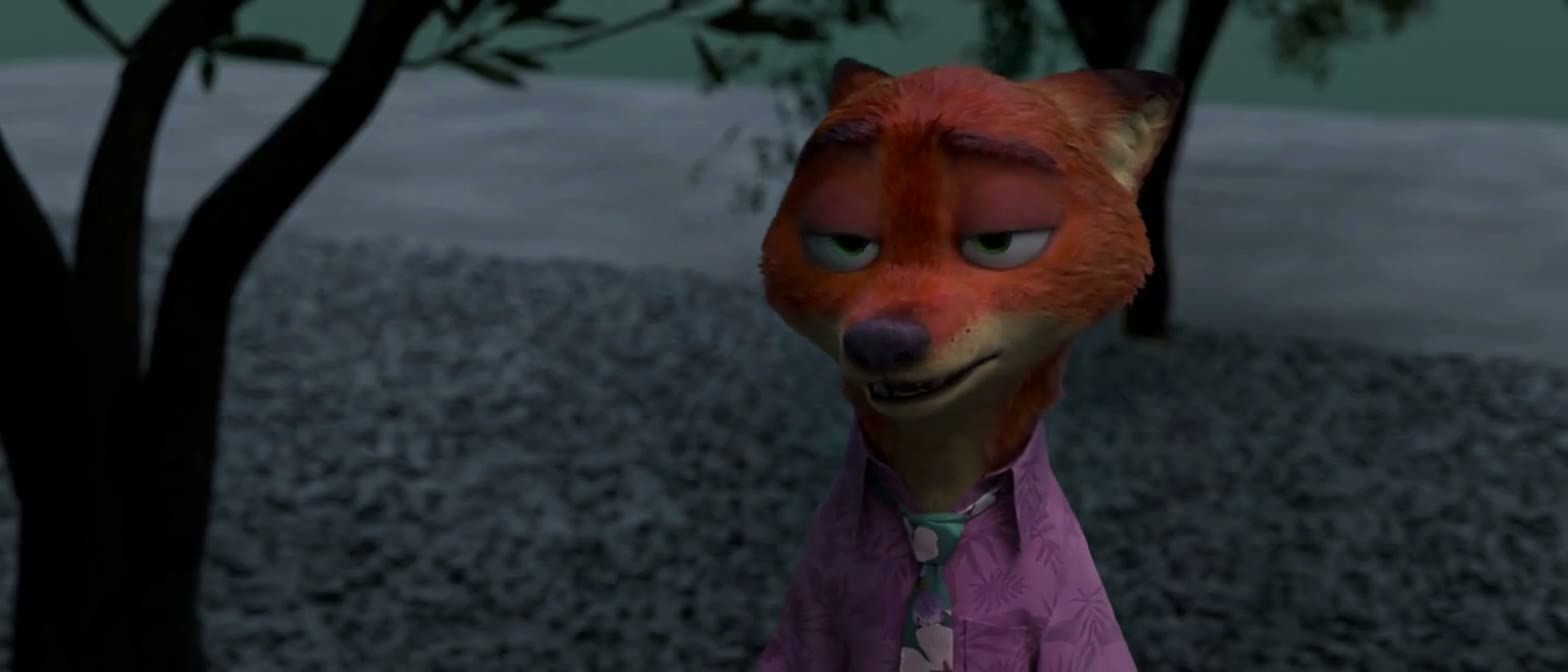
[A] Nick Wilde <Nick Wilde> Character - Zootopia - MiniMax H3 · v0.2
LoRA · New Model · Author RiverL_Animation · Published 11-14 22:02 · Downloads 39
A MiniMax H3 reference-image-to-video (Ref2V) character LoRA for Nick Wilde from "Zootopia." Used with a character reference image, it improves the consistency of the fox's appearance in videos. It targets only this specific character and does not include the overall movie art style.
Images
Reasons for Recommendation
- Designed for reference-image-to-video: The author's usage involves arranging a puppet scene in 3D software, then having H3 replace the puppet with the fox from the reference image while preserving the scene, composition, and camera angle.
- Reproducible: The author provides Rank 16, strength 0.8–0.9, recommended 2000 step tier (with additional 500 / 1000 / 3000 step tiers), along with example prompt text and workflow JSON; 2 example videos are visible.
- Clear training data description: 60 training images + 8 independent test images, with clothing primarily featuring a pink floral shirt.
How to Use
- Use the MiniMax H3 Ref2VA INT8 ConvRot base model (the author states BF16 performs worse); load the 2000 step tier LoRA with strength 0.8–0.9.
- You must input the accompanying Nick reference image and specify in the prompt that this image defines the character's appearance; the training trigger word is Nick_Wilde, though the author states it can be omitted when a reference image is used.
- Test first with the pink floral shirt style at medium resolution, generating multiple outputs to select from.
Risks and Limitations
- The author states that the LoRA alone is insufficient to reproduce the character; it relies on the reference image. Outfit changes have not been tested.
- Trained only on static images, with no specific motion training; feet and four-fingered hands are unstable.
- Disney character copyright; the license does not allow commercial use or derivatives, and 2 examples are hidden.
[A] MiniMax H3 Unified (Lip-sync, Scene Prompts and Saved-run Backups) · Nova.5
Workflow · Version Update · Author Rvage · Published 11-14 21:21 · Downloads 57
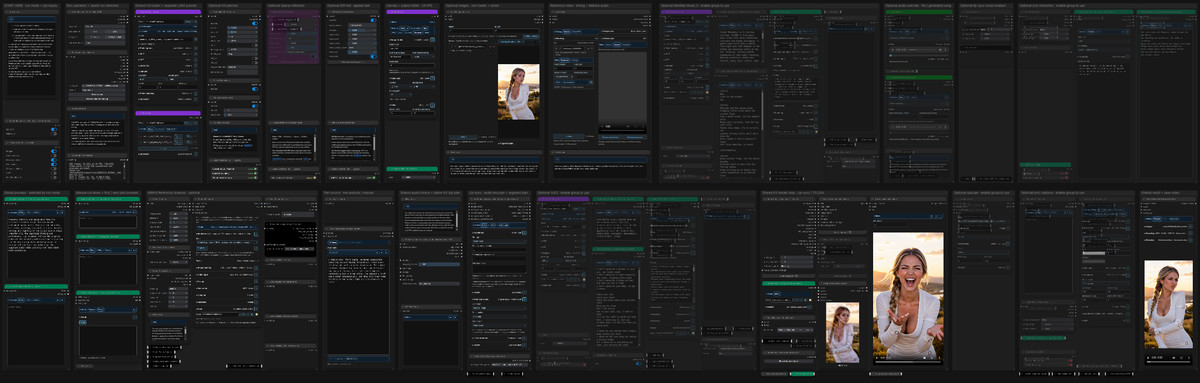
The Nova.5 version of the MiniMax H3 Unified integrated long-video workflow (lip-sync / scene prompts / text-to-video): allows redoing only a specific segment of a saved long video while automatically retaining backups of previous versions.
Images
Reasons for Recommendation
- Version update: Select "Update selected run," enter a "Restart part" starting from 1, and only re-render that segment while keeping the beginning and end unchanged; each successful update retains the previous version's video, prompts, seed, and inputs.
- Added "Load Video Run" to preview / restore old backups (without re-rendering); the Part Prompt Editor now includes ◀ / ▶ buttons to switch between segments; removed the old option for "Save to folder replacing only one segment."
- Designed for lip-sync performance videos and scene-based long videos: The same rendering loop can use existing audio + character images for lip-sync, or utilize native H3 text-to-video / image-to-video.
How to Use
- After updating the Nova node package, restart ComfyUI and refresh the browser; redoing a single segment requires enabling "Disk + Keep in output."
- Keep H3 at 24 FPS; set "Parts per queue" to 1 for creating new segments / continuing runs, while "Update" is fixed to render only one segment.
- The acceleration LoRA mentioned by the author on the model card is the official minimax_h3_fl2v_turbo_8step_v1.0_comfyui_bf16.
Risks and Limitations
- The workflow file does not include weights, relying on the author's Eclipse Nova node package and multiple optional models (YuE2, MiniMax Music 3, local LLMs, etc.), resulting in a high configuration barrier.
- Only 1 images are visible as examples, with 3 examples hidden; the page contains mixed content.
- The license does not allow commercial use.
Worth Watching (1)
[B] MinimaxH3-Studio · v1.4.5
Other · Version Update · Author rookiestar28 · Published 11-15 08:47 · Downloads 2
MinimaxH3-Studio node package 1.4.5: Integrates prompt writing, official H3 workflow tuning, segment planning, and editing into the ComfyUI sidebar. This version enables first-frame / first-last-frame / last-frame modes to generate long videos with editing.
Images

Reasons for Recommendation
- Version update: I2VA, FL2VA, and L2VA frame modes can now generate longer videos in segments like T2VA, with the first frame belonging to the first segment and the last frame to the final segment.
- Titles now include Noto Sans Traditional / Simplified Chinese / Japanese / Korean fonts and 8 title styles, ensuring consistent fonts between preview and final render; fixed two issues with App Mode startup.
- Apache-2.0 open source, allowing direct opening of 1.4.1 projects and settings.
How to Use
- Replace the entire node package, then restart ComfyUI and refresh the browser; the author's test environment is ComfyUI 0.42.0 + Frontend 1.57.1.
- On Windows, the ComfyUI folder path must not exceed 96 characters, otherwise rendering will fail; official H3 weights must be installed.
Risks and Limitations
- No example images or videos are provided, so the long-video stitching effect cannot be previewed.
- The compressed package size increases after including fonts (approx. 54 MB).
- The card image is an AI-generated diagram, not actual model output; the author has no publicly available standard-level examples.
Listed Only (3)
- Maggie Thompson · v1.0 H3 — LoRA: MiniMax H3 character LoRA for the original character Maggie Thompson: a female aircraft mechanic of the "Gremm" species with large ears, mottled reptilian skin, and sharp teeth.

- OrdinaryJoe · v1.0 Minimax H3 Refmod — LoRA: MiniMax H3 Refmod file (not a standard LoRA) for the ordinary middle-aged male character OrdinaryJoe, placed in models/refmods and loaded by a dedicated node.
- MiniMax H3 Director Console — Infinite Long Video (Episode 298) · v1.0 — Workflow: ComfyUI workflow export file for AI-KSK's Episode 298 tutorial on the H3 "Director Console · Infinite Long Video."

Data: Civitai Public API (Base model MiniMax H3), inclusion window 11-14 20:31 → 11-15 09:01 (Beijing Time). Recommendation reasons have been reviewed by editors; download counts only reflect attention levels.