Zhenzhen's AI Radar · MiniMax H3 · 2026-11-16 Morning Report
This issue features 10 new versions: Strongly Recommended 1 · Recommended 3 · Worth Watching 4 · Included Only 2
Editor's Note This issue reviews 11 new H3 versions: 1 S, 3 A, 4 B, and 3 C. Top pick: the Sint Turntable workflow, which generates a seamless 360° turntable video from a single concept image and exports 8 directional frames at 45° intervals, based on the official image-to-video template with complete parameters. Hand Tie Clips 4.0 integrates attention acceleration and adds a prompt rig and music video studio; 360° Orbit adds a sound toggle, rated A. The H3 version of Retro Anime was trained on videos generated by Seedance and lacks parameters, downgrading from an automatic S to an A. The_frizzy1's character and face swap workflow only updated descriptions in this version with no visible video examples; the paid Director Assistant SKILL pack is a prompt writing file rather than weights, both rated B; two original character LoRAs containing only character stories were downgraded from B to C.
Strongly Recommended (1)
[S] Sint Turntable · 360° Turntable from One Image - MiniMax H3 · v1.0
Workflow · New Model · Author AriaMaiven · Published 11-15 23:13 · Downloads 65
An H3 workflow that generates a 360° turntable video from a single concept image: the subject rotates a full circle in place in front of a fixed camera, with the last frame returning to the first, and automatically exports 8 directional frames at 45° intervals, ready for use in character sheets, sprite sheets, or portfolio displays.
This is the opposite direction of this issue's H3 360° Orbit workflow: that one rotates the camera around the subject with optional subject movement, while this one locks the camera, rotates the subject, and exports directional frames.
Image

Reasons for Recommendation
- New capability: Based on the ComfyUI official H3 image-to-video template, with the same nodes and model files as the template; the modification lies in the prompt—specifying the subject's orientation for each quarter turn over time, and separately describing the back at the 2.5 second mark to ensure back details like straps, quivers, backpacks, and hinges match the front
- Serves game art and character design: Input a concept image with the subject centered, ample whitespace, and a flat gray background (subject in a relaxed A-pose), and output a 5 second seamlessly loopable turntable video, plus 8 PNGs saved next to the video in rotation order
- Actionable: The author provides test parameters 768x768 (use 768x1344 for tall characters), 20 steps, res_multistep, seed 42, turbo off; the 8 directional frames are selected at 124 frames per 24 fps; includes 1 example videos + 2 example images
- Free download, license allows image generation and on-site rental; this is the third item in the author's Sint game development toolset, following the seamless texture Sint Albedo and pixel sprite Sint Pixel
How to Use
- Unzip sint-turntable-h3-workflow.zip and import into ComfyUI; nodes and models are the same as the official H3 image-to-video template, so no additional installation is needed if you can run the official template; VRAM requirements not provided by the author
- Replace the subject in the prompt and rewrite the back description at the 2.5 second mark based on the actual back; specify parts that must not move erratically (capes, hair, ears, accessories) in the rigid line; keep the timeline and 5 second duration unchanged
- For precise 45° / 315° oblique views, manually select frames from the video
Risks and Limitations
- Rotation has ease-in and ease-out: side and back views fall on the quarter turns, while the 45° and 315° frames lean towards the front
- Some subjects may rotate faster in the first half and slower in the second, requiring a seed change; swinging parts like capes and chains may drift
- Output is video and PNG, not a 3D model; 2 examples are hidden, and the page contains mixed content; reproduction requires author permission
Recommended (3)
[A] Retro Anime Mix by Shrekman · H3-SeeDanceData-V1
LoRA · Port · Author Shrekman17 · Published 11-15 23:44 · Downloads 95
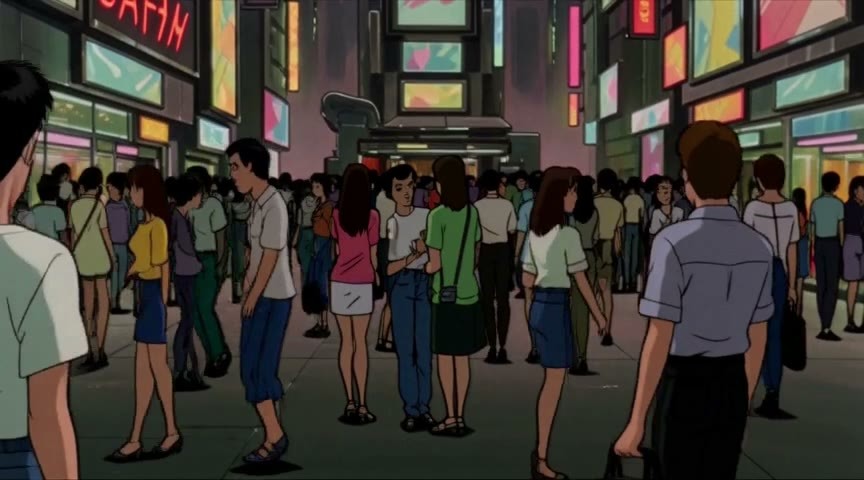
The H3 version of a late 1990s theatrical anime style LoRA: the author claims the training data consists entirely of the best videos they generated themselves using Seedance; adding the prompt 'Late-1990s theatrical anime aesthetic' applies the retro cel-shaded animation style.
Image
Reasons for Recommendation
- Port: The same page already has Anima, MOSS Image, and LTXV 2.3 versions; the image version was trained on images generated by Anima / Seedream or Grok; the H3 version is the only one trained on video data, with the weight filename indicating it is based on the H3 base, epoch 9
- Serves retro Japanese animation style short films: overlays the art style of 90s theatrical anime onto H3 videos; includes 3 example videos at 864×480
- Free download, permissive license: allows image generation, rental, sale, and sale of merged models, with no attribution required
How to Use
- Load the LoRA (296 MB · BF16) and include the trigger word 'Late-1990s theatrical anime aesthetic' in the prompt; strength, steps, and suitability for text-to-video or image-to-video were not provided by the author
Risks and Limitations
- Training data consists of outputs from the commercial Seedance model; verify relevant service terms before use
- The model card for the H3 version has only a one-sentence description and no parameters; the '3000 steps' in the auto-summary refers to the LTX version's training steps and is unrelated to the H3 version
- 1 examples are hidden, and the page contains mixed content
Trigger Word: Late-1990s theatrical anime aesthetic
[A] Hand Tie Clips — multi-hop MiniMax H3 video + audio, one queue · v4.0
Workflow · Version Update · Author sandpies · Published 11-16 02:49 · Downloads 44
A ComfyUI node pack + starter workflow that chains H3 8 second clips into long films over 1 minutes: same face, same voice, lip-synced dialogue, individual shots can be reshot, entire sequences can be one continuous take without seams, and 2 MP upscaling is built-in; version 4.0 integrates attention acceleration and LoRA fixes, so the starter workflow only requires core ComfyUI plus this node pack.
Image

Reasons for Recommendation
- Version update (4.0): Integrates HTC Sparse Attention (sparse + low VRAM attention) and AdaLN LoRA port, eliminating the need for extra attention / LoRA fix packs; adds the SandTie PromptRig single-segment prompt rig (19 adjustment items, character reference library, timed beats, video-to-beat), which can also function as a standalone node to write prompts for native H3 nodes; the editor is reorganized into a Control Room with tabs like Script / Refs / Timeline / Swap / Run / Studio
- New Studio tab for music videos: local language models write concepts and lyrics, generate songs via installed YuE2 nodes, and edit beats by segment; WRITE first plans positioning, segment start/end, and cut points based on the starting image before writing beats; lip-sync can be driven by the song's vocal track, with seam health readings provided after each run
- Serves multi-shot long videos and dialogue-driven short dramas: each card is a 5–15 second beat, the reference image bar holds up to 9 character / scene images and voice clips called via @tags; the timeline caches each segment, allowing you to lock satisfactory shots and reshoot only one; also includes single-segment character / head swap based on the Viggle Remake LoRA
- Code is open source on GitHub, with a Hugging Face mirror and a browser-clickable interface demo; free, license allows rental and sale
How to Use
- Git clone the repository into ComfyUI/custom_nodes (no pip dependencies), restart and force-refresh the browser, drag the HandTieClips_Starter workflow onto the canvas, place a character photo (e.g., @maya) in the first row of REFS, write the beats in SCRIPT, and then queue the job
- Single-segment mode: Run the first pass for 6–8 steps to shape the audio (using 4 steps for Turbo with 4 steps), then run a second pass for upscaling with 2–3 steps and 2 MP upscaling; H3 runs with CFG 1.0, and the author provides 5 prompt rules (e.g., specify ambient noise for quiet scenes)
- Recommended models: Wuli's H3 8-step Turbo + the official minimax_h3_ref2va as the refine / upsample model; upscaling requires the H3 latent upscaler, then choose one of the two redraw LoRAs: regen2k or ic; the experimental hand_tie continuation additionally requires the qwen3vl_4b text encoder
Risks and Limitations
- Long dependency chain: Besides the H3 base, it requires the Turbo model, latent upscaler, and redraw LoRA; writing features require connecting to LM Studio / llama.cpp local language models, and music videos require installing YuE2 nodes; VRAM requirements not provided by the author
- The author requires ComfyUI v0.38.0 or newer; the one-take sand_tie mode requires a newer version of ComfyUI that supports the H3 context window
- The author states that the default motion_context continuation shows texture changes after about 5–6 segments under Turbo, and about 7–8 segments under non-Turbo, recommending a cut every 4–5 segments
- This version has only 1 visible examples (3 hidden); for long film effects, see the examples on the author's GitHub
[A] MiniMax H3 360° Orbit — Freeze & Motion · v2.0
Workflow · Version Update · Author ukr8b3g201 · Published 11-16 00:36 · Downloads 57
An H3 first-and-last-frame workflow that generates a 360° orbit shot from a single image: the same image serves as both the first and last frame, combined with the 360° Orbit LoRA to rotate the camera around the subject, with a toggle to switch between a static subject or subject movement based on the prompt; v2.0 adds a sound toggle.
Image

Reasons to Recommend
- Version update: The release notes only say "add audio". The new filename is Audio_Toggle, indicating the addition of a toggle for whether to generate sound; other changes are not explained by the author.
- Surrounding display of service roles, costumes, and products: When Enable Subject Motion is set to false, the scene freezes and only the camera orbits; when set to true, it reads external subject motion prompts (such as dancing, gestures, turning around). The instructions for orbiting and fixing the background are built-in, so there is no need to repeat them.
- Reproducible settings: 6 steps, CFG 1, Euler / simple, denoise 1, sigma shift 6 / 3. The strength for both the Orbit LoRA and the Turbo v1.2 LoRA is 1.0. Setting Seconds to 4 corresponds to 90 frames, which is approximately 3.75 seconds at 24 fps. Uses only ComfyUI core nodes (including Math Expression, If/Else, and packed subgraphs).
- There is also an Auto Midpoint version of the workflow, which automatically places the back reference image at the midpoint, helping to preserve patterns on the back of clothes and jersey numbers.
How to Use
- Import the workflow from the zip file, load the image (automatically scaled proportionally based on the longest side 768, and center-cropped to a multiple of 32 without adding black bars), set the seed, duration, and maximum size, select Enable Subject Motion, and then queue the job.
- Models: Dasiwa H3 int8 base model (place in diffusion_models/minimax/), qwen3vl_32b nvfp4 text encoder, minimax_h3_video_vae_fp16, Pablo Dawson's 360° Orbit LoRA, and LightX2V's FL2V Turbo v1.2 LoRA (place in loras/minimax/). The author did not specify VRAM requirements.
- After loading, check the Seconds field: Early JSON files stored 5, but the author now uses 4.
Risks and Limitations
- The author states that testing is limited: A full rotation, stable background, structural consistency, and seamless looping are not guaranteed. A setting of 5 seconds previously resulted in two rotations. The subject motion mode is an experimental feature and may distort the image or interrupt the orbit.
- The release notes contain only two words, and there is no separate example for the audio toggle. Only 1 visible examples are provided (2 hidden).
- The author notes that the correspondence between the Dasiwa base model link and the filename has not been independently verified. The output is only a video; it does not export a 3D mesh.
Worth Watching (4)
【B】Viggle-Animate (MiniMax H3) 12GB — character replacement in video, 4 steps, the driving clip's audio kept · v2.0.1
Workflow · Version Update · Author The_frizzy1 · Published 11-15 21:12 · Downloads 28
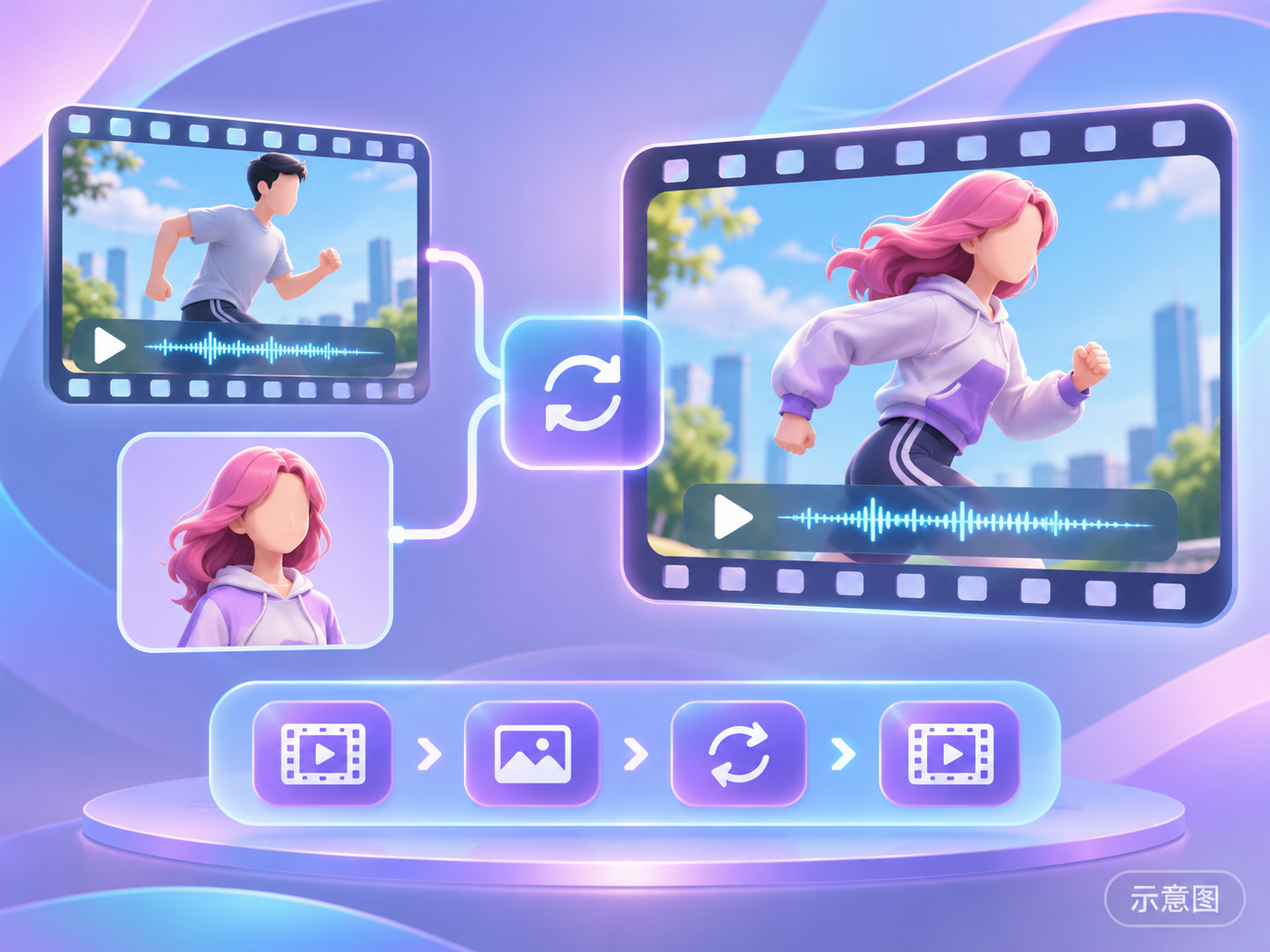
An H3 workflow that replaces the person in a video with a character image: Based on a fine-tuned model of H3 Ref2VA by Viggle, it preserves the original video's motion, camera position, background, and audio, generating output in 4 steps. v2.0.1 only changed the description; the graph structure remains unchanged.
Illustration
Reasons to Recommend
- Version update: Only the "How to use" instructions were rewritten (inputs, settings for each node, tips, RTX 3060 measurement data, test environment, attention startup parameters --use-sage-attention / --use-ck-attention). Unmeasured 7 step times were removed, and download instructions were moved down. Users with the previous version do not need to update.
- Serves video-to-video character replacement (this is the only mode): Input a driving video + one static character frame. Only one custom node package, comfyui-viggle-animate-h3 (v1.3.2), is required; the rest are core nodes.
- The author specifies the requirements: 12 GB VRAM (peak 11.2–11.6 GB), 32 GB RAM, tested on RTX 3060 12 GB, ComfyUI 0.37.4, with Sage attention. The workflow is MIT licensed.
How to Use
- ComfyUI 0.37.4 or newer. Install comfyui-viggle-animate-h3 v1.3.2 from the Comfy registry.
- Required 4 files: Viggle H3 Ref2VA int8 model (21.0 GB, place in diffusion_models), viggle_animate_dmd_lora_r64 (0.9 GB, place in loras), fixed_embed_fwd_anyframe (place in text_cond), minimax_h3_video_vae_fp16 (5.2 GB, place in vae; note that this is the fp16 VAE, not the int8 version used in other H3 workflows). The required list does not include a text encoder.
- Sampling uses 4 steps. If models are placed in subfolders, the loader will show red, requiring re-selection.
Risks and Limitations
- This workflow has no visible examples (1 hidden). The videos on the author's description page are general tutorials, not results from this workflow.
- Peak VRAM is close to the 12 GB limit. The author only tested clips of 5 seconds at 480x864 / 832x480 (each segment takes about 4 minutes). Longer and larger clips have not been tested.
- When replacing characters in others' videos with your own, pay attention to the copyright and portrait rights of the original video.
- The card illustration is an AI-generated diagram, not the actual model output. The author has not published any standard-level examples.
【B】MiniMax H3 Singularity V2 Face Swap 12GB — one photo into your video, lip-sync, sound and room kept · v1.0.1
Workflow · Version Update · Author The_frizzy1 · Published 11-15 21:09 · Downloads 24
An H3 workflow that replaces a real person in a video with one photo: SAM 3.1 tracks the person, Qwen3-VL writes a one-line shot description. The person is converted into a gray humanoid preserving pose, hands, and mouth shape. Then, Singularity V2 (a fine-tuned H3 Ref2VA) redraws the masked area in one pass based on the photo, preserving the room, camera position, and sound. v1.0.1 only changed the description.
Illustration
Reasons to Recommend
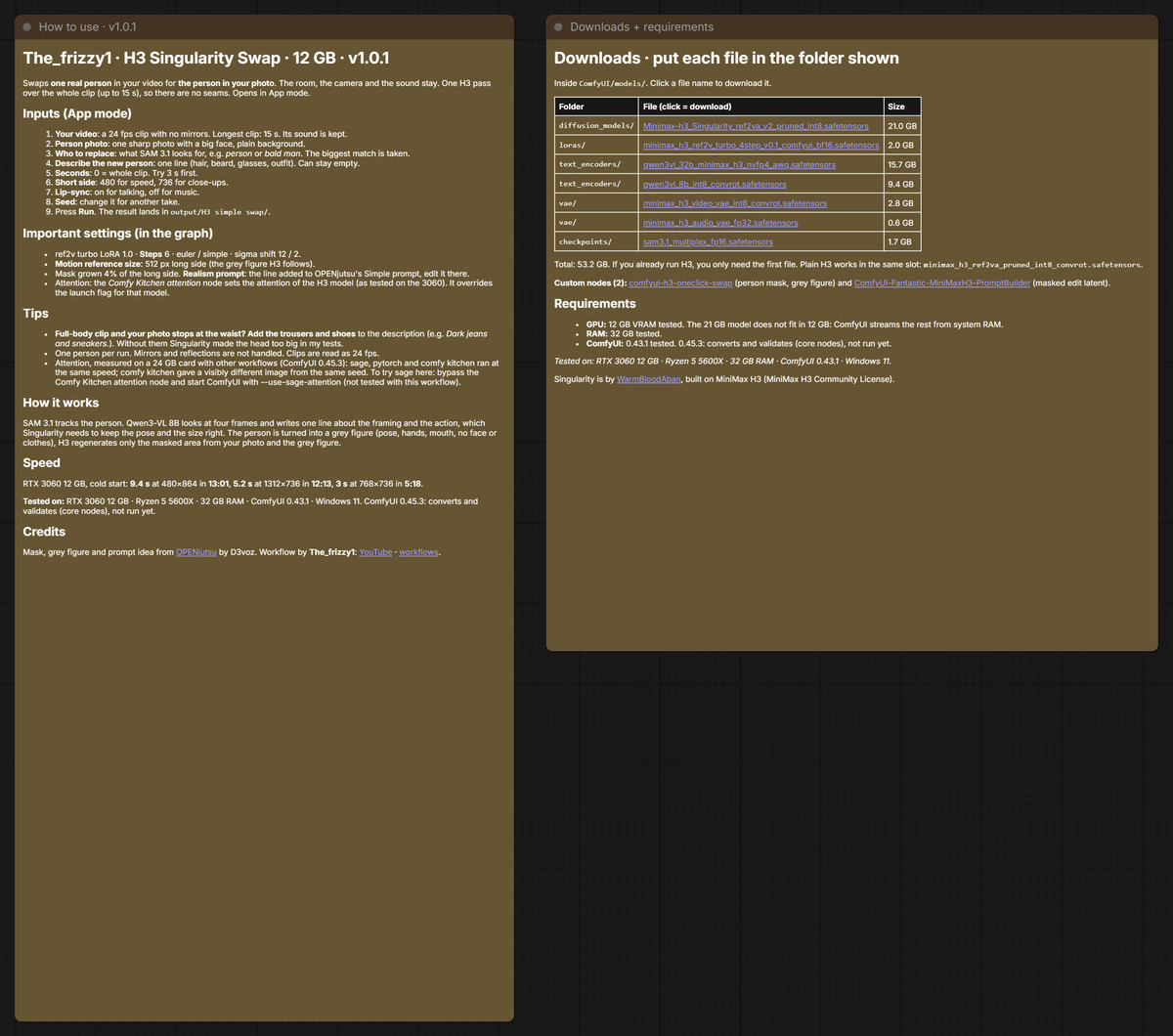
- Version update: Only the description was changed; the graph structure remains unchanged. The "How to use" instructions were supplemented with inputs, important settings, tips, attention notes (the Comfy Kitchen attention node in the graph overrides startup parameters), and the test environment. Download instructions added ComfyUI 0.45.3. The author claims it can convert and validate on 0.45.3, but has not actually run it yet.
- Serves video face swapping: Input a video at 24 fps, up to 15 seconds long, with no mirrors in the frame. Add one clear photo with a large face and plain background, and write a one-line description of the new person (hairstyle, beard, glasses, clothing). The entire segment is generated in one pass without seams. Lip-sync can be enabled; turning it on activates App mode.
- The author specifies the requirements: 12 GB VRAM (peak 11,598–11,731 MiB), 32 GB RAM, tested on RTX 3060 12 GB, ComfyUI 0.43.1, Windows 11. There are only 1 example images.
How to Use
- Two node packages are required: comfyui-h3-oneclick-swap (person masking, gray humanoid) and ComfyUI-Fantastic-MiniMaxH3-PromptBuilder (mask editing latent).
- Required 7 files totaling 53.2 GB: Singularity ref2va v2 int8 model (21.0 GB), ref2v 4 step Turbo LoRA (2.0 GB), two text encoders qwen3vl_32b nvfp4 and qwen3vl_8b int8, int8 video VAE, audio VAE, SAM 3.1. If you are already running H3, you only need to add the first file.
- Author's settings: Turbo LoRA strength 1.0, 6 steps, euler / simple. Try with short clips first. Enable lip-sync for speaking clips and disable it for music clips. Output is located in ComfyUI/output/H3 simple swap/.
Risks and Limitations
- No example videos. On an RTX 3060, the author took about 5–13 minutes per segment, with system RAM peaking at 22–23 GB. 32 GB RAM is the lower limit for testing.
- Issues listed by the author: If the photo only goes to the waist but the video shows legs, you must add pants and shoes in the description, otherwise the head will appear too large. In full-body shots, the head may still appear slightly large. Only one person can be replaced at a time. Mirrors and reflections are not handled.
- Replacing real faces involves portrait rights and deepfake risks. Use only on authorized material.
【B】Simply Advanced Clip Joiner - MiniMax H3 · v1.1
Workflow · Version Update · Author altoiddealer · Published 11-16 08:20 · Downloads 8
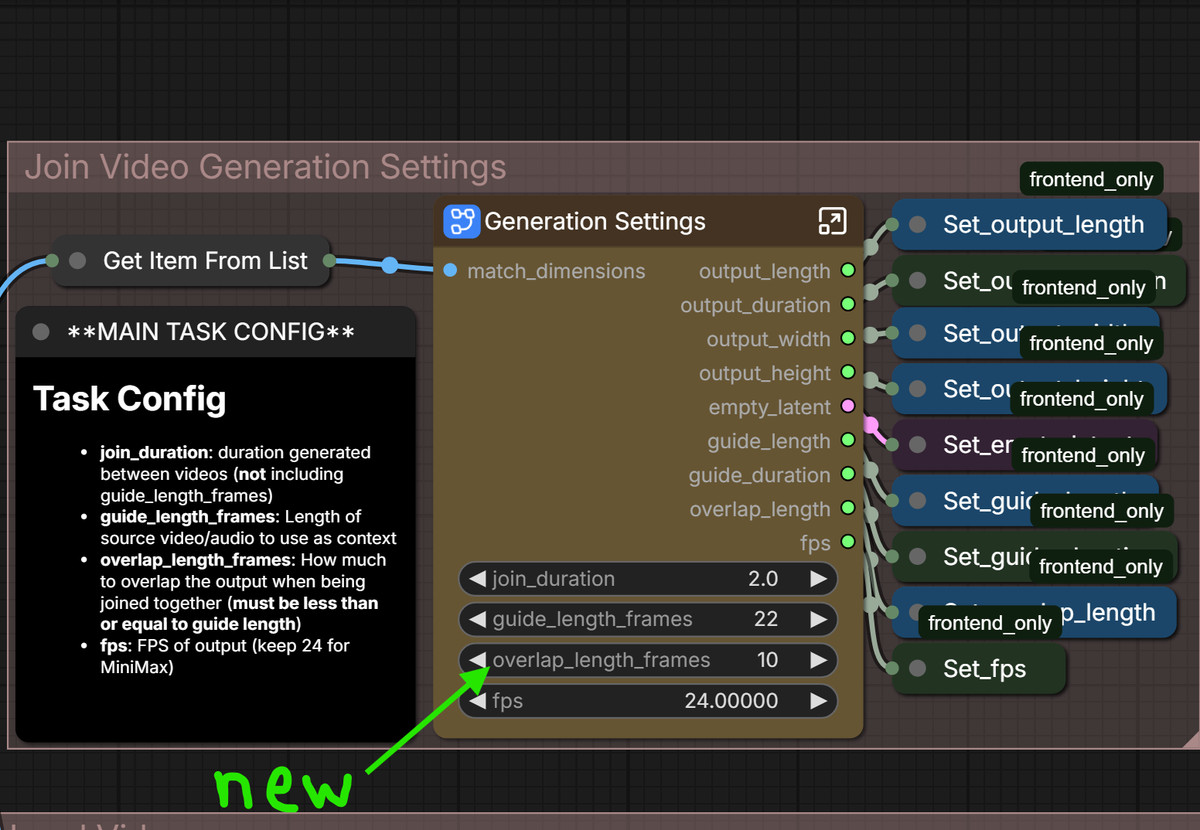
A workflow that automatically generates transitions to join multiple video clips from a folder using H3, stitching them into a long video with audio. The concept is derived from Wan VACE Clip Joiner, using ComfyUI's native Loop node for iterative processing. v1.1 adds an independent overlap frame length setting.
Illustration
Reasons to Recommend
- Version update: Added overlap_length_frames. The overlap length between source clips and transition segments is no longer tied to guide_length_frames. The author claims significant improvement when using longer video guides. Invalid values are automatically corrected. Fixed a per-segment prompt that was incorrectly labeled as global. Requires updating comfyui_essential-er simultaneously.
- Method: Reads all videos and audio in the folder, cuts out front and back segments as guides for "middle in-painting", saves the latent for each transition, and finally overlaps and stitches with the original clips, outputting to the source directory. Reuses loaded models within the same step to avoid switching back and forth.
- Optionally add 3 images, 1 video clips, and 1 audio clips as additional references. Can connect to RefMods. Includes guide video/audio preview panels to facilitate writing prompts for each segment.
How to Use
- Required nodes: ComfyUI-Easy-Use, ComfyUI-KJNodes, ComfyUI-VideoHelperSuite, and the author's comfyui_essential-er. Optional: MiniMax H3 RefMods and ComfyUI-Spectrum-MiniMax-H3 for acceleration. ComfyUI must be updated to a version with native Loop nodes.
- The author did not provide the required H3 model files, step counts, or VRAM requirements on the model card. You need to open the workflow to verify.
Risks and Limitations
- Depends on 4 custom node packages. Only 1 visible example images are provided, with no example videos of the joined result (2 hidden).
- The ComfyUI version requirement only states "keep updated".
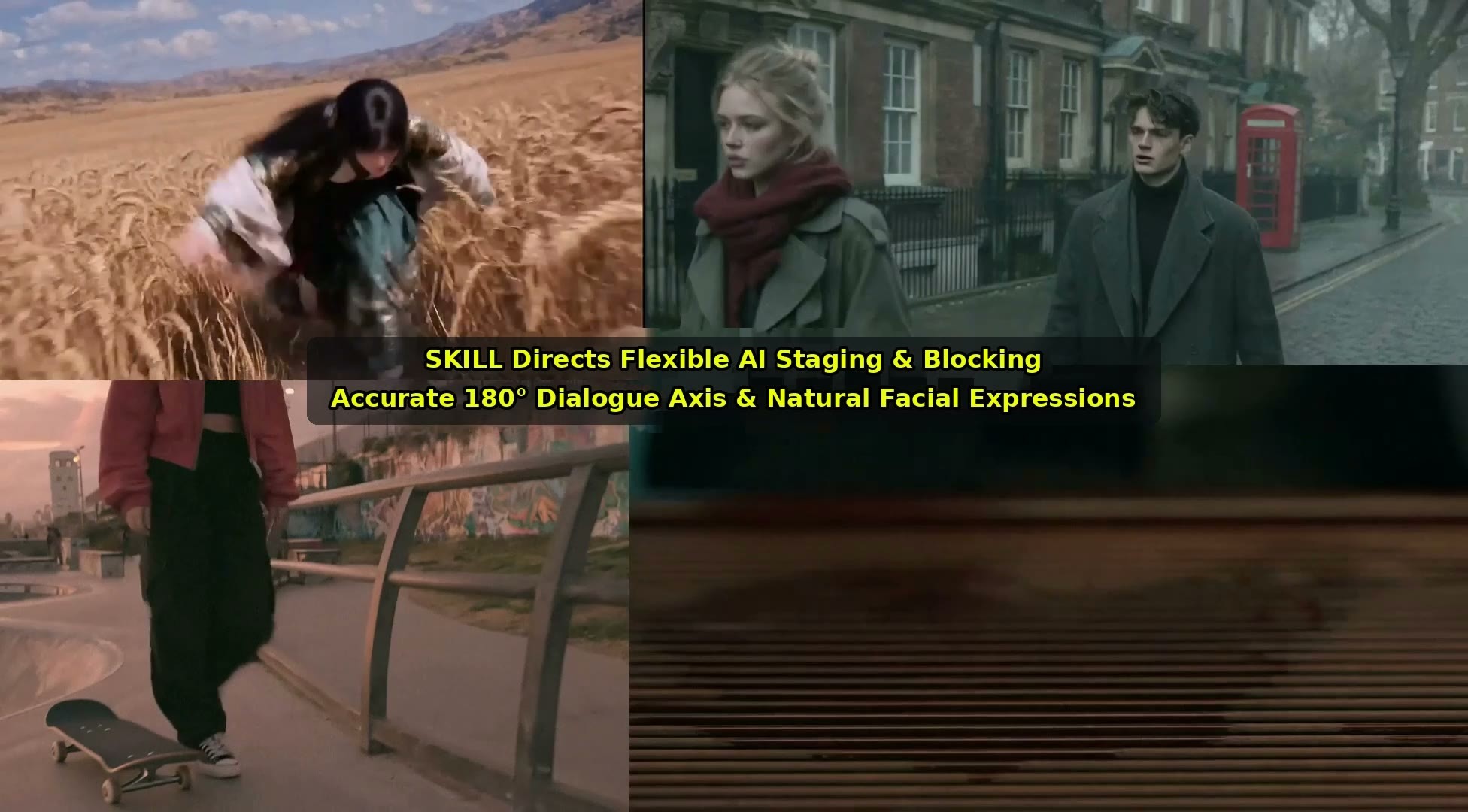
【B】🎬 Crazy Director's Assistant SKILL Pack | The Obsessive AAA Studio & Cinema Directing Engine · v1.0
Other · New Model · Author FourBunny · Published 11-15 23:40 · Downloads 2 · Paid
Not model weights, nor ComfyUI workflows: the two zip files (h3-prompt-writing.zip and DirectorAssistantV2.zip) contain prompt-writing Skills for AI assistants. The author claims they include 19 reference modules that compile ideas, scripts, or rough storyboards into H3 video prompts.
Image
Reasons for Recommendation
- Relationship with H3: It does not generate visuals itself; it only writes prompts. The author claims it is optimized for H3's text-to-video, image-to-video, first-and-last-frame, and reference-image modes. The base model is labeled MiniMax H3 for classification purposes.
- Content (as claimed by the author): 3 sets of isolated visual tiers—3A semi-realistic 3DCG, in-game cel-shading, and cinematic live-action film look; cross-shot continuity ledger (world coordinates, 180° shot-reverse-shot, character orientation); martial arts choreography and weapon structure constraints; and writing techniques for visual effects like fire, smoke, fluids, and energy.
- Includes 3 demo videos. The author claims the full version is distributed for free in their Discord group, while Civitai offers a paid unlock for one-click download.
How to Use
- The author does not specify which AI assistants are supported or how to load them. The usage involves having the assistant convert ideas/scripts/storyboards into H3 prompts according to the Skill, then pasting them into your own H3 workflow.
- The author recommends pairing it with their BUNNY series LoRAs and the Infinite long-video workflow.
Risks and Limitations
- Paid download (unlocking on Civitai costs 500 Buzz). Without unlocking, file contents are invisible, making it impossible to verify the quality of individual modules.
- The description is primarily promotional (e.g., "zero nasolabial folds," "zero continuity errors") and lacks comparative examples showing the same prompt with and without the Skill. 5 examples are hidden.
- The relationship between the two zip files is not explained by the author (one is named h3-prompt-writing, the other DirectorAssistant V2).
Included Only (2)
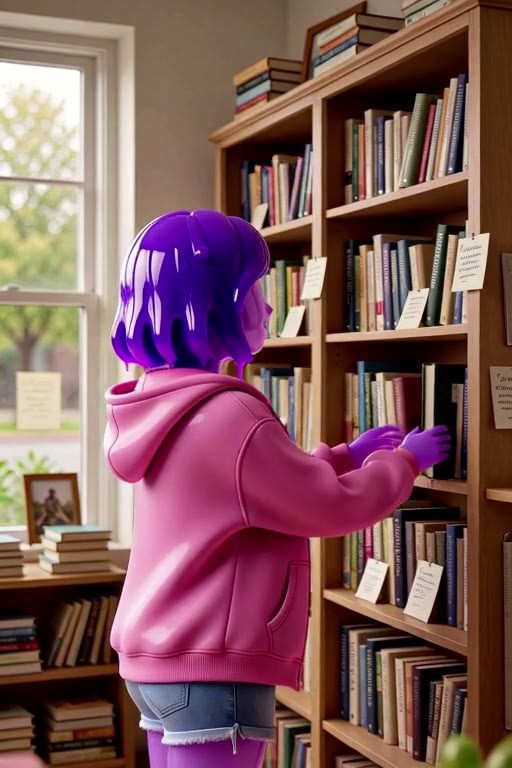
- Violet Mercer · v1.0 H3 — LoRA: H3 character LoRA for the original character Violet Mercer (Vi): a female character with a body made of translucent purple hydrogel, lacking eyes and eyebrows, capable of morphing her body into clothing.
- Nyarlith · v1.0 H3 — LoRA: H3 character LoRA for the original Cthulhu-style character Nyarlith: a young female figure with purple eyes and a cluster of tentacles covering the lower half of her face. Trigger word: nyarlithlora.

Data: Civitai public API (base model MiniMax H3). Inclusion window: 11-15 20:31 → 11-16 09:01 (Beijing Time). Recommendation reasons have been reviewed by editors; download counts reflect attention only.