Zhenzhen's AI Radar · MiniMax H3 · 2026-11-18 Morning Report
This issue features 4 new versions: Strongly Recommended 0 · Recommended 1 · Worth Watching 2 · Listed Only 1
Editor's Note This issue reviews 4 new H3 versions: 1 rated A, 2 rated B, and 1 rated C. Top pick: c41_lomo, a film-style LoRA trained on Kodak Gold negative scans, producing warm brown, yellow, and green tones with low saturation, fine grain, and a C41 film aesthetic. Trigger words and strength settings are fully provided, with 5 example videos visible. The sampler and CFG settings provided by the author are typical for image models, so they are listed under limitations. The Character Sheet workflow v1.5 only fixes the left/right orientation of the head six-view, categorized as a minor update (B). The Music MV Toolkit automatically splits scenes based on song duration but remains in preview, categorized as B. The original character Sol examples are all hidden, categorized as C.
Recommended (1)
[A] c41_lomo · v1
LoRA · New Model · Author wobushannes325 · Published 11-17 21:04 · Downloads 142
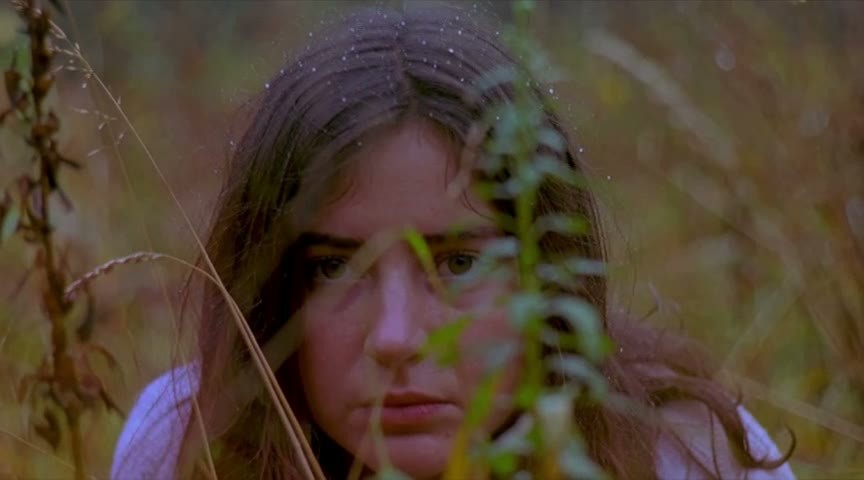
A style LoRA that adjusts H3 videos to have the texture of C41 color negatives (Kodak Gold): low-saturation warm brown, yellow, and green tones, soft contrast, slight vignetting, fine grain, and natural bokeh.
You can compare the same outdoor portrait prompt with the LoRA on and off to see the changes in color tone and grain.
Images
Reasons for Recommendation
- The new capability is overall color grading and film grain, without altering characters or composition; the author claims it was trained on 720 scans of Kodak Gold negatives, without using synthetic filters
- Suits natural landscapes, outdoor portraits, and close-up shots with detailed foregrounds like water droplets and grass blades, ideal for nostalgic or slice-of-life short films
- Trigger words and strength settings are provided, 5 example videos are visible, it is free, and the license allows for selling and merging
How to Use
- Include the trigger word c41_lomo in the prompt, with LoRA strength set between 0.7 and 0.9
- The author suggests pairing it with nature and portrait subjects; close-ups, soft daylight, water droplets, and grass blades best showcase the effect
- The author recommends the E10 checkpoint tier (i.e., this file); step count was not specified by the author
Risks and Limitations
- The sampler (DPM++ 2M Karras / Euler a) and CFG 5–7 settings written by the author are common for image models and may not apply to H3 video workflows; adjust according to your own workflow
- The description focuses entirely on visual color tone, with no mention of motion or temporal performance
Trigger Word: c41_lomo
Worth Watching (2)
[B] H3 Character Sheet Designer for ComfyUI -Image Generation · v1.5
Workflow · Version Update · Author ukr8b3g201 · Published 11-18 00:25 · Downloads 88
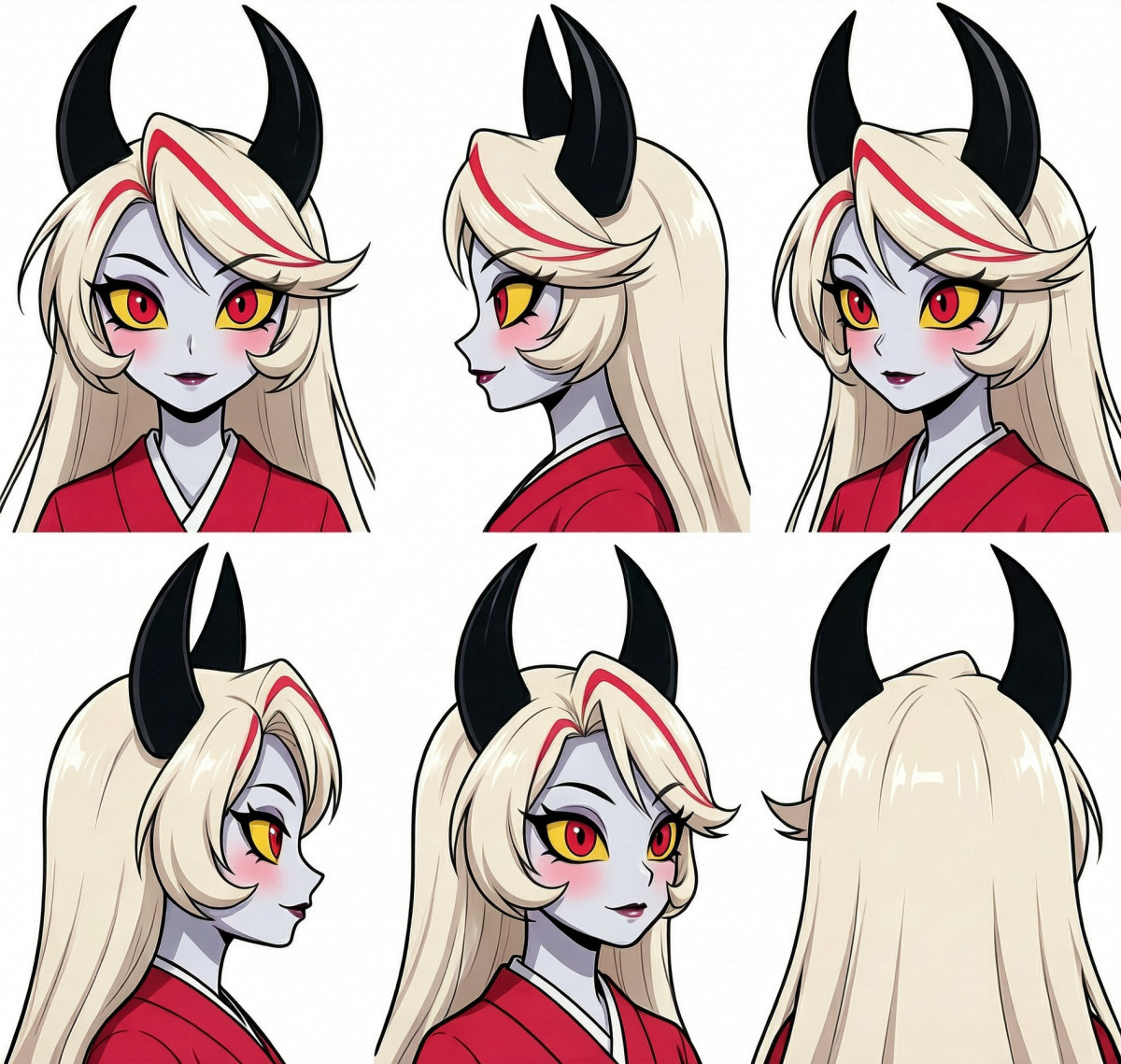
v1.5 of the ComfyUI character sheet (multi-view three-view) node pack and workflow: uses H3 Image / P-H3 to generate layout-ready character sheets with multiple angles of the head or full body from a single reference image.
Images
Reasons for Recommendation
- v1.5 differs from v1.4 by only one change: the head six-view preset now uses the same three-column, two-row layout and orientation when toggling the layout reference image, improving left/right orientation guidance
- Suits character design, turnarounds, and preparing multi-angle reference images for video LoRAs
- The entire node set and two workflows are free; the author provided installation and update commands; 4 example images are visible
How to Use
- In the ComfyUI directory, git clone the author's H3-Character-Sheet-Designer into custom_nodes; for existing installations, use git pull to update, then restart and open the v1.5.0 workflow from the workflows folder
- The MiniMax H3 Image version requires ComfyUI 0.45.0 or higher; place models in the diffusion_models/minimax, text_encoders, and vae directories as instructed
Risks and Limitations
- The author states that generated orientations still vary with the model, reference image, and seed; individual views may face the wrong direction
- The version update log is empty; changes are only noted in the main description; 1 sensitive-level examples are hidden
[B] H3 Music Video Toolkit — Song Canvas + Manual Scene Control · v1.0
Workflow · New Model · Author hRUSTIN474 · Published 11-18 05:02 · Downloads 30
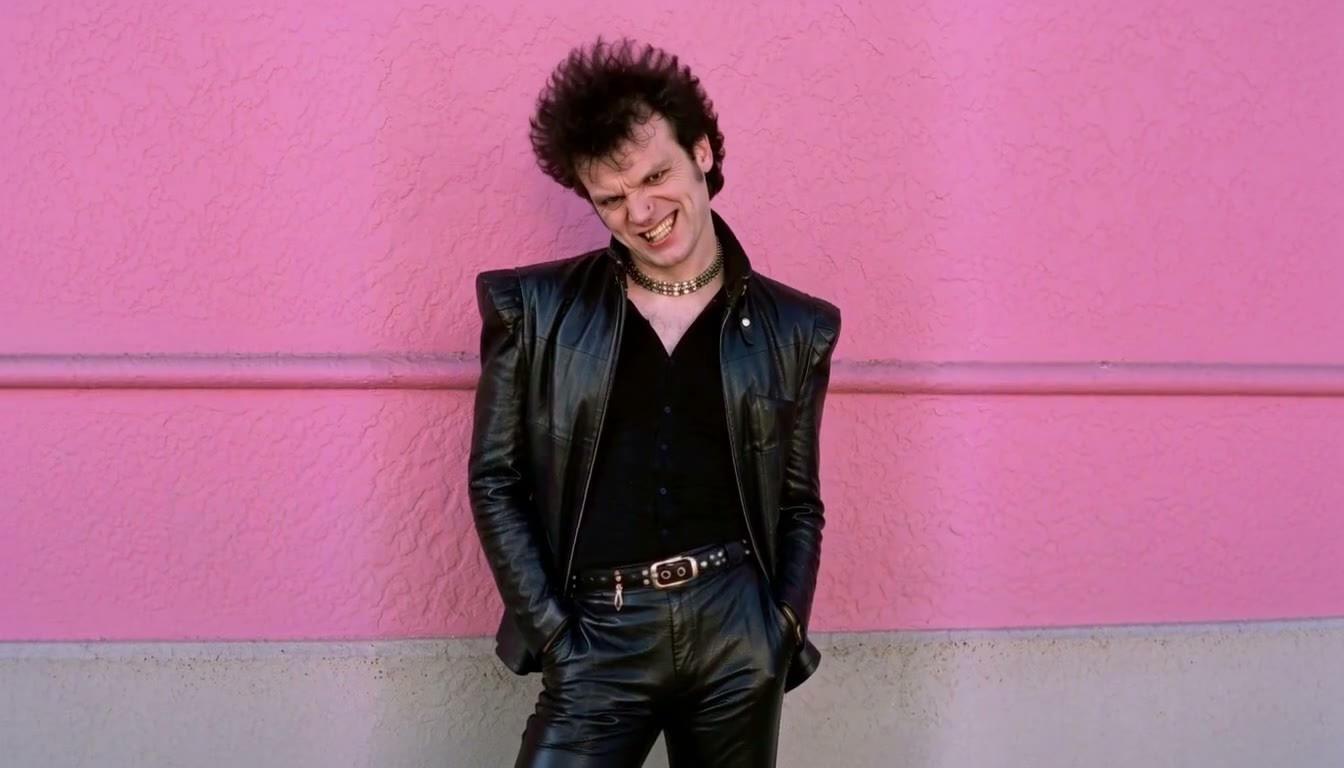
A ComfyUI toolkit for creating full-song MVs with H3: after uploading a song, it calculates the number of scenes and frames per segment based on actual duration, provides editable storyboard cards, and then proceeds with segmented generation, continuation, and stitching via Context Loop.
Images
Reasons for Recommendation
- Solves the segmentation problem for long MVs: no need for LLMs to auto-write storyboards or manually cut audio for each segment; scene durations and uncovered audio tails are displayed directly
- The song is connected to the timeline and audio conditioning for each segment; optional RelayVSR upscaling, DLSS, and HDR finishing are available
- The author claims the calculator has been tested with songs ranging from two to six minutes; 2 example videos are attached, and it is free
How to Use
- After unzipping, install the custom plugins and templates within the package; model weights and third-party node packs must be downloaded separately
- The author suggests first testing a single scene with the basic workflow, then writing prompts and reference images for each scene
Risks and Limitations
- The author marks this as a v0.1 preview, developed only on Windows portable ComfyUI and RTX 5070 Ti; public templates and the latest audio connections have not been fully tested
- The author does not guarantee lip-sync accuracy for singing
- The license does not allow derivatives, nor does it allow selling generated content
Listed Only (1)
- character · v1 — LoRA: H3 video character LoRA for the original fictional character Sol: a female with a fit physique and long hair in golden double boxing braids.

Data: Civitai public API (base model MiniMax H3), inclusion window 11-17 20:31 → 11-18 09:01 (Beijing Time). Recommendation reasons have been reviewed by editors; download counts only reflect attention levels.