Zhenzhen's AI Radar · MiniMax H3 · 2026-11-18 Evening Report
This issue features 7 new versions: Strongly Recommended 0 · Recommended 1 · Worth Watching 2 · Listed Only 4
Editor's Note This issue reviewed 7 new H3 versions: 1 rated A, 2 rated B, and 4 rated C. Top recommendation: H3MD Director v0.5.5: swaps 3–5 people simultaneously in a single video. It first uses the Qwen Image 2.1 keyframe workflow to redraw characters during moments of crossing or overlap before importing them into the Director's Desk, plus adds wide-shot small-face redrawing, but it has many dependencies and runs slowly. Score to Screen v9.1 adds a dialogue list for each scene, which is a minor update, rated B; the Hailstorm slider LoRA has clearly documented strength tiers, but it is currently paid, rated B. The KOF fighting LoRA, four-view workflow, H3 Image character swap workflow, and the character LoRA onewh1zz examples are all hidden or have overly brief descriptions, rated C.
Recommended (1)
[A] H3MD Director 0.5 – 2–3 min videos with MiniMax H3: multi-character swap, wide-shot face refine, seamless CCW · v0.5.5 multi-swap + face
Workflow · Version Update · Author 1113800942188 · Published 11-18 20:05 · Downloads 13
v0.5.5 of the H3MD Director long-video node package: adds multi-character replacement (swapping 3–5 people in one video without mixing them up when they cross or overlap) and wide-shot face refinement (redrawing small faces within head masks using H3 and pasting them back).
First, try swapping characters in a short clip with multiple people crossing paths to ensure no mix-ups occur before processing the entire long video.
Images

Reasons for Recommendation
- New capabilities compared to v0.4.3: H3 tends to mix up characters when they cross or overlap; the new workflow first uses the Qwen Image 2.1 keyframe workflow to identify these moments, redraws them using your character images, saves them as a plan package, and then imports it into the Director's Desk for generation
- Wide-shot face refinement: Redraws within SAM3 head masks using H3 (strength 0.8, 6 steps, locking original audio), then upscales via VOSR2 and pastes back with soft edges; the author claims small faces of 50–100 px become much clearer, though not perfectly sharp
- Serves action replication, MVs, and multi-character short dramas where you have existing footage and want to swap characters; free and open-source, with 2 example videos visible, and the author has an EP08 tutorial video
How to Use
- First run the Qwen Image 2.1 Keyframe workflow to get a plan zip (the author claims a 26-second original takes about 2–3 minutes), import it into the Director's Desk, select the multi-person replacement style, and run
- Drag the original video into Load Video; start_s / end_s can be used to replace only a specific segment; write one line of description per person matching the character image (gender, ethnicity, clothing)
- Remake only supports 1664x960 / 960x1664 / 2560x1472; from v0.5.5 onwards, the Director's Desk automatically slices the replacement plan to these dimensions
- Requires ComfyUI-Viggle-Remake nodes and SAM3.1; the author states VRAM starts at 16 GB, with 24 GB or more recommended
Risks and Limitations
- Many dependencies: Viggle-Remake nodes, SAM3.1, and the Qwen Image 2.1 keyframe workflow all need to be prepared separately
- Slow: The author claims a 26-second clip took 29 minutes on an RTX 5090
- Wide-shot face refinement only supports single characters; the author suggests avoiding placing faces in extreme wide shots
- Node license is AGPL-3.0; 1 sensitive-level examples are hidden
Worth Watching (2)
[B] Score to Screen — Songs, voices and scenes: a music video studio (YuE2 × MiniMax H3) · v9.1
Workflow · Version Update · Author koyan0418439 · Published 11-18 09:59 · Downloads 42
v9.1 of the complete workflow combining YuE2 composition + H3 MV generation: adds a Lines dialogue list for each scene, where you fill in the speaker, dialogue, and optional start second line by line, ensuring H3 receives the dialogue exactly as you entered it.
Images

Reasons for Recommendation
- Compared to v9.0, only the dialogue input changed: v9.0 had to guess who said what and which line came first from quotes in the scene description; v9.1 uses a list, so LLM omissions, rewrites, or speaker changes do not affect the dialogue H3 receives; each line of dialogue automatically gets a close-up shot of the speaker
- Serves MVs and short drama scenes with dialogue; if dialogue is filled in for non-speaking scenes like songs or silence, a warning appears with a one-click button to switch to H3's built-in voice
- Scenes with empty dialogue lists work as in v9.0, so old projects can be opened directly; free, with 1 example videos visible
How to Use
- Upgrading from v9.0: Replace the ComfyUI-ABCScoreIO and ComfyUI-PromptSplitter folders in custom_nodes, restart and force-refresh the page, then open the v9.1 workflow; no new models required
- Select a scene in the Timeline, click + Add a line in the Lines box under Scene Audio, up to 12 lines per scene; speakers can be selected from registered S1–S4 or any name in any language can be entered directly
- H3 engine options include Standard (20 steps), Turbo, or FastH3 Omni (8 steps, no LoRA required)
Risks and Limitations
- Heavy dependencies: YuE2, local LLM, Demucs, and STRUM for beat synchronization all need to be installed, with many steps for initial installation
- The author states that specifying start seconds and selecting speakers from registered characters have only been code-tested and not actually run on H3
- Dialogue must be short: The author claims H3 speaks about 3.5 English words per second; overly long dialogue will exceed the scene duration
- The author recommends using Singularity v1.3 or FastH3 Omni for videos with dialogue, as Singularity v2 renders dialogue as subtitles
[B] KinetiX Weather System Series · KinetiX Hailstorm V1.0
LoRA · Version Update · Author make676767 · Published 11-18 10:56 · Downloads 5 · Paid
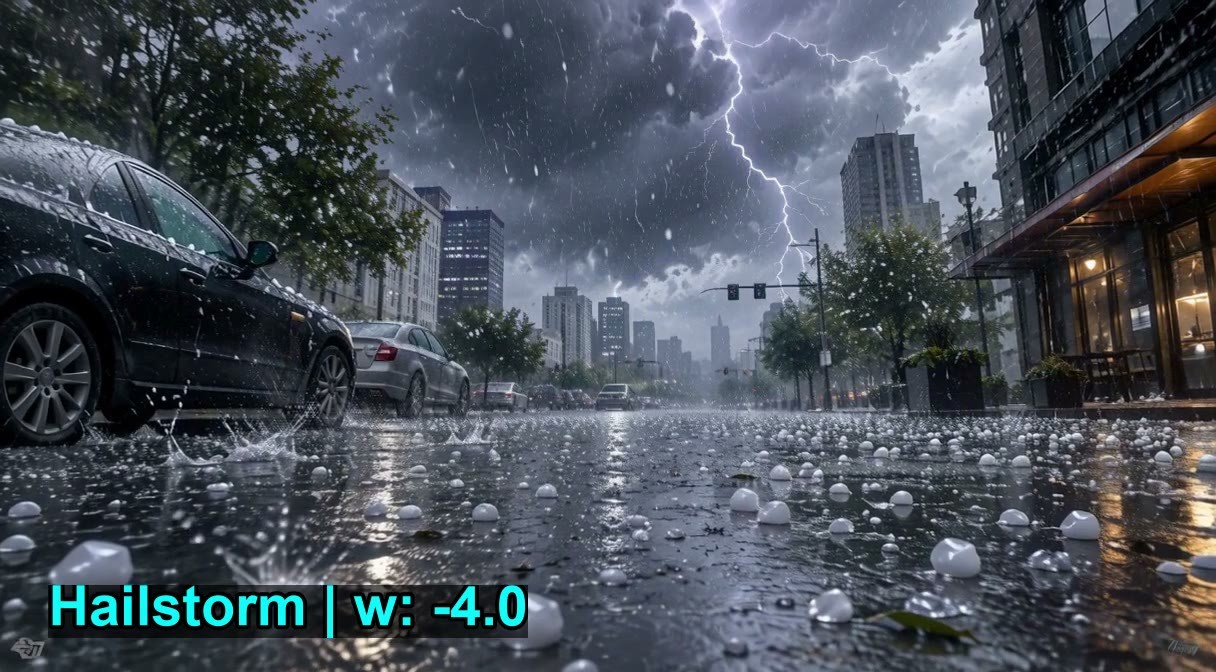
The hail version of the KinetiX weather slider series: positive strength adds hail (ice pellets landing at high speed, bouncing, and shattering into ice shards), with larger hail at higher strengths; negative strength removes hail and replaces it with dry, sunny weather.
Images
Reasons for Recommendation
- New weather in the series (previously included snow, rain, day/night, and volumetric fog); the author claims it only adds weather without changing buildings, vehicles, character faces, or composition
- Strength tiers are clearly documented: +1.0 ~ +1.5 is the author's recommended realistic hail, +2.0 ~ +3.0 is heavy, +4.0 ~ +5.0 is giant hail; -2.0 ~ -3.0 removes hail and returns to sunny weather
- Serves text-to-video shots requiring severe weather, such as wuxia courtyards or cyberpunk street scenes; 2 example videos are visible, and the author provides 4 copy-paste-ready prompts
How to Use
- No trigger words; adding "It is hailing." to the prompt ensures hail (optional), with hail density controlled by LoRA strength
- Author's suggested combinations: Hail +3.5 with camera_shake +1.0; Hail +2.5 with movement_amplitude +1.5 and hit_stop +0.8 (the latter are the author's other slider LoRAs)
- Step count not provided by the author
Risks and Limitations
- Paid download: The author set an early access period, with the API showing it ends on 2026-11-21
- 7 sensitive-level examples are hidden
- The included workflow resource pack is labeled as training data type, and security scanning is not yet complete
- The version update log only lists the version name
Listed Only (4)
- KinetiX Combat Semantic Bridge (MiniMax-H3) · KOF V2.1 — LoRA: The KOF (King of Fighters) version V2.1 of the KinetiX "Combat Semantic Bridge" fighting LoRA; the author's article title claims it brings real fighting physics into H3, but the model page does not specify the exact effects of this version.

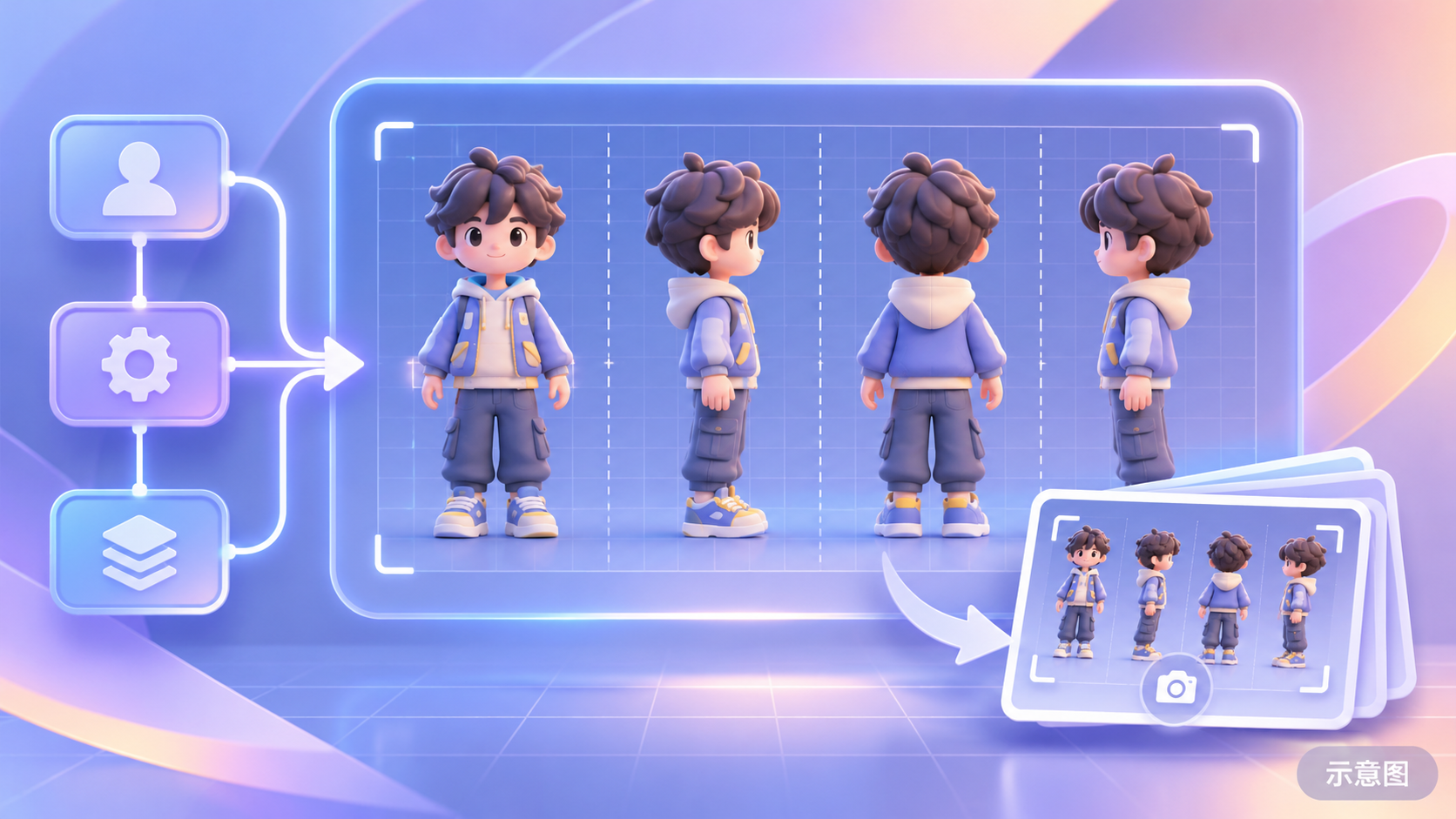
- Minimax h3 High consistency character four-view · v1.0 — Workflow: An H3 workflow for generating multi-view character images (four-view): the author claims it can quickly produce accurate multi-view character images, which can then be screenshotted as references.
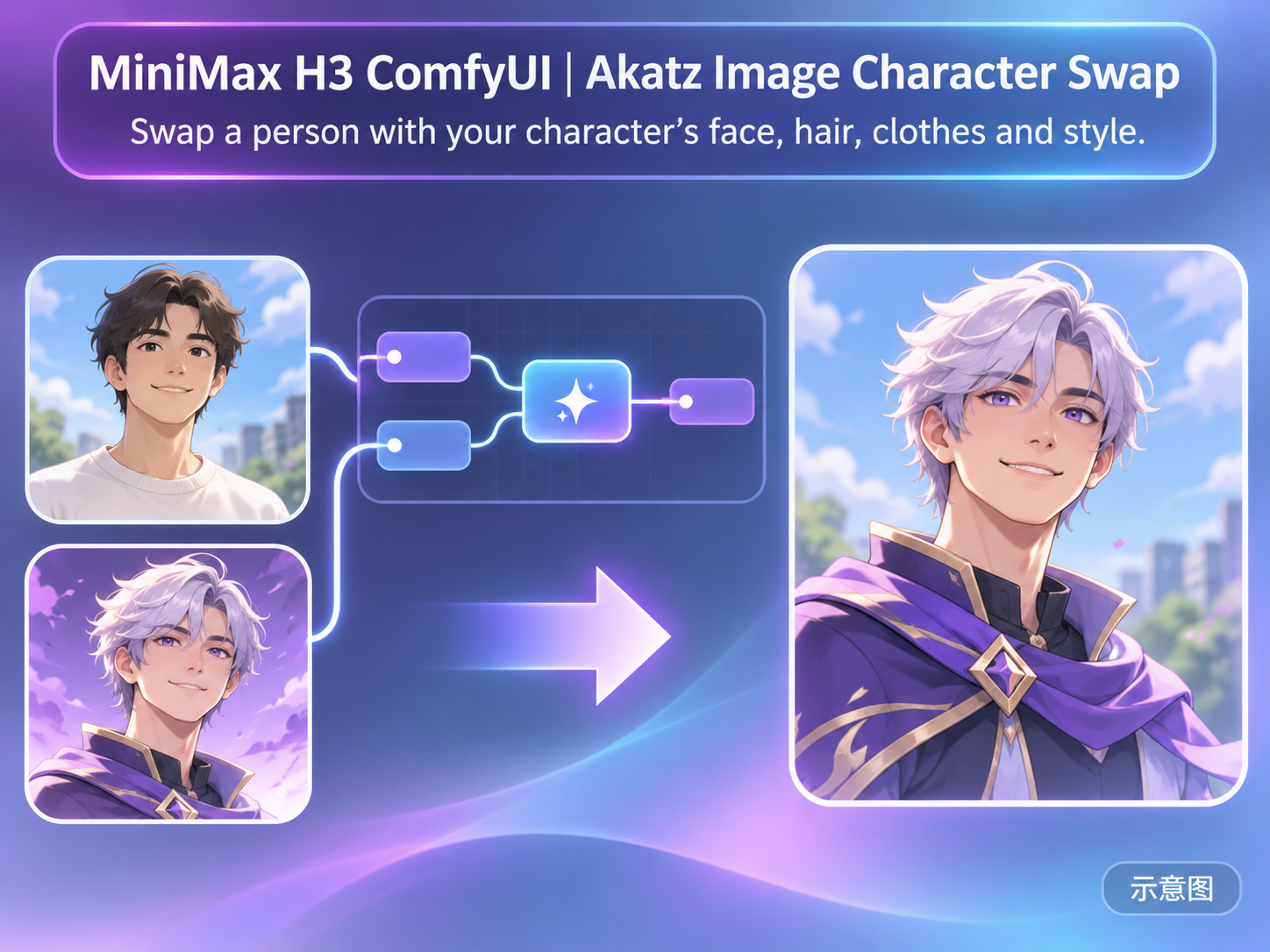
- MiniMax H3 ComfyUI | Akatz Image Character Swap · v1.0 — Workflow: A static image character swap workflow for MiniMax H3 Image: input a scene image and a character reference image to replace one person in the scene with your character (face, hairstyle, clothing, and art style), while trying to preserve the background and lighting.
- onewh1zz · v1.0 — LoRA: The first version of the author's H3 character LoRA experiment, character name onewh1zz; no description of the person or image, tagged as wizzard.

Data: Civitai public API (base model MiniMax H3), inclusion window 11-18 08:31 → 11-18 21:01 (Beijing Time). Recommendation reasons have been editor-reviewed; download counts only reflect attention.