Zhenzhen's AI Radar · MiniMax H3 · 2026-11-24 Morning Brief
This issue features 8 new versions: Strongly Recommended 0 · Recommended 2 · Worth Watching 1 · Listed Only 5
Editor's Note This issue reviewed 9 new versions of H3, with 2 rated A, 1 rated B, 5 rated C, and 1 excluded. Top pick: Kodak_Vision3_250D: a color grading LoRA that simulates the color and grain of Kodak Vision3 250D film negatives; 6 sample videos are visible, but only trigger words were provided without strength settings. Story to Screen v1.1 adds an end frame for each scene, enabling seamless transitions and loopable start/end points, maintaining its A rating. The Kiko RefMod workflow is a revision of the original LoRAtech package, with changes focused on image selection and previews, downgraded from A to B; two FF7 Japanese voice samples and examples for the fictional character Aaminah are all hidden, and descriptions are too brief, downgraded from B to C; the Windows hardware monitoring widget is a generic ComfyUI tool unrelated to H3, so it was excluded.
Recommended (2)
[A] Kodak_Vision3_250D · v1
LoRA · New Model · Author wobushannes325 · Published 11-24 02:07 · Downloads 100
A color grading LoRA simulating the style of Kodak Vision3 250D (5207) 35mm film negatives: adds natural colors, soft highlight transitions, detail retention in shadows, and fine grain to H3 videos.
Top pick for this issue's H3: clear purpose, most examples, usable directly with trigger words; lacks parameters like strength, so it doesn't reach S-tier.
Images

Reasons for Recommendation
- New model: a film-texture LoRA; the author states the goal is not an aged filter, but restoring the color separation and tonal range of cinema color negatives, without relying on exaggerated grain or heavy grading.
- 6 sample videos are visible (864×480 and 960×544), with prompts provided for 5 of them; based on cover frames, the subjects include architectural exteriors, interiors, aerial forest shots, urban streets, kitchens, and lakeside figures, consistent with the author's listed uses in architecture/real estate, interiors, landscapes, and lifestyle.
- Simple usage: place the trigger word Kodak_Vision3_250D at the beginning of the prompt; the author suggests starting with natural daylight, overcast, mixed light, and afternoon warm light.
- Free, permissive license (including commercial use); approximately 7 hours after release, it had 100 downloads and 6 likes, making it the most downloaded H3 version this issue.
How to Use
- In the H3 video generation workflow, load kodakVision3250D_v1.safetensors (296 MB), start the prompt with Kodak_Vision3_250D, then describe the scene and lighting.
- The author did not provide strength, steps, or sampler settings; you can start from the example prompts.
Risks and Limitations
- The description is written for "photography," without addressing whether motion, flickering, or grain stability in video are consistent; there is no comparison with/without the LoRA.
- This tool has not viewed the videos themselves, only cover frames; image quality was not assessed.
- The author states it is unrelated to Kodak; the name uses a Kodak film model number.
Trigger Word: Kodak_Vision3_250D
[A] Story to Screen — MiniMax H3 multi-scene film from pictures and prompts, with H3's own sound (timeline) · v1.1
Workflow · Version Update · Author koyan0418439 · Published 11-23 22:59 · Downloads 68
v1.1 of the multi-scene finished film timeline workflow Story to Screen: adds an "end picture" for each scene, allowing scenes to move toward a specified frame and stop there, used to create seamless transitions and loopable films where the end connects to the start.
Last issue's v1.0 was rated B due to lack of visible examples; this version clearly documents new features in the changelog and adds demo videos, so it is rated A for the new functionality.
Images
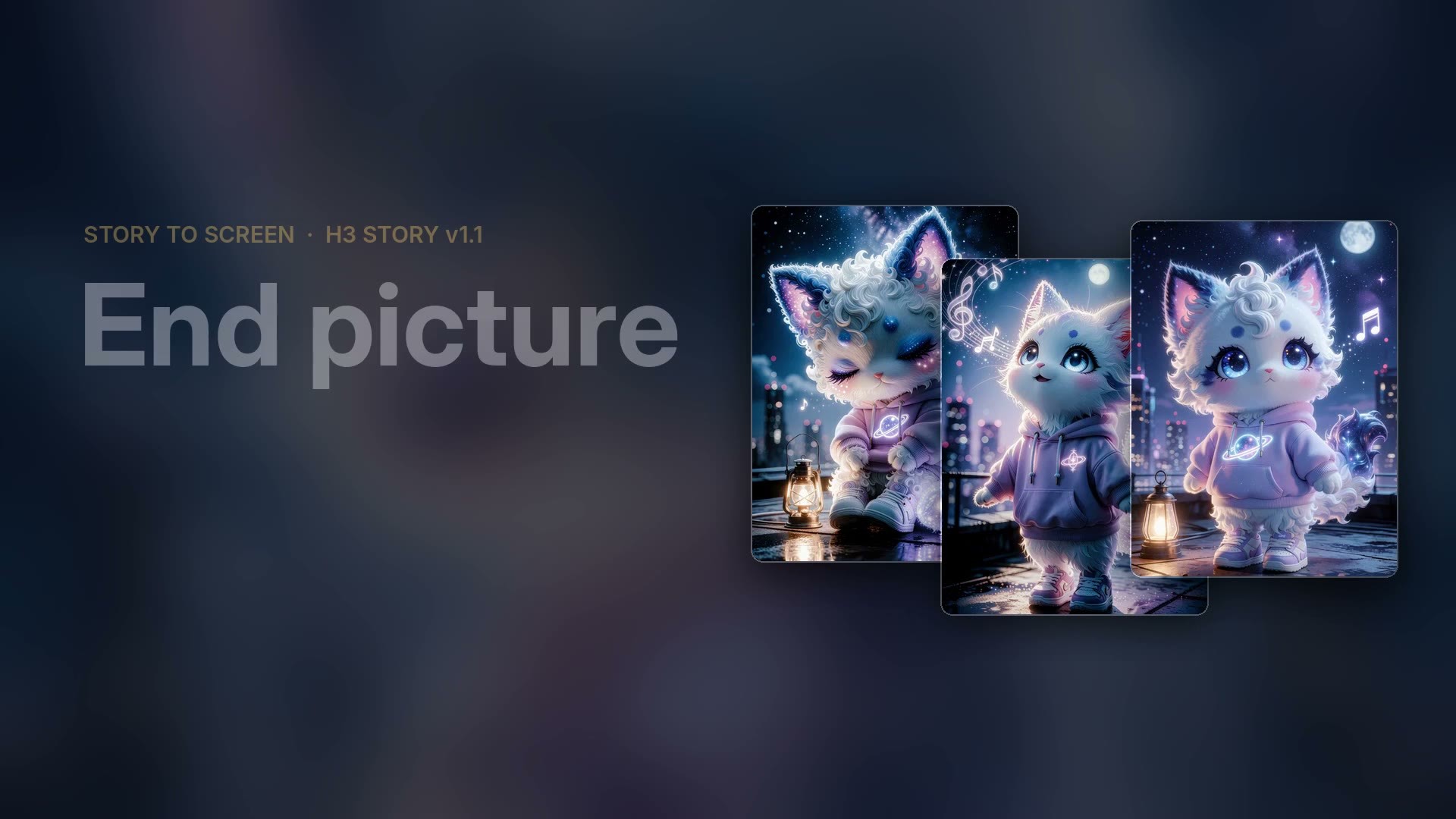
Reasons for Recommendation
- This version's update (clearly documented in changelog): 🏁 End picture—using the same image as the end of the previous scene and the start of the next scene places the cut between identical frames; the author claims that in a 3-scene film, the jump at seams is 2.5 / 2.7 / 2.7, compared to approximately 7.1 for normal frame motion in the same film.
- Setting the last scene's end picture as the first scene's start picture and setting the fade-out at the end of the film to 0 enables a seamless loop; added ⚠ 🖼 not locked warning, reminding which scenes' images are not locked as the first frame (which will cause jumps).
- Added experimental 🗣 Voice sample node, passing the same short audio clip to specified scenes as reference sound, aiming to maintain the same voice across multiple scenes; the author explicitly states this has not been verified on H3 and is disabled by default.
- Last issue's v1.0 had no visible examples; this version releases 1 1920×1080 feature demo videos (the intro demonstrates the End picture), allowing you to see this new feature; free, with 68 downloads within 10 hours of release, and a cumulative total of 138 downloads on the model page.
How to Use
- Replace the old folder with the new custom_nodes/ComfyUI-H3Timeline (node package 1.5.0) and restart; workflows saved in v1.0 can be opened directly, automatically adding the 🏁 button; Tap to Screen v1.3.3 from the same node package remains usable.
- In the scene editor, click 🏁 End picture to select the end image; place the same image in the next scene, turn off ⛓, and keep "Lock First Frame" enabled; clearly describe in the scene text how to move from the start image to the end image, otherwise H3 might cut shots within the scene on its own.
- Start and end image dimensions must match the final video; the default video VAE is changed to minimax_h3_video_vae_int8_convrot.safetensors, change it in ⚙ Settings if using a different VAE.
- Actions before and after cut points will slow down by approximately 0.3–0.5 s; audio drops at cuts are compensated by Sound join (default 1 s).
Risks and Limitations
- The full model card states: single scene limit of approximately 14 seconds, maximum 64 scenes; end pictures and looping were only verified by the author on an RTX 5060 Ti 16 GB GPU using a 3-scene film of 23 s.
- Depends on H3 ref2va model, Qwen3-VL text encoder, video and audio VAEs; this tool has not run it; seam values are as claimed by the author.
- Voice sample and lip-syncing have not been tested on H3; H3 generates sound per scene, so voice texture may still change abruptly during transitions.
- Demo videos do not include prompts; license does not include commercial use.
Worth Watching (1)
[B] Kiko H3 RefMod Pack · v1
Workflow · New Model · Author kiko9 · Published 11-24 02:51 · Downloads 73
A ComfyUI workflow that encodes a set of character photos into a small RefMod file: subsequently, loading this file in any H3 reference-to-video workflow eliminates the need to reconnect reference photos each time; no training required.
(Editor downgraded from A to B: the workflow is not new weights, but modifications to image selection and previews based on the original package, with no examples of generation effects; automatic rating relied mainly on download speed.)
Images
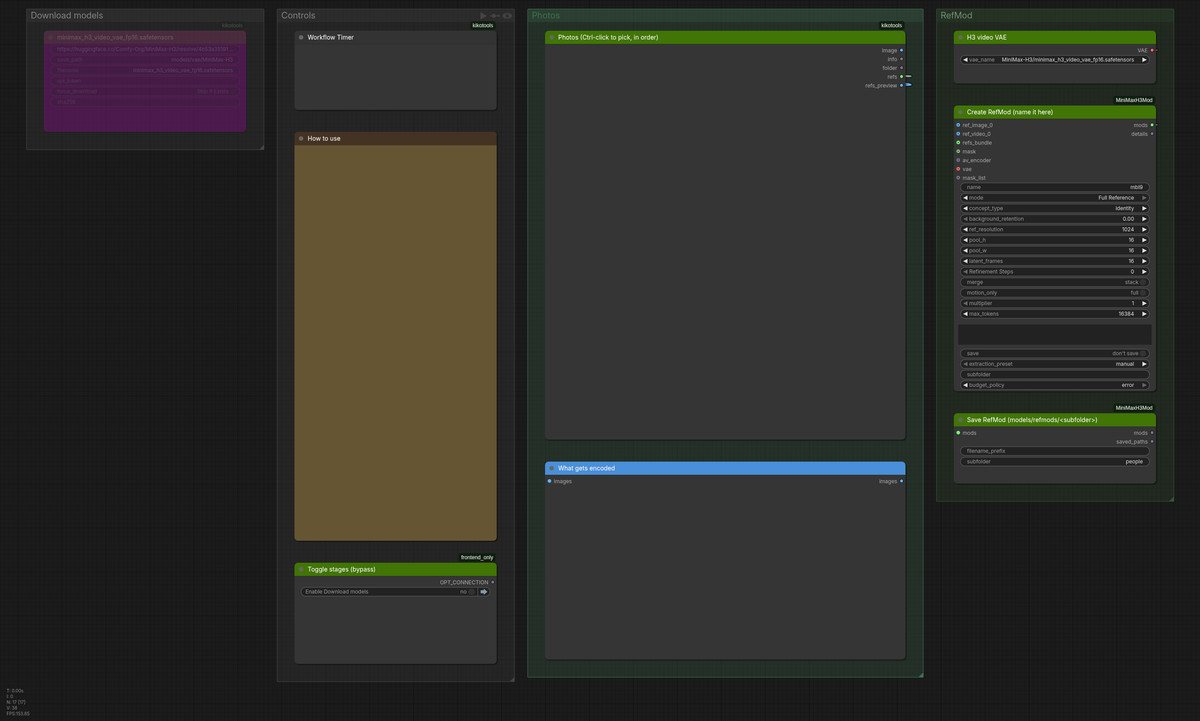
Reasons for Recommendation
- New tool (workflow, not new weights): the author claims creating a RefMod from 8 photos takes only seconds and results in a 2.7 MB file; serves scenarios in H3 reference-image-to-video where the same character is used repeatedly.
- Parameters are clear: Create RefMod uses Full Reference, ref_resolution 1024, 16,384 token budget, throwing an error if over budget instead of saving an incomplete file; each image takes approximately (height/32)×(width/32) tokens, 8 images at 9:16 under 1024 resolution take approximately 14,336, reduce ref_resolution to 832 if there are many photos.
- Includes 8 photos of the author's synthetic character mbl9 and the prepared mbl9.safetensors, ready for trial use.
- Based on a revision of LoRAtech's MM RefMod Image Pack, changes include sequential photo selection in the gallery, previewing the actually encoded image, and fixing save path prefixes; free, permissive license, with 73 downloads approximately 6 hours after release.
How to Use
- Install ComfyUI-KikoTools version 1.8.0 or higher, ComfyUI-MiniMaxH3Mod (Luisa), ComfyUI-KJNodes, rgthree-comfy, and import kiko-h3-refmod-pack-v1.json.
- KikoTools is flagged in the Comfy Registry: either upgrade Manager to 4.3 or higher and set allow_flagged_nodepack_install = true in config.ini, or clone and install from GitHub.
- In Local Image Loader, Ctrl-click photos in order (the first determines size, others are scaled and center-cropped to match), enter the character name in 'name'; Save RefMod saves to models/refmods/people/<name>.safetensors; video VAE can be downloaded using the built-in Download models group.
Risks and Limitations
- Visible examples are only 1 screenshots of node graphs, with no videos generated using RefMod, so effects cannot be seen; another 1 examples are hidden due to sensitivity level.
- Core capabilities come from third-party nodes ComfyUI-MiniMaxH3Mod and the original LoRAtech workflow; this package is a convenience revision; KikoTools is flagged by the Registry, requiring configuration changes for installation.
- Details on photo rules and token budgets are in another article by the author, with only a summary provided in the model card; this tool has not run it.
Listed Only (5)
- Aerith Gainsborough Voice (Jpn) - Final Fantasy 7 - Audio Only [Minimax H3] · Minimax H3 v1.0 — LoRA: Japanese voice LoRA for Aerith from the Final Fantasy 7 Remake trilogy. This LoRA modifies only the audio, enabling characters generated by H3 to speak with her Japanese voice.

- Yuffie Kisaragi Voice (Jpn) - Final Fantasy 7 - Audio Only [Minimax H3] · Minimax H3 v1.0 — LoRA: Japanese voice LoRA for Yuffie from the Final Fantasy 7 Remake trilogy. This LoRA modifies only the audio, enabling characters generated by H3 to speak with her Japanese voice.

- Aaminah NordhavenLove · MiniMaxH3 — LoRA: A character LoRA for Aaminah NordhavenLove, an original fictional female character created by author MisterMR. It is used to maintain a consistent face and appearance in H3 videos.

- Lara Belwyn · MiniMaxH3 — LoRA: An H3 version of the character LoRA for Lara Belwyn (a fictional female character created by author MisterMR, with a setting as an archivist in Bruges). It is used to maintain this character's consistency in H3 videos.

- AuthentiQ: Koran Tempo [Krea2/MOSS/MMH3] · MMH3_v1.0 — LoRA: The H3 version of AuthentiQ's "Koran Tempo" slender cartoon style LoRA. This features an 2D comic style (referred to by the author as "thintoons") with extremely elongated limbs and necks, large heads, and bright eyes, intended for use in H3 videos.

Data: Civitai public API (base model MiniMax H3), collection window from 11-23 20:31 to 11-24 09:01 (Beijing Time). Recommendations have been reviewed by editors; download counts reflect only popularity.