Zhenzhen's AI Radar · MiniMax H3 · 2026-11-25 Morning Briefing
This issue features 9 new versions: Strongly Recommended 1 · Recommended 1 · Worth Watching 3 · Listed Only 4
Editor's Note This issue reviews 9 new H3 versions, with 1 S-rated, 1 A-rated, 3 B-rated, and 4 C-rated entries. Top pick: Sint Turntable v2.0 Front + Back version: uses the front image as the first frame, pins the real back image at 2.5 seconds, generates a seamless looped 360° turntable video, and automatically exports 8 directional frames; the back is based on your image rather than guesswork. The TriPRISM download for the Singularity × 10Eros three-model merge is the fastest to download, but it is merely a merged base model with few examples, so it is rated A; the file security scan for the pi-H3 DWD two-step / four-step accelerated workflow is incomplete, and the video pre-cutting and micro-expression plugins for the H3MD Director Console depend on the console and have almost no visible examples, both rated B. The waist slider port, two game character voice LoRAs, and one fictional character LoRA lack sufficient documentation or examples, so they are downgraded from B to C.
Strongly Recommended (1)
[S] Sint Turntable · 360° Turntable from One Image - MiniMax H3 · v2.0 Front + Back
Workflow · Version Update · Author AriaMaiven · Published 11-25 08:00 · Downloads 10
The v2.0 Front + Back version of the 360° turntable workflow: input two images, a front and a real back; use the front as the first frame and pin the back at 2.5 seconds. H3 generates a seamless looped turntable video and extracts 8 directional frames by angle.
(Editor maintains S rating: capabilities are clear, parameters and input requirements are fully documented, sample assets are included, and only one core node is added.)
Image

Reasons for Recommendation
- Version update: v1.0 only provided the front, relying on prompts to let H3 guess the back; v2.0 adds a back reference image, serving game characters and props (backpacks, jetpacks, shields, box lids) with pre-designed backs, as well as product displays with text or prints on the back.
- The author clearly states requirements and known behaviors: props rotate at a constant speed, with 8 directional frames landing at fixed positions within 124 frames; characters may pause for about half a second when turning to the back and might shift their feet, so the author suggests manually selecting oblique angle frames for characters from the video.
- The only new node is MiniMaxH3AddGuide, which comes with ComfyUI core; the model file is identical to v1.0; the download package includes front and back images of a hat for demonstration, ready to run upon opening.
- Includes 3 sample videos + 7 sample images, free, license allows image generation and in-site rental.
How to Use
- Unzip sint-turntable-h3-front-back-workflow.zip and import into ComfyUI; place the front image in “Front (first frame)” and the back image in “Back (anchored at 2.5 s)”; update ComfyUI if nodes are missing.
- Both images must feature the same subject, same size and height, and identical pure medium-gray background and lighting; the back must be a real back, not a mirrored front. In the prompt, rewrite the line for 2.5 seconds to reflect the actual back content, keep the phrase “never pauses”, and leave the last frame empty.
- Author's test parameters: 768x768, 20 steps, res_multistep, seed 42, turbo disabled; do not change 5 seconds, 124 frames, or 24 fps.
Risks and Limitations
- The author states that the vertical format 768x1344 has not been tested; the author only tested 2 props and 2 characters.
- Characters may pause and shift feet when turning to the back, making the 8 directional frames inaccurate for characters.
- 1 sensitive-level examples are hidden; this tool did not run the workflow.
Recommended (1)
[A] Singularity-V2-x-10Eros-Max · TriPRISM
Base Model / Checkpoint · Version Update · Author 0l1v1aR0551 · Published 11-24 21:44 · Downloads 826
TriPRISM, a new version of the merged base model combining Singularity V2 and 10Eros-Max: it adds a third base model, Sulphur3, along with DMAD, PDMD, and realistic slider LoRAs, to be used as a complete H3 base model replacement.
(Editor adjusted from S to A: the merging method is clearly explained and attention is high, but it is merely a merged base model; this version's parameters require following the previous version's instructions, and examples are scarce.)
Image

Reasons for Recommendation
- Version update: changed from the previous dual-model merge to a combination of three base models (Sulphur3, 10Eros-Max, SingularityV2) and six components (DMAD, PDMD, Realism); in response to feedback about “oily skin”, it has baked the mmh3 Realism Slider LoRA at recommended strength 1.5.
- The author explains the PRISM merging method: using random SVD (rank 64) to filter diffusion noise differences, directional SLERP with logarithmic space amplitude interpolation, handling sign conflicts and re-anchoring layer normalization, aiming to reduce weight artifacts when integrating turbo models into base models.
- Published 11 hours ago with 826 downloads and 47 likes, making it the most downloaded version this issue (representing attention only); free, license allows image generation and in-site rental.
How to Use
- Download the INT8 ConvRot single file and replace the H3 base model loader; fp16 / int8 / w6a8 versions are available in the author's Hugging Face repository.
- The author provides parameters for the previous PRISM-DMAD-PDMD version: 8 steps, no Turbo LoRA needed, Euler / Beta57, Shift 12/3; it is not specified whether this version follows these parameters.
Risks and Limitations
- It is a merge of multiple existing models, not a new training; the author has not provided specific parameters for this version separately.
- Only 1 video segments + 1 image examples are available; content rating is mixed.
- The single-file INT8 weights are very large, resulting in high download and VRAM requirements.
Worth Watching (3)
[B] Anikin Labs pi-H3 DWD Studio v1.0 · v1.0
Workflow · New Model · Author Roman_Anikin · Published 11-25 00:19 · Downloads 180
pi-H3 DWD accelerated video generation workflow: switch between text-to-video / image-to-video and 2-step / 4-step sampling in a single interface, with 3 LoRA slots, audio toggle, and resolution/duration settings.
(Editor maintains B rating: functionality and compatible models are clearly written, but the security scan is incomplete, dependencies require separate installation, and this tool did not run it.)
Image

Reasons for Recommendation
- New workflow: based on pi-H3 DWD (Decoding Without a Decoder) acceleration and the pi-Flow scheduler, with optional Sol-Attn, aiming to compress H3 video generation steps to 2 or 4.
- The author provides selection advice: use 2 steps for speed, and 4 steps to compare stability and detail; for initial testing, use short videos and low resolution.
- The main configuration is MiniMax H3 FL2VA INT8 ConvRot with the corresponding pi-H3 DWD adapter; the author claims Ref2VA INT8 ConvRot has experimentally worked for text-to-video and image-to-video.
- Includes 2 sample videos, free, license allows image generation and rental; published 9 hours ago with 180 downloads (representing attention only).
How to Use
- Import AnikinLabs_pi_H3_DWD_Studio_v1_0.json; model weights, pi-H3 DWD adapters, and custom nodes like ComfyUI-piFlow must be installed separately, with download links and installation instructions built into the workflow.
- Select T2V / I2V and 2 or 4 steps in the panel; set intensity in the 3 LoRA slots as needed; the audio toggle only removes the audio track from the exported video.
Risks and Limitations
- The security scan status for the workflow JSON is incomplete (Error / Success); please note this before downloading.
- The author states that 8 GB VRAM is only a development target, not a verified minimum requirement; LoRA compatibility and low-VRAM operation are not guaranteed, and generated audio occasionally contains noise.
- 3 sensitive-level examples are hidden; the author did not write update notes (first version).
[B] H3MD Ref Splice – Re-cut any video & let AI add moves that never happened | FREE open-source, MiniMax H3 | H3MD Director plugin · v0.6.2 Ref Splice
Workflow · New Model · Author 1113800942188 · Published 11-24 23:49 · Downloads 61
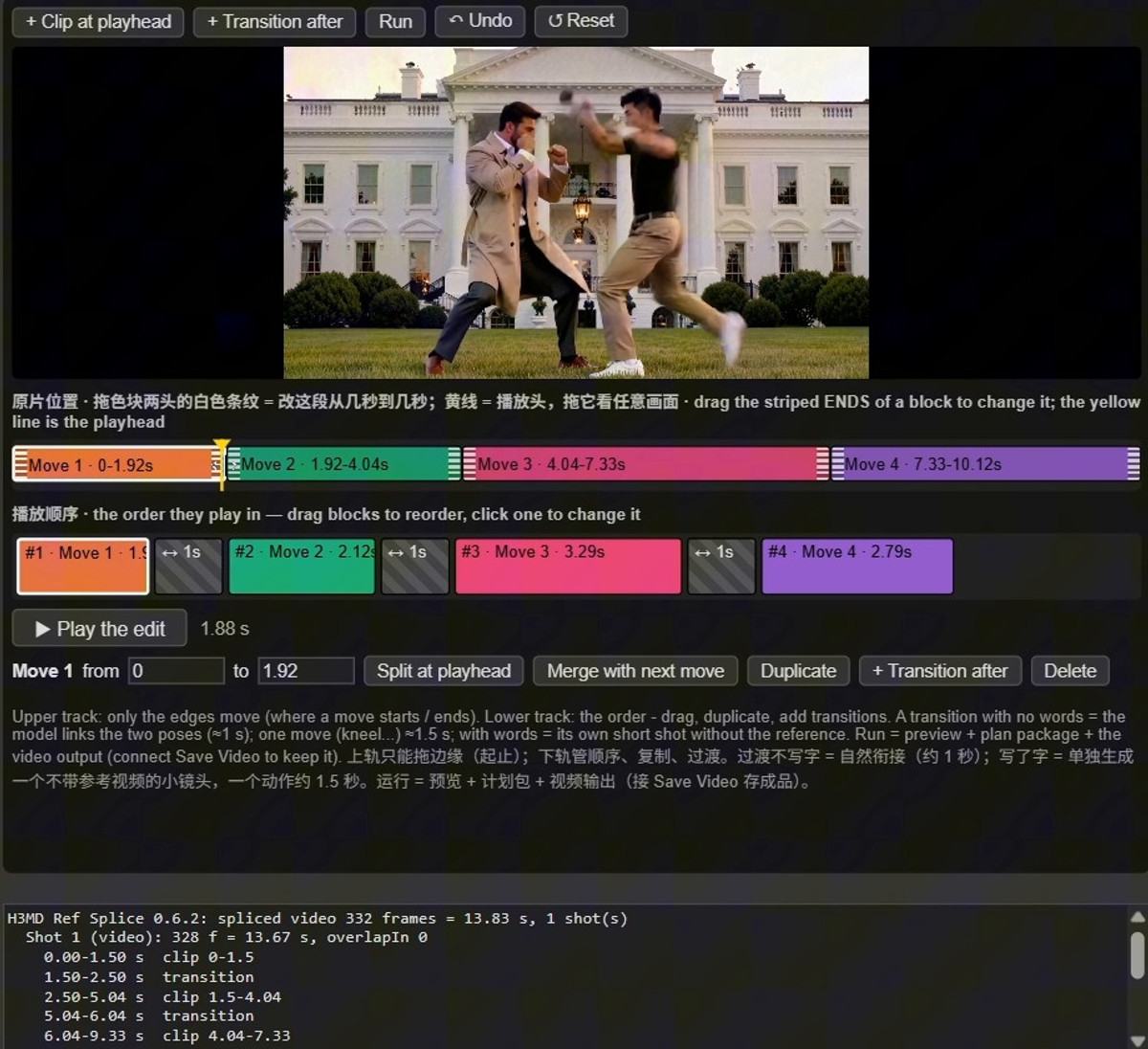
Ref Splice, a video pre-cutting plugin for the H3MD Director Console: automatically cuts reference videos into action segments that can be dragged, copied, deleted, merged, and reordered, and inserts new clips between segments—blank clips create fade transitions, while writing an action or line of dialogue lets H3 generate a new shot.
(Editor maintains B rating: purpose is clear, but it depends on the Director Console and external AI workflows, with only screenshots as visible examples.)
Image
Reasons for Recommendation
- New plugin: serves the task of “re-cutting existing reference videos and adding actions”, allowing editing on the timeline first, then deciding whether to call H3.
- When no new actions are added, the cut video can be exported directly; the author gives an example of cutting 10 s into 15 s without needing H3; when adding new actions, a generation plan package is created, completed by an AI with the H3MD skill installed, and then imported into the Director Console to run.
- Free and open-source, AGPL-3.0 license requires attribution; includes English / Chinese audio track EP11 video tutorials.
How to Use
- Released with H3MD Director 0.6.2: update the Director Console via ComfyUI Manager or git pull, and drag H3MD_Ref_Splice_0.6.2.json from the zip file onto the canvas.
- Load a video and run once for automatic segmentation, adjust start/end points by dragging boundaries on the upper track, and insert clips with set lengths in the editing track.
Risks and Limitations
- Requires the H3MD Director console and the external AI completion plan package; downloading this zip alone will not work
- Only 1 interface screenshot examples are provided; another 1 sensitive-level examples are hidden, so the generation results cannot be seen
- The author has not written update notes (first version); the page contains RunningHub promotional links
【B】H3MD Expression Studio – Give ANY face ANY expression in 1 click | FREE open-source, MiniMax H3 RefMod | H3MD Director plugin · v0.8.0 Expression Studio
Workflow · New Model · Author 1113800942188 · Published 11-24 23:41 · Downloads 87
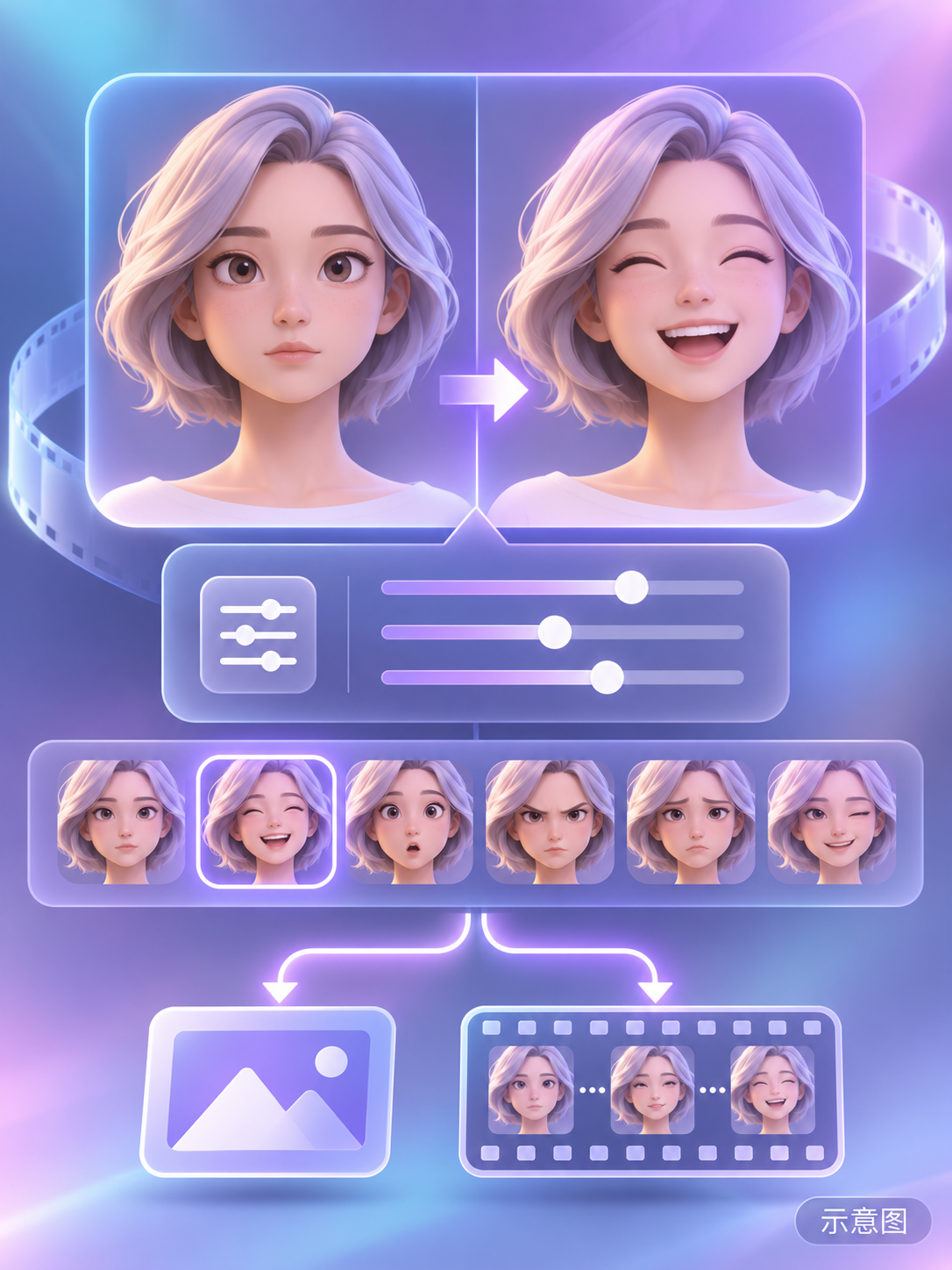
Expression Studio, a micro-expression plugin for the H3MD Director console: load an image or facial close-up video, select from 22 built-in expressions or use sliders to fine-tune eyebrows, eyes, cheeks, mouth, and head rotation in real time, then save as an image or RefMod reference clip, allowing H3 characters to perform micro-expressions that cannot be described by prompts.
(Editor maintains B: novel approach, export methods fully documented, but no visible examples and requires the Director console)
Images
Reasons for Recommendation
- New plugin: Solves the problem of difficult-to-describe subtle expressions like pouting, stifling laughter, or surprise, serving keyframe production, image editing, and segmented performances in the Director console
- Multiple export options: Save just the face or the whole image, save only the expression (can be applied to any character), generate a RefMod with character + expression, generate a full set of expressions for a character at once, copy the corresponding prompt; also learn expressions from video clips (up to 6 seconds)
- Includes a built-in face engine (containing Kuaishou LivePortrait network code and OpenCV YuNet, both MIT licensed), no additional pip packages required; the plugin itself is under the AGPL open-source license (attribution required), free
How to Use
- git clone ComfyUI-H3MD-Expression into ComfyUI/custom_nodes, drag H3MD_Expression.json from the zip onto the canvas, and click Studio to open the workbench
- RefMod requires the H3 RefMod node (ComfyUI-MiniMaxH3Mod) and H3MD Director 0.6.2: Add it to the Director console's asset library, drag it to a segment, and write its ID in the prompt (e.g., V1)
Risks and Limitations
- All examples are sensitive-level (4 are hidden), so the effects cannot be seen; an EP10 video tutorial is attached
- First use will download approximately 520 MB of face models; learning expressions from video requires extreme close-ups and minimal head movement
- The author has not written update notes (first version); the page contains RunningHub promotional links
- The card image is an AI-generated illustration, not the actual model output; the author has no publicly available non-sensitive examples
Included Only (4)
- Lithe (Waist Slider) · MMH3V v1.0 — LoRA: H3 port of the Lithe waist slider LoRA: positive values make the waist thinner than what prompts can achieve, negative values make the waist and abdomen fuller.
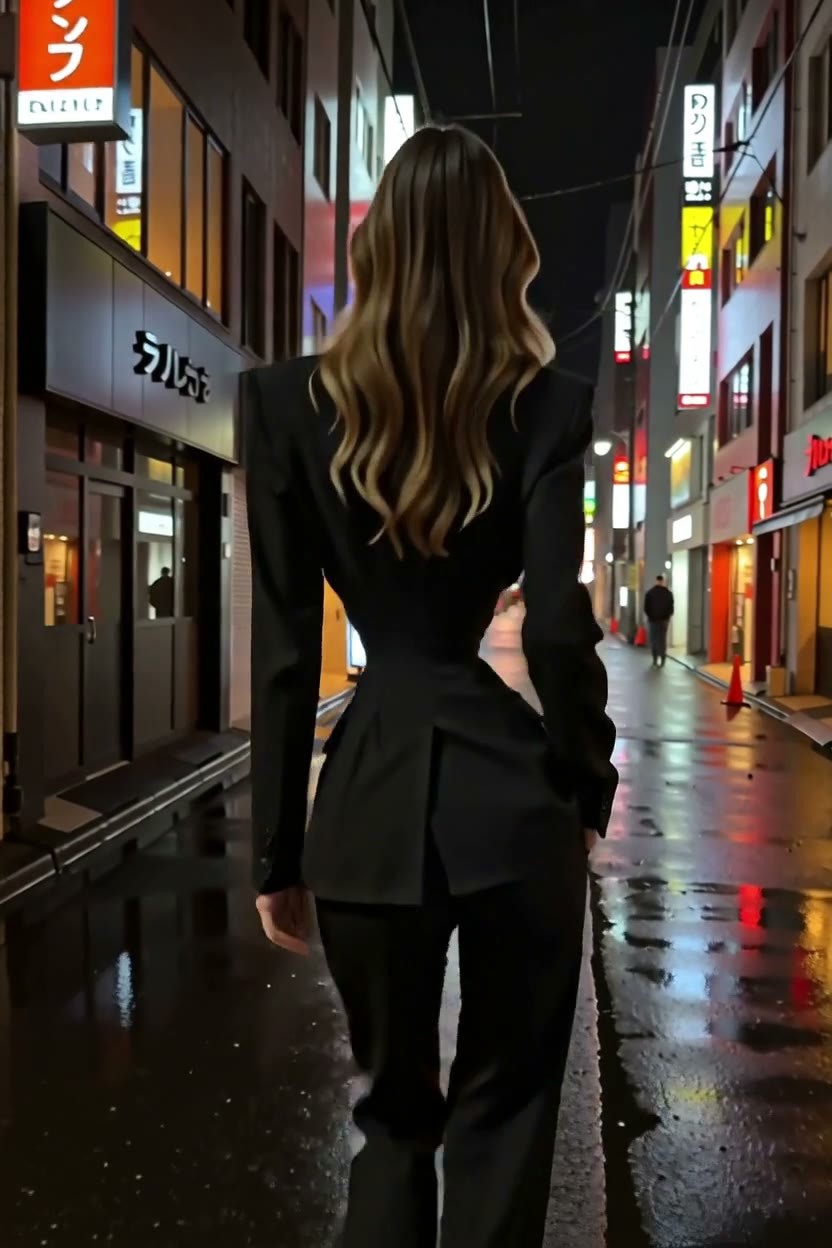
- Chihiro Fushimi Voice (Jpn) - Persona 3 - Audio Only [Minimax H3] · Minimax H3 v1.0 — LoRA: H3 audio LoRA trained only on voice: trained using Japanese voice clips of Chihiro Fushimi from "Persona 3 Reload," allowing characters in H3 generated videos to speak with her voice.

- Alyssa NordhavenLove · MiniMaxH3 — LoRA: Character LoRA for the fictional character Alyssa, used to fix this female character's appearance in H3 videos; the author states she is not a real person.

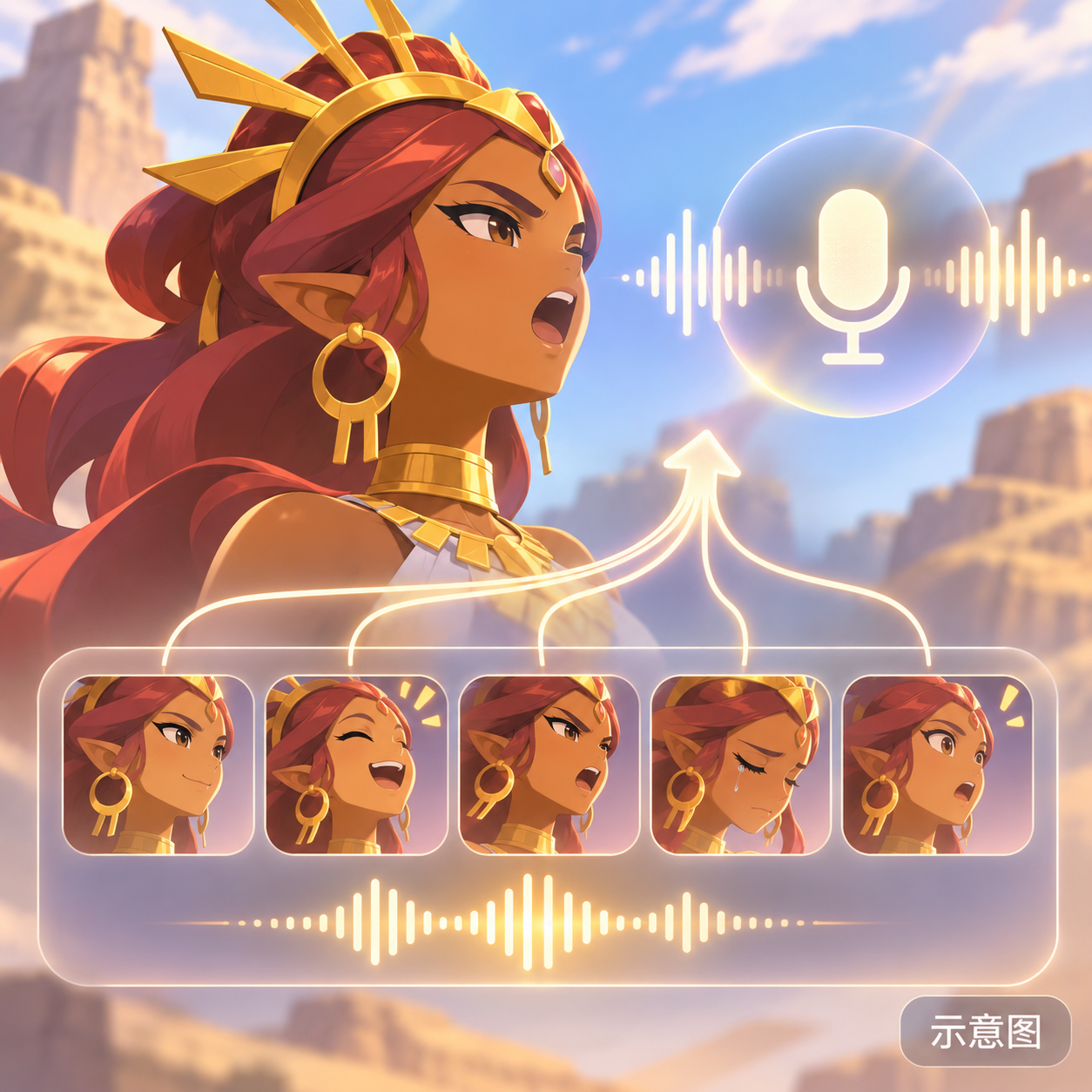
- Riju Voice (Jpn) - Tears of the Kingdom - Audio Only [Minimax H3] · Minimax H3 v1.0 — LoRA: H3 audio LoRA trained only on voice: trained using voice clips of Riju from "The Legend of Zelda: Tears of the Kingdom," allowing characters generated by H3 to speak with her voice.
Data: Civitai public API (base model MiniMax H3), inclusion window 11-24 20:31 → 11-25 09:01 (Beijing Time). Recommendation reasons reviewed by editors; download counts only reflect attention.