Zhenzhen's AI Radar · MiniMax H3 Image · 2026-11-15 Evening Report
This issue features 6 new versions: Strongly Recommended 0 · Recommended 2 · Worth Watching 2 · Listed Only 2
Editor's Note This issue reviews 6 new versions of H3 Image, with 2 rated A, 2 rated B, and 2 rated C. Top recommendation: Character Sheet Generator v5.0. Upload a single character image to generate a full sheet containing multi-angle full-body views and facial close-ups. This version allows writing individual modification instructions for each reference image, specifying art styles, and loading your own H3 Image LoRA. The MIG-17 high-resolution workflow has clear positioning but very brief documentation, rated A; ZetaLvX released four head-swap / face-swap / character-swap versions of the same workflow at once. The model card only contains general descriptions, with 1 examples per version. The head-swap and face-swap versions are rated B, while the two character-swap pose versions are rated C.
Recommended (2)
[A] MiniMax H3 Image Gigantus 17+ MP [MIG-17] by ArtGourieff · v1.0
Workflow · New Model · Author: ArtGourieff · Published 11-15 18:19 · Downloads: 32
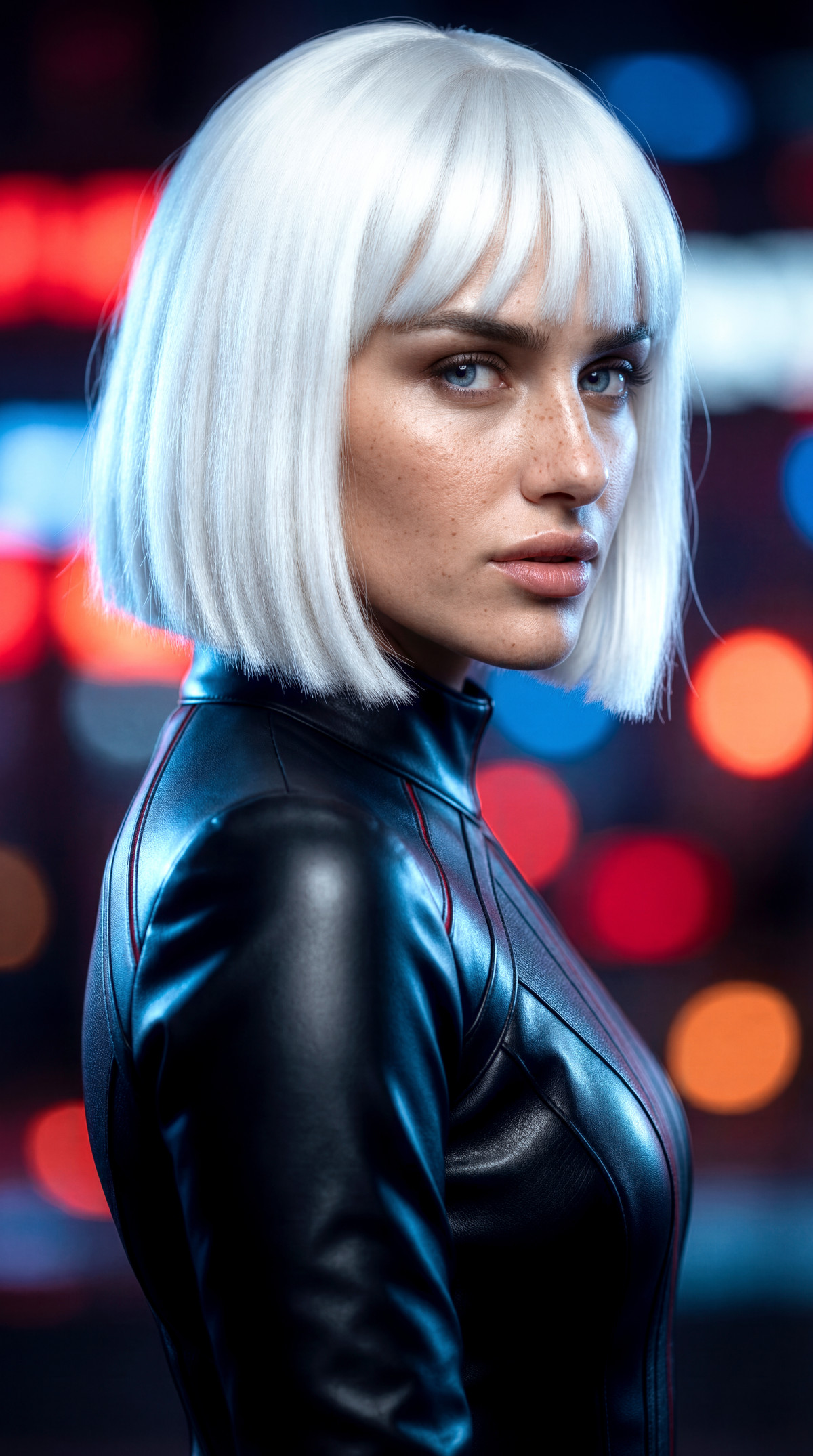
A workflow that uses H3 Image to directly generate high-resolution images above 17MP. It supports text-to-image, image-to-image, and reference-based image generation, producing results in 6 steps. The author claims it can reach up to 72MP without quality degradation.
Images
Reasons for Recommendation
- Serves scenarios requiring ultra-high resolution, such as posters and printing: generates high-resolution images directly within H3 Image without relying on separate upscaling models.
- The author claims T2I / I2I / R2I can be completed in 6 steps, reaching up to 72MP.
- Environment requirements are specified: ComfyUI version 0.45 or higher; ReActor must be updated to 0.7.2-b3 to support DLSS5 nodes for sizes above 4096px; 64MP requires more than 64 GB of memory.
How to Use
- Update ComfyUI to 0.45+ and ReActor to 0.7.2-b3, then import the workflow and follow the instructions within it; steps are set to 6, other parameters were not provided by the author in the model card.
Risks and Limitations
- The model card is very brief; specific nodes and parameters are written inside the workflow, so they cannot be confirmed before downloading.
- Depends on ReActor beta nodes; ultra-large sizes have high memory requirements.
- Only 2 visible examples are available (3 hidden). The claim of no quality loss at 72MP is from the author and lacks comparison images; the license does not allow direct sale.
[A] H3 Image Character Sheet Builder · v5.0
Workflow · Version Update · Author: juiceman868 · Published 11-15 20:56 · Downloads: 6
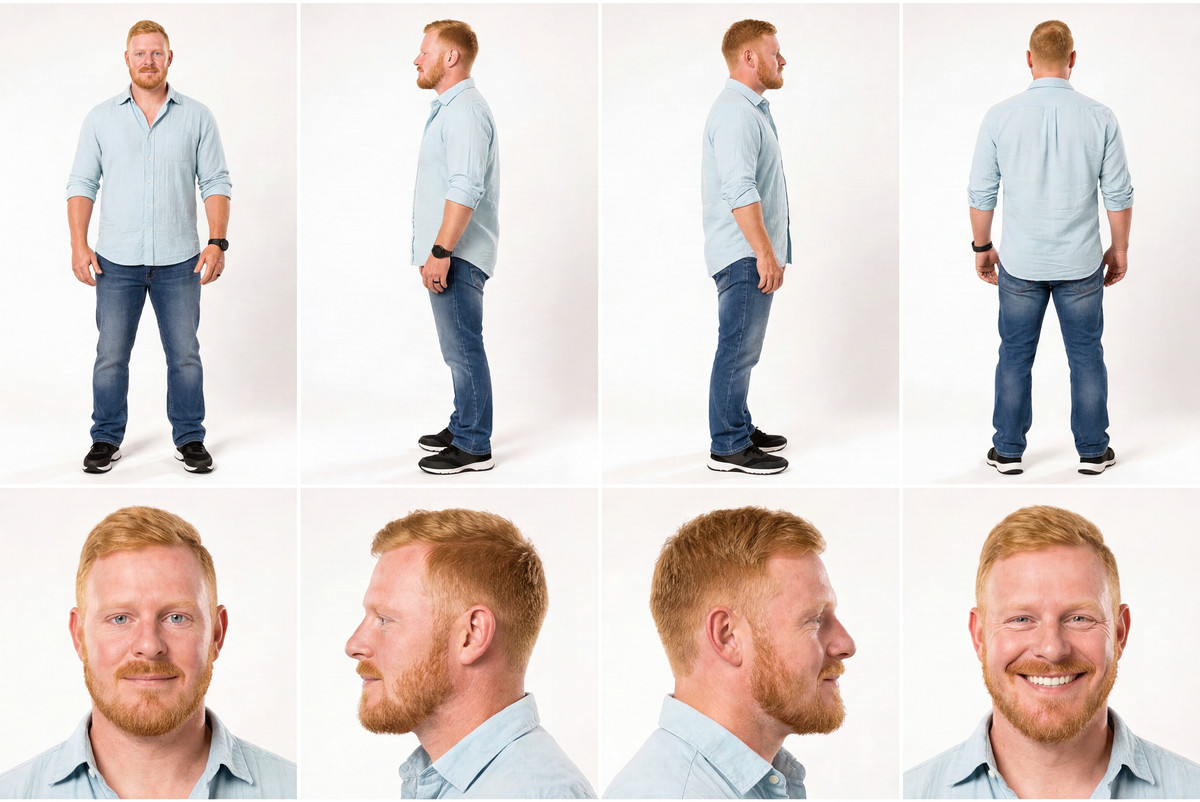
Upload one (or multiple) character images to let H3 Image draw a complete character sheet in a single render (multi-angle full-body + facial close-ups). v5.0 adds per-image modification notes, art style switching, sharpening, and built-in LoRA loading.
Images
Reasons for Recommendation
- Version update: Added 'Picture notes' under Character Notes, where each line corresponds to an uploaded image (e.g., 1: no hat, red flannel shirt), modifying only that specific reference before generating; the author claims removing beards, changing shirts, altering eye colors, and recoloring motorcycles can take effect across all views.
- Added 'art_style': Default 'Match reference' preserves the original image style, but it can be changed to Photorealistic, Anime, or Cartoon / 3D to redraw the entire sheet; also added a default-off 'sharpen' toggle, and 'final_size' now defaults to a long edge of 2048 px.
- The model selection node has been moved under STEP 1 on the main canvas, and a Pixaroma LoRA Loader was added to load H3 Image LoRAs line by line; the author claims that with new features disabled, the same seed produces output consistent with the previous version.
- Serves character design, three-view drawings, and preparation of character references for subsequent image-to-video tasks; distinct view layouts are provided for humans, bipedal creatures, quadrupeds, and vehicles.
How to Use
- Operate from left to right following Step 1 Upload → Step 2 Settings → Step 3 Result: upload reference images, select character_type, aspect_ratio (landscape), megapixels, and final_size, then click Run.
- To modify details in a specific reference image, write one line per image index in Picture notes; overall requirements should be written in character_notes.
- LoRA loading only supports LoRAs trained for H3 Image; lines with missing files will be skipped.
Risks and Limitations
- Depends on the Pixaroma node package, not purely core nodes.
- The author notes that accessories like hats and scarves may appear in full-body views but be missing in close-ups, requiring a seed change.
- A selected art style overrides styles written in Character Notes, but conflicting descriptions may still affect the visual result.
Worth Watching (2)
[B] ZetaLvX MiniMax H3 Image – ComfyUI Workflow · HeadSwap STD
Workflow · Version Update · Author: Zetalvx · Published 11-15 19:50 · Downloads: 24
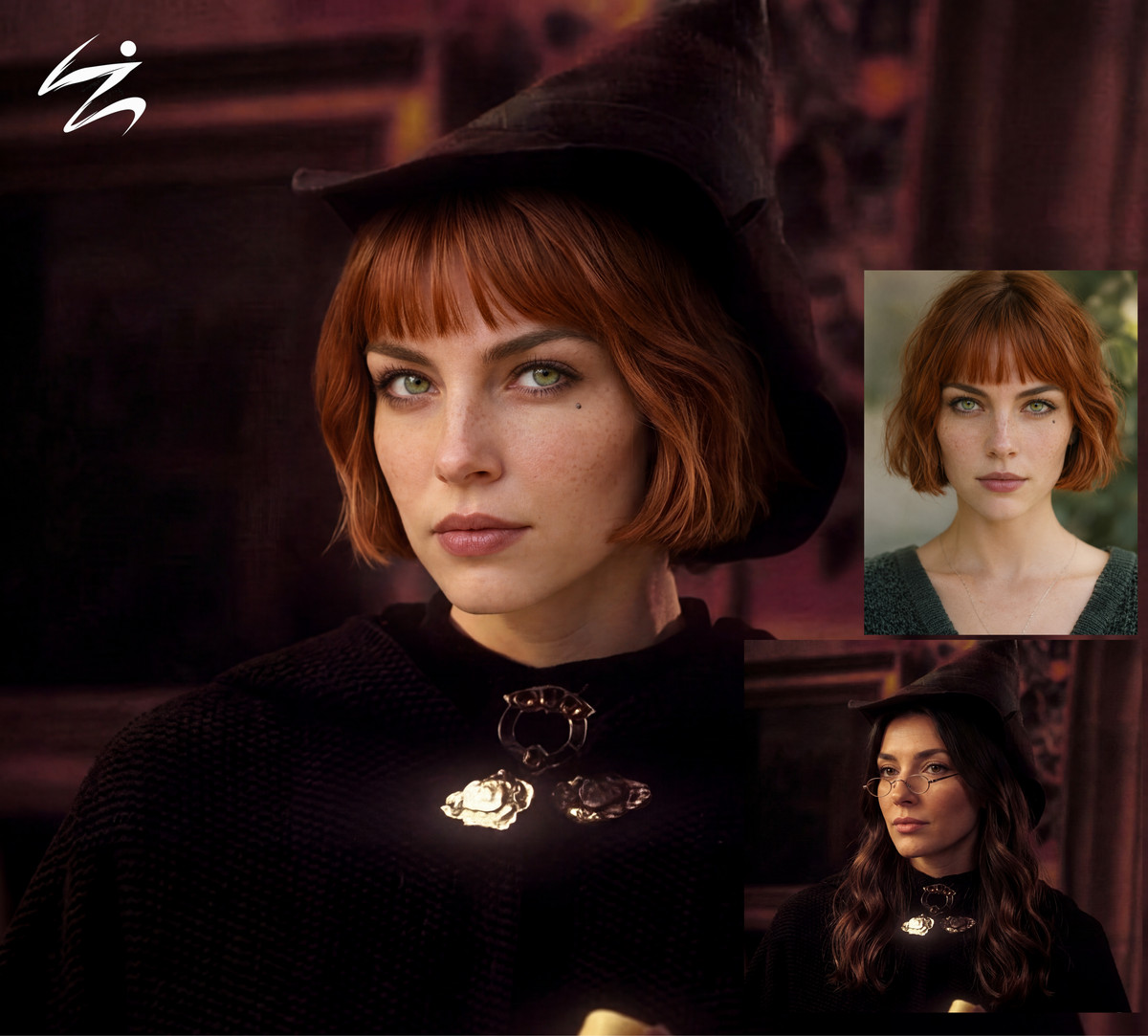
ZetaLvX's H3 Image workflow adds a Full Head Swap version: replaces the entire head from the reference image onto the target image person, using only core nodes.
Images
Reasons for Recommendation
- Version update: Added a Full Head Swap workflow file. Unlike the face-swap version in the same series, this replaces the entire head (including hairstyle) rather than just the face.
- The base workflow requires no custom nodes. The author provides recommended parameters: 6 steps, Euler, Simple, CFG 1, Denoise 1, and lists the required model, text encoder, and VAE filenames.
- H3 Image uses <Picture 1> and <Picture 2> to refer to input images by connection order. When swapping heads, specify in the prompt which image provides the head.
How to Use
- Load minimax_h3_image_pruned_int8_convrot, qwen3vl_32b_minimax_h3_int8_convrot, and minimax_h3_image_vae_fp16; use 6 steps, CFG 1, Euler / Simple.
- Connect the target image and the head source image. Use <Picture 1> / <Picture 2> in the prompt to indicate the replacement relationship; specific prompt writing instructions were not provided by the author.
Risks and Limitations
- The model card contains general descriptions for the entire series; usage and limitations of the head-swap process itself are not separately explained.
- Only 1 example images are available.
[B] ZetaLvX MiniMax H3 Image – ComfyUI Workflow · FaceSwap STD
Workflow · Version Update · Author: Zetalvx · Published 11-15 19:39 · Downloads: 18
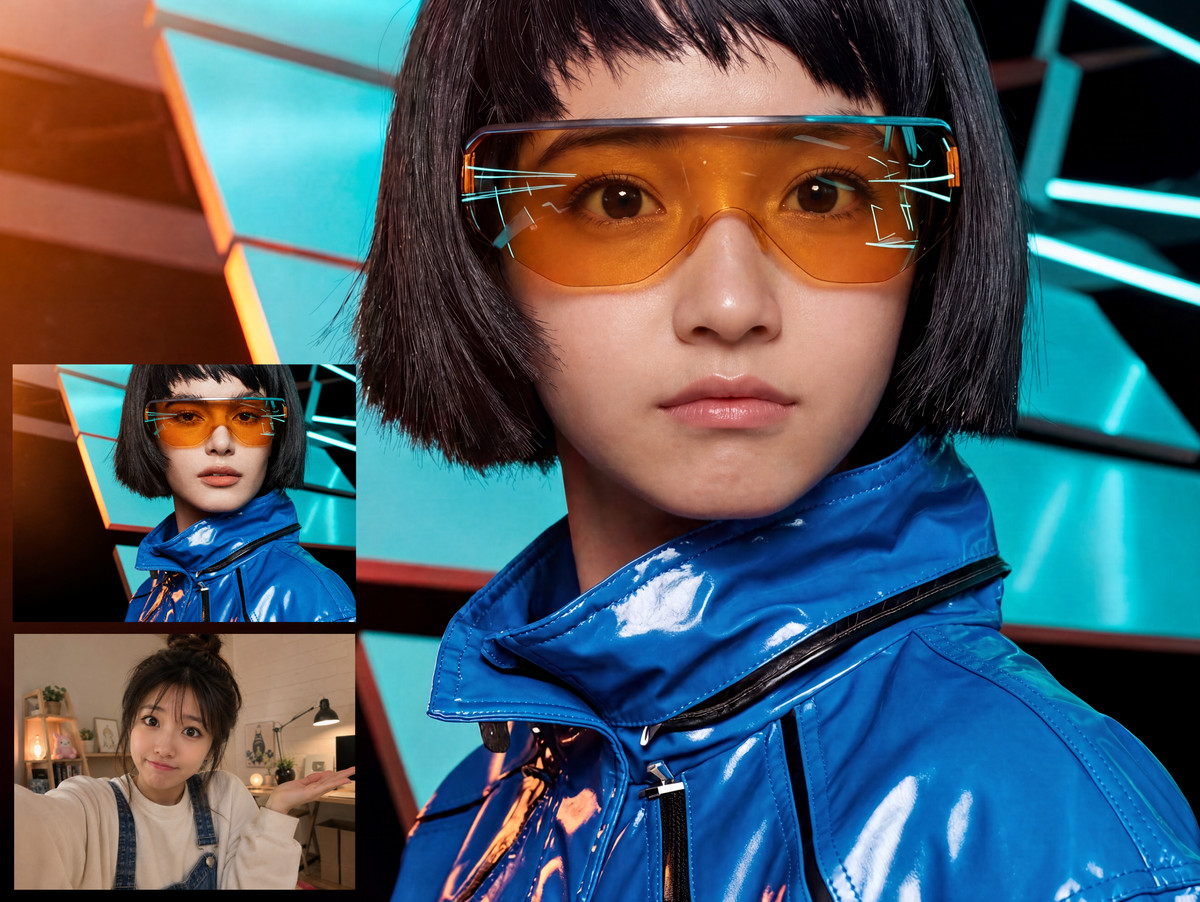
ZetaLvX's H3 Image workflow adds a standard face-swap version: replaces the face of the person in the target image with the face from the reference image, preserving the rest, using only core nodes.
Images
Reasons for Recommendation
- Version update: Added a Face Swap | Standard workflow file. It swaps only the face, offering a different level of granularity compared to the full head-swap version released on the same day.
- Follows the series' core node structure and recommended parameters (6 steps, Euler, Simple, CFG 1, Denoise 1); all model filenames are listed.
- Serves portrait face-swapping and character consistency retouching; does not require face-swap nodes like ReActor, completing the task directly via H3 Image's multi-image editing.
How to Use
- Models, text encoders, and VAE are the same as the series; use 6 steps, CFG 1.
- Connect the target image and the face source image. Use <Picture 1> / <Picture 2> in the prompt to specify whose face is swapped onto whom; specific prompts were not provided by the author.
Risks and Limitations
- The model card only contains general series descriptions; face-swap effects and handling of profiles or occlusions are not explained.
- Only 1 example images are available; swapping real faces involves portrait rights.
Listed Only (2)
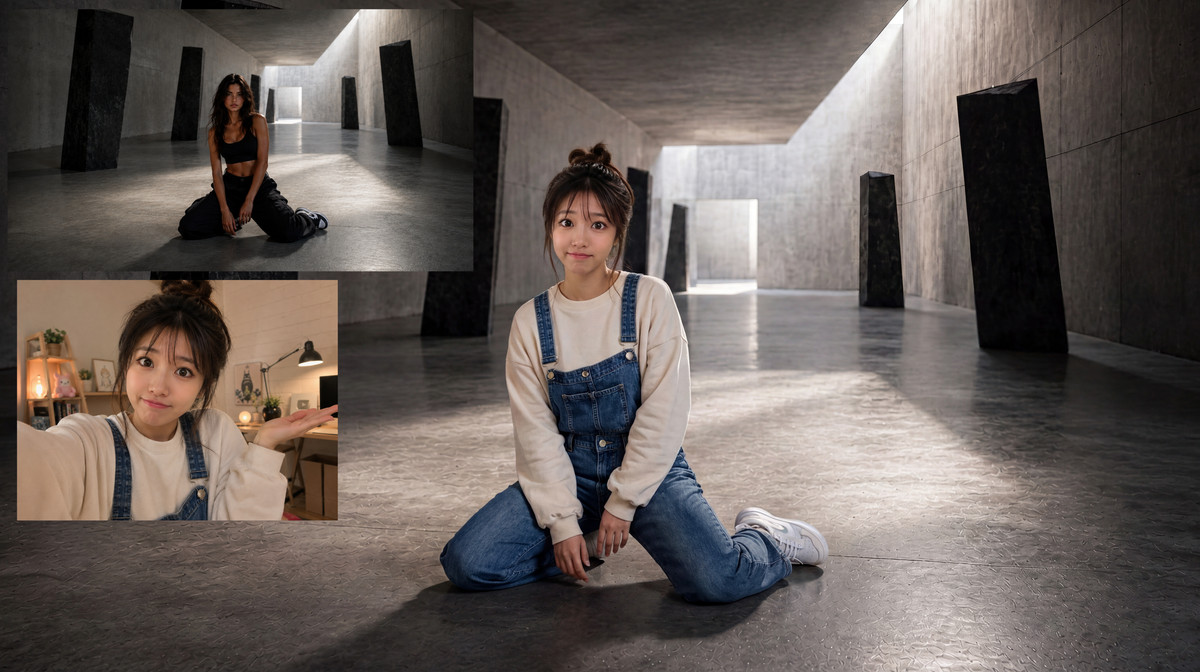
- ZetaLvX MiniMax H3 Image – ComfyUI Workflow · CharSwap P1 STD — Workflow: The "Character Swap · Pose 1" standard version of ZetaLvX's H3 Image workflow: Judging by the filename, this is a workflow that swaps the reference character into the first pose composition of the target image.
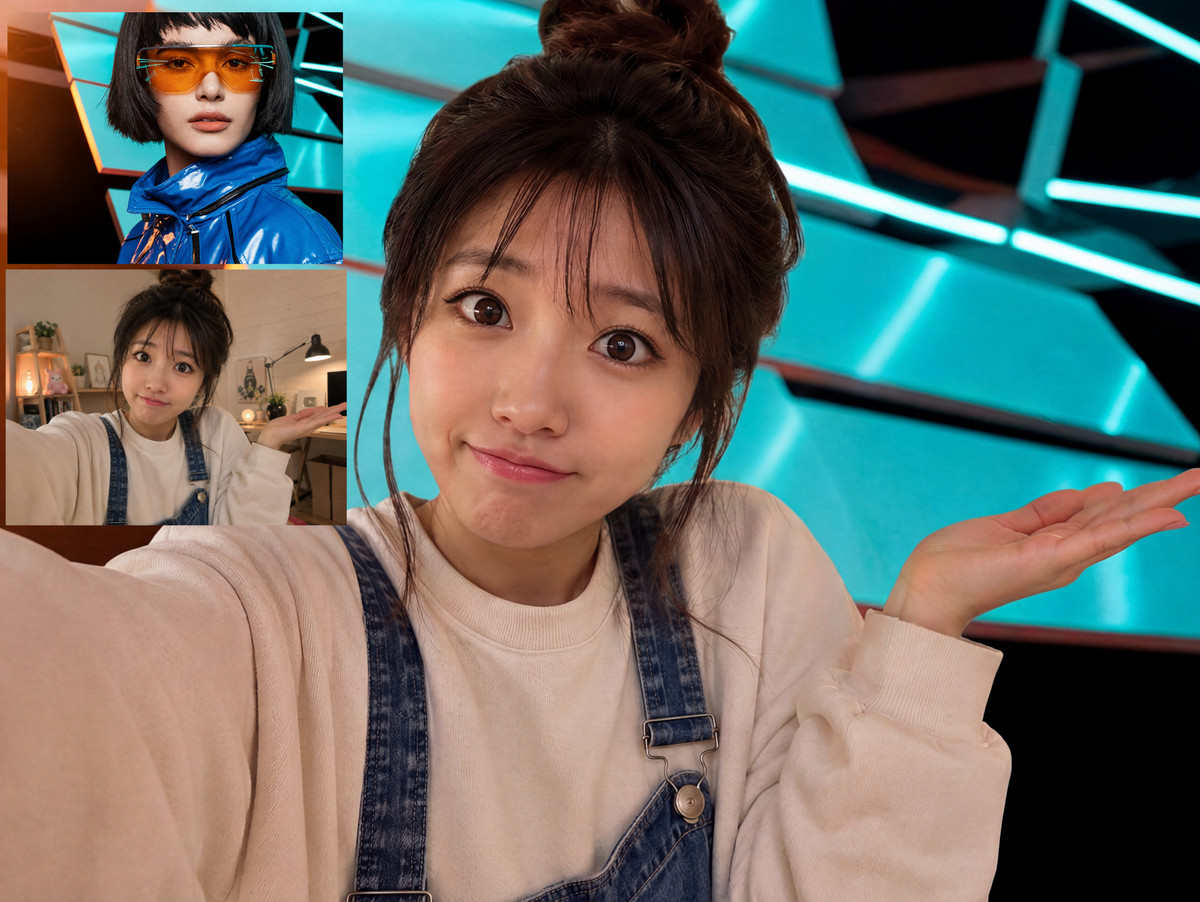
- ZetaLvX MiniMax H3 Image – ComfyUI Workflow · CharSwap P2 STD — Workflow: The "Character Swap · Pose 2" standard version of ZetaLvX's H3 Image workflow, which is another composition variant of the Pose 1 version.
Data: Civitai Public API (Base Model MiniMax H3), inclusion window 11-15 08:31 → 11-15 21:01 (Beijing Time). Recommendation reasons have been reviewed by editors; download counts only reflect attention levels.