Zhenzhen's AI Radar · Qwen Image 2.1 · 2026-10-31 Morning Report
This issue features 2 new versions: Strongly Recommended 0 · Recommended 0 · Worth Watching 2 · Listed Only 0
Editor's Note This issue reviewed 2 new versions of Qwen 2.1, all rated B, with no top-pick entries.
Worth Watching (2)
[B] Qwen Character Asset Generator (Emotion/Action/Angle) Workflows · v1.0
Workflow · New Model · Author Zovetry · Published 10-31 00:01 · Downloads 51
A Qwen 2.1 ComfyUI workflow that generates a complete set of character assets from a single reference image: 8 expressions, 24 action poses, 12 camera angles, and a turnaround sheet, useful for expanding training datasets; it is not a new weight itself.
Maintained at B: Clear purpose and complete model list, but no visible examples, and key parameters are hosted off-site.
Image
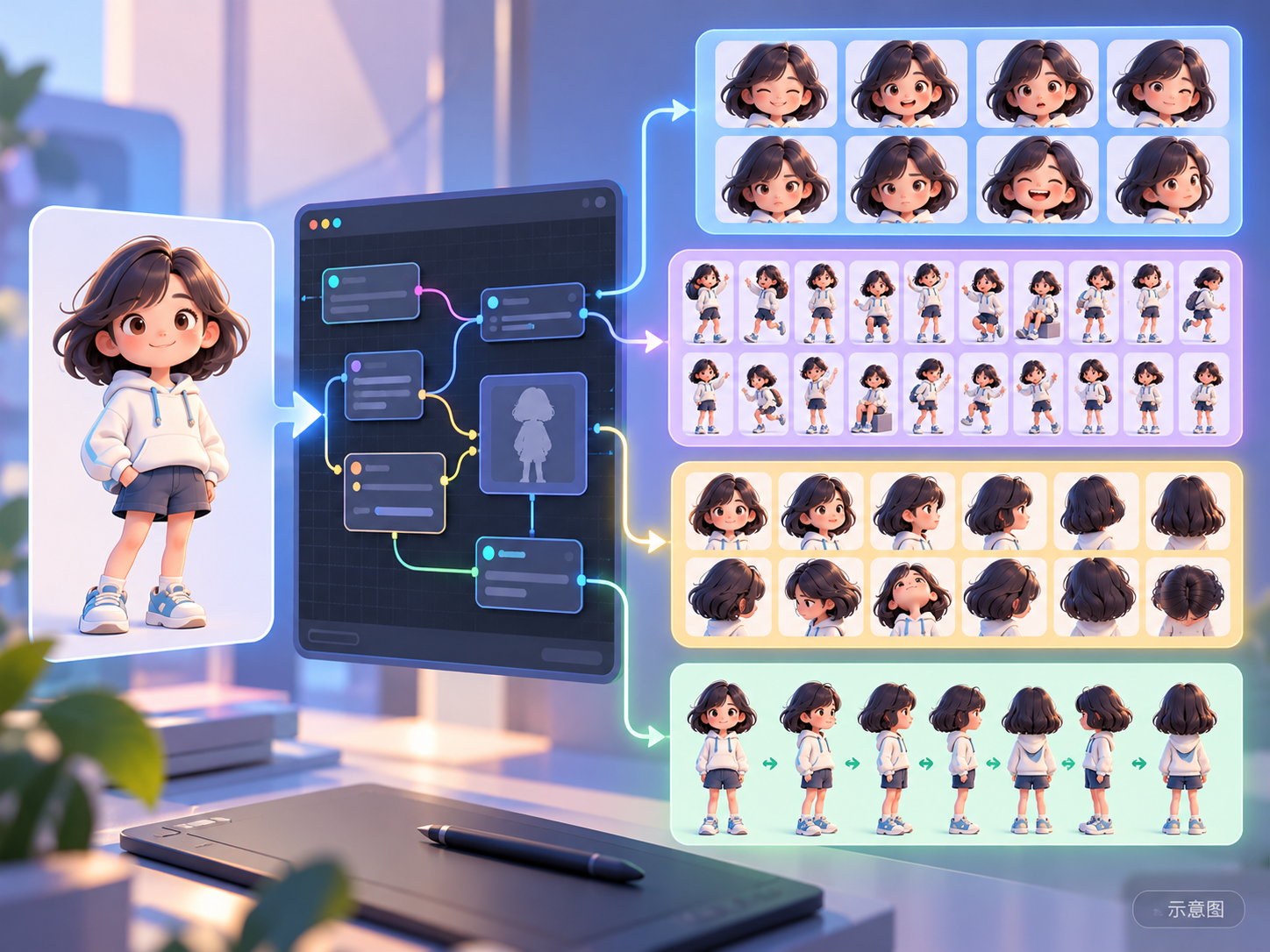
Reasons for Recommendation
- New model: Addresses the need for users who have only one character image but want multi-expression, multi-pose, and multi-angle assets. The author claims a single run maintains consistency in face, clothing, and lighting across frames, without requiring manual alignment or LoRA training.
- The author states it runs on 8GB VRAM; it uses the turbo int8 base model, Qwen3-VL 8B int8 text encoder, and VAE from the official Comfy-Org Qwen-Image-2.1 repository, with filenames and directory placements clearly specified.
- Free, with a license permitting image generation, renting, selling, and selling derivatives; approximately 9 hours after release, it had 51 downloads (indicating attention only).
How to Use
- First, manually install the five node packs: Easy-Use, rgthree-comfy, KJNodes, essentials, and Comfyroll; otherwise, red nodes will appear. Then import the workflow from qwenCharacterAsset_v10.zip.
- Place qwen_image_2.1_turbo_int8_convrot.safetensors in models/diffusion_models, qwen3vl_8b_int8_convrot.safetensors in models/text_encoders, and qwen_image_2.1_vae_bf16.safetensors in models/vae. For parameters like step count, the author directs users to check his settings on RunningHub; specific hardware requirements are not provided.
Risks and Limitations
- All 20 examples are sensitive-rated and hidden, leaving no visible examples to judge cross-frame consistency.
- The card summary and body contain multiple RunningHub invite code promotions; parameters and explanations require navigating off-site.
- The commercial license checked on Civitai applies only to the workflow file; the license for the Qwen 2.1 base model itself must be verified separately. This entry has not been tested.
- The card image is an AI-generated illustration, not the model's actual output; the author has no publicly available general-rated examples.
[B] Q21 - Consistent vertical angle change · v2.0
LoRA · Version Update · Author blo01 · Published 10-31 00:33 · Downloads 139
Version 2 of the Qwen 2.1 editing LoRA for switching between top-down and low-angle camera views: Input an image and use a single command to change the same scene to a view from above or below; this version enhances the swapping of extreme high and low angles.
Maintained at B: Trigger phrases and strength settings are complete, and the direction of changes is clear, but there are still no visible examples.
Image
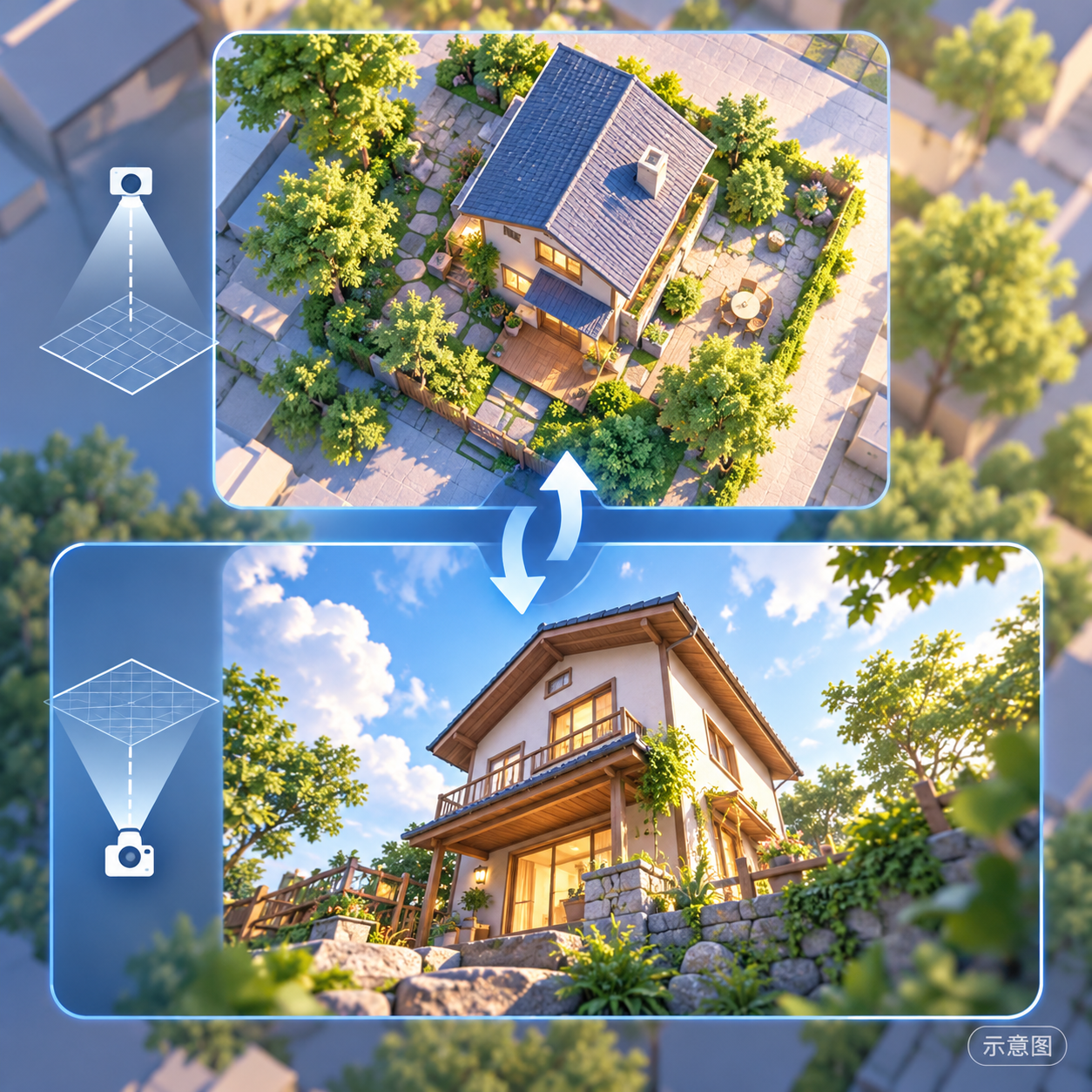
Reasons for Recommendation
- Version update: The author states that v2.0 usage is the same as v1.0, but it has undergone further training to handle large angle changes from extremely low to extremely high (or vice versa); the recommended strength range has narrowed from 0.7–1.0 to 0.7–0.9.
- Addresses the need in image editing to "change the vertical perspective of the same scene." The author claims it helps maintain human body structure and scene consistency; trigger phrases can be used directly.
- Approximately 9 hours after release, it had 139 downloads and 3 comments, with a cumulative total of 381 for the model (indicating attention only); free, with a license permitting image generation, renting, and selling derivatives.
How to Use
- Load qwen2.1-consistent_vertical_angle_change_v2.safetensors (BF16) in the Qwen 2.1 editing workflow, with a strength of 0.7–0.9.
- For top-down view, write "change <image1> to show scene viewed from top , high angle view"; for low-angle view, write "change <image1> to show scene viewed from below , low angle view". Additional keywords affecting the camera can be added; step count and CFG are not provided by the author.
Risks and Limitations
- The author did not write update notes (the version notes section is empty); changes are mentioned in only one sentence in the model card.
- The only example is sensitive-rated and hidden, with no visible examples; the author states it is usable for both SFW and sensitive content.
- The model card is only a few lines long, with no information on training data or applicable scene types; this entry has not been tested.
- The card image is an AI-generated illustration, not the model's actual output; the author has no publicly available general-rated examples.
Trigger Words: change <image1> to show scene viewed from top , high angle view, change <image1> to show scene viewed from below , low angle view
Data: Civitai Public API (base model Qwen 2.1), inclusion window 10-30 20:31 → 10-31 09:01 (Beijing Time). Recommendations have been reviewed by editors; download counts indicate attention only.