Zhenzhen's AI Radar · Qwen Image 2.1 · 2026-11-08 Evening Report
This issue features 4 new versions: Strongly Recommended 0 · Recommended 3 · Worth Watching 1 · Included Only 0
Editor's Note This issue reviews 4 new versions of Qwen 2.1. The top pick is the 80s film commercial photo filter LoRA: it transforms any photo into high-contrast, richly colored, and grainy high-end film commercial photography from the 80s and 90s, with provided prompts, CFG, and step counts. Also worth checking out are the same author's pair of "Image to Line Art / Line Art to Photo" LoRAs and a LoRA for removing the AI skin look.
Recommended (3)
【A】80sfy any image - Make digital photos look like professional film photos from the 80s/90s · v1.0 (Qwen 2.1)
LoRA · New Model · Author saladin · Published 11-08 13:32 · Downloads 47
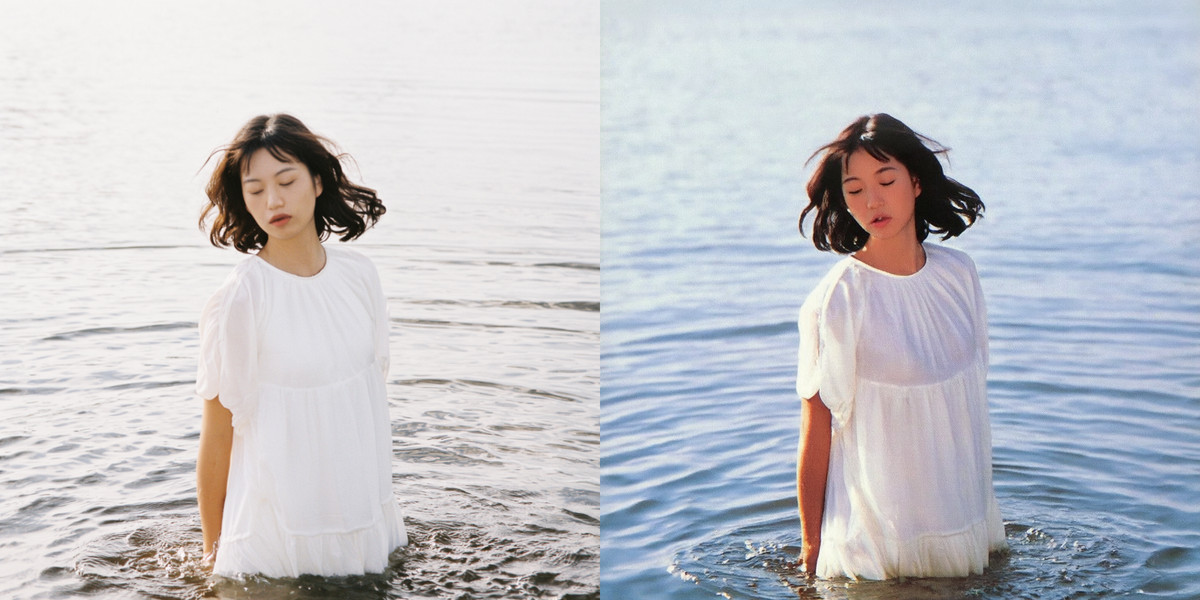
An editing LoRA that applies a "80s filter" to input photos: transforming them into high-contrast, richly colored, grainy, and commercially lit high-end film commercial photography from the 80s and 90s.
Images
Reasons for Recommendation
- New model; serves image-to-image / image editing: input any photo, output retro film commercial photos
- Actionable: Prompt 80sfy the image., author tested with CFG=3, 25 steps, suggests adding blurry to negative prompts
- 8 visible examples; license allows commercial use of outputs
How to Use
- Input image, write prompt 80sfy the image., CFG 3, 25 steps, add blurry to negative prompts; strength not specified by author
Risks and Limitations
- Author warns it may slightly alter faces and change some object colors; do not expect exact consistency with the original image
- This entry was not tested
【A】Image to Line Art - Transform any image into Line Art · v1.0 - Image to Line Art
LoRA · New Model · Author saladin · Published 11-08 15:17 · Downloads 55
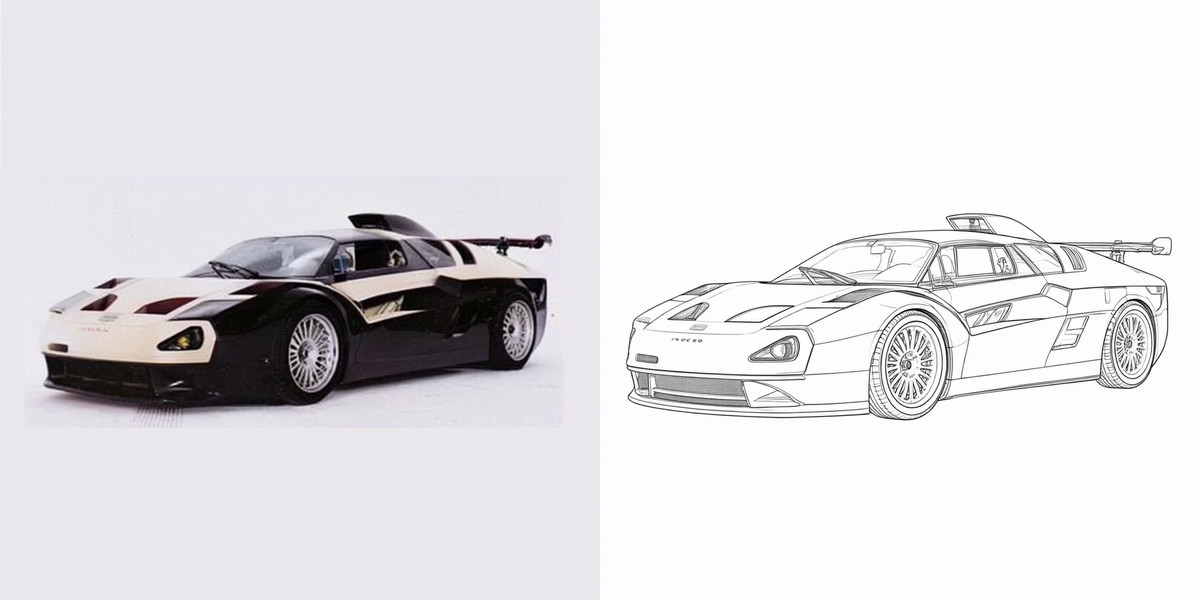
An editing LoRA that converts any input image into line art, suitable for technical diagrams, facilitating secondary image-to-image generation, and children's coloring books.
Images
Reasons for Recommendation
- New model; serves image editing: photos / illustrations → line art
- Author provided prompts and parameters: Transform the image into line art., CFG=3, 25 steps; the same page also has a reverse "Line Art to Photo" version
- 7 visible examples; license allows commercial use of outputs
How to Use
- Input image, write prompt Transform the image into line art., CFG 3, 25 steps; strength not specified by author
Risks and Limitations
- Only prompts and sampling parameters are provided; line thickness and detail retention need to be tested by the user
- 1 examples are hidden due to rating; this entry was not tested
【A】NaturalSkinDetail - Qwen image 2.1 · v1.0
LoRA · New Model · Author NGC_2237_ · Published 11-08 19:58 · Downloads 43
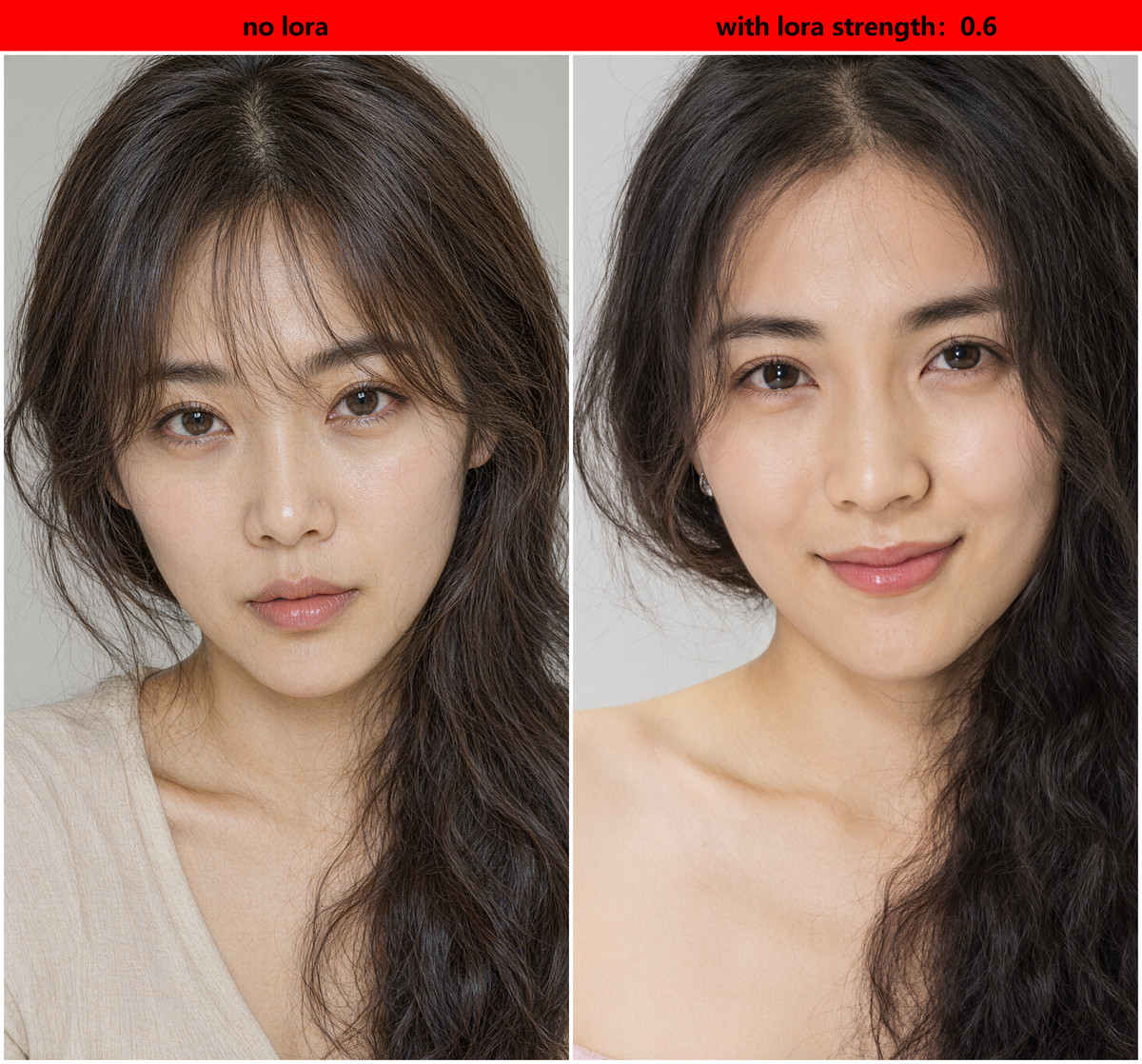
A skin texture LoRA that reduces the "AI face / AI skin" look, which the author claims is most effective for close-ups and portraits using realistic base models.
The description is only three sentences; the basis for the A rating is primarily its clear purpose and fully provided strength settings.
Images
Reasons for Recommendation
- New model; serves realistic portrait text-to-image: adds natural skin details
- Author provided strength: recommended 0.6, usable range 0.5–0.75
How to Use
- Load NaturalSkinDetail-V1 LoRA, strength 0.6 (adjust between 0.5–0.75); no trigger word needed
Risks and Limitations
- Description is very short, no comparison images; 2 visible examples, 6 hidden due to rating
- License only allows on-site rental and lending, does not allow commercial use of outputs; this entry was not tested
Worth Watching (1)
【B】Image to Line Art - Transform any image into Line Art · lineart2photo v1.0
LoRA · Version Update · Author saladin · Published 11-08 15:33 · Downloads 30
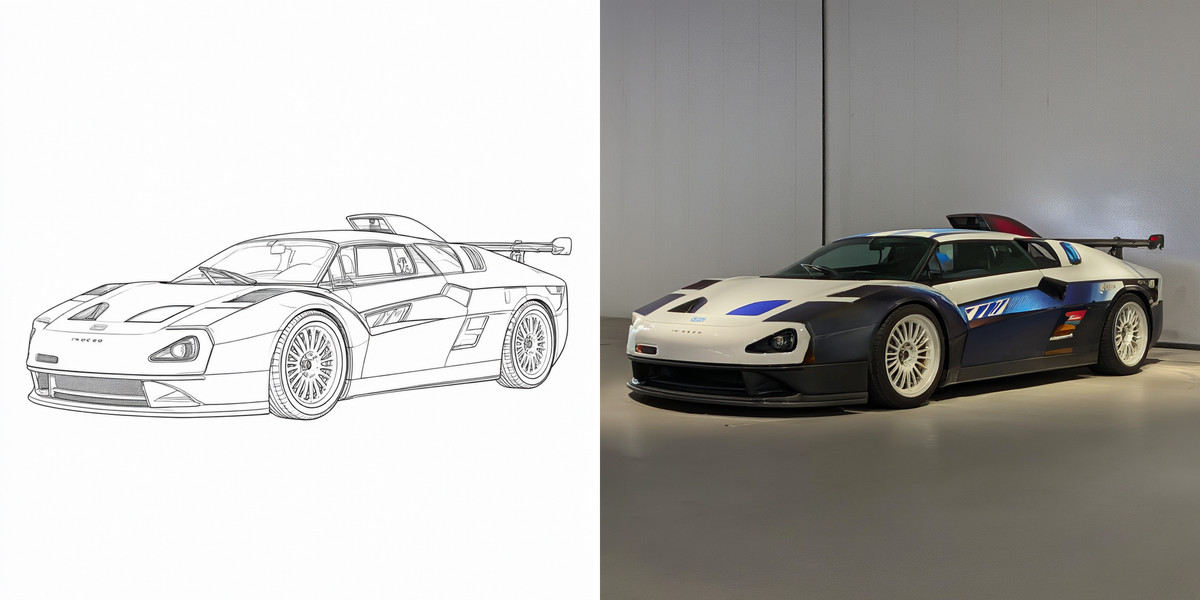
The reverse version of the "Image to Line Art" LoRA: converts line art back into photos.
Images
Reasons for Recommendation
- Version update: a new lineart2photo version added to the same model page, with an update note stating only "convert line art to photos"
- Suitable for workflows where you first generate line art to adjust composition, then restore it to a photo, used in conjunction with the img2lineart version on the same page
How to Use
- Input line art, write prompt Transform the image into a photo., CFG 3, 25 steps
Risks and Limitations
- 2 visible examples; the author did not specify how much detail differs from the original after converting back to a photo
- This entry was not tested
Data: Civitai public API (base model Qwen 2.1), inclusion window 11-08 09:33 → 11-08 21:01 (Beijing Time). Recommendation reasons reviewed by editors; download counts only reflect attention levels.