Zhenzhen's AI Radar · Qwen Image 2.1 · 2026-11-09 Morning Briefing
This issue features 2 new versions: Strongly Recommended 0 · Recommended 0 · Worth Watching 1 · Included Only 1
Editor's Note This issue reviewed 2 new versions of Qwen 2.1, all rated B, with no S or A ratings. The most useful is Kiko's Qwen Image 2.1 workflow: it connects TextEncodeQwenImage21 and QwenImage21Cache according to the official template, optionally enables Qwen3.5-9B prompt rewriting, and lists all model download links. Another entry is a LoRA for stop-motion animation dolls of Cheburashka, ported from MOSS / Krea 2; all 3 example images are hidden due to content rating, and the character is copyrighted.
Worth Watching (1)
[B] Kiko Qwen-Image 2.1 · v6
Workflow · New Model · Author kiko9 · Published 11-09 07:43 · Downloads 9
A curated text-to-image workflow for Qwen Image 2.1: it connects TextEncodeQwenImage21 + QwenImage21Cache following the official template, adds a Qwen3.5-9B prompt rewriting feature that is disabled by default, and consolidates seed, prompt, and LoRA management in one place.
Images
Reasons for Recommendation
- New model (workflow JSON, not new weights); for services that want to directly use Qwen 2.1 text-to-image generation while also requiring prompt rewriting and LoRA management
- The author clearly specifies parameters: euler / simple, 25 steps, CFG 1, native maximum resolution 2048x2048; lists all model files and their placement directories, including an optional "Download models" group
- Optional RTX super-resolution group (2x, requires NVIDIA RTX graphics card and ComfyUI_Nvidia_VFX_Nodes), bypassed by default
- License permits commercial image generation and sales
How to Use
- Import kiko-qwen-image-2.1-v6.json; first install ComfyUI-KikoTools, ComfyUI-KJNodes, ComfyUI-Lora-Manager, ComfyUI_PromptManager, and rgthree-comfy
- On the first run, enable "Download models" in Toggle stages, run it once, then disable it; for Civitai or restricted Hugging Face models, set tokens in the startup environment, do not write them into the workflow
Risks and Limitations
- Depends on 5 custom node packages; the only example image is hidden due to rating restrictions
- The author does not describe differences from previous versions
- This entry has not been tested
Included Only (1)
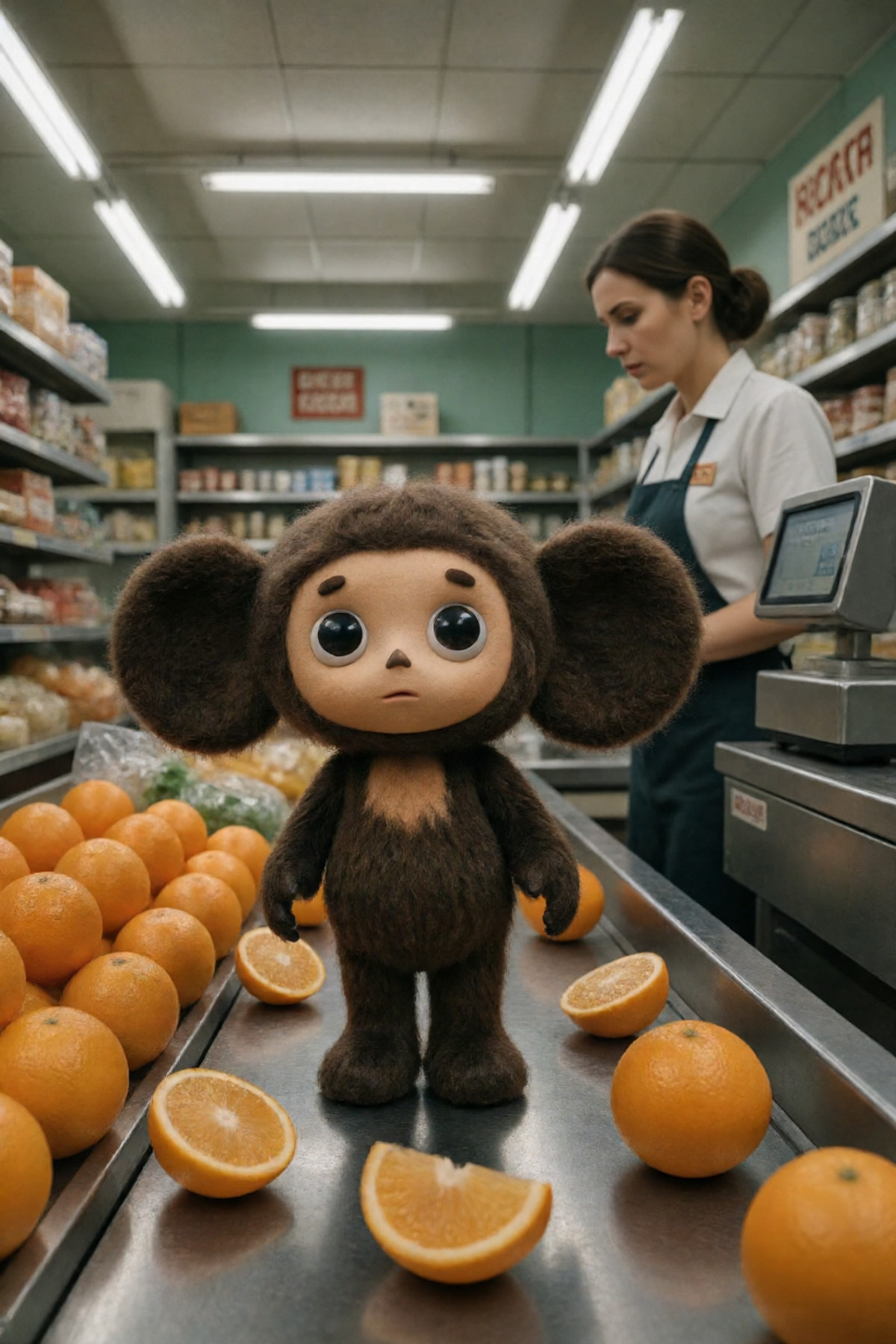
- Cheburashka [MOSS / Krea 2\,Qwen 2.1] · v1.0 Qwen 2.1 — LoRA: Porting the author's Cheburashka (a Soviet stop-motion animation doll from the 1970s) character LoRA to Qwen 2.1: features deep brown felt texture, large round ears, button eyes, and a retro aesthetic.
Data: Civitai public API (base model Qwen 2.1), inclusion window 11-08 20:31 → 11-09 09:18 (Beijing Time). Reasons for recommendation have been editorially reviewed; download counts only reflect attention levels.