Zhenzhen's AI Radar · Qwen Image 2.1 · 2026-11-13 Evening Report
This issue features 3 new versions: Strongly Recommended 1 · Recommended 1 · Worth Watching 0 · Listed Only 1
Editor's Note This issue reviews 3 new versions of Qwen 2.1, with 1 rated S, 1 rated A, and 1 rated C. The top recommendation is AusBoss's Character Sheet v1.1: it generates front, three-quarter, side, and back views from a single portrait photo. This version adds a per-view redraw toggle to enhance facial and clothing details. The Turbo version of the same workflow offers identical functionality but uses the official Turbo model with 8 steps, earning an A rating; the beginner-friendly simple workflow description consists of only three sentences, lacks model and parameter specifications, and was automatically downgraded from B to C. All three entries are confirmed to be for Qwen Image 2.1, with no exclusions.
Strongly Recommended (1)
[S] Qwen Image 2.1 Character Sheet | Turnaround, Close-Ups + Expressions From One Photo · v1.1
Workflow · Version Update · Author AusBoss · Published 11-13 12:21 · Downloads 104
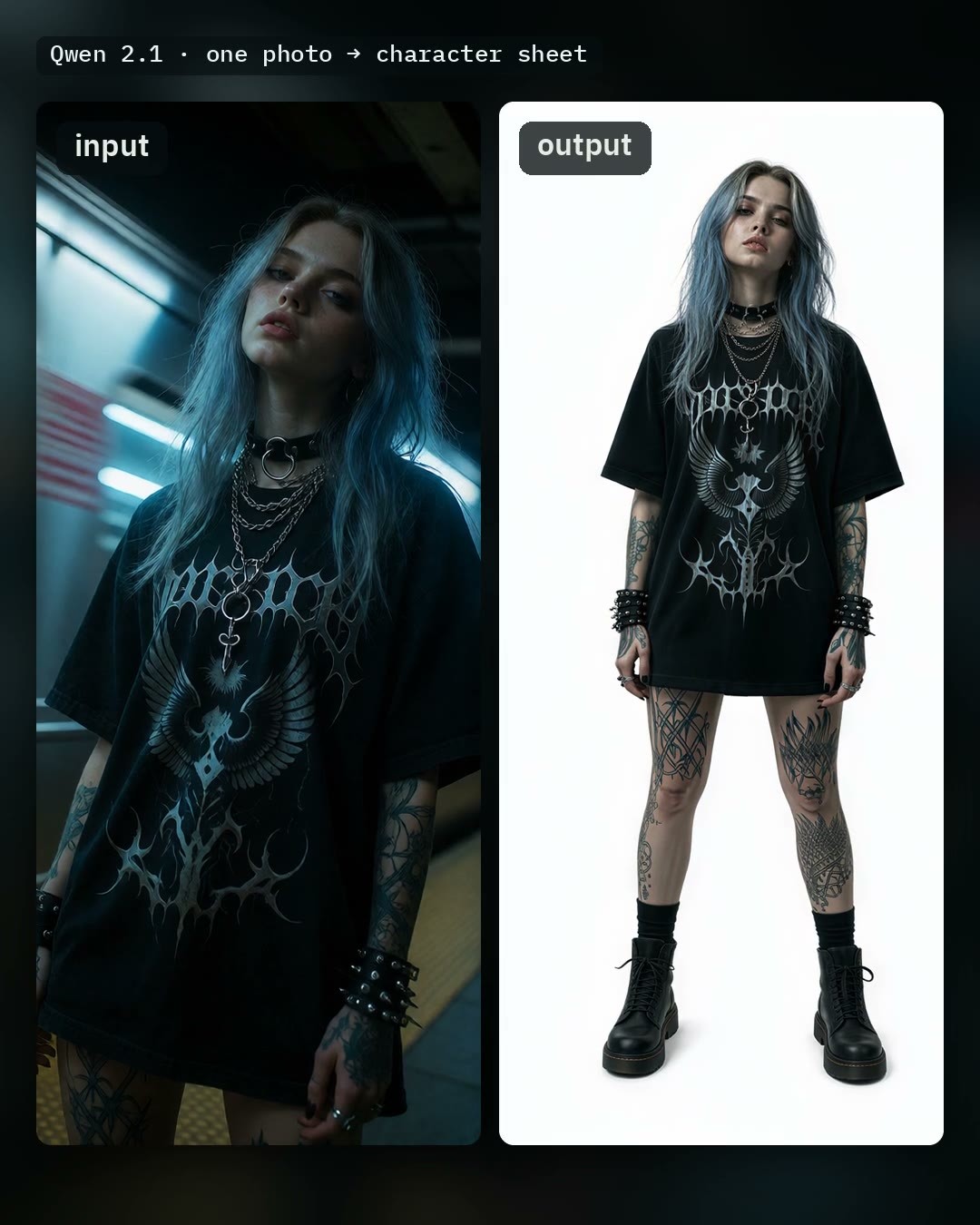
Generate a character sheet from a single portrait photo: front, three-quarter, side, and back views of the same person are arranged in one image. Toggles allow adding a row of head close-ups or four expressions.
Image
Reasons for Recommendation
- Version update: Added the 'Redraw each view' toggle, which redraws each of the four views at double size. The author claims faces, hair, and clothing become clearer, adding approximately 40 seconds, with output dimensions of 2688 × 1536
- The standard version uses the Qwen Image 2.1 main model with 25 steps; enabling Fast (Viggle Turbo LoRA) reduces this to 6 steps. The author states that after model loading, it takes about 7 seconds per sheet
- Missing parts in the photo (e.g., legs in a half-body shot) can be specified in 'What the photo doesn't show', and the views will be completed accordingly; backgrounds can be left blank or specified via text
- 1 video segments + 2 example images, published approximately 9 hours ago with 104 downloads
How to Use
- Upload a clear photo of a person → optionally fill in background and 'parts not shown in the photo' → run; the first run requires loading approximately 17 GB of models
- Fast: Uses 6 steps instead of 25 steps; Upscale 2x uses SeedVR2 for enlargement; the author recommends enabling both Upscale 2x and Redraw each view
- Requires AusBoss nodes version 2.24.0 or higher; search for AusBoss in ComfyUI-Manager, and update if already installed
Risks and Limitations
- The back view is inferred by the model from the photo; expanding from half-body to full-body may lose small details, so the author recommends specifying them in the supplementary box
- Both Qwen Image 2.1 and Viggle Turbo are under the Qwen Research License; commercial use is not permitted without Qwen's authorization
- Upscale 2x requires downloading the SeedVR2 model separately; requires ComfyUI version 0.38 or higher
Recommended (1)
[A] Qwen Image 2.1 Character Sheet | Turnaround, Close-Ups + Expressions From One Photo · v1.1 Turbo
Workflow · Version Update · Author AusBoss · Published 11-13 12:21 · Downloads 26
The Turbo version of the same character sheet workflow: switches to the official Qwen Image 2.1 Turbo model, fixed at 8 steps, and does not require the Fast toggle or Viggle LoRA.
Image
Reasons for Recommendation
- New version with functionality identical to the standard version: close-up row, expressions, Upscale 2x, individual view saving, photo placement on the left, and the new 'Redraw each view' (adds approximately 10 seconds on Turbo)
- Serves users who have already downloaded the Turbo model and want to minimize step adjustments; shares documentation and examples with the standard version
How to Use
- Download the Turbo model (link in the workflow note) and run with 8 steps; place your own LoRA in the empty LoRA Loader, and do not stack Viggle
- Requires AusBoss nodes version 2.24.0 or higher
Risks and Limitations
- Examples are identical to the standard version, making it difficult to discern quality differences between Turbo and standard versions; published approximately 9 hours ago with 26 downloads
- Qwen Research License; commercial use is not permitted without authorization
Listed Only (1)
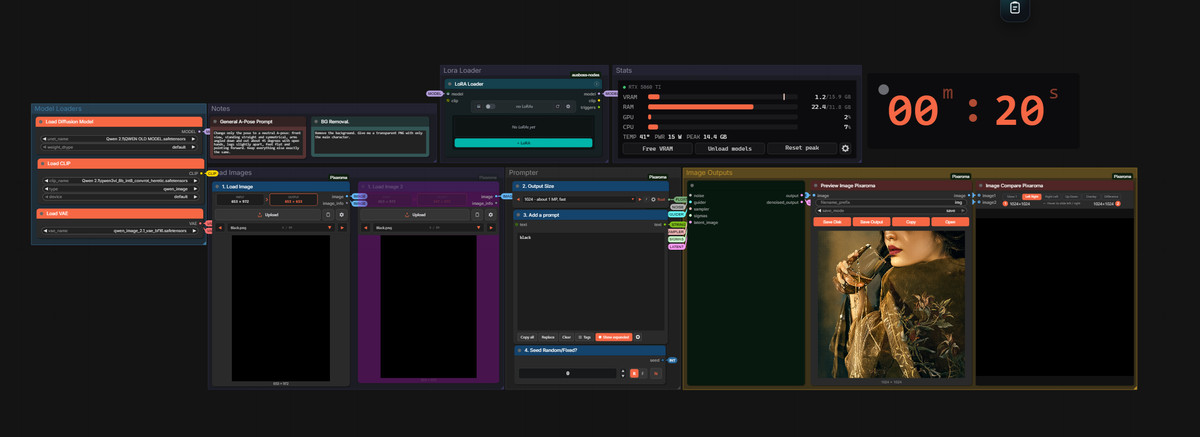
- Super simple Qwen 2.1 Workflow · Super Simple Qwen 2.1 — Workflow: A basic Qwen 2.1 workflow for beginners: multi-image editing, resolution selection, LoRA loading, before/after comparison, and output size are all included in one image, with a few prompt notes attached.
Data: Civitai public API (base model Qwen 2.1), inclusion window 11-13 08:31 → 11-13 21:01 (Beijing Time). Recommendation reasons are editor-reviewed; download counts only reflect attention levels.