Zhenzhen's AI Radar · Qwen Image 2.1 · 2026-11-19 Evening Report
This issue features 2 new versions: Strongly Recommended 0 · Recommended 2 · Worth Watching 0 · Listed Only 0
Editor's Note This issue reviews 2 new versions of Qwen 2.1, all rated A. Top pick: the SimplePlus workflow, which uses a small VAE for real-time preview during sampling, pre-connects 3 reference images, and includes complete installation steps and dependency nodes. The editing LoRA for converting photos to chibi-style pencil line art provides a full, ready-to-use Chinese prompt, but the license does not allow commercial use, and there are only 2 examples.
Recommended (2)
[A] SimplePlus with Preview - Qwen Image 2.1 Workflow · v1.0
Workflow · New Model · Author spacejumper2021824 · Published 11-19 13:00 · Downloads 26
A streamlined Qwen Image 2.1 ComfyUI workflow that primarily adds real-time preview during generation: it uses a small 3.26 MB VAE to view the image while sampling, so you don't have to wait for the final output.
Images

Reasons for Recommendation
- Real-time preview relies on KJNodes' ModelPreviewOverrideKJ combined with the TAEQwenImage21_AcademiaSD small VAE; there are also optional prompt expansion and preset sampling combinations that can be toggled off for easy switching
- Pre-connects 3 reference image inputs, allowing direct generation or editing based on references; the author also provides optional alternatives for replacing the official text encoder and prompt expansion models
- Installation steps are fully documented; free, and the license allows selling
How to Use
- Install ComfyUI-KJNodes and rgthree-comfy using ComfyUI Manager
- Place TAEQwenImage21_AcademiaSD.safetensors in models/vae_approx/; the preview node will error if this file is missing; download other models according to the paths specified in the workflow's Model Links nodes
- Supports up to 3 reference images; more require manual workflow modification; step count and CFG are within the preset sampling combinations and are not listed separately on the model page
Risks and Limitations
- The replacement models recommended by the author are uncensored Heretic variants; choose as needed
- 4 example images are visible, while 2 sensitive-level images are hidden; the preview is only a low-resolution approximation and does not represent final quality
[A] Convert Portrait Photos to Chibi Pencil Line Art | Chibi Pencil Lora · v1.0
LoRA · New Model · Author PLANXS · Published 11-19 14:44 · Downloads 25
A Qwen 2.1 editing LoRA that converts portrait photos into two-head-tall chibi-style pencil line art: white background, light gray thin outlines, no coloring or shading, preserving the number of people, poses, and outfits from the original photo.
Images
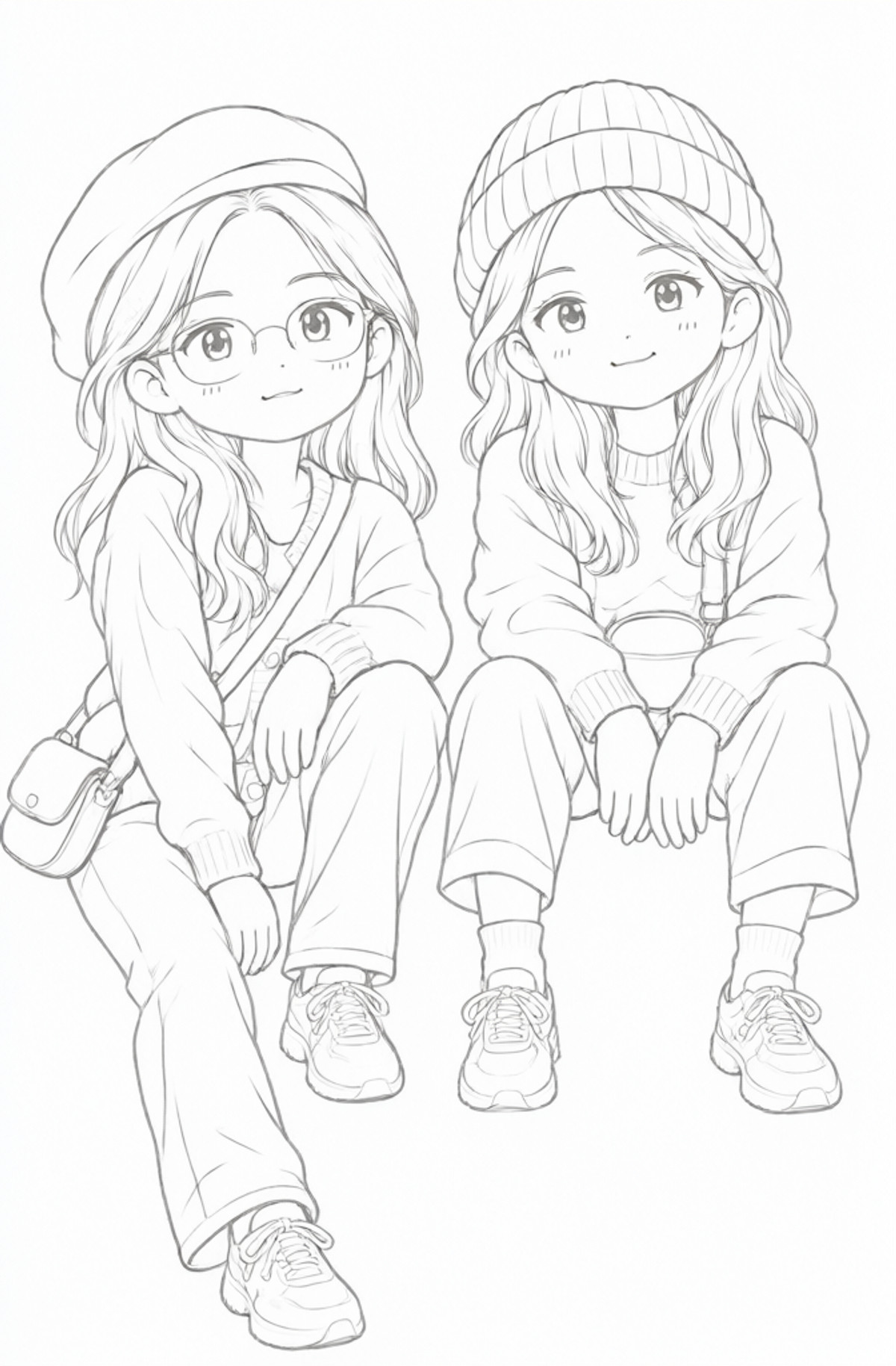
Reasons for Recommendation
- Suitable for image-to-image tasks like converting photos to avatars, stickers, or journal line art; input is a portrait photo, output is a line art ready for coloring
- The author provides a complete Chinese prompt, clearly specifying to preserve the number of people, poses, orientation, hairstyle, expression, outfit, character contact, and held items, with white space inside hair and clothing
- 2 visible examples, free
How to Use
- Input a portrait photo as the reference image and use the author's full Chinese prompt directly: Draw the main subject in the reference photo as a chibi-style light gray pencil character line art approximately two heads tall... no filling, shading, or shadows
- No trigger word; strength and step count are not provided by the author
Risks and Limitations
- The license does not allow any commercial use
- Only 2 examples; performance with multi-person photos and complex backgrounds is unknown
- The file is stored in FP32, making it larger than similar LoRAs
Data: Civitai public API (base model Qwen 2.1), inclusion window 11-19 08:31 → 11-19 21:01 (Beijing Time). Recommendations are editor-reviewed; download counts only reflect attention.