Zhenzhen's AI Radar · MiniMax H3 · 2026-11-03 Evening Report
This issue features 7 new versions: Strongly Recommended 0 · Recommended 2 · Worth Watching 3 · Listed Only 2
Editor's Note This issue reviews 7 new H3 versions. Top pick: Open-H3-Regenerate 2K upscaling workflow: directly upscale the latent space of low-resolution generated H3 videos to 2K. The author provides trade-offs for the initial sigma and the strength of the stacked acceleration LoRA. Another A-rated item is the long-form workflow LongForge v7.5, which adds chunked HQ upscaling, independent upscaling refinement acceleration, and color drift correction during export. Prophetero's loop editing tool Loop Lab and the multi-video comparison tool Take Compare do not rely on generative models; the author labels them as test/preview versions, rated B. The paid arrow effect slider with no visible examples is rated B. The realistic CG style LoRA with a one-sentence description and the original character LoRA ported from Krea 2 are rated C.
Recommended (2)
[A] Nvidia's Open-H3-Regenerate 2k - Simple workflow to upscale H3 video · v1.0
Workflow · New Model · Author Wideanon · Published 11-03 16:50 · Downloads 45
A simple workflow to upscale the latent space of H3 videos to 2K using NVIDIA's Open-H3-Regenerate-2K: first generate at low resolution, then directly chain the latent space for upscaling and detail enhancement.
The only 2K upscaling solution in this issue, perfectly matching the VRAM-saving workflow of 'generate at low resolution + upscale'.
Image
Reasons for Recommendation
- New model: Serves the video workflow of 'quickly generate at low resolution, then upscale if satisfied'; the author explains that encoding the source video into latent space in the example is for demonstration only, and in practice, the latent space of low-resolution generation results can be directly connected for upscaling
- Provides key trade-offs: The sigma sequence provided by NVIDIA starts at 0.909, which adds many details but also alters image content; to minimize scene changes, the initial sigma can be lowered to 0.7 or lower
- Includes 2 video examples; free, license allows output, rental, and sale; 45 downloads (indicates attention only)
How to Use
- Import nvidiasOpenH3Regenerate2k_v10.json (27 KB), requires the Open-H3-Regenerate-2K upscaling model (the author only provided the NVIDIA project page, without specifying the exact download file)
- The accompanying LoRA is in the author's Hugging Face repository Rkss/Open-H3-Regenerate-2K-lora; the author states the difference is minimal and it is optional; an acceleration LoRA can be stacked, with the author citing the Taomate 3 step version as an example, strength 0.5-0.7
- Steps and sampler are not specified by the author; follow the settings saved in the workflow
Risks and Limitations
- Setting a high initial sigma will alter scene content, requiring users to experiment between detail and fidelity
- VRAM requirements and maximum duration per segment are not specified by the author; the upscaling model and LoRA are from third-party pages, requiring users to verify sources themselves
- First version, no update history; this item was not tested
[A] MiniMax H3 LongForge FL2VA & REF2VA (LONG VIDEO) · LongForge v7.5
Workflow · Version Update · Author AIBOB1199 · Published 11-03 10:09 · Downloads 123
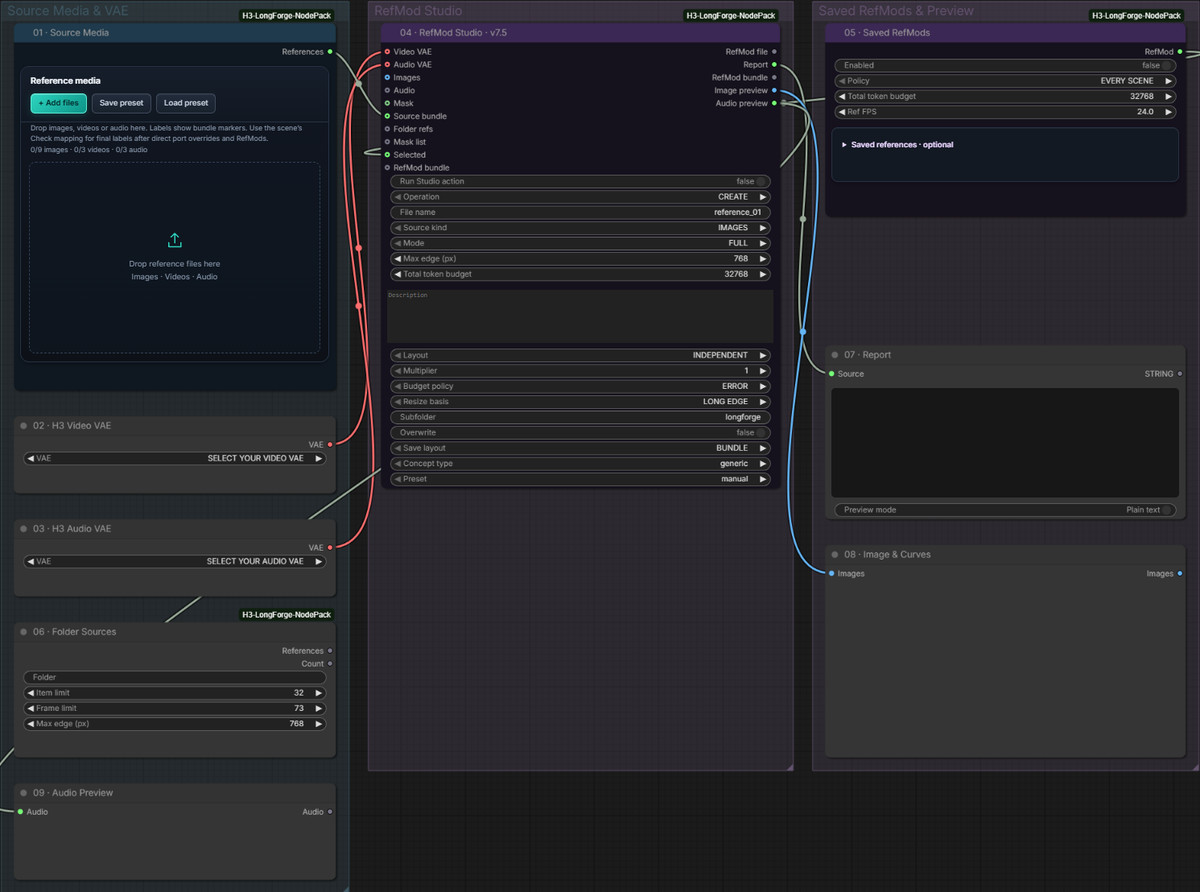
LongForge long-form workflow v7.5: Generates H3 long videos by scene with audio, selection, editing, and HQ upscaling; this version mainly improves upscaling and export.
Image
Reasons for Recommendation
- Version update (version notes are empty, changes are written in the model card '7.5 Highlights'): The Temporal chunks mode of HQ Finish normalizes by entire scene and uses real adjacent frames at chunk boundaries; the author claims this eliminates differences caused by chunked processing, and saved HQ segments are not recalculated
- Added independent acceleration for upscaling + refinement: 13a Refiner LoRA and 13b Refiner VEDA are connected to a separate refiner_model input, bypassed by default, enabled on demand
- Added Color drift correction during export: BRIGHTNESS adjusts brightness and contrast, COLOR adds hue, select reference scene and 0–1 strength (default 0.5, reference scene 1), disabled by default; Prompt Assistant automatically enables NATIVE acceleration on ComfyUI versions supporting MTP
- Free; this version has 123 downloads, the entire model has 9855 downloads (indicates attention only)
How to Use
- Download minimaxH3LongforgeFL2VA_longforgeV75.zip (528 KB), containing the author's node package, FL2VA / REF2VA main workflows, and RefMod Studio; Russian and English instructions are built into the workflow
- Configure the required H3 model and steps according to the instructions in the workflow; for videos where lighting is intended to change, the author recommends keeping Color drift OFF
Risks and Limitations
- Many nodes and features, high learning curve; VRAM usage for HQ chunks is only described by the author as varying with duration and resolution
- Only 1 visible example images, another 6 are hidden; license does not allow commercial sale except for rental
- Cryptocurrency donation address attached to the card, unrelated to model functionality; this item was not tested
Worth Watching (3)
[B] Prophetero Loop Lab GLOBAL 0.3 · v0.3
Workflow · New Model · Author Prophetero · Published 11-03 16:39 · Downloads 17
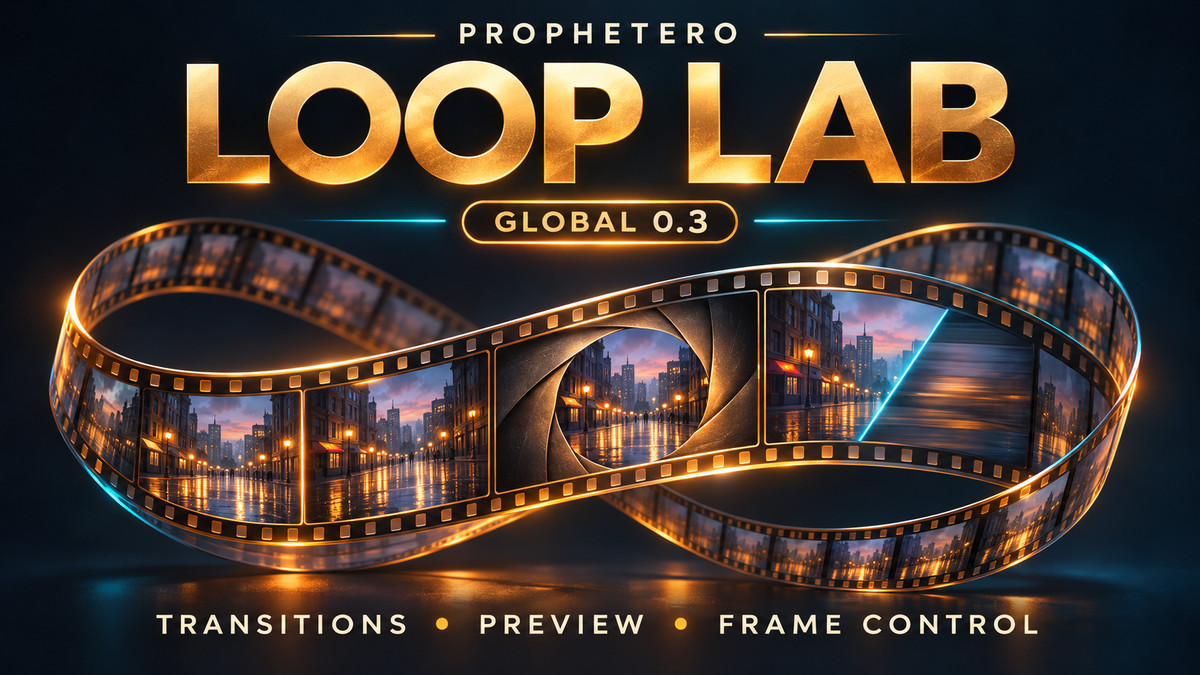
Prophetero Loop Lab 0.3: A ComfyUI node tool that finds loopable edit points in existing videos, compares several transitions, and exports loop segments, without relying on any generative models.
Image
Reasons for Recommendation
- New model (first release on the site, card includes update history from 0.1 to 0.3): 0.3 adds black/white fade, left/right wipe, circular opening, and blur transitions; three transition preview cards compare using the same edit point and audio settings; the first and last frames of each candidate point can be fine-tuned by -1/+1 frames
- Serves loop videos and background loop assets: Recommended preset is direct video cut + short audio seam smoothing, video and audio are processed separately, original video is unmodified, processing recipe is saved separately upon export
- Free; 2 example images; 17 downloads (indicates attention only)
How to Use
- Unzip propheteroLoopLab_v03.zip (44 KB), install into the actual ComfyUI backend being used and fully restart, then load the workflow; importing only the JSON will not install the nodes
- Start with the Recommended preset, then fine-tune the first and last frames on the candidate cards; requires FFmpeg-related Python dependencies, which are not packaged by the author
Risks and Limitations
- Author labels it as beta: Edit point sorting is heuristic, transition effects are not guaranteed to be natural and seamless; export will re-encode with H.264
- Not a tool exclusive to H3, nor does it generate images; license does not allow derivatives; this item was not tested
[B] Prophetero Take Compare GLOBAL — Compare. Choose. Create. · v0.1.1
Workflow · New Model · Author Prophetero · Published 11-03 18:52 · Downloads 13
Prophetero Take Compare preview version: In a separate browser tab, synchronously play up to four videos side-by-side, with synchronized zoom, marking, and notes, used to select the best one from multiple generations.
Image

Reasons for Recommendation
- New model: Serves the selection phase of 'multiple videos generated for the same shot, with varying quality in visuals and audio'; four-way synchronized playback, frame-by-frame stepping, source start point alignment, linked zoom and pan, displays original resolution frame when paused, optional single audio track
- Score visuals and motion separately, mark good/bad moments, review results are automatically saved by the browser or downloaded as JSON; selected segments can be passed to the author's other tools, Take Mixer and Loop Lab
- Not limited to H3, works with any SDR video; free; 13 downloads (indicates attention only)
How to Use
- Unzip propheteroTakeCompareGLOBAL_v011.zip (49 KB), stop the ComfyUI backend and run START_HERE.cmd to install, restart and load Prophetero_Take_Compare_GLOBAL.json, click Open Take Compare to add videos
- Requires aiohttp, PyAV, Pillow, and imageio-ffmpeg in the existing ComfyUI Python environment, which are not packaged by the author
Risks and Limitations
- Preview version; only accepts SDR clips with vertical, square pixels, duration, frame rate, and pixel limits are described on the card; browser playback does not guarantee frame-locked synchronization
- Only for review, not for output; export requires separately installed tools; no visible examples (1 are hidden); this item was not tested
- The card image is an AI-generated diagram, not the actual effect of the model; the author has no publicly available standard-level examples
[B] KinetiX Supersonic Arrow Comet Slider · v1.0
LoRA · New Model · Author make676767 · Published 11-03 15:55 · Downloads 0 · Paid
KinetiX Supersonic Arrow Comet Slider: Controls how much Mach cone, comet tail, and afterimage the shot arrow has; positive values add effects, negative values remove effects to restore a normal wooden arrow.
Image

Reasons for Recommendation
- New model: Serves effect intensity control for archery combat shots; the author claims it is not bound to color or material, with color and texture determined by prompts
- The author provides a complete strength table: +0.8~+1.2 light airflow, +1.5~+1.8 recommended range, +2.0~+2.5 overload, 0 is the base model default, -1.5~-2.0 removes effects; no trigger word required
- Includes copyable bilingual Chinese and English prompts, and usage for stacking with the same series' quantity density slider to create arrow rain
How to Use
- Load KinetiX_vfx_supersonic_arrow_comet_h3_v1.safetensors, set strength_model according to the author's strength table, no trigger word required; the package also includes workflows and resource zips
- Steps and sampler are not specified by the author
Risks and Limitations
- Requires payment; all 8 examples are hidden, effects cannot be seen; 0 downloads
- The impact shattering and hit-stop freeze in the demo video come from another slider not yet released; using this model alone does not produce them; this item was not tested
- The card image is an AI-generated diagram, not the actual effect of the model; the author has no publicly available standard-level examples
Listed Only (2)
- ILLUSTRATORCORE BY STX Minimax H3 RealisticCG · v1.0 — LoRA: STX's realistic CG scene style LoRA; the author simply wrote, "Realistic CGI scenes for you."

- Kimberly Wilson · v1.0 H3 — LoRA: A character LoRA for the author's original adult fictional character Kim Wilson (a red-haired woman with freckles), ported from Krea 2 to H3.

Data: Civitai public API (base model MiniMax H3), inclusion window 11-03 08:31 → 11-03 21:01 (Beijing Time). Recommendations have been reviewed by editors; download counts reflect only attention levels.