Zhenzhen's AI Radar · MiniMax H3 Image · 2026-11-17 Morning Report
This issue features 6 new versions: Strongly Recommended 1 · Recommended 1 · Worth Watching 1 · Listed Only 3
Editor's Note This issue reviews 6 new versions of H3 Image, all of which are workflows with no new weights: 1 S-tier, 1 A-tier, 1 B-tier, and 3 C-tier. The top recommendation is bambushu's seed selection workflow v3.0: first quickly select seeds at 4 MP, then use the selected image as a reference to re-render at 16 MP, using a shooting medium dropdown to suppress the overly sharp HDR look on faces. The author provides operational steps, speed metrics, and known failure cases. mo_akkakk uploaded two workflows in the same batch—full-image editing and masked local repainting—with nearly identical graph structures; the difference lies only in the mask expansion, cropping, and pasting-back section. The masked version is listed as B-tier, while the full-image version is C-tier. The basic text-to-image workflow with real-time preview was downgraded from automatic S to A; "Free Lite" is a lead-in version for the $39 paid package, containing only 2048×2048 basic text-to-image, and was downgraded from automatic A to C; the update notes for "Improve WF" v2.0 simply say "FIX MORE," listing it as C-tier.
Strongly Recommended (1)
[S] MiniMax H3 Image: Seed Hunter + medium picker (ComfyUI) · v3.0
Workflow · New Model · Author bambushu · Published 11-16 21:31 · Downloads 66
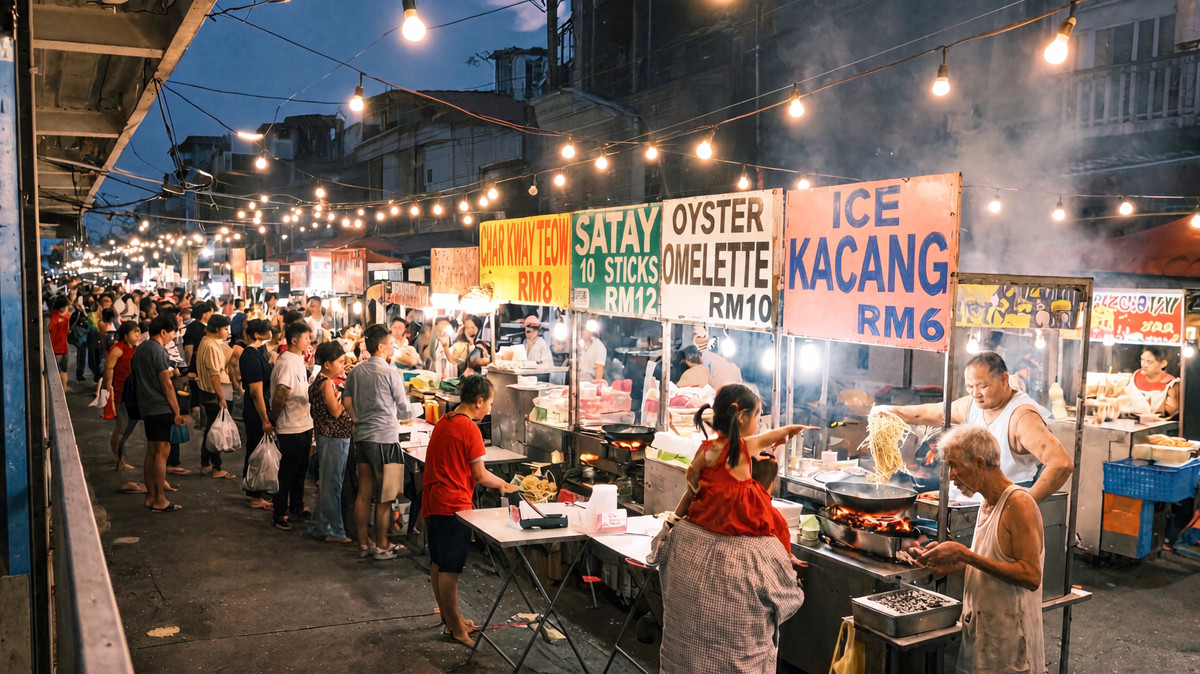
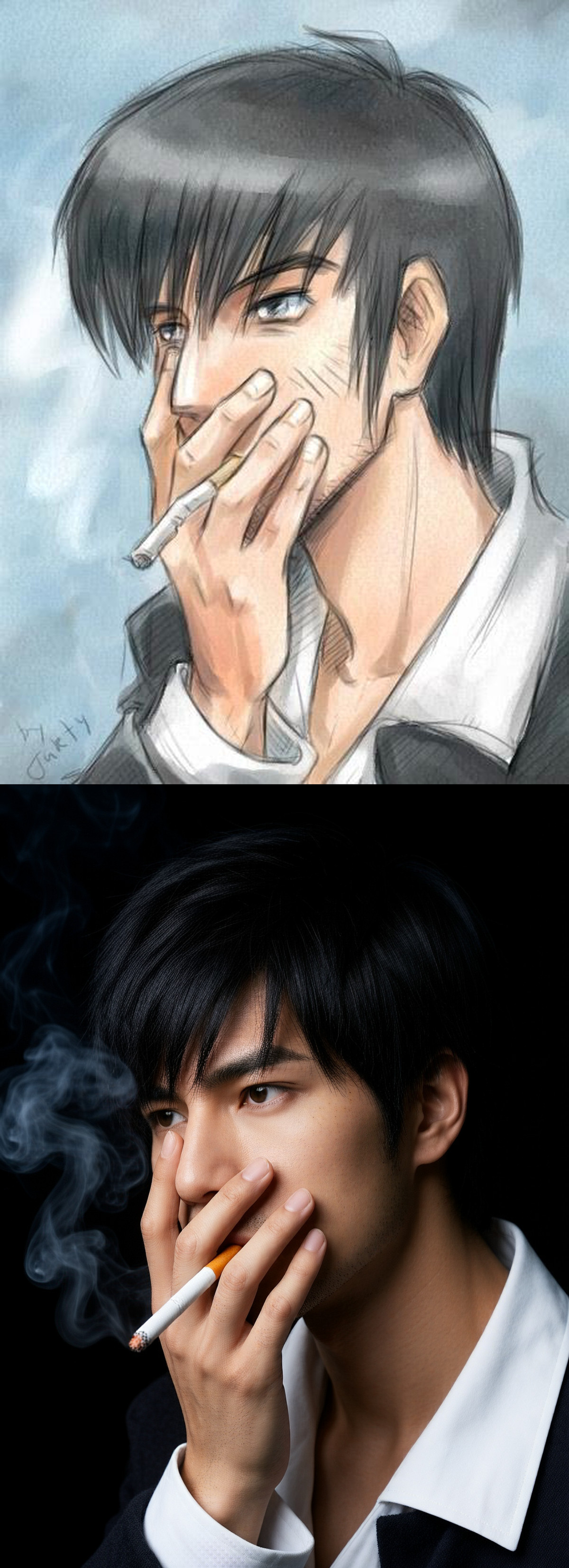
Seed selection workflow v3.0 for H3 Image: first run several seeds at 4 MP to select a composition, then use the chosen image as a <Picture 1> along with the full prompt to re-render at 16 MP; it also includes a "shooting medium" dropdown to suppress the overly sharp HDR look on faces when H3 Image is not given a specific medium; uses only native ComfyUI nodes.
This can be compared with this issue's basic text-to-image workflow featuring real-time preview: one solves "how to efficiently select images," while the other addresses "monitoring progress during generation and switching samplers to prevent skin smearing."
Images
Reasons for Recommendation
- Solves a specific problem: The author states that in H3 Image, the same seed does not produce the same image after resizing, so one cannot "select a good seed on a small image and then upscale it." Instead, this workflow uses the selected small image as a reference for re-rendering; composition, characters, and text are carried over, while the 16 MP step adds detail. The full prompt can also be used to fix minor errors.
- The medium dropdown offers options such as 35mm film, full-frame digital, phone selfie, phone main camera, or none; the author claims film skin tones are the most natural, phone options are suitable for UGC-style photos, and "none" should be selected for illustrations, posters, and studio product shots, with the medium specified manually.
- v3.0 is rebuilt based on the official ComfyUI template using only core nodes; the author tested it on an RTX PRO 4500 (32 GB) with 57 GB of RAM, measuring approximately 6.5 seconds per 4 MP seed selection and about 75 seconds per 16 MP final image. The author notes that ComfyUI streams the 21 GB model from memory.
- Includes demos for 10 scenarios (6 visible on this page); prompts, aspect ratios, 4 candidate seeds, and final selections for each scenario are in demos.json; free to use, with a license permitting image output and sales.
How to Use
- Select the medium first, then write the scene; place text that should appear in the image within double quotes, avoiding skin and sharpness terms like pores, 8k, or hyper-detailed; choose the desired aspect ratio.
- Set the number next to Run to 4, set the seed to increment, and run one round to get 4 images named hunt_s<seed>; enter the preferred seed back in and set it to fixed. Enable the "4 · FINAL" group by pressing Ctrl+M on its title, then run again to produce the 16 MP image. Before the next round of seed selection, disable that group with Ctrl+M and revert the seed setting to increment.
- Models are sourced from Comfy-Org on Hugging Face: minimax_h3_image_pruned_int8_convrot (21 GB), qwen3vl_32b_minimax_h3_int8_convrot text encoder, and fp16 VAE.
Risks and Limitations
- Known issues listed by the author: small logo text on clothing may become garbled, rows of book spines may partially turn into gibberish, and distant small faces in crowds remain soft even at 16 MP; labeling as "plain" results in blank output, so specific text must be written; text errors in the selected image will carry over to the final image.
- The full model card specifies that ComfyUI master after 2026-11-12 is required; a Mac with 48 GB cannot fit both the 21 GB model and the 25 GB text encoder in a single process, and systems with 64 GB or more have not been tested.
- The model generates one image at a time; seed selection is queued sequentially rather than batched; 2 examples are hidden.
- Versions v1 and v2 on the same page are older solutions using the H3 video model as a single-frame editor; the author states their GitHub repository is no longer public, and files relied upon by the Mac solution are outdated.
Recommended (1)
[A] Simple Txt2Img with Preview — H3 Image Workflow · v1.0
Workflow · New Model · Author spacejumper2021824 · Published 11-16 21:52 · Downloads 57
A basic text-to-image ComfyUI workflow for H3 Image with added real-time preview: uses KJNodes' ModelPreviewOverrideKJ paired with the taeh3_image small VAE, allowing you to see the image progression during sampling.
Images
Reasons for Recommendation
- Real-time preview allows you to decide whether to stop midway during long single-image generations like 16 MP, without waiting for decoding to complete.
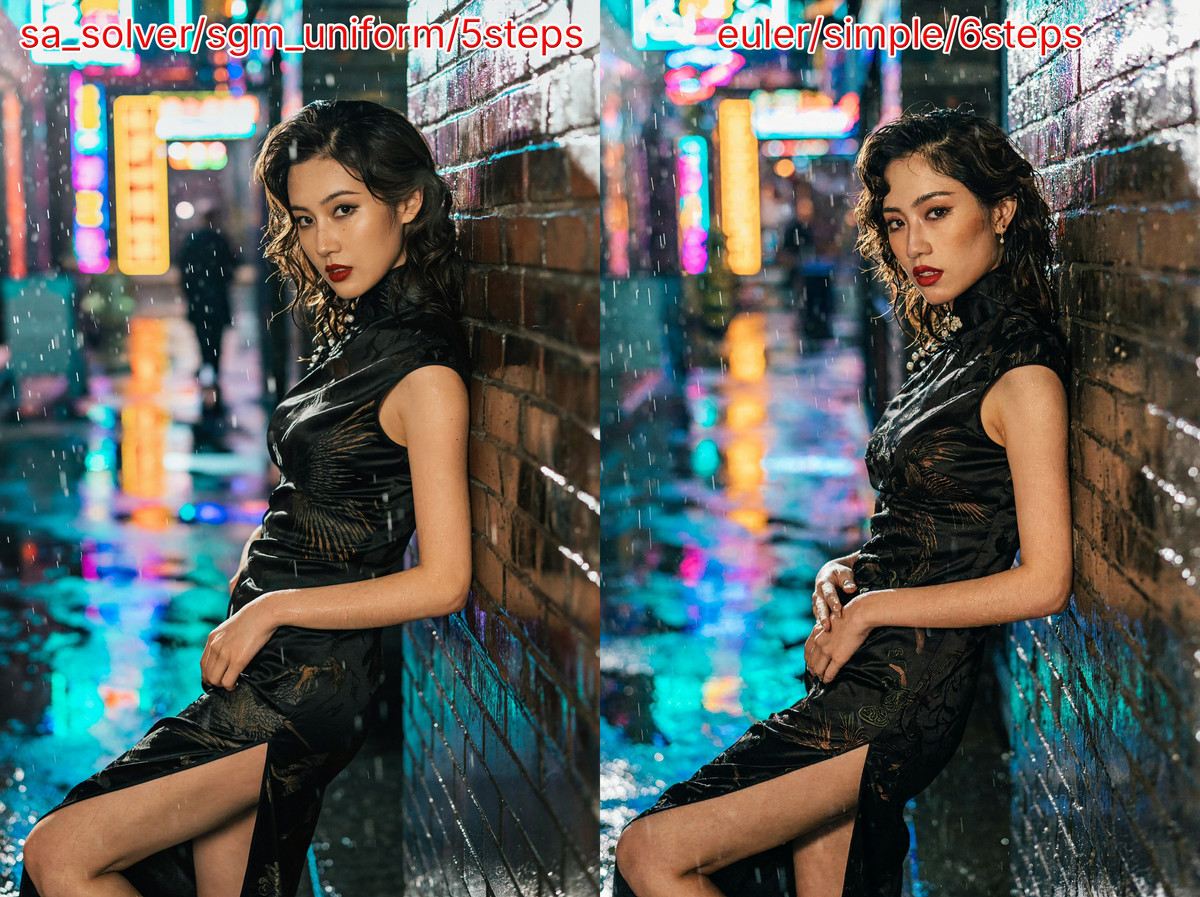
- The author provides two sampling configurations: the official recommendation is euler / simple with 6 steps; the author personally recommends sa_solver + sgm_uniform with 5 steps, cfg=1, denoise=1, suggesting this can be used if the image has heavy noise or realistic skin appears smeared or blurred.
- Required models, custom nodes, and directory placements are clearly documented; includes 4 example images; free to use, with a license permitting image output and sales.
How to Use
- Install ComfyUI-KJNodes and rgthree-comfy via Manager; download minimax_h3_image_pruned_int8_convrot (approx. 21 GB), qwen3vl_32b_minimax_h3_int8_convrot, and minimax_h3_image_vae_fp16, and place taeh3_image.safetensors (4.96 MB) in models/vae_approx/; the preview node will error if this file is missing.
- Default resolution is 4096×4096 (16 MP, 1:1); change dimensions in the ResolutionSelector node; the workflow includes a Power Lora Loader, allowing direct LoRA attachment.
Risks and Limitations
- Essentially just a basic text-to-image graph structure with preview added, offering no new capabilities; the claim that sa_solver with 5 steps is superior to official settings is merely the author's personal recommendation, without side-by-side comparison.
- VRAM requirements are not specified by the author; 2 sensitive-level examples are hidden.
Worth Watching (1)
[B] minimax_h3_image_edit_masking_cropping (Inpainting) · v1.0
Workflow · New Model · Author mo_akkakk · Published 11-17 01:00 · Downloads 70
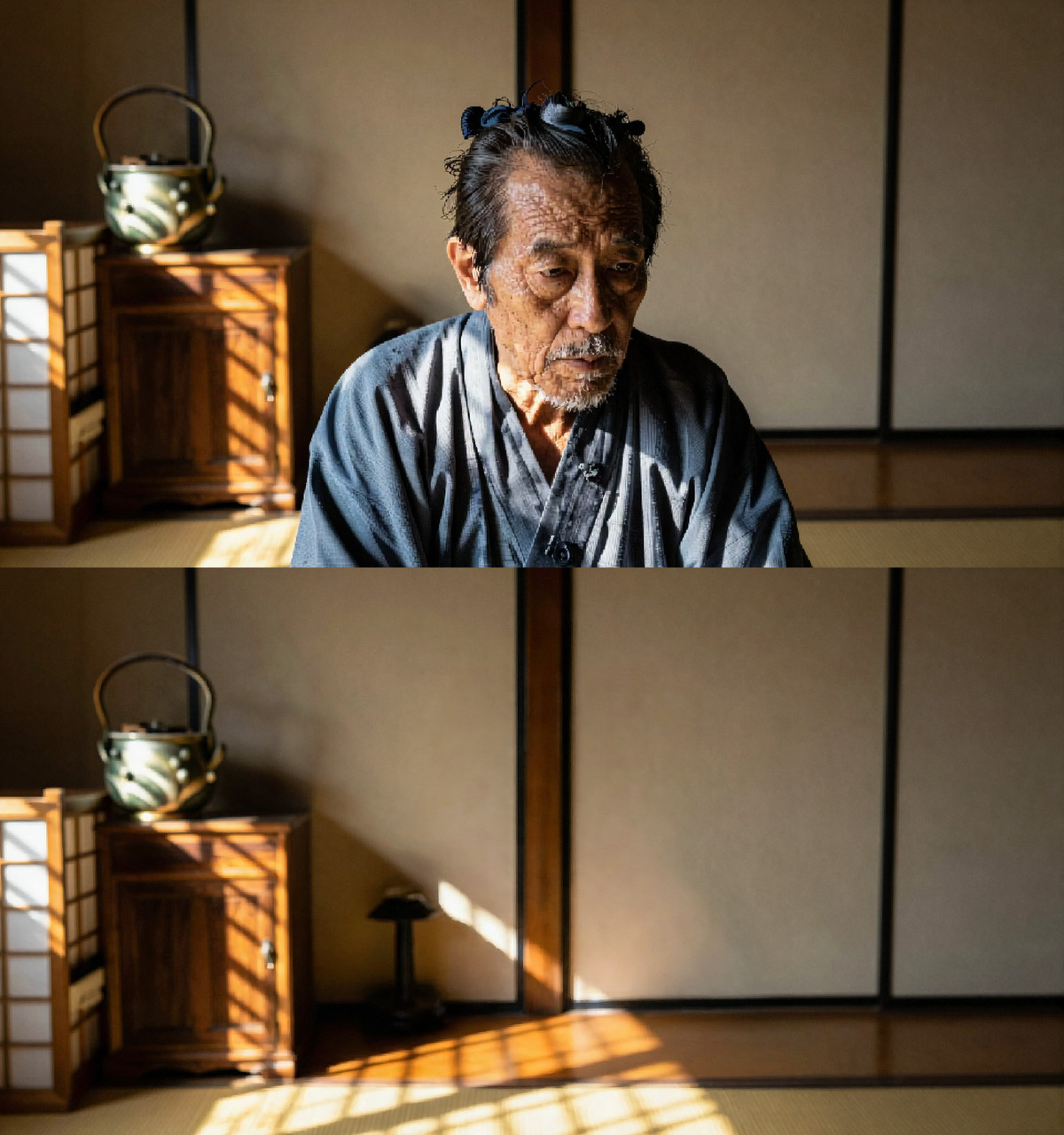
mo_akkakk's H3 Image local repainting (inpainting) workflow: paint a mask on the original image, write a single instruction, and the workflow expands and feathers the mask, crops out the masked area for repainting, then pastes it back to the original image, modifying only the painted regions.
Images
Reasons for Recommendation
- Shares the same graph structure as minimax_h3_image_edit uploaded by the same author in the same batch (identical model loading, instruction input, 3 reference image slots, and a default-disabled prompt expansion group); the addition is the mask expansion, cropping, and pasting-back section, with the sampler changed from euler to euler_ancestral.
- Suitable for edits affecting only a small part of the image, such as removing people or objects, or changing clothing locally; the example instruction included in the workflow is "remove woman and her reflection."
- Achieved 70 downloads within 8 hours of release, making it the most downloaded H3 Image version this issue; free to use, with a license permitting image output and sales.
How to Use
- Use ComfyUI's mask editor on LoadImage to paint the area to be modified, and write the editing instruction in the Prompt group; enable the IMG-02 / IMG-03 groups if additional reference images are needed.
- Depends on KJNodes, rgthree, comfyui_essentials, masquerade-nodes, maskvidexperiments (cropping/pasting nodes), was-ns, and ComfyMath; models include the H3 Image int8 diffusion model, Qwen3-VL 32B text encoder (default is the NVFP4 quantized version), and fp16 VAE; parameters such as step count are not specified in the author's instructions.
Risks and Limitations
- The author's description is only one sentence; usage and parameters require opening the workflow to inspect personally; depends on 7 custom node packages, with maskvidexperiments being relatively uncommon.
- The default text encoder is the NVFP4 version; non-Blackwell GPUs may need to switch to the int8 version; only 1 examples are provided.
Listed Only (3)
- H3-Image Workflows — Free Lite T2I (MiniMax H3, 16 MP, 6 Steps) — ComfyUI · v1.0 — Workflow: A free trial version of the paid H3 Image workflow package ($39): includes only one basic text-to-image workflow (6 steps, CFG 1, 2048×2048); multi-reference image editing, prompt expansion, quick drafts, and more are available only in the full paid version.
- H3-IMG T2I Improve WF · v2.0 — Workflow: kennedysworks' third version of the "improved" H3 Image text-to-image workflow: the author claims it integrates a method from Reddit to reduce blurriness and detail loss in H3 Image outputs; the description for v2.0 simply says "FIX MORE".

- minimax_h3_image_edit · v1.0 — Workflow: mo_akkakk's H3 Image full-image editing workflow: loads one image (with optional activation of two reference images), applies a single editing instruction to modify the entire image, and displays the result side-by-side with the original; the author's description is just one sentence.
Data: Civitai public API (base model MiniMax H3), collection window 11-16 20:31 → 11-17 09:01 (Beijing Time). Recommendations have been reviewed by editors; download counts reflect only popularity.