Zhenzhen's AI Radar · Qwen Image 2.1 · 2026-11-01 Evening Report
This issue features 5 new versions: Strongly Recommended 0 · Recommended 2 · Worth Watching 3 · Listed Only 0
Editor's Note This issue reviews 5 new versions of Qwen 2.1. Among them, 4 are prompt rule and workflow sets by the same author, none of which are new weights: The top recommendation is the "Text Inside the Image" set, which teaches you to write original text using quotation marks, give the text a physical carrier and wear state, making text on signs, posters, and wooden plaques readable. Parameters are complete; maintains A rating. The "Change One Thing" instruction editing also clearly states the phrasing and limitations; maintains A rating. The key prompt blocks for the 2.5D Material and Taisho Woodblock sets are in a zip file requiring login to download, so they are downgraded from A to B. The four sets' descriptions only mention Qwen-Image and refer to a 4-step Lightning acceleration LoRA; the author does not specify if it was tuned specifically for 2.1. The Star Trek Phaser Prop LoRA maintains B rating.
Recommended (2)
[A] Qwen-Image — Text Inside the Image · v1.0
Workflow · New Model · Author tinytensor · Published 11-01 17:43 · Downloads 14
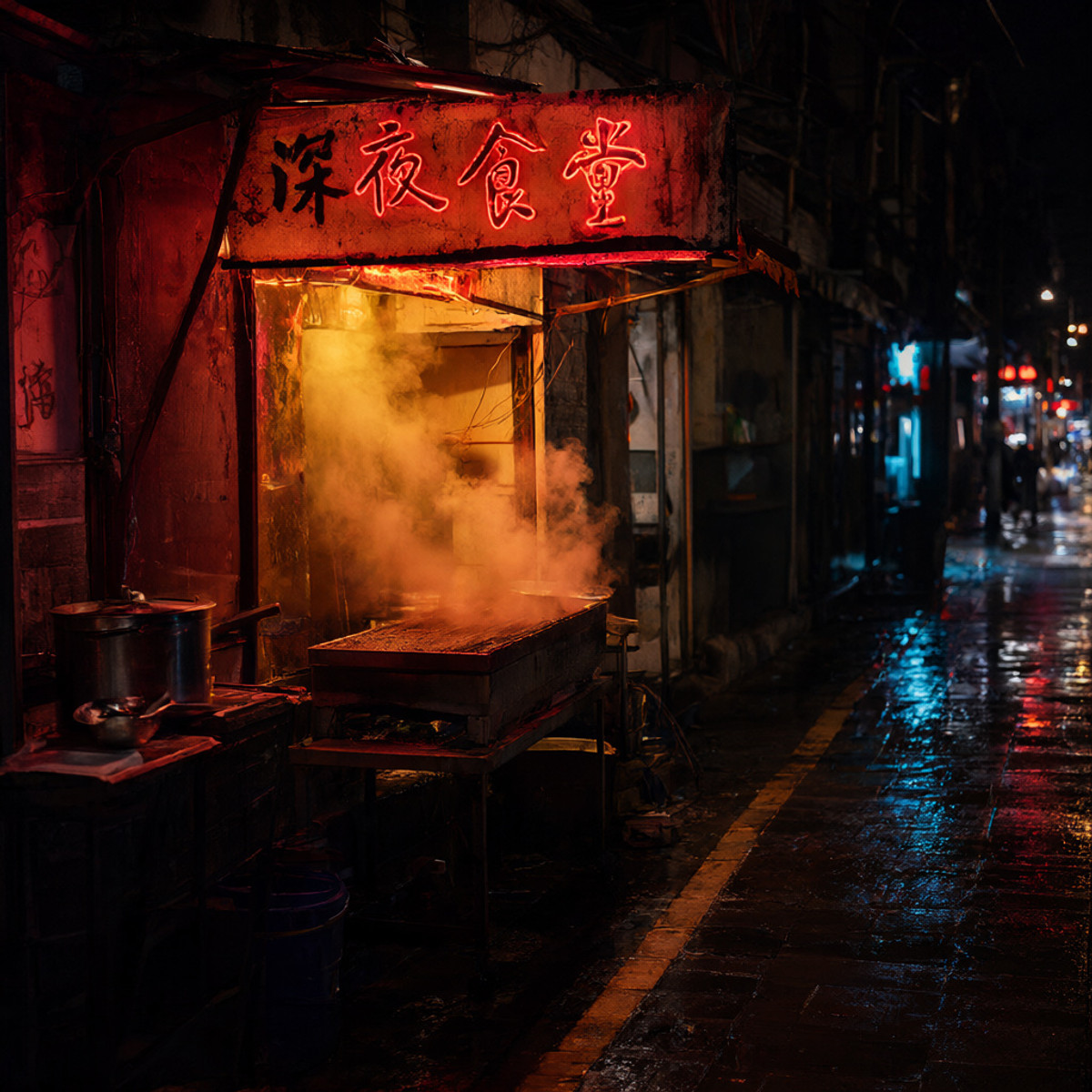
A workflow and prompt rule set that enables Qwen-Image to render readable text within the image: The text is not an overlaid title, but rather text on signs, posters, and wooden plaques, subject to the same lighting, and can be wet or peeling.
Maintains A: Rules are specific and directly applicable, parameters are complete; this is not a new capability, but rather a clear articulation of how to use Qwen's existing text capabilities, though the base model version is not specified.
Images
Reasons for Recommendation
- New model (not new weights): The author states "nothing was trained," providing workflow.json and a set of writing rules; serves text-to-image needs requiring in-image text for signs, posters, packaging, and storefronts
- Rules are written on the model card and can be followed without downloading: Text to be rendered is provided verbatim in curly quotes (e.g., "Late Night Diner," "STAY CURIOUS"); give the text a physical carrier (neon, print, woodblock, enamel); then give the carrier a state (weathered, rain-soaked, sun-bleached, corner peeling); keep strings short; do not name fonts, describe materials instead
- Parameters are complete: 25 steps / CFG 1.0 / euler / simple, 1024×1024, author claims approx. 80 seconds on a 8 GB GPU; 2 visible examples (Chinese neon signs, English posters, etc.); free, license is fully open and attribution is optional
How to Use
- Drag workflow.json from qwenImageTextInside_v10.zip (1164 KB) into ComfyUI; required models are listed in the zip's README.md
- 25 steps, CFG 1.0, euler, simple, 1024×1024; note that negative prompts do not work at CFG 1.0, when people are in the image, the author suggests raising CFG to 2.0 and switching to the 2.5D LoRA workflow
Risks and Limitations
- Description only mentions Qwen-Image, does not specify 2.1; download requires login, model list in the zip cannot be verified
- Only 2 visible examples, none include prompts, 1 examples are hidden
- Author claims long text is unreliable in any language; this entry was not tested
[A] Qwen-Image Edit — Change One Thing, Keep the Rest · v1.0
Workflow · New Model · Author tinytensor · Published 11-01 17:50 · Downloads 18
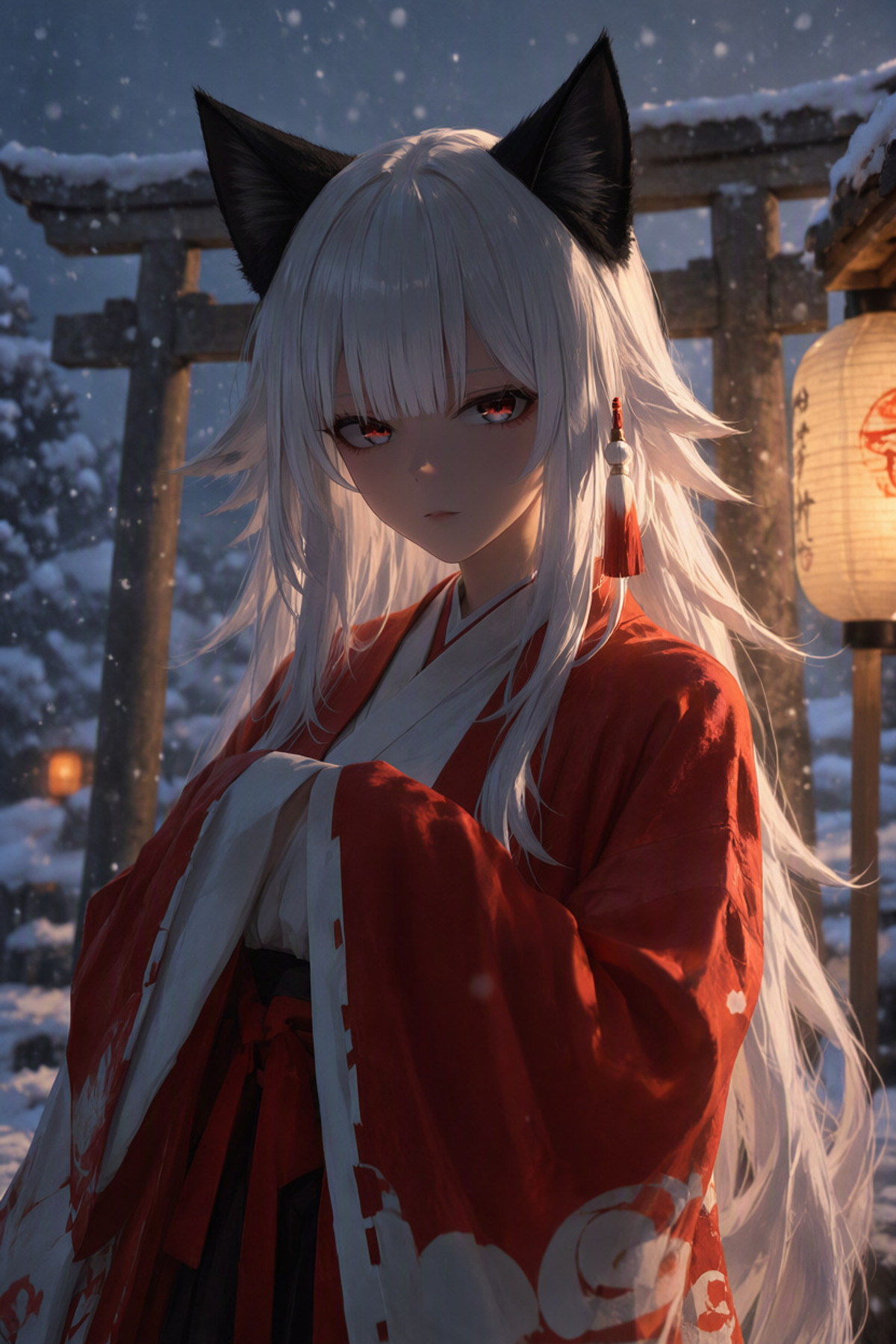
A Qwen-Image instruction editing workflow and phrasing rules: Use one sentence to clearly state what to change, what to change it to, and what must not be touched, without masks or inpainting boxes.
Maintains A: Purpose is clear, phrasing rules and failure scenarios are documented, examples correspond to three types of changes; deduction because the base model version is unclear.
Images
Reasons for Recommendation
- New model (not new weights): The author states "nothing was trained"; serves image editing needs like changing accessories, altering clothing color, or changing the view outside the window, where only one thing changes
- Phrasing is clearly written: First name the object and the change, then specify what must not be touched; change only one thing at a time, two unrelated changes in one sentence usually result in only one taking effect or them mixing; the author also lists what cannot be done: global lighting changes (asking for dusk results in a full-image filter) and full-image style changes only result in minor variations
- Parameters are complete: 25 steps / CFG 1.0 / euler / simple, author claims approx. 90 seconds on a 8 GB GPU; 3 visible examples (fox ears to black cat ears, navy coat to dark red, daytime window view to snowy night city), no hidden examples; free, license is fully open
How to Use
- Drag workflow.json from qwenImageEditChangeOne_v10.zip (1770 KB) into ComfyUI, models and settings are in the zip's README.md
- 25 steps, CFG 1.0, euler, simple; write instructions as "Change X to Y, keep the rest unchanged," change only one thing per iteration, split into multiple rounds if multiple changes are needed
Risks and Limitations
- Description only mentions Qwen-Image Edit, does not specify which version of the editing model is used; download requires login, cannot be verified
- Examples do not include prompts; this is not a new capability, just a usage compilation; this entry was not tested
Worth Watching (3)
[B] Qwen-Image 2.5D — Material Style System · v1.0 — 8 steps / CFG 2.0
Workflow · New Model · Author tinytensor · Published 11-01 16:10 · Downloads 9
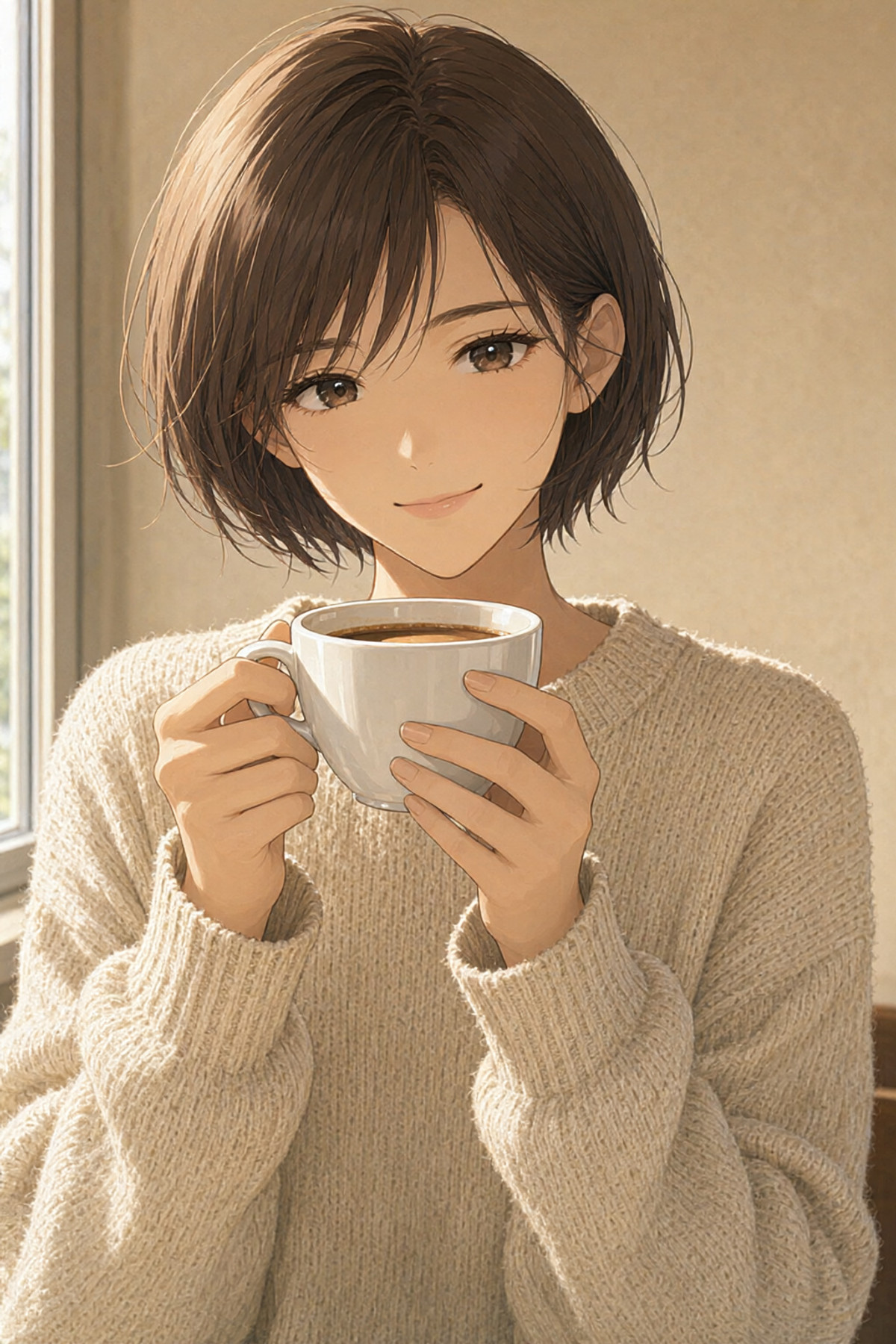
A 2.5D illustration style workflow and prompt blocks: Break down the style by material (matte skin, hair in strands, wool with weave, ceramic with a hard highlight), avoiding the entire image looking like the same material or faces looking like yarn.
Downgraded from A to B: The concept and parameter explanations are clear, but the core content requires login to download, and the base model version is unclear.
Images
Reasons for Recommendation
- New model (not new weights): The author states "nothing was trained"; serves 2.5D character illustrations, aiming to remove plastic skin and oil painting filter effects
- The author explains the sampling settings: With 4-step Lightning LoRA and CFG 1.0, negative prompts are completely ignored (this is how extra hands appear), changing to 8 steps, CFG 2.0, and LoRA strength 0.5 makes negative prompts work while retaining the illustrative feel
- 3 visible examples (1 hidden), none include prompts; free, license is fully open
How to Use
- Drag workflow.json from qwenImage25DMaterial_v108StepsCFG20.zip (2083 KB) into ComfyUI; style-blocks.txt contains style sentences broken down by material (also includes a flat-color ukiyo-e variant)
- 8 steps, CFG 2.0, acceleration LoRA strength 0.5, 1024×1408, author claims approx. 80 seconds on a 8 GB laptop GPU; sampler is not specified on the card by the author
Risks and Limitations
- The actual material prompt blocks are in the zip file, download requires login, the card only contains the concept
- Description only mentions Qwen-Image and 4-step Lightning LoRA, does not specify if it is the 2.1 version
- Examples do not include prompts; this entry was not tested
[B] Flat Print Style — Taisho Woodblock on Qwen-Image · v1.0
Workflow · New Model · Author tinytensor · Published 11-01 16:34 · Downloads 13
A flat-color ukiyo-e / Art Nouveau poster style workflow and prompt blocks: No shadows, no gradients, limited to four colors, relying on negative prompts filled with gradient and depth-of-field terms plus sufficiently high CFG to keep the image "flat."
Downgraded from A to B: The direction is specific, but key content is in a zip file requiring login, and only two visible examples are provided.
Images

Reasons for Recommendation
- New model (not new weights): The author states "nothing was trained"; serves flat illustrations in Taisho woodblock and poster styles
- The author's concept: Flatness is not achieved by requesting flat color, but by removing what the model defaults to adding; under the common 4-step CFG 1.0 configuration, negative prompts are ignored, so it is changed to 8 steps / CFG 2.0, LoRA strength 0.5
- The card lists a checklist of decorative elements (seigaiha waves, gold leaf blocks, fox masks, paper fans, vermilion circles, red seals, etc.), choose two or three per image, the author claims the image collapses if a fifth color appears; 2 visible examples (2 hidden); free, license is fully open
How to Use
- Drag workflow.json from flatPrintStyleTaisho_v10.zip (2975 KB) into ComfyUI; style sentences, four-color palette, decorative term list, and composition rules are in style-blocks.txt
- 8 steps, CFG 2.0, acceleration LoRA strength 0.5; sampler and resolution are not specified on the card by the author
Risks and Limitations
- The palette and composition rules are in the zip file, download requires login
- Description only mentions Qwen-Image, does not specify if it is the 2.1 version
- Only 2 visible examples, no prompts; this entry was not tested
[B] Star Trek TNG Type 2 Phaser · Qwen 2.1 - v1
LoRA · Port · Author lcarspicturesdatabase · Published 11-01 18:58 · Downloads 8
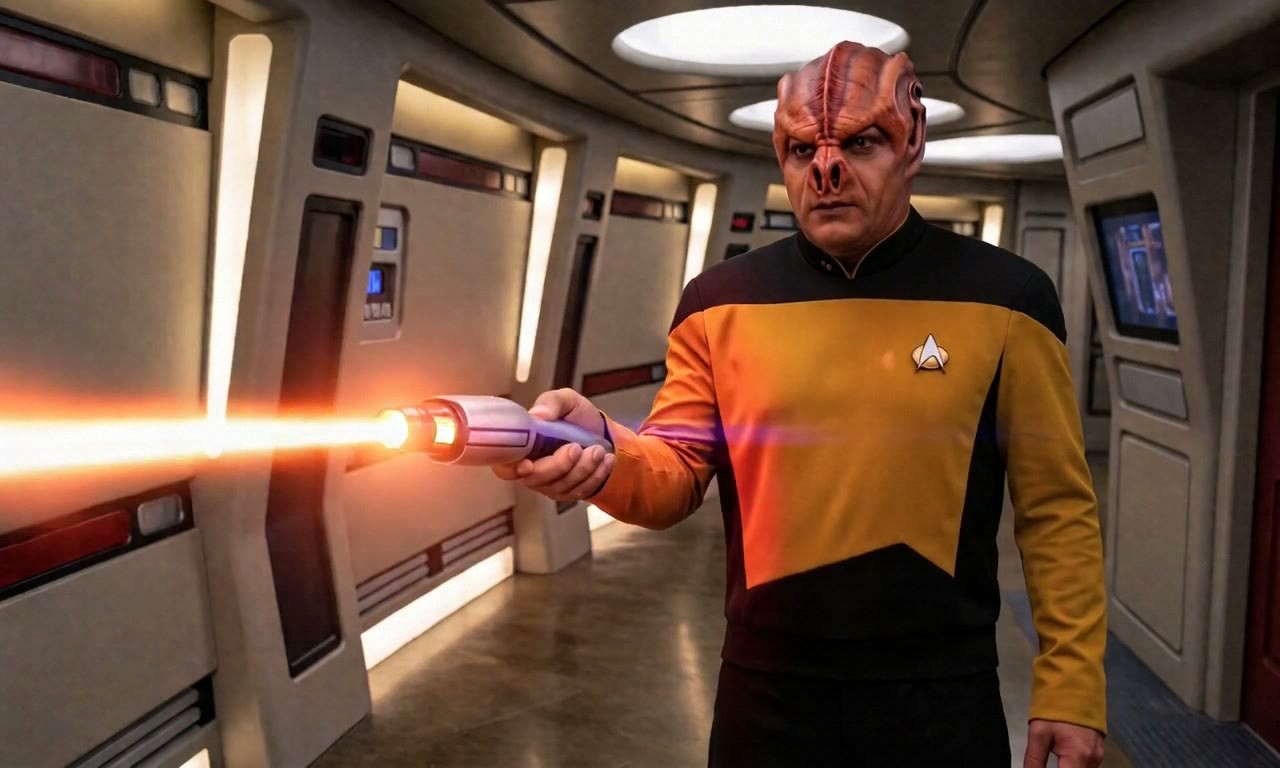
The Qwen 2.1 version of the Star Trek: The Next Generation Type 2 Phaser prop LoRA: Enables characters to hold this gun, with an option to add an orange continuous beam firing effect.
Maintains B: Narrow use case but specific writing, examples include prompts; lacks parameters.
Images
Reasons for Recommendation
- Port: The same model page already has Flux.2 Klein 9B-base and Krea 2 Turbo versions, the Qwen 2.1 version uses the same trigger word, the version description only lists the trigger word, no training differences are mentioned
- Serves sci-fi fan art scenarios requiring accurate prop appearance; the author provides pose sentences that can be directly added to prompts: hold gun in right hand, thumb on fire button, muzzle pointing right, add beam description when firing
- 1 video clips + 1 images visible examples, all include prompts; free, license does not allow commercial image generation
How to Use
- Load ST-TNG-Type2-Phaser-2364-Qwen-Image-21-v1_c1-st6000.safetensors (approx. 80 MB · BF16), write TNGTypeII2364 in the prompt, and describe the holding pose according to the author's POSE sentence
- Strength, steps, and CFG are not provided by the author
Risks and Limitations
- No sampling parameters are provided
- Star Trek is a registered trademark, the author declares this is non-profit fan work; license does not allow commercial image generation
- 1 sensitive-level examples are hidden; this entry was not tested
Data: Civitai public API (base model Qwen 2.1), inclusion window 11-01 08:31 → 11-01 21:01 (Beijing Time). Recommendations have been reviewed by editors; download counts reflect attention only.