Zhenzhen's AI Radar · MiniMax H3 Image · 2026-11-15 Morning Report
This issue features 4 new versions : Strongly Recommended 0 · Recommended 1 · Worth Following 2 · Included Only 1
Editor's Note This issue reviews 4 new versions of H3 Image, with 1 rated A, 2 rated B, and 1 rated C. First recommendation: the AI Influencer 12GB workflow collection : create a character using native H3 Image nodes on a 12 GB graphics card, then place the same face in new scenes ; the author lists all model files and installation paths. The one-click installer package v2.0 with visual prompt expansion only modifies LLM instructions and preset styles, with only 1 examples provided, hence rated B ; the Fyre character LoRA includes complete training configuration, rated B ; the introductory workflow with only a one-sentence description is rated C.
Recommended (1)
【A】AI Influencer 12GB — 4 workflows : create a character, same face in new scenes, Viggle Remake swap, MiniMax H3 video · v1.0.0
Workflow · New Model · Author The_frizzy1 · Published 11-15 03:11 · Downloads 31
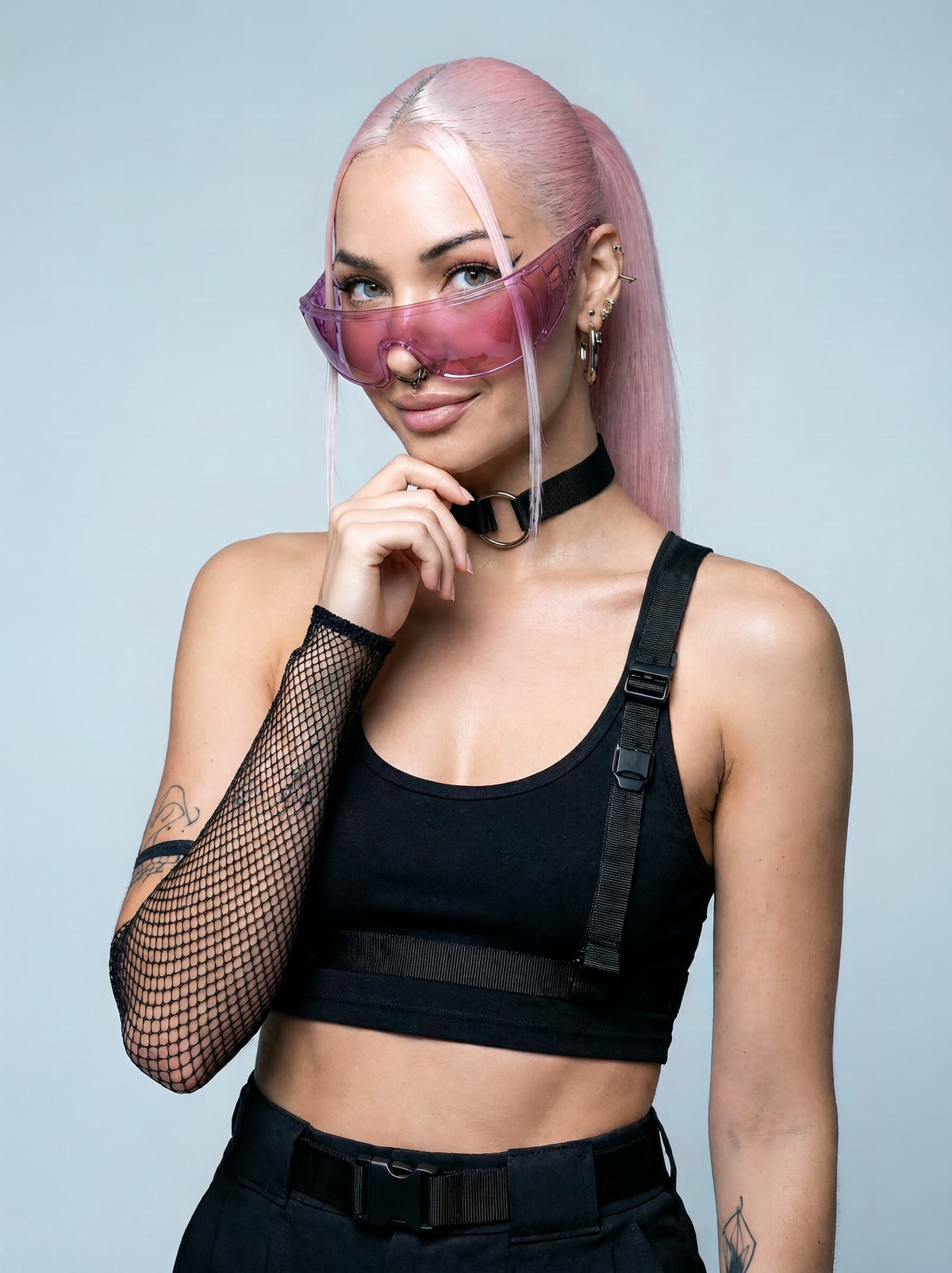
A collection of four workflows : use H3 Image text-to-image to create a fictional character, then use close-ups + prompts to place the same face in new scenes ; also includes Viggle Remake person swap and H3 image-to-video video workflows.
Images
Reasons for Recommendation
- Serves "multiple scenes for the same character" : workflows 1 and 2 use only native ComfyUI nodes ; accounts that only post images can suffice with these two.
- The author states it was tested on an RTX 3060 12 GB, with peak VRAM usage of 11.6 GB ; ComfyUI requires version 0.45 or newer (older versions lack H3 Image nodes).
- Easy to follow : the model card lists file names, sizes, download addresses, and installation directories one by one ; the archive contains all prompts used in the video, and GitHub has a step-by-step guide.
How to Use
- Workflows 1 and 2 require 3 files : minimax_h3_image_pruned_w4a8 (diffusion_models), qwen3vl_32b_minimax_h3_nvfp4_awq (text_encoders), minimax_h3_image_vae_fp16 (vae).
- When creating a character, describe the person, hairstyle, accessories, clothing, location, lighting, and camera as if writing a photo caption ; the author states that longer prompts work better.
- Workflow 3 requires the Viggle node package ; workflow 4 uses the official minimax_h3_fl2v_turbo_8step acceleration LoRA for image-to-video generation.
Risks and Limitations
- Only 2 visible examples are shown, with 3 hidden ; the page contains mixed content.
- The video part models are large (a single diffusion model is approximately 21 GB), with peak system RAM usage of 16–22 GB.
- The workflows are MIT licensed, but H3 / H3 Image weights are under the MiniMax Community License ; verify commercial use terms yourself before use.
Worth Following (2)
【B】H3 Image with uncensored vision (installer + workflow) · v2.0
Workflow · Version Update · Author Torque · Published 11-14 22:16 · Downloads 131
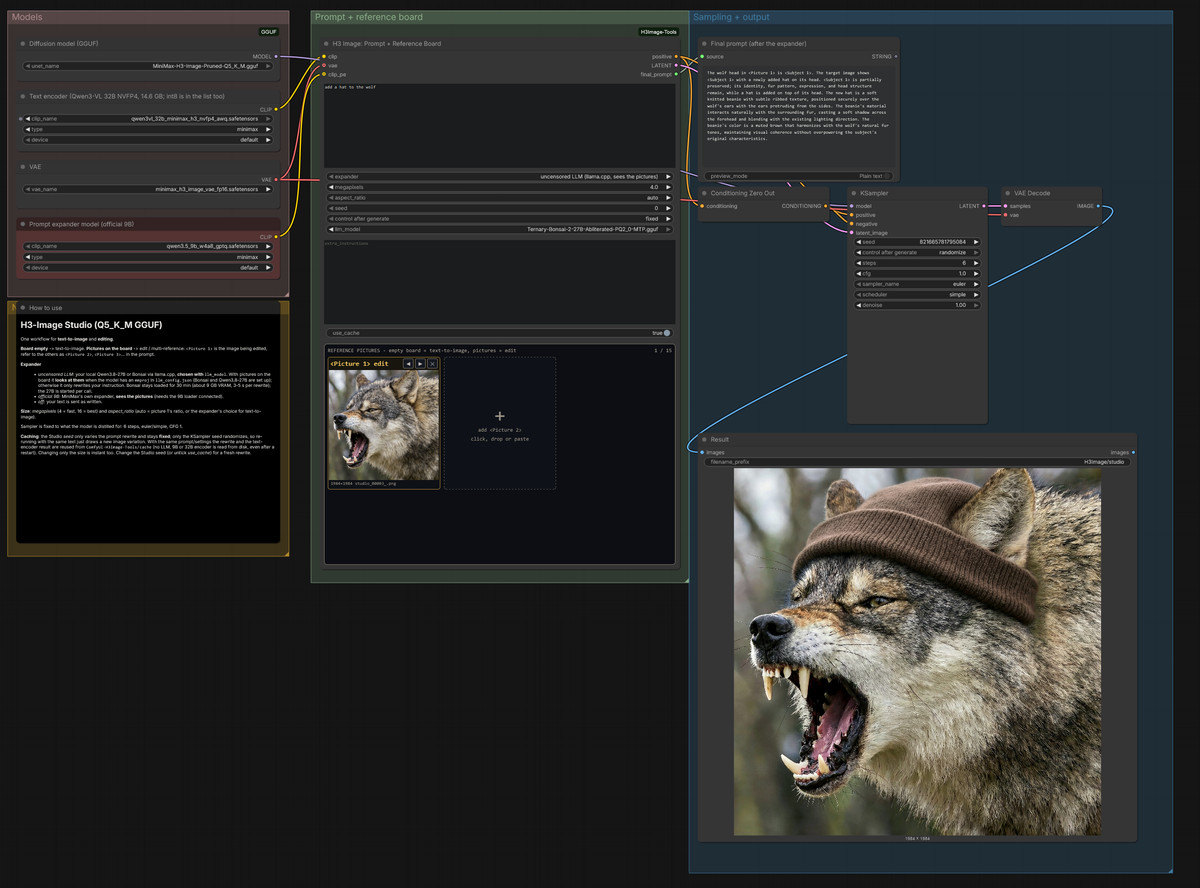
Windows one-click installer + workflow for H3 Image : a single workflow handles both text-to-image and multi-reference editing of up to 15 images, with a prompt expansion model capable of "seeing" images.
Images
Reasons for Recommendation
- Version update : the author only noted "improved LLM instructions, added preset styles".
- Features : images on the reference board are automatically labeled as <Picture N>, and the expander analyzes the image to expand short prompts into long descriptions ; optional official 9B expander or 27B Bonsai LLM.
- The installer automatically selects GGUF quantization based on VRAM (Q5_K_M for 24 GB and above), uses NVFP4 text encoders for RTX 50 series, and int8 for others.
How to Use
- After unzipping, run Install_H3Image.bat, read the license, and enter YES ; after installation, run Start_H3Image.bat and load H3Image_Studio in the workflow browser (W).
- Leave the reference board empty for text-to-image, or add images for editing ; requires approximately 56 GB of free disk space.
Risks and Limitations
- The author describes it as "vibe coded" ; the installation script downloads and pins a portable ComfyUI v0.45.0 and numerous models (approximately 40 GB, including Bonsai approximately 49 GB).
- Tested only on RTX 5090 32 GB ; only 1 visible examples.
- "Uncensored vision" in the name refers to the expansion model not applying content filtering ; the author provides no further explanation.
【B】Fyre (fictional character) · h3-image-v01
LoRA · Port · Author jandordoe · Published 11-14 23:49 · Downloads 32
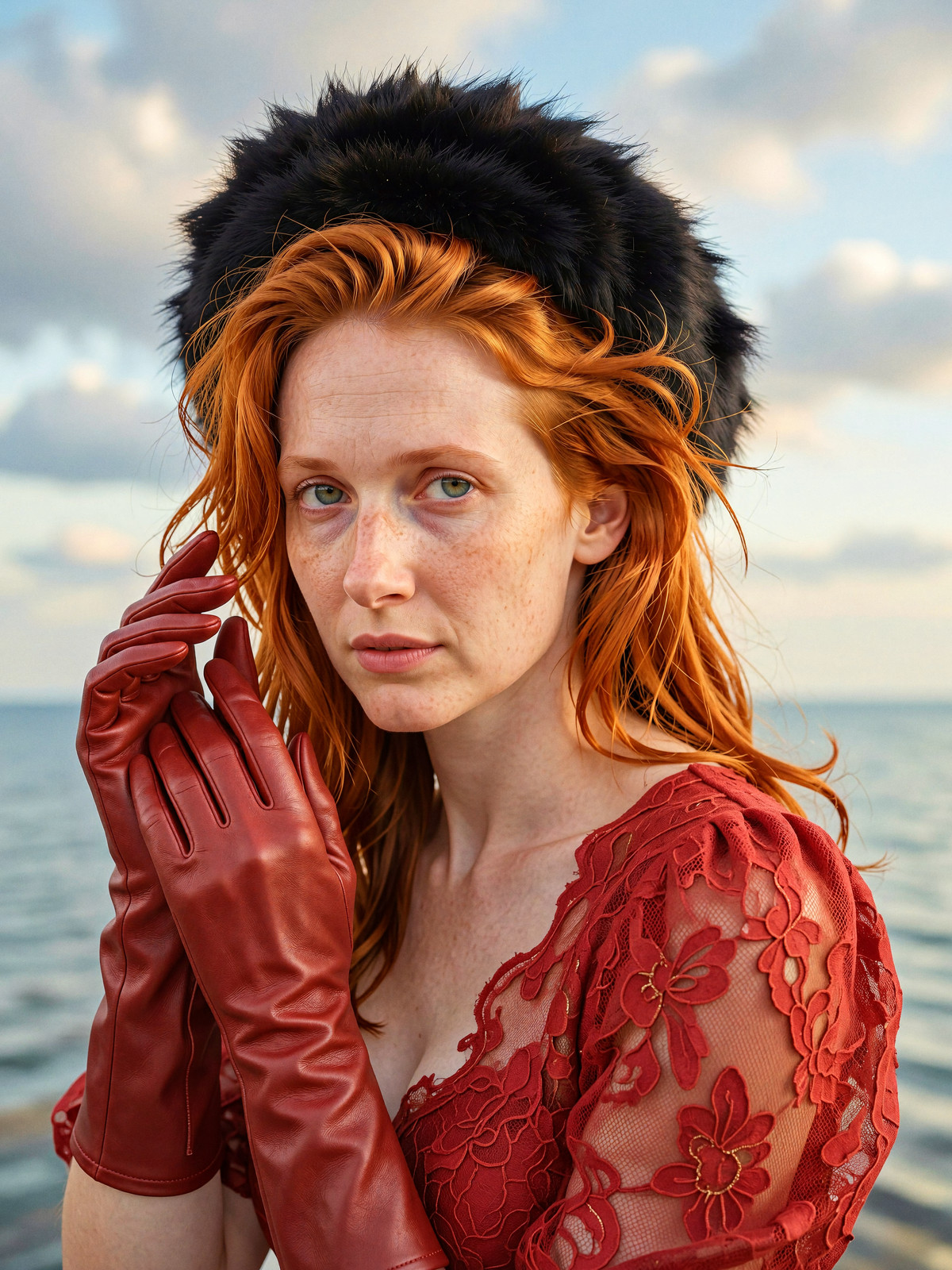
H3 Image character LoKr for Fyre, a fictional red-haired freckled woman, including complete ai-toolkit training configuration, serving as a reference for training characters with H3 Image.
Images
Reasons for Recommendation
- Port : the same character already has versions for MOSS, Qwen 2.1, Krea 2, Wan 2.2, etc. ; the H3 Image version was trained for 3,000 steps using ai-toolkit + Ostris training adapter.
- Training parameters are fully documented : lokr factor 4, automagic v3, LR 0.0005, EMA 0.98, with the configuration file config-h3-image-v01.yml included.
- The author states that good similarity was achieved at 2,000 steps, with slight improvement at 3,000 steps.
How to Use
- Trigger word : Fyre ; the author does not specify strength, steps, or CFG.
Risks and Limitations
- Training images are 20 generated by Klein 9b ; the author notes that examples were not curated, with at least two having anatomical issues.
- 1 visible examples, 10 hidden ; weights are approximately 2.3 GB, much larger than typical character LoRAs.
- Standard fictional character LoRA, with no special capabilities beyond the training configuration.
Trigger Word : Fyre
Included Only (1)
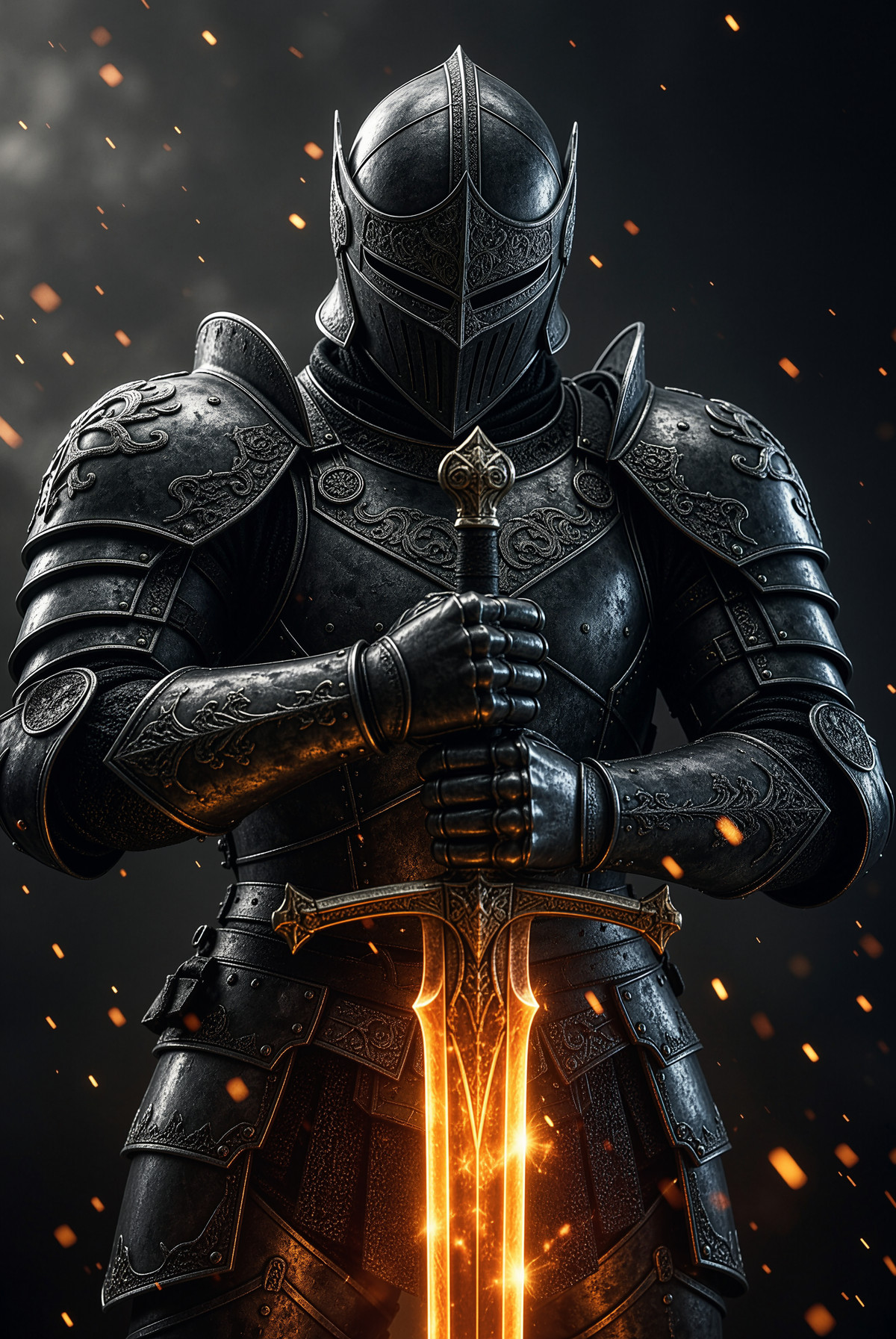
- Wikked MiniMax H3 Image Workflow · v1.0 — Workflow : the author describes it as a simple text-to-image workflow for getting started with H3 Image.
Data : Civitai public API (base model MiniMax H3), inclusion window 11-14 20:31 → 11-15 09:01 (Beijing Time). Recommendations are reviewed by editors ; download counts reflect attention only.