Zhenzhen's AI Radar · MiniMax H3 · 2026-10-31 Morning Report
This issue features 8 new versions: Strongly Recommended 1 · Recommended 1 · Worth Watching 2 · Listed Only 4
Editor's Note This issue reviews 9 new versions of H3. The top pick is Perfect Looper: a ComfyUI workflow that enables H3 to generate seamless loop videos where both visuals and audio close the loop. It supports four entry points: text-to-video, image-to-video, reference-to-video, and existing video. Nodes, models, 6-step turbo, and prompt templates are all clearly documented. Another A-rated item is the Komikku node pack, which arranges H3 multi-shot videos into comic pages with optional dialogue boxes. It was upgraded from B to A, but it has many dependencies and only 1 example images. The PIKA72 merged base model (which does not explain the function of the built-in LoRA and lacks step/sampling parameters) was downgraded from S to B. The InstaPic H3 version and the single-frame editing workflow were downgraded from A to B due to thin documentation. An upscaling workflow that relies solely on external video tutorials and three standard character LoRAs were rated C.
Strongly Recommended (1)
[S] Perfect Looper (MiniMax-H3) | T2AV, I2AV, Ref2AV, V2AV | 6 steps turbo · v1.1
Workflow · New Model · Author CoolBreeze_ · Published 10-31 05:11 · Downloads 56
A ComfyUI workflow that enables MiniMax H3 to generate seamless loop videos (looping both visuals and audio). It can generate from scratch using text, images, or reference images, and can also loop existing videos. It is not a new weight set itself.
Maintained at S: The capability is new and clear (visuals and audio loop together), with 5 visible examples. Nodes, models, steps, and prompt templates are clearly documented. It is free with a permissive license. The barrier to entry is a manually installed node pack, and complex actions are not guaranteed to close the loop.
Images

Reasons for Recommendation
- New model (first version on the site, version name v1.1): First generates a small "anchor" clip, encodes its first and last frames into the next sampler with mask protection, then uses the same prompt to generate a "bridge" clip that moves from the end of the anchor back to the beginning. Finally, the visuals and audio of the two clips are cross-faded to form a loop.
- Serves needs for looping short videos, in-place action/dance loops, and background GIFs. All four entry points work: text-to-video (T2AV), image-to-video (I2AV), reference-to-video (Ref2AV), and existing video (must be 24 fps). The author states it can be combined with any H3 fine-tuned base model and LoRA combination.
- Adjustable resolution, anchor and bridge duration, overlap length, and loop count. The final output can optionally use RTX upscaling and frame interpolation. The default configuration uses Larryvrh's turbo LoRA for 6 steps, with CK+SLA hybrid attention for both anchor and bridge.
- Changes listed for V1.1: The turbo LoRA is replaced with a ComfyUI-optimized version to fix tensor size mismatch errors (no longer requiring the node pack for the old LoRA), sampling parameters are adjusted, the video VAE is changed to int8, a mute switch is added to STAGE 2, and you can re-roll only the seed for STAGE 1 to find a suitable loop base.
- There are 5 visible example videos, some with prompts. It is free, and the license allows for output, rental, sale, and sale of derivatives. Approximately 4 hours after release, it had 56 downloads (indicating attention only).
How to Use
- Unzip the perfectLooperMinimaxH3T2AV_v11 archive and import it into ComfyUI. Most nodes can be installed using Manager's "Install missing custom nodes." The author's ComfyUI-CoolB-Nodes must be updated to the latest version. ComfyUI-H3-Motion-Context-MultiRef is not in Manager and must be downloaded manually. Additionally, rgthree, KJNodes, VideoHelperSuite, and Nvidia VFX nodes (for upscaling/frame interpolation) are required.
- Models: Any H3 main model (the author uses the Singularity ref2va pruned int8 version). Use the official Comfy-Org/MiniMax-H3 repository for the text encoder and VAE. Use the ComfyUI-optimized version of the Larryvrh LoRA from the drbaph repository for the turbo LoRA, with 6 steps.
- Write prompts following the templates in the workflow for actions that can close the loop, such as "character performs a specific action in place, fixed camera" or "camera rotates a full circle around the scene." If it doesn't connect, adjust the video duration or change the anchor/bridge seed. When looping existing videos, clearly specify in the prompt how the bridge segment transitions from the end back to the beginning. Try to avoid generating music.
Risks and Limitations
- Complex actions are not guaranteed to close the loop: The action must be able to connect back in both spatial and temporal amplitude; otherwise, the bridge segment will have a hard cut before the final frame. Beats rarely align; the author suggests not generating music and adding it later.
- Many dependencies: One node pack requires manual installation. Frame interpolation with Nvidia VFX nodes requires an RTX 40 series or higher GPU. Other functions require cu130+ PyTorch. If these are not met, switch to other upscaling/frame interpolation nodes.
- Loop videos saved with VHS nodes have a bit of extra empty audio at the end. Before re-looping, trim 2–3 ms, otherwise there will be an audio jump at the loop point.
- The author's test environment: ComfyUI 0.42.0/0.43.0, PyTorch 2.14.0+cu130, RTX 4080 SUPER, 64 GB RAM. The uploaded version is a 0.7 MP, 7 second example. The author claims a total time of 156 seconds (excluding loading), with the two sampling stages taking 17 and 84 seconds respectively. This entry has not been run.
- 4 sensitive-level examples are hidden. The author includes suggestive hints in the prompt tips.
Recommended (1)
[A] Minimax-H3-Komikku | Video → Manga/Comic Page (ComfyUI) · v1.0
Workflow · New Model · Author paralaif_xox · Published 10-31 01:44 · Downloads 32
A ComfyUI node pack and workflow that turns the multi-shot output of MiniMax H3 reference-to-video into a complete comic page. It first lays out the page, with each panel corresponding to a hard-cut shot in the video, then places the visuals of each shot back into the panels and adds dialogue.
Upgraded from B to A: Turning multi-shot videos into comic pages is the most innovative workflow this issue. The process and installation instructions are clear, and it is MIT open source. However, it depends on multiple models, and there are only 1 examples on the site.
Images
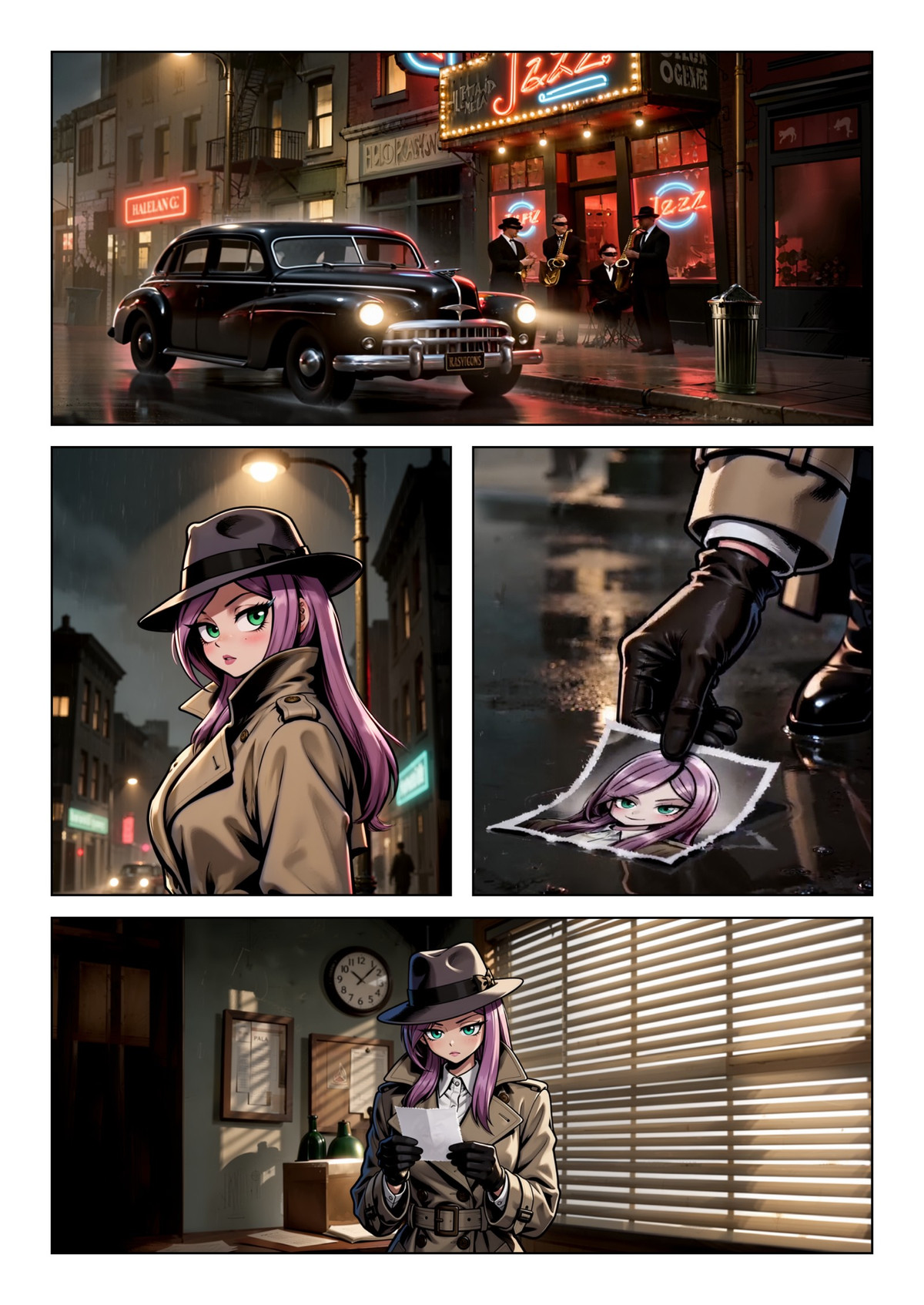
Reasons for Recommendation
- New model: Komikku Page & Shots is a full-screen layout editor (presets, freeform, diagonal cuts, and polygonal panels, knife cuts). Click on a panel to write the shot content for that panel, and the node automatically assembles a timestamped H3 multi-shot prompt.
- Complete workflow: H3 ref2vid generates a multi-shot video using up to 4 character reference images → Scene detection takes one frame per shot → FLUX 3 Klein reconstructs the visuals according to the panel aspect ratio → Optional MOSS-Image upscales to 5 MP → In Komikku Page Compose, move and scale images, add text boxes for speech, thought, shouting, whispering, narration, onomatopoeia, etc., overlay layers, and use a collection library and custom fonts.
- Optionally use the local text encoder MOSS Qwen3.5-9B to rewrite shot descriptions and suggest dialogue. Includes the main workflow (1:1 video) and examples for four genres: superhero, detective, anime, and dark.
- MIT open source, free, and the license allows for output, rental, sale, and sale of derivatives.
How to Use
- Install the author's nodes github.com/quinteroac/ComfyUI-Minimax-H3-Komikku. Also install ZNGB-SceneDetect, VideoHelperSuite, Pixaroma, rgthree, and comfyui-obvpm as listed in the workflow instructions.
- Unzip minimaxH3KomikkuVideo_v10.zip and import the main workflow. Place your character images in Picture 1 before running. The Manga example uses the halftone LoRA manga_tone_v2, with the trigger word "manga-tone rendering".
- The author does not provide specific model files, steps, or CFG for H3, FLUX 3 Klein, and MOSS-Image.
Risks and Limitations
- Many dependencies: Requires both H3 and FLUX 3 Klein, with optional MOSS-Image and MOSS Qwen3.5-9B, plus five third-party node packs.
- Only 1 visible example images (no prompts). Another 3 sensitive-level examples are hidden. First version. This entry has not been run.
Worth Watching (2)
[B] Singularity-V2-x-10Eros-Max · PIKA72
Base Model / Checkpoint · Version Update · Author 0l1v1aR0551 · Published 10-30 21:07 · Downloads 508
An H3 reference-to-video (Ref2VA) merged base model: Uses the author's custom PRISM algorithm to merge two fine-tunes, Singularity V2 and 10Eros-Max (8-step turbo). This PIKA72 version further directly fuses Pika-Labs' Pika-H3-Flex LoRA into the weights at an intensity of 1.00 or 0.85.
Downgraded from S to B: Only explains the merging method and the intensity of the built-in LoRA, but does not explain what this LoRA changes, nor does it provide step and sampling parameters. The two files are indistinguishable. Fast downloads only indicate high attention.
Images

Reasons for Recommendation
- Version update (4th version): The author states that, per user requests, the Pika-H3-Flex LoRA is built into BETA7 x Singularity-V2, with two intensities, 1.00 and 0.85, eliminating the need to load this LoRA separately.
- The author claims PRISM reduces weight artifacts when merging turbo models into base models: It filters diffusion noise increments using random SVD (rank 64), uses directional SLERP with logarithmic space magnitude interpolation, resolves sign conflicts, and recalibrates layer normalization.
- The same model page also has CLASSICS (Singularity V1.3 x 10Eros-Beta5) and BETA72 (Singularity V2 x 10Eros-Beta7) versions for comparison. The author's Hugging Face repository has fp16, int8, and w6a8 precisions.
- Approximately 12 hours after release, it had 508 downloads, with a cumulative total of 3670 downloads for the model (indicating attention only). It is free, and the license allows for output and on-site rental.
How to Use
- Download the int8 safetensors (approx. 21.3 GB) to replace the H3 ref2va base model loading; the two files on the model page are both int8 and the same size, so it is unclear from the filenames which is 1.00 and which is 0.85
- Other precisions are available at OliviaRossi/Minimax-h3_Singularity-x-10Eros-Max_PRISM on Hugging Face; the author did not provide steps, CFG, or sampler settings (the merged source 10Eros-Max is a 8-step turbo)
Risks and Limitations
- The author did not write update notes (the changelog is empty), only a single sentence in the version description, and did not explain what effects the Pika-H3-Flex LoRA itself brings
- A third-party merged model with no recommended steps or sampling settings; visible examples consist of only 1 video segments + 1 images, with 3 sensitive-level examples hidden; this entry has not been run
- The licenses for the built-in LoRA and the two source fine-tunes need to be verified independently
[B] MiniMaxH3. Single frame edit · v0.1
Workflow · New Model · Author brainburns894 · Published 10-30 23:40 · Downloads 88
A ComfyUI workflow that uses MiniMax H3 as an image editing model: it generates only a single frame, supports multiple reference images and pose copying; this v0.1 is primarily used for changing character poses.
Downgraded from A to B: The idea is novel and there are 3 examples, but the description is only a few lines, dependencies and parameters are not provided, and the difference between the two files is unclear.
Images

Reasons for Recommendation
- New model: The author claims H3 can be used for single-frame image editing, serving needs such as "changing poses for the same character" and "editing images based on references," which is a rare use case for video models
- The author provided two tips: Specify the input image's art style (e.g., monochrome sketch, expressive digital illustration, anime screencap) in the detailed_description section of the prompt, which the author claims helps preserve the original style; the target resolution should not be lower than 2.0 MP
- There are 3 visible example images; it is free, and the license allows for outputting images, renting, selling, and selling fusions
How to Use
- Import minimaxh3SingleFrame_v01_3337169.json or minimaxh3SingleFrame_v01_3337171.json (147 KB / 161 KB, the difference between the two is not explained by the author), and use Manager to fill in missing nodes; the required nodes, H3 model files, steps, and CFG were not provided by the author
Risks and Limitations
- The model card is only a few lines long, with no listed dependency nodes or models; v0.1 is an early version, and the version notes consist of only one sentence
- 5 sensitive-level examples are hidden; the workflow JSON does not contain new weights; this entry has not been run
Included Only (4)
- MiniMax H3 2K Upscale Workflow · v1.0 — Workflow: A MiniMax H3 2K upscaling ComfyUI workflow; the model card has only a one-sentence introduction, with installation methods and principles placed in an external YouTube video.
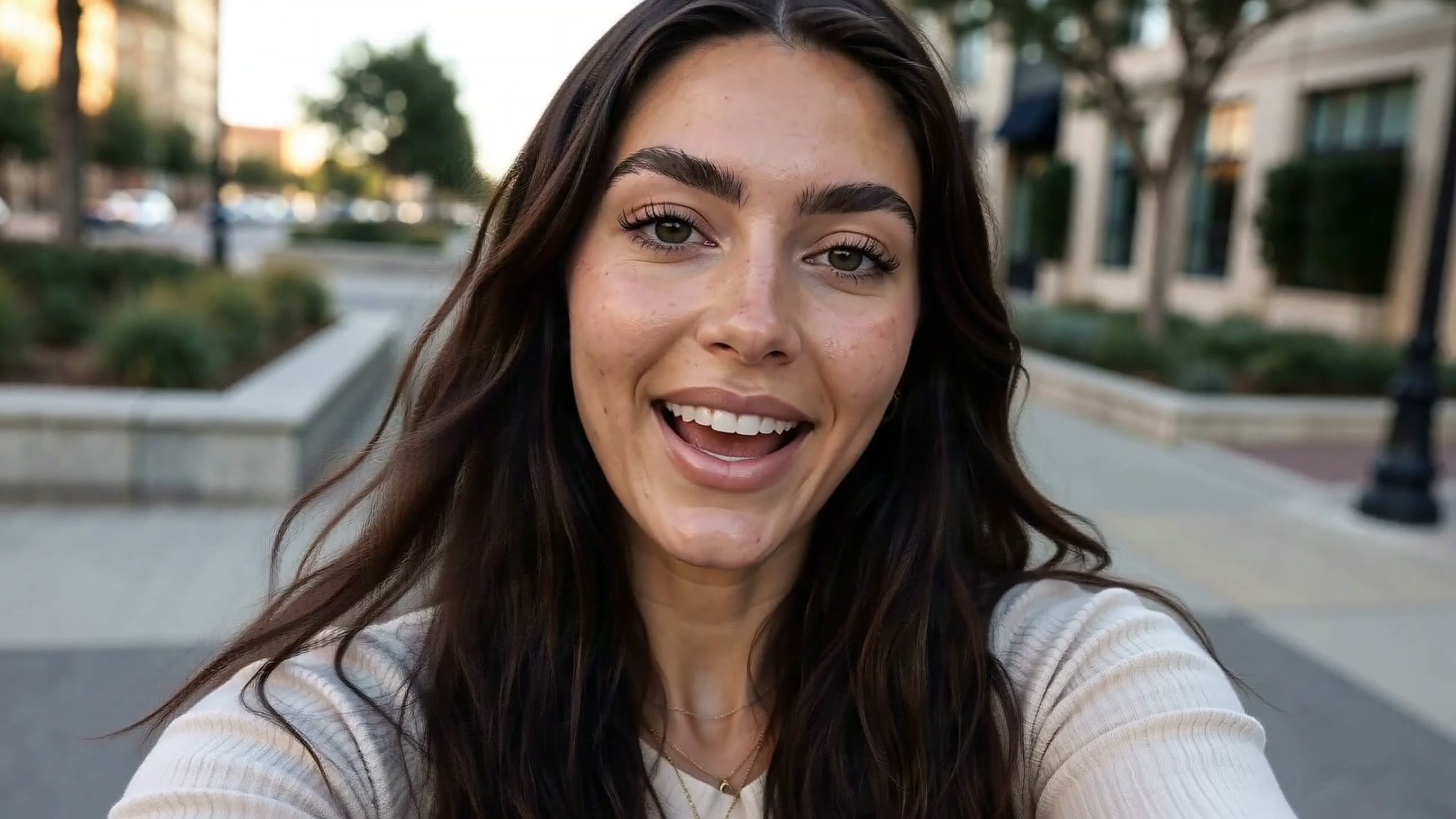
- Fern :: bvga Character Style · v1.0 — LoRA: An H3 LoRA for the character Fern, trained by the author using images in their own art style: purple hair, shirt, semi-realistic anime illustration style.

- Darcy Belwyn · MiniMaxH3 — LoRA: An H3 LoRA for the original fictional female character Darcy Belwyn; the model card is a character biography (from a Bruges family, restoring ancient books), with no usage instructions.

- Kaida Pax · v1.0 H3 — LoRA: An H3 LoRA for the original green dragon-kin female beastman character Kaida Pax, trigger word kaidapax; the model card is a character personality introduction.

Data: Civitai public API (base model MiniMax H3), inclusion window 10-30 20:31 → 10-31 09:01 (Beijing Time). Recommendation reasons have been reviewed by editors; download counts only reflect attention.