Zhenzhen's AI Radar · MiniMax H3 · 2026-11-11 Evening Report
This issue features 11 new versions: Strongly Recommended 1 · Recommended 5 · Worth Watching 3 · Listed Only 2
Editor's Note This issue reviews 11 new versions of H3, with 1 rated S, 5 rated A, 3 rated B, and 2 rated C. The top recommendation is the ref2va version of the MMH3 Skin Realism LoRA V2: it removes plastic reflections from faces in reference images and restores natural skin texture. The Base H3 and fl2va files on the same page have been renumbered according to their base models and are rated A. Additionally, the ic upscaling for Hand Tie Clips 3.5.1, the KinetiX rain slider, and the H3 Image version of the character sheet workflow are rated A. Score to Screen v8.2 has no visible examples, the invisibility effect LoRA has all examples hidden, and the Kirijo Miki voice LoRA has audio copyright issues; these are all rated B.
Strongly Recommended (1)
[S] MMH3 Realism Slider V2 — HyperFlow H3 Flash & MiniMax H3 · V2 - ref2va
LoRA · Version Update · Author voidhunter77 · Published 11-11 18:05 · Downloads 185
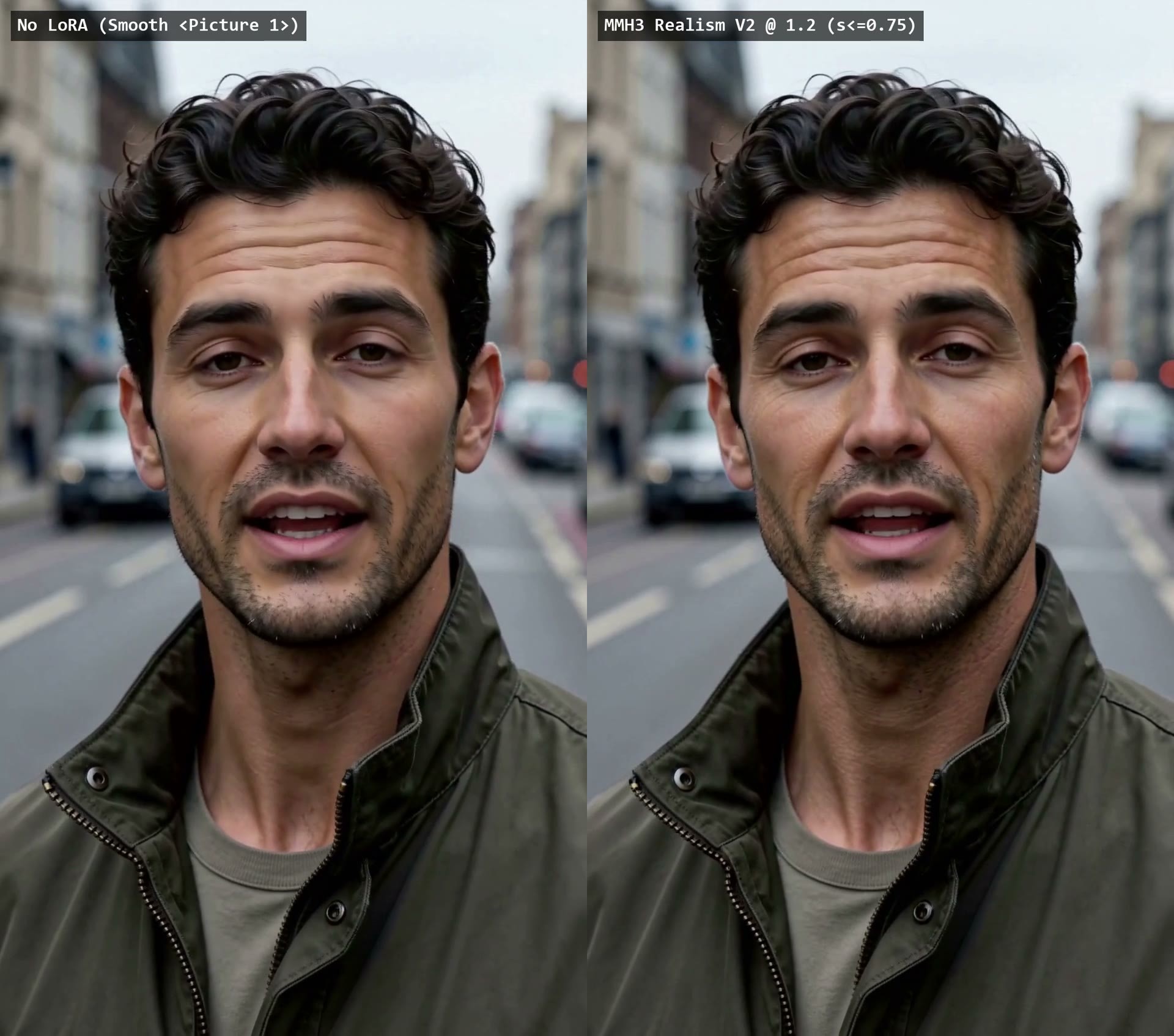
The HyperFlow H3 Flash ref2va specific version of the Skin Realism LoRA V2: it removes plastic reflections from skin in reference portraits and restores natural texture, while leaving eyelashes, irises, and stubble untouched.
The three files on the same page are renumbered versions of the same training run for different base models; simply download the one corresponding to your model.
Images
Reasons for Recommendation
- Version Update: V1 was a slider port of alcaitiff's original rank 1, training only the MLP; smooth portraits in reference images would "bypass" it via self-attention, resulting in almost no change. V2 is trained from scratch with rank 16, simultaneously training self-attention (qkv_proj, out_proj) and MLP (fc1, fc2), covering blocks 23–47 for a total of 100 layers.
- Addresses the issue of overly plastic-looking faces in reference-image-to-video (ref2va) and first/last-frame videos. The author states it has been tested on fair, olive, East Asian, South Asian, and dark skin tones, with no visible grain addition or aging effects; eyes, eyebrows, mustaches, and hair remain clear in motion and 1080p final renders.
- Renumbered according to the 49 blocks of HyperFlow ref2va (this model removed block 9 from H3); ComfyUI's built-in loader can load all 100 layers; includes 6 video segments + 1 visible examples.
How to Use
- Load using ComfyUI's built-in LoraLoaderModelOnly, paired with minimax_h3_ref2va_hyperflow_flash_14b; strength 0.65–0.85, default 0.75; no trigger word.
- If using H3 Editor (comfyui-h3-editor), use the V2 - Base H3 file on the same page; its H3 LoRA node will handle renumbering automatically.
Risks and Limitations
- Specific only to the HyperFlow ref2va model. For original 50 block H3, use the Base H3 file; for pure prompt-based fl2va, use the fl2va file.
- 1 examples are hidden; skin tone and detail preservation effects are as claimed by the author.
Recommended (5)
[A] Hand Tie Clips — multi-hop MiniMax H3 video + audio, one queue · v3.51
Workflow · Version Update · Author sandpies · Published 11-11 18:42 · Downloads 19
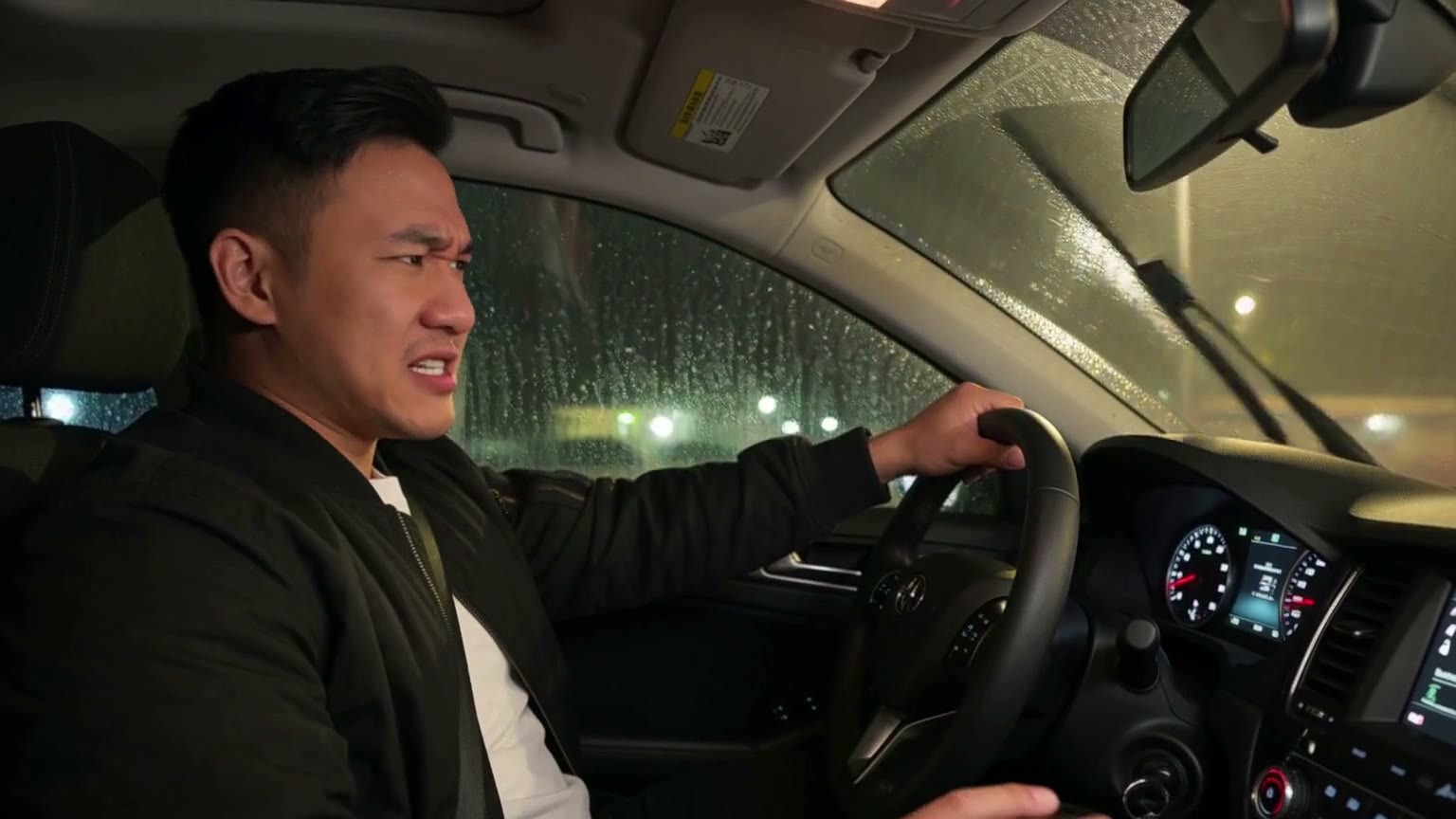
Multi-hop H3 audio-video long-form workflow 3.5.1, now with ic upscaling: when redrawing each segment, you can see the entire film and hear the soundtrack, while faces, text, and lip-sync remain unchanged.
Images
Reasons for Recommendation
- Version Update (3.5.0 + Fixes): ic upscaling is based on NVlabs' Open-H3-Regenerate-2K-IC, requiring Kijai's minimax_h3_open_regenerate_2k_ic_lora (200 MB) and minimax_h3_hyperflow_8step LoRA; task prompts are pre-encoded, so the 26 GB text encoder does not need to be loaded.
- Added upsample_steps: 3 steps follow the recipe, 2 steps are faster. The author claims 2 steps are about one-third faster with identical visual results in tests; added H3 Token LoRA loader, allowing separate strength settings for video, soundtrack, reference images, and prompts (e.g., set audio to 0 so style LoRAs don't affect vocals).
- Realism Boost changed to Upscale 2nd Pass (upscales after the last segment and redraws textures using your own LoRA); face swap/editing now uses Viggle remake LoRA; fixed issues like hard cuts flashing the previous shot and brightening at motion_context seams; includes 1 visible example video segments.
How to Use
- On the RUN page, open the UPSAMPLE group and set upsample method to ic; place the two LoRAs in models/loras.
- ic only supports official unpruned minimax_h3_ref2va_* models; pruned versions, fl2va, and fused models are not supported (an error prompt will appear before running if incorrect).
- First pass uses 6–8 steps to ensure clean audio (4 step turbo uses 4 steps); Upscale 2nd Pass uses 2–3 steps.
Risks and Limitations
- ic is slower than Regen2K; has many dependencies (KJNodes, Viggle remake LoRA, etc.); older KJNodes versions will fall back to dense attention.
- 3 examples are hidden; update notes are aimed at users already using this workflow, resulting in a high learning curve for beginners.
[A] KinetiX Weather System Series · Rain & Downpour v1.0
LoRA · Version Update · Author make676767 · Published 11-11 18:17 · Downloads 46
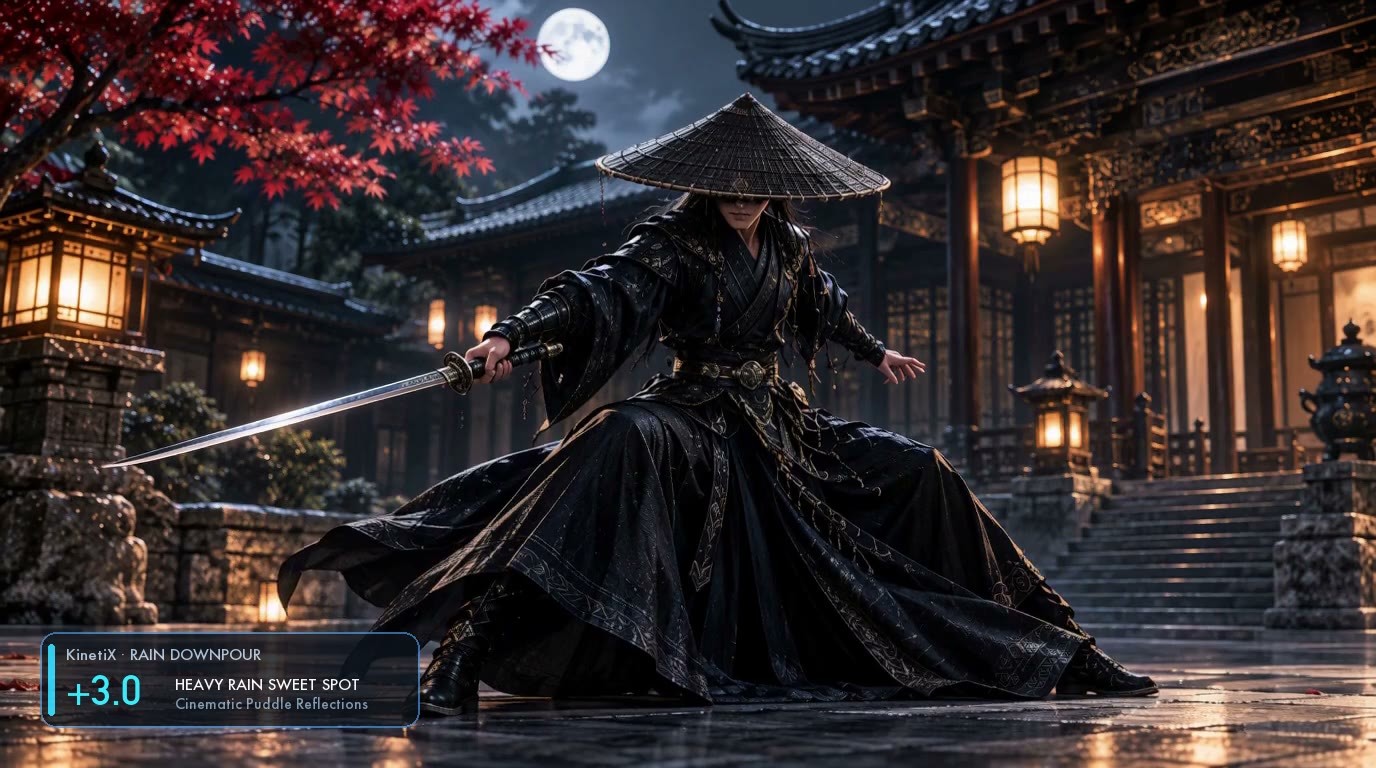
The rain LoRA from the KinetiX weather slider series: linearly controls rainfall intensity via weights, ranging from light rain to heavy downpours; negative values turn the scene sunny and dry the ground.
Images
Reasons for Recommendation
- Version Update (the 3th version in this series; previous versions were Snow & Blizzard and Day to Night, each handling one weather type, not improvements of the same LoRA): controls rain streak density in the air, mist from splashing droplets, and reflections in puddles.
- The author provides complete weight ranges: +1.0 ~ +1.5 for light rain/wet ground, +2.0 ~ +3.0 for cinematic heavy rain (author recommended), +4.0 ~ +5.0 for downpours, -2.0 ~ -3.0 for sunny/dry ground; can be stacked with camera_shake, movement_amplitude, and hit_stop sliders from the same series.
- Includes copy-pasteable scene prompts (e.g., drawing a sword in an ancient courtyard on a rainy night, cyberpunk alley on a rainy night); includes 5 visible example video segments.
How to Use
- No trigger word; adding "It is raining." to the prompt ensures rain appears, with intensity controlled by weights.
- Start ComfyUI strength_model from +2.0 ~ +3.0; the author's cyberpunk rainy night combination uses rain_downpour +2.5 paired with camera_shake +0.8.
Risks and Limitations
- Inconsistent recommended weights: the page summary lists +2.5 ~ +3.5, while the weight table lists +2.0 ~ +3.0.
- The author claims buildings, characters, and composition remain 100% unchanged, but there are no before/after comparison examples; intensity is much higher than standard LoRAs, so be cautious when stacking with other LoRAs.
[A] MMH3 Realism Slider V2 — HyperFlow H3 Flash & MiniMax H3 · V2 - Base H3
LoRA · Version Update · Author voidhunter77 · Published 11-11 18:08 · Downloads 53
The original H3 file for the same Skin Realism LoRA V2: intended for MiniMax H3 with 50 blocks, and also the file to use in H3 Editor on any base model (including both HyperFlow versions).
Images
Reasons for Recommendation
- Version Update: Same rank 16 training as the ref2va version, renumbered to cover blocks 24–48 for a total of 100 layers according to original numbering; V1 only trained MLP and had little effect on smooth skin in reference images, whereas V2 removes plastic highlights and restores matte natural skin texture.
- Detailed usage instructions for H3 Editor: strength 1.0–1.4, default 1.2, paired with start_sigma 0.75 to leave the first few steps unaffected, resulting in poses and compositions close to those without the LoRA; if there are large wet highlights on cheeks or forehead, try start_sigma 1.0 and strength 0.75.
- Includes 3 video segments + 1 visible examples.
How to Use
- H3 Editor 0.3.0 and above: load using its H3 LoRA node, strength 1.2, start_sigma 0.75.
- ComfyUI's built-in LoraLoaderModelOnly: use 0.65–0.85 for original 50 block H3; the author claims effects are weaker on MiniMax H3 Image, requiring strength pushed to 1.2–1.6.
- No trigger word.
Risks and Limitations
- When using the HyperFlow model with its own loader, download the corresponding ref2va / fl2va files; do not use this one.
- 1 examples are hidden.
【A】MMH3 Realism Slider V2 — HyperFlow H3 Flash & MiniMax H3 · V2 - fl2va
LoRA · Version Update · Author voidhunter77 · Published 11-11 18:05 · Downloads 77
The HyperFlow H3 Flash fl2va version (pure prompt-to-video) of the same skin realism LoRA V2.
Image

Reasons to Recommend
- Version update: Renumbered according to the 47 blocks of fl2va (this model removed blocks 6, 21, and 22 from H3); trained self-attention and MLP for blocks 21–45; the author states that issues with V1 flattening foreheads and softening eyelashes and beards are no longer present.
- 1 visible example videos.
How to Use
- Use ComfyUI's built-in LoraLoaderModelOnly, paired with minimax_h3_fl2va_hyperflow_flash_14b; strength 0.65–0.90, default 0.80; no trigger word.
- When using H3 Editor, change to the V2 - Base H3 on the same page.
Risks and Limitations
- The built-in loader can only load 97 layers out of 100 layers; warnings are issued for the other 3 layers because HyperFlow stores them in decomposed form, which the author states is normal; to make these layers effective, H3 Editor must be used.
- There are only 1 example videos visible, with another 1 hidden.
【A】H3 Character Sheet Designer for ComfyUI -Image Generation · v1.4
Workflow · Version Update · Author ukr8b3g201 · Published 11-11 20:42 · Downloads 24
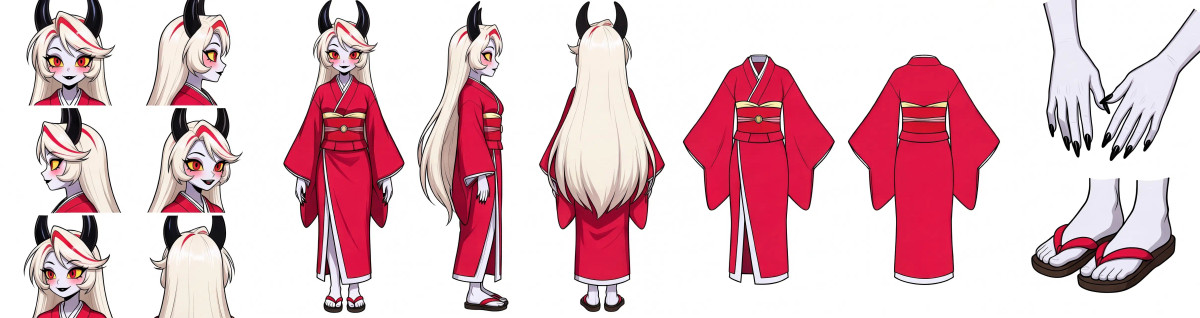
A workflow v1.4.0 for generating character sheets from a single character image, adding a dedicated version for MiniMax H3 Image: up to 13 views, outputting up to 16 MP.
Image
Reasons to Recommend
- Version update: v1.4.0 adds the H3 Image workflow (native MiniMax H3 Image Conditioning node); the ZIP also retains the previous P-H3 v1.3.0 workflow; optional views include headshot, full-body turn, front/back of clothing, hands, and shoes, up to 13 views, controlled by 1 main images plus up to 3 reference images for detail.
- Resolution Auto has four tiers: Current, High detail, 8 MP, and 16 MP; canvas size can also be set manually; default is Standard 5 views + High detail; prompts for each view and local descriptions for clothing and shoes are editable.
- Provides filenames and placement directories for the three H3 Image models.
How to Use
- Requires H3 Character Sheet Designer node v1.4.0 or higher, and ComfyUI 0.45.0 or higher.
- Place the base model minimax_h3_image_pruned_int8_convrot in models/diffusion_models/minimax/, the text encoder qwen3vl_32b_minimax_h3_nvfp4_awq, and the VAE minimax_h3_image_vae_fp16; sampling parameters are not provided by the author.
Risks and Limitations
- The author states in the v1.3 notes that image quality improvements are unconfirmed, and artifacts such as extra body remnants or missing views may still occur.
- Only 1 visible examples; 1 are hidden.
Worth Watching (3)
【B】One prompt → one song → a two-scene music video (YuE2 × MiniMax H3) · v8.2
Workflow · Version Update · Author koyan0418439 · Published 11-11 19:17 · Downloads 15
A workflow (YuE2 for song generation × H3 for visuals) v8.2 that generates a song from one prompt and then a multi-scene MV: up to 64 scenes, automatically segmented by song sections, with each scene's shots written by an LLM.
Image

Reasons to Recommend
- Version update: Merged v7.1, v8.0, and v8.1, which were not released separately; scene limit increased from 24 to 64; cut points align with bar lines where song sections change, with a maximum duration of 15 seconds per scene.
- Added Scene Director: analyzes the song to tell each scene who is playing and when they sing; H3 prompts can be switched to MiniMax's official Ref2VA segmented format; three H3 engines are available, with the author claiming FastH3 Omni 8 steps is approximately 4 times faster.
- The author claims fixes based on actual runs with 19 scenes and a 4-person band: correct people in shots, only the lead singer singing, and drum beats following the song.
How to Use
- Standard tier: H3 ref2va, 20 steps, res_multistep; Turbo tier: run 4 steps with a 4-step Turbo LoRA to generate drafts.
- First run 'Analyse this song' on the Timeline to analyze the song, then generate all scenes.
Risks and Limitations
- No visible examples (1 hidden); the author claims the official prompt format may stabilize faces, clothing, and playing, but notes it has not been verified on GPU.
- The process is heavy: runs H3 once per scene; a 3-minute song generates approximately 12–15 scenes.
- The card image is an AI-generated diagram, not the actual model output; the author has no publicly available standard-level examples.
【B】Mitsuru Kirijo Voice - Persona 3 - Audio Only [Minimax H3] · Minimax H3 v1.0
LoRA · New Model · Author OneMoreLurker · Published 11-11 13:25 · Downloads 58
An H3 audio LoRA for Mitsuru Kirijo's Japanese voice from 'Persona 3 Reload', changing only the speaking voice, not the visuals.
Image

Reasons to Recommend
- New model; serves character dubbing in H3 videos: trained on Mitsuru Kirijo's Japanese voice from 'Persona 3 Reload'; the author claims coverage of emotions such as shy, nervous, confident, relaxed, happy, excited, and affectionate.
- Dataset uses English descriptions and Japanese transcriptions; the author claims it can speak English lines but they will sound different from the official English dub; 1 visible example videos.
How to Use
- Write prompts in the training format: Mitsuru says "<line>"; strength and trigger words are not provided by the author.
Risks and Limitations
- Trained on voice acting from a commercial game, involving voice actor rights; licensing does not list commercial use for generated images.
- 3 examples are hidden.
【B】H3-R2V Invisible people · v1.0
LoRA · New Model · Author gangstuhh · Published 11-11 14:03 · Downloads 90
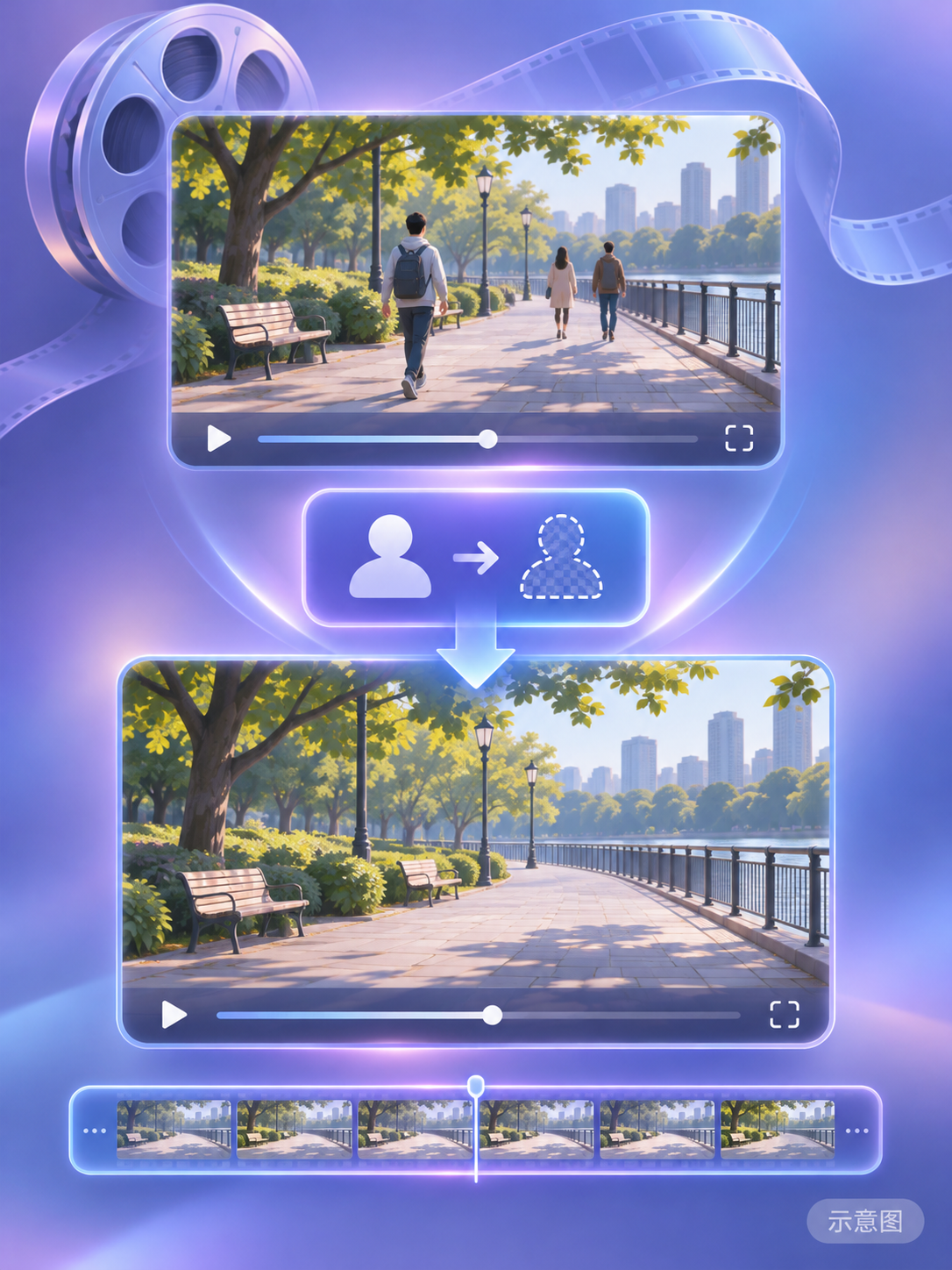
An 'invisibility' effect editing LoRA for H3 R2V: makes all people in the video transparent, keeping the rest of the visuals and timeline unchanged.
Image
Reasons to Recommend
- New model; serves video effect editing: connect the original video as guide input (the author emphasizes it is not a reference image), and use a fixed instruction to make all people in the scene invisible.
- Usage is just one prompt, which can be copied directly; 90 downloads on release day, indicating attention level only.
How to Use
- The video to be edited is used as guide input; prompt: vfx_edit: Make everyone invisible, maintain the rest of the video including the timeline.
- Strength, steps, and specific R2V model to use are not provided by the author.
Risks and Limitations
- No visible examples (3 hidden), so effectiveness cannot be judged.
- Description is only two sentences long.
- The card image is an AI-generated diagram, not the actual model output; the author has no publicly available standard-level examples.
Included Only (2)
- CivChan (Unoffical) · v1.0 MiniMax H3 — LoRA: An unofficial character LoRA for Civitai's mascot CivChan, ported from the Anima version on the same page to H3 video.

- P1_video_minimax_h3_r2v · v1.0 — Workflow: An H3 reference-to-video workflow named P1_video_minimax_h3_r2v, with description limited to the title.

Data: Civitai public API (base model MiniMax H3), inclusion window 11-11 12:33 → 11-11 21:33 (Beijing Time). Reasons for recommendation are editorially reviewed; download counts represent attention level only.