Zhenzhen's AI Radar · Qwen Image 2.1 · 2026-11-15 Evening Report
This issue features 4 new versions: Strongly Recommended 0 · Recommended 1 · Worth Watching 3 · Listed Only 0
Editor's Note This issue reviews 4 new versions of Qwen 2.1, with 1 rated A and 3 rated B. The top recommendation is the Qwen Image 2.1 Ultimate 12GB workflow: a single dropdown switches between 2K text-to-image, editing 1–3 images, background removal to transparent PNG, and three Fun ControlNet modes, using only core nodes; this version only rewrote the instructions while the graph structure remained unchanged, resulting in a downgrade from automatic S to A. The same author's 40-step / Turbo dual-path text-to-image workflow also only changed the instructions and was downgraded to B; the Qwen 2.1 version of the Yennefer character LoRA has been retrained with trigger words and complete example prompts, but as it is a copyrighted character, it was downgraded from S to B; the editing LoRA for converting people to pose line art has clear usage instructions but lacks visible examples, so it is listed as B.
Recommended (1)
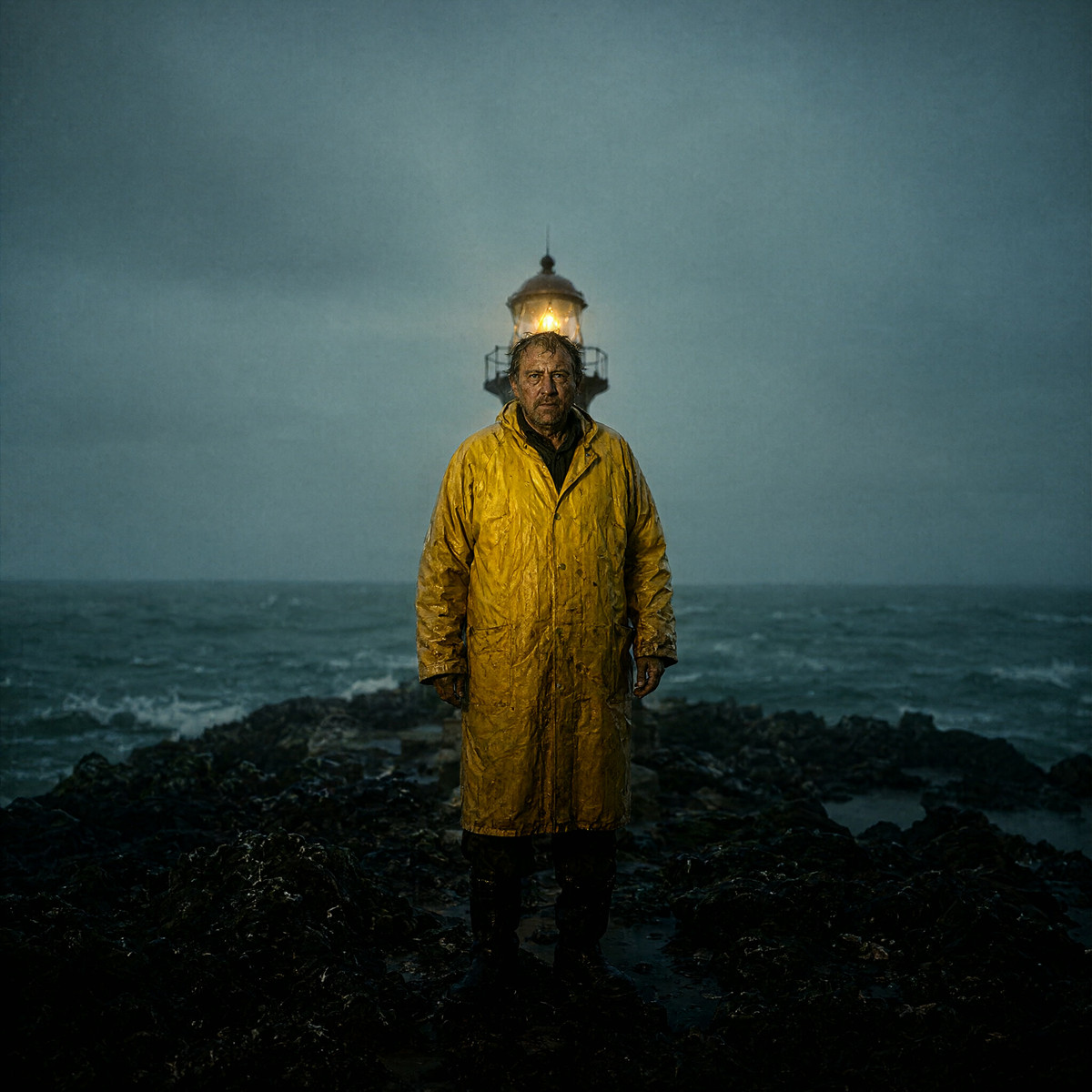
[A] Qwen Image 2.1 Ultimate 12GB — Turbo 8-step 2K T2I + Edit 1-3 Images + Remove Background + Fun ControlNet Pose/Depth/Canny · v2.1.1
Workflow · Version Update · Author The_frizzy1 · Published 11-15 20:21 · Downloads 8
Puts all modes of Qwen Image 2.1 into a single workflow: native 2K text-to-image, editing with 1–3 of your own images, background removal directly to transparent PNG, and Fun ControlNet pose / depth / edge control, defaulting to 8-step Turbo, using only core nodes.
Images
Reasons for Recommendation
- Version update: v2.1.1 only rewrote the "How to use" instructions (inputs, settings, tips, attention parameters, test environment) and moved the download instructions; the author states the graph structure is unchanged.
- Serves text-to-image, partial editing, e-commerce cutouts, and control by pose / depth / line art: switch via a single Mode dropdown, inputs are bypassed by default, ready for direct text-to-image upon opening.
- Actionable: The author lists every filename, size, and placement directory, noting that under 12 GB VRAM, Turbo 2K peaks at 11.6 GB; there are 20 visible examples.
How to Use
- ComfyUI 0.38 or higher (Apply Fun ControlNet is already a core node); text-to-image and editing require downloading the Turbo model, qwen3vl_8b text encoder, and VAE files.
- Turbo is enabled by default with 8 steps; disabling Turbo uses the 40-step base model; for editing, connect Image 1 (optional 2, 3) and reference it in the prompt.
- ControlNet modes also require downloading Fun ControlNet, SDPose, Lotus depth, and other files.
Risks and Limitations
- This version only changes instructions; users with v2.1.0 installed do not need to update.
- The author states that ControlNet errors out at native 2K resolution, so keep the ControlNet resolution at 1 MP.
- Qwen Image 2.1 and Turbo are under the Qwen Research License, non-commercial use only.
Worth Watching (3)
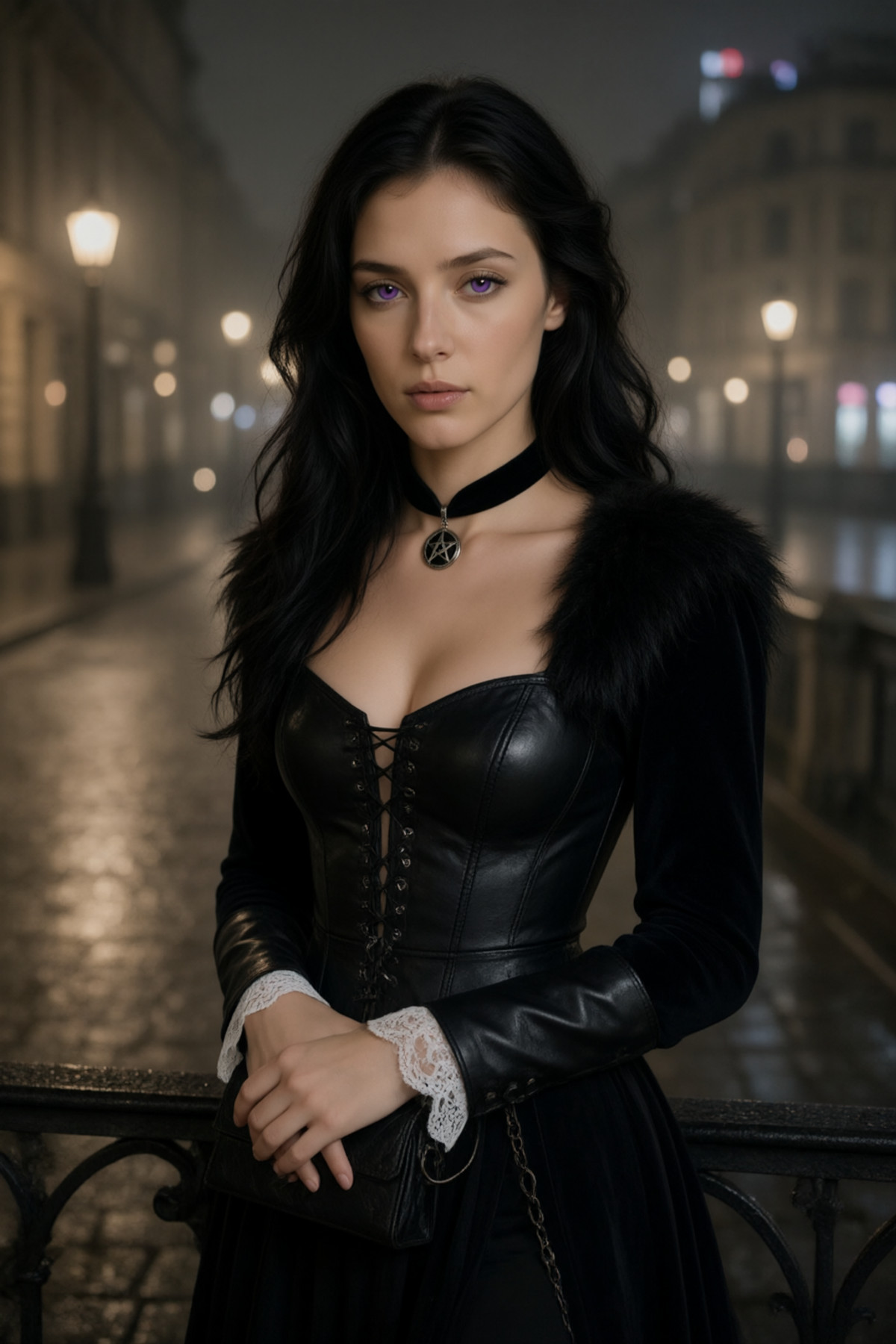
[B] Witches: Yennefer cosplay | MOSS / Krea 2 /Qwen 2.1 · v2.0 Qwen 2.1
LoRA · Version Update · Author bazya022020810 · Published 11-15 18:26 · Downloads 13
The Qwen 2.1 version of the Yennefer cosplay character LoRA from "The Witcher": adding the trigger word produces the classic black leather corset, fur collar, and star-shaped choker look; omitting the trigger word allows any outfit change while maintaining consistency in face, black curly hair, and purple eyes.
Images
Reasons for Recommendation
- v2.0 retraining: The author states that facial consistency and outfit changes in v1.0 were unsatisfactory, so v2.0 was trained from scratch on a new dataset of 55 images.
- Complete usage instructions: Place the trigger word "yenoutfit" at the beginning of the prompt for the classic outfit; omit it and describe the desired clothing to change outfits; two complete example prompts are provided, one with and one without the trigger word.
- The same series also has MOSS and Krea 2 versions; this entry is based on the Qwen 2.1 base model.
How to Use
- Strength 0.85–1.0; for the classic look, write "yenoutfit" at the beginning of the prompt; for outfit changes, remove the trigger word and specify the clothing.
- The author advises against writing hair colors or eye colors in the prompt that conflict with the character.
Risks and Limitations
- The author did not write update notes (retraining information is in the model card body).
- Copyrighted character from "The Witcher," license does not allow derivatives; 3 visible examples, 4 hidden, page contains mixed content.
Trigger Word: yenoutfit,
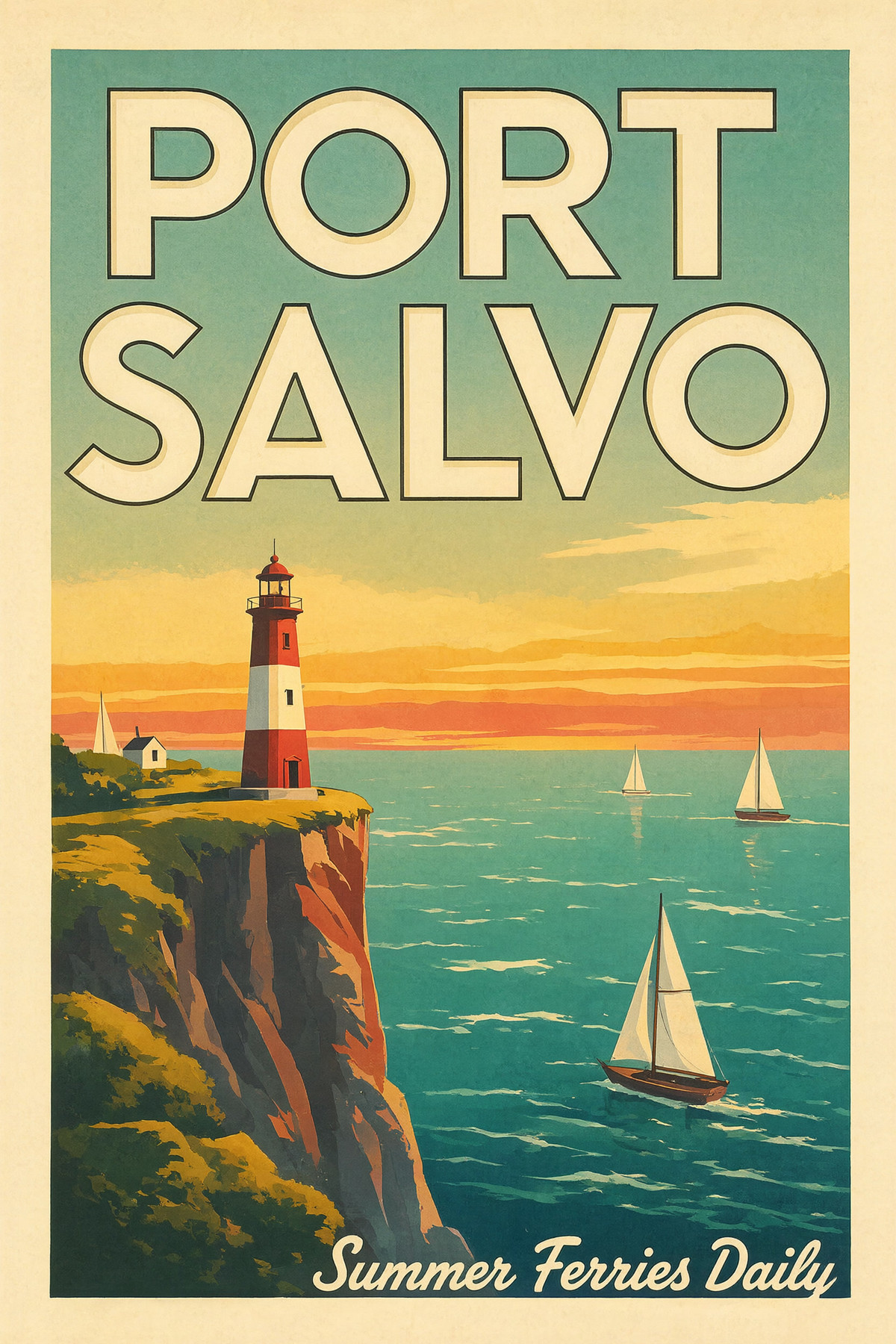
[B] Qwen Image 2.1 12GB — int8 Native 2K Text to Image, 40-step QUALITY + Viggle 6-step TURBO LoRA · v2.0.1
Workflow · Version Update · Author The_frizzy1 · Published 11-15 20:17 · Downloads 6
A workflow for running Qwen Image 2.1 native 2K text-to-image on a 12 GB GPU, featuring two paths in one graph: the 40-step QUALITY path and the TURBO path using Viggle's 6-step Turbo LoRA, using only core nodes.
Images
Reasons for Recommendation
- Version update: v2.0.1 only rewrote the "How to use" instructions (various inputs, method to switch TURBO, important settings, test environment), and download instructions only changed punctuation; the author states the graph structure is unchanged.
- Serves users who want to generate 2048×2048 text-to-image on a 12 GB card while switching between quality and speed; based on the official text-to-image template, using int8 model + int8 text encoder, with steps adjusted from the template's 25 to 40.
How to Use
- ComfyUI 0.37 or higher; download the int8 model, qwen3vl_8b text encoder, and VAE; the TURBO path additionally requires Viggle's 6-step LoRA, and enable "Save Image" at the bottom.
Risks and Limitations
- This version only changes instructions; users with the previous version do not need to update; the same author's Ultimate workflow already includes Turbo text-to-image.
- Only 4 visible examples; Qwen Image 2.1 and Viggle LoRA are under non-commercial licenses.
[B] PoseLineartLoRA · v2.0
LoRA · Version Update · Author PLANXS · Published 11-15 20:02 · Downloads 19
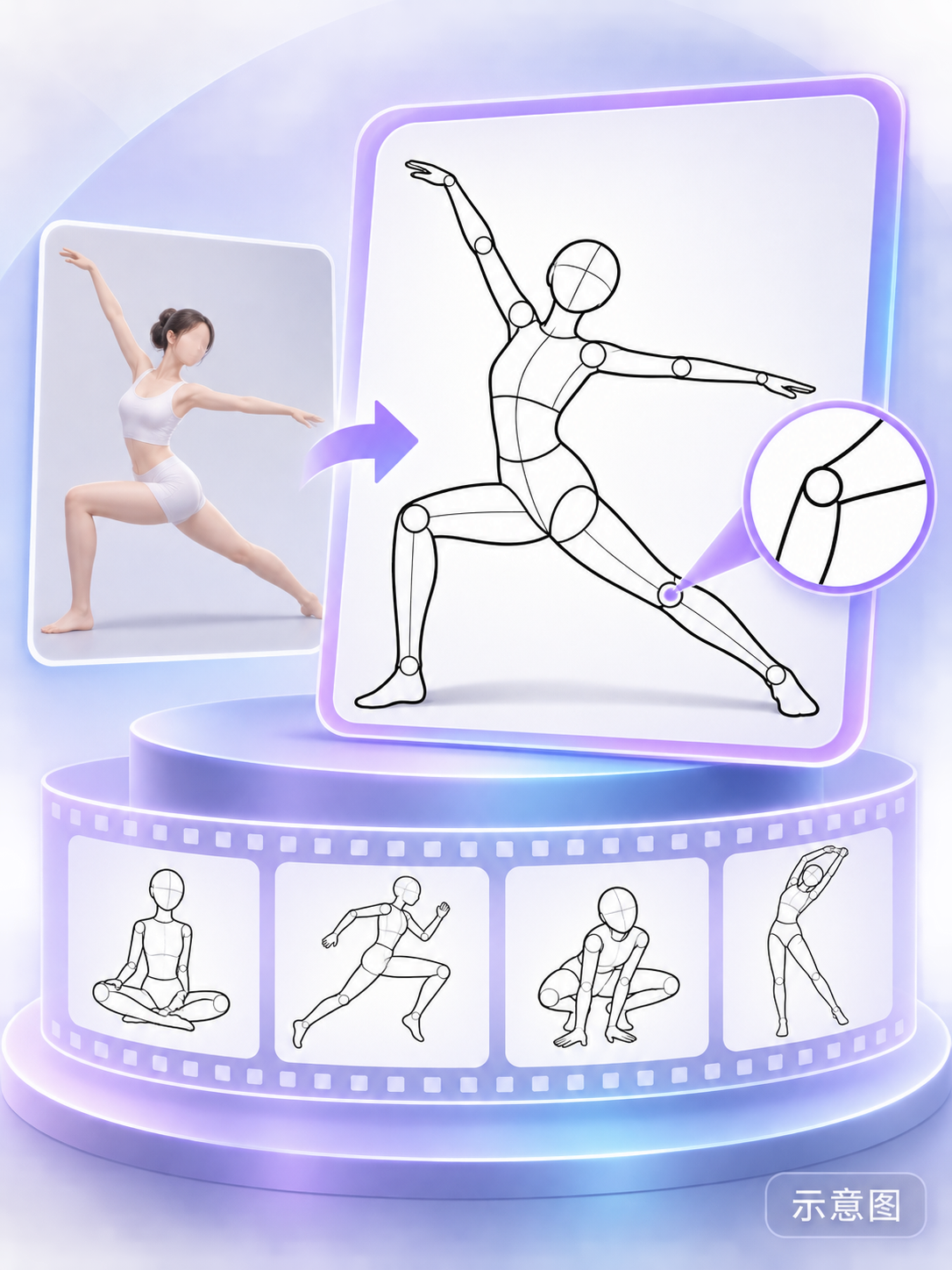
A LoRA used with the Qwen Image 2.1 editing model: converts photos of people into black-line human pose structure line art on a white background, removing background, clothing, and facial details, useful for organizing drawing references and studying movement.
Images
Reasons for Recommendation
- Solves the instability of generating pose line art directly with Qwen Image 2.1; the v2.0 version notes support for multiple people and mixed genders.
- Actionable: The author provides complete Chinese editing instructions, starting strength at 1.0, no trigger word required.
- Serves drawing reference organization and movement study; output can also be used as a reference image for pose control.
How to Use
- Upload the original image using the Qwen Image 2.1 editing model, load the LoRA (starting strength at 1.0), and write in the prompt: Convert the person in the photo into a human pose structure line art with black lines on a white background. Maintain the person's pose, perspective, and body proportions; remove background, clothing, and facial details.
Risks and Limitations
- This version has no visible examples (2 hidden), so multi-person effects cannot be previewed.
- The author states that fingers, occluded areas, and body proportions may change; it is not precise tracing.
- The card image is an AI-generated diagram, not the actual model output; the author has no publicly available standard-level examples.
Data: Civitai public API (base model Qwen 2.1), collection window 11-15 08:31 → 11-15 21:01 (Beijing Time). Recommendation reasons are editor-reviewed; download counts only reflect attention.