Zhenzhen's AI Radar · Qwen Image 2.1 · 2026-11-21 Morning Briefing
This issue features 4 new versions: Strongly Recommended 2 · Recommended 1 · Worth Watching 0 · Listed Only 1
Editor's Note This issue reviews 4 new versions of Qwen 2.1, with 2 rated S, 1 rated A, and 1 rated C. Top pick: The Qwen version of Sint Albedo generates tileable, unlit, top-down game material albedo maps, with trigger words and sampling parameters fully specified; the version name Qwen 1.0 is this LoRA's own version number, and both the version notes and filename confirm it is for use with Qwen-Image 2.1. The AusBoss generation + editing workflow v2.1 adds 5 reference image inputs and fixes output dimensions, rated S; Story Creator uses Qwen 2.1 to generate still frames, H3 to produce shots with audio, and YuE2 for music, creating a full story video from a script, rated A. The YUL girl group character LoRA only has trigger words, rated C; no exclusions.
Strongly Recommended (2)
[S] Sint Albedo · Tileable Game Textures - Krea/MOSS · Qwen 1.0
LoRA · Port · Author AriaMaiven · Published 11-21 01:03 · Downloads 19
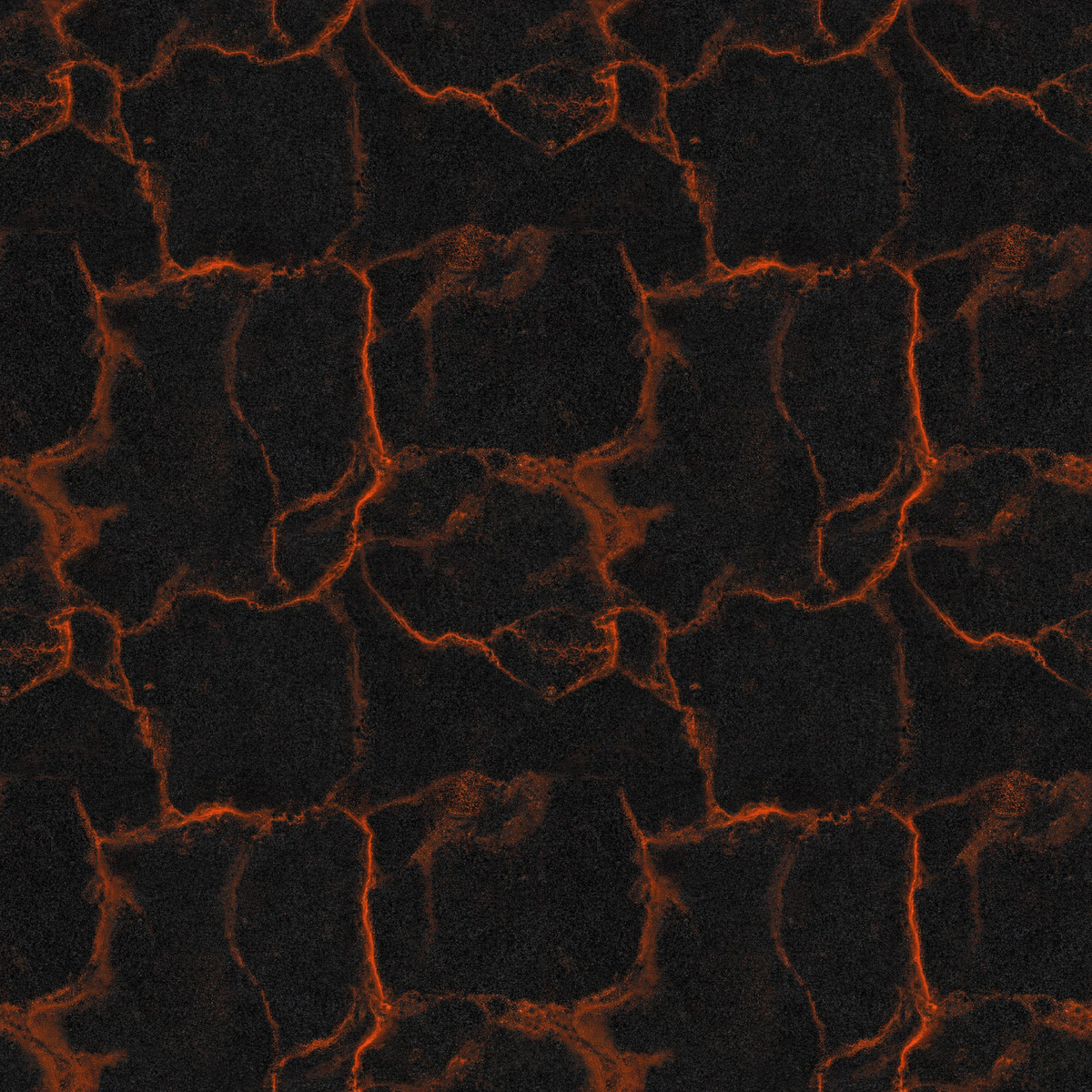
Turns Qwen Image 2.1 into a game texture generator: input material descriptions to output top-down, unlit, tileable albedo (diffuse) maps rather than product photos; the Qwen 2.1 version of the multi-base model page.
Images
Reasons for Recommendation
- Port: The same page already has Krea 2, MOSS, and Z-Image Turbo versions, with the entire model page having 452 downloads; the Qwen version was created in response to comments, using the same dataset and trigger words, trained on Qwen-Image 2.1 Base rather than Turbo (the version name Qwen 1.0 is the LoRA's own version number, filename sint-albedo-qwen21-v1)
- The author specifies seam performance: when tiled at 2x2, lava and stone are seamless even under 100% magnification; wood, grass, and metal plates may leave a thin line at full magnification, which can be removed with one offset-and-heal pass; fine ring patterns like chainmail blur into dark weaving, so the author suggests using the Krea version instead
- The textures themselves have no highlights, shadows, or reflections, with a vertical camera view and no perspective, allowing them to be used directly as diffuse maps in engines; 7 example images are visible
How to Use
- Start the prompt with 'sintalbedo', then describe the material and variations within it, e.g., sintalbedo, mossy cobblestone path, dark grey rounded stones with bright green moss in the gaps
- Strength 1.0; the author tested using Qwen-Image 2.1 int8 convrot, 30 steps, er_sde / beta, CFG 1, and 1024x1024, producing only square images
- The default scale is small (small pebbles filling the screen, fine weaving); specify the scale in the prompt, such as large stones, close-up, or three planks across
Risks and Limitations
- Inherits the Qwen Research License non-commercial terms: the author explicitly states that generation and learning are permitted, but selling outputs is not, so it cannot be used for commercial game projects
- Outputs only albedo; normal and height maps must be created separately with your own tools. For roughness, the author suggests desaturating and inverting the albedo, then compressing it to the material's corresponding range
- Wide aspect ratios break tiling; reprinting or using its outputs to train other models requires the author's permission; published approximately 8 hours ago
Trigger Words: sintalbedo
[S] Qwen Image 2.1 Generate + Edit | Full Model, Auto Prompt · v2.1
Workflow · Version Update · Author AusBoss · Published 11-21 04:59 · Downloads 86
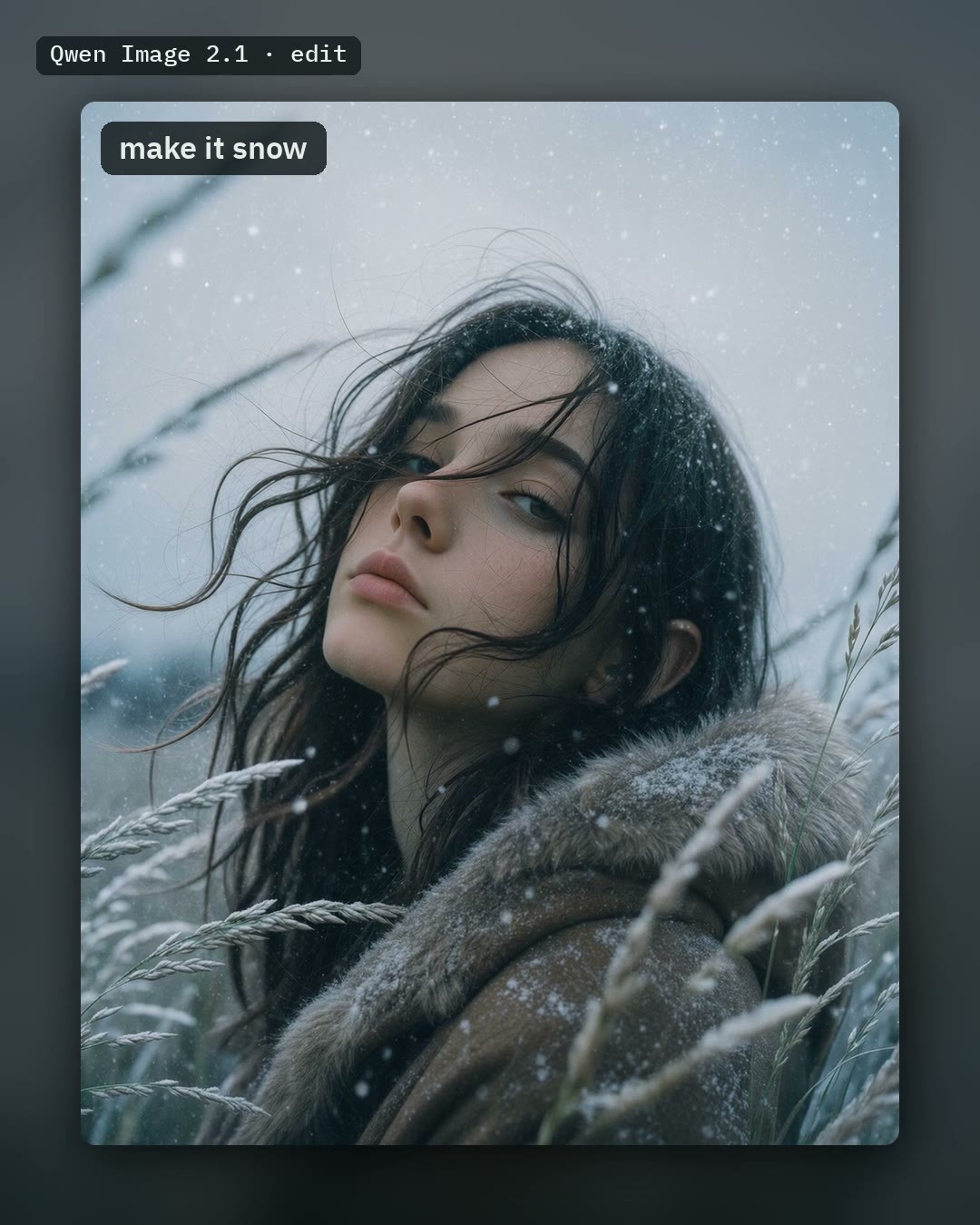
AusBoss's Qwen Image 2.1 full model generation + editing workflow. v2.1 adds five reference image inputs from picture 2 to picture 6, and ensures edited results maintain the original image dimensions.
Images
Reasons for Recommendation
- Version Update: The 'Write the prompt' node now has five image inputs. After connecting any image loader, reference them by number in the prompt (e.g., put the jacket from image 2 on her). This works for both new generations and edits; the loaded original image is image 1
- Dimension Fix: Previously, a 1920x1080 image would return as 1920x1088; now it returns unchanged. Images larger than 2 MP are returned at the original aspect ratio scaled to 2 MP, adjustable via the new node 'Your picture at Qwen's size'. When Upscale is enabled, upscaling starts from the full image drawn by Qwen
- Retains four switches: Edit a picture (on by default, simultaneously enabling the author's Consistency LoRA at 0.5 to maintain compositional alignment), Auto prompt, Upscale the result (Restore LoRA performs block-wise redrawing up to 8 MP), and Fast (Viggle Turbo LoRA uses 6 steps instead of 25, which the author claims is about three times faster but slightly softer); the entire model page has 6912 downloads
How to Use
- Requires ComfyUI 0.38 and AusBoss nodes 2.21.2 or newer (search for AusBoss in ComfyUI-Manager; update if already installed)
- Models: qwen_image_2.1_int8_convrot main model, qwen3vl_8b_int8_convrot text encoder, qwen_image_2.1_vae_bf16; for editing, use the qwen-image-2.1-consistency LoRA; for upscaling, use the qwen-image-2.1-restore LoRA; for Fast mode, use the Viggle Turbo 6 step LoRA
- For edits, clearly specify what to change and what to keep, e.g., “Change the black t-shirt to a red sweater. Keep everything else the same.”; when changing art styles, set Consistency to 1; for changing clothes or adding snow, 0.5 is sufficient
Risks and Limitations
- Auto prompt only uses image indices and does not consider additional reference images.
- The model card body has not been updated to match v2.1: it still states "accepts only one image," while the node version is listed as 2.15.0 (the version notes require 2.21.2, which takes precedence), and the update log only goes up to v2.0.
- Upscaling involves redrawing, where details are inferred and small text may be misspelled; both Qwen Image 2.1 and Viggle Turbo LoRA are restricted to non-commercial/research use; examples consist of only 1 video segments + 1 images.
Recommended (1)
[A] Story Creator 12GB — script to a full story video: Qwen Image 2.1 stills + MiniMax H3 scenes with voices + YuE2 music · v1.4.0
Workflow · New Model · Author The_frizzy1 · Published 11-21 01:00 · Downloads 19
A ComfyUI workflow that generates a full story video directly from a script: Qwen Image 2.1 Turbo produces the protagonist image and still frames for each scene, MiniMax H3 converts stills into shots with dialogue audio, YuE2 generates background music, and narration uses a unified voice.
The same workflow is also listed in the MiniMax H3 section; on the Qwen 2.1 side, it serves as a complete use case for maintaining protagonist consistency via edit mode.
Images

Reasons for Recommendation
- New Model: Uses only ComfyUI core nodes; the author claims it runs successfully on an RTX 3060 12 GB + 32 GB RAM setup (stated as actually tested, not estimated)
- The method for character consistency is clearly documented: Qwen first generates a protagonist image, and each scene's still frame is an edit of it; then Start Loop / End Loop runs H3 scene by scene with a 8 step turbo LoRA, while narration lines run H3 separately to extract audio only
- Script format is explicit: WORLD: defines the overall art style, [shot] specifies shot size and camera movement, || followed by text is voiceover narration, || Name: indicates character dialogue, and [continue] ends the current scene with the next scene's visual; includes script writing instructions and a sample script of approximately 5 minutes; 2 video segments + 6 images are visible
How to Use
- Requires ComfyUI 0.39 or newer, no custom nodes needed; nine model files in total: 3 for stills (qwen_image_2.1_turbo_int8_convrot, qwen3vl_8b text encoder, Qwen VAE), 5 for video (H3 fl2va main model, 8 step turbo LoRA, text encoder, video VAE, audio VAE), and 1 for music (YuE2)
- Write the script using a large chat model before pasting it in; the built-in “auto storyboard” is off by default, as the author notes its dialogue is short and vague, and it loses supporting character appearances
- Fully describe supporting characters' appearances every time they appear; unify scene loudness in editing software for the final cut
Risks and Limitations
- Slow: On the author's RTX 3060, a 1 minute story takes about 43 minutes, and a 5 minute story takes about 3 hours 35 minutes (data from v1.0 / v1.2); 5 minutes is an overnight task; memory increases by about 0.6 GB per scene, and scenes exceeding approximately 30 must be split into two halves and stitched together
- Only the protagonist maintains consistency; over-the-shoulder shots and characters exiting the frame are prone to errors (protagonist appearing twice or two people merging); audio is generated separately for each scene, resulting in inconsistent loudness
- For v1.4.0, the author admits the README has no update log and they don't know what changed; timing data comes from older versions; the workflow is MIT licensed, but Qwen Image 2.1 and YuE2 are both non-commercial licenses; additionally, 5 sensitive-level examples have been hidden, and the base model is labeled as Other
Listed Only (1)
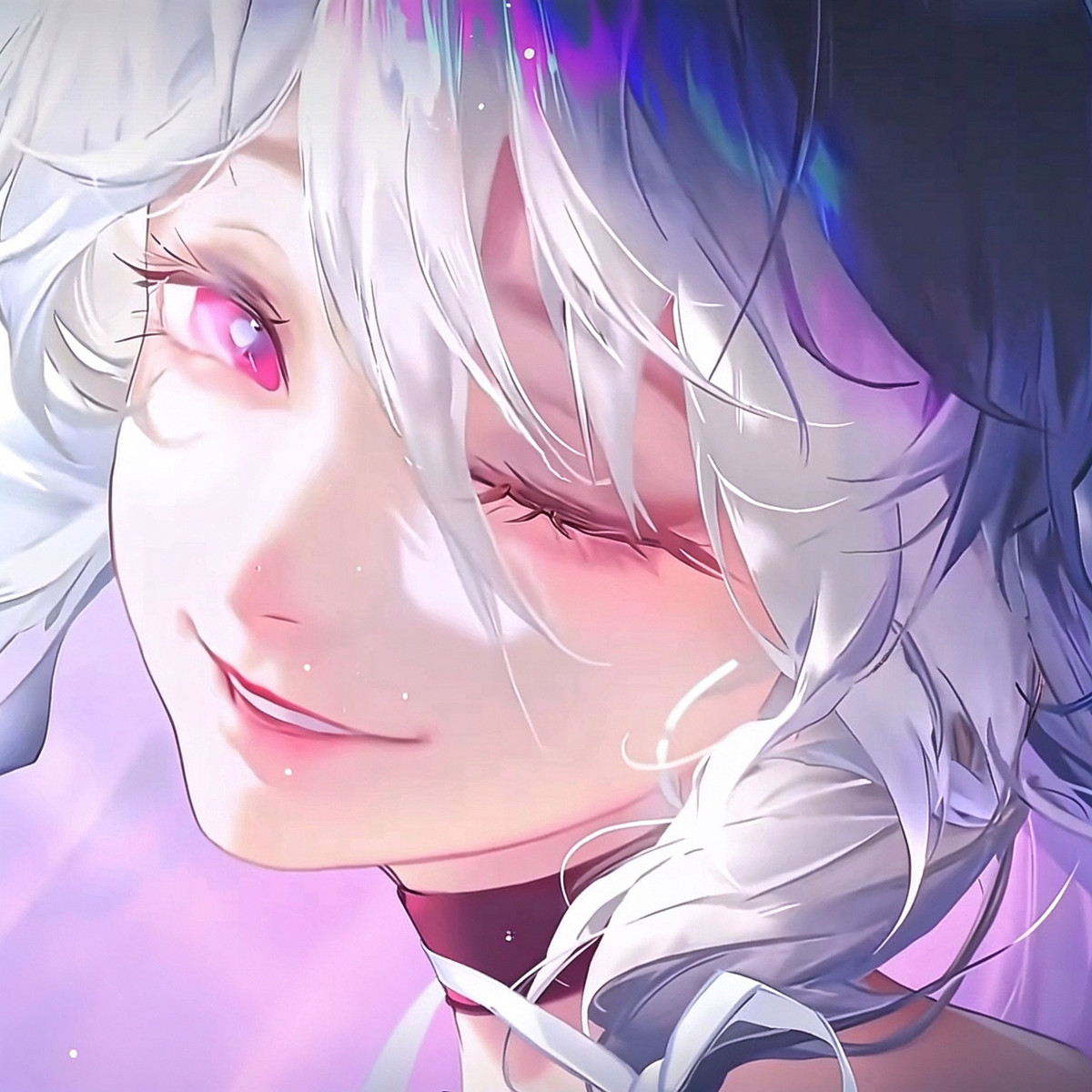
- YUL-GirlGroup-lora · Qwen2.1-YUL-012LingLingLing1KMAX — LoRA: A character LoRA for “LingLingLing,” an original virtual girl group member (silver-grey twin tails, rainbow glitch effects at the tips, wearing a glowing ring cat-ear tech headpiece), the Qwen 2.1 version of the YUL girl group series.
Data: Civitai public API (base model Qwen 2.1), inclusion window 11-20 20:31 → 11-21 09:01 (Beijing Time). Recommendations have been reviewed by editors; download counts reflect attention only.