Zhenzhen's AI Radar · MiniMax H3 · 2026-10-31 Evening Report
This issue features 13 new versions: Strongly Recommended 0 · Recommended 1 · Worth Watching 5 · Listed Only 7
Editor's Note This issue reviews 13 new versions of H3, with no S-tier entries. The top pick is the H3 port of Obsidian Nightmare: a horror atmosphere style LoRA featuring single light sources and oppressive shadows, with provided settings for strength, sampler, steps, and frame rate; downgraded from S to A because the style is not a new capability, the H3 section description is only a few lines long, and there are only 2 visible examples. AIKSK's RefMod consists of 6 workflows split from a tutorial (the author mistakenly labeled the base model as Other, but it is actually for H3 reference-to-video generation); only the main entry point Multi-Reference Apply is kept as B, while the four reference asset creation modules and the TextEncode route are rated C; general upscaling workflows that do not call H3 and standard character LoRAs are rated C, paid ghost train wheel slider parameters are complete, upgraded from C to B.
Recommended (1)
[A] Obsidian Nightmare · Lucid Trauma MiniMax H3
LoRA · Port · Author Granddyser · Published 10-31 19:34 · Downloads 46
The first H3 version (Lucid Trauma) of the horror atmosphere style LoRA Obsidian Nightmare: The author trained on self-selected original horror stills, emphasizing single light sources, large areas of shadow, and the oppressive feeling that "something in the frame has already noticed you," rather than gore.
Downgraded from S to A: Parameters are complete, it is free, and there are video examples, but the horror atmosphere style is not a new capability, the H3 version description is very short, trigger words are unclear, and there are only 2 visible examples.
Images

Reasons for Recommendation
- Port: The same model page previously had Krea 2 (Nightmare, Fearbound) and MOSS Image versions; the MOSS version was released the day before, and the H3 version uses the same name Lucid Trauma; the H3 version also provides video parameters and suggests writing room sounds in the prompt (creaking floorboards, dripping water, breathing), leveraging H3's capability to generate audio simultaneously
- Serves text-to-video needs for horror shorts and suspenseful atmosphere shots; author's prompting tips: specify only one light source (nightlight, bare bulb, lantern) with the rest sinking into darkness, give the camera a clear position, and ensure every character in the frame has an object of gaze
- Complete parameters: Strength 1.0 (0.9–1.0), sampler er_sde, scheduler beta, 20 steps, approx. 0.9 MP (16:9), 24 fps
- Has 2 visible example videos; free, license allows image generation, rental, and on-site rental; published about 1 hours ago with 46 downloads, cumulative model downloads are 1648 (indicating attention only)
How to Use
- Load ObsidianNightmare-LucidTrauma-H3.safetensors (569 MB · FP16) in the H3 workflow, strength 1.0, er_sde + beta, 20 steps, approx. 0.9 MP 16:9, 24 fps
- The H3 version does not register trigger words; m1V8 on the card is the trigger word for the Krea 2 version, and it is unclear whether to add it under H3 as the author did not specify
Risks and Limitations
- Most of the model card consists of introductions and example prompts for the Krea 2 / MOSS Image versions; the H3-specific description is only a few lines covering usage and prompting tips
- The author claims to have displayed four 5-second short films embedded in the workflow, but only 2 are visible on-site without prompts, and another 1 sensitive-level examples are hidden; this entry has not been run
- License does not allow derivatives; horror themes include scenes with character jump scares
Worth Watching (5)
[B] Singularity-V2-x-10Eros-Max · PRISM-PIKA
Base Model / Checkpoint · Version Update · Author 0l1v1aR0551 · Published 10-31 20:08 · Downloads 68
A new version of the PRISM merged base model (H3 Ref2VA merge of Singularity V2 × 10Eros-Max turbo beta 6): Built upon the original PRISM version, it now includes the Pika-H3-Flex (PIKA) LoRA.
Maintained at B: Same idea as yesterday's PIKA72 but with a different base; no visible examples, no sampling parameters, and no explanation of the built-in LoRA's effect.
Images

Reasons for Recommendation
- Version update (5th version): The author claims this is "the original PRISM with built-in PIKA," based on Singularity V2 × 10Eros-Max (8 steps Turbo beta 6), whereas yesterday's PIKA72 was based on 10Eros-Beta7 with PIKA merged in; this version has only one file, and the author did not specify the PIKA merge strength
- The merging method follows the author's PRISM algorithm (random SVD rank 64 filtering noise increments, directional SLERP with logarithmic space amplitude interpolation, handling sign conflicts), which the author claims reduces artifacts when merging turbo models into base models
- Published about 1 hours ago with 68 downloads, cumulative model downloads are 4173 (indicating attention only); free, license allows image generation and on-site rental
How to Use
- Download the int8 safetensors (18.8 GB) to replace the H3 ref2va base model load; other precisions like fp16, w6a8 are available in the author's Hugging Face repository OliviaRossi/Minimax-h3_Singularity-x-10Eros-Max_PRISM
- Steps, CFG, and sampler were not provided by the author (source 10Eros-Max is a 8 step turbo)
Risks and Limitations
- The update note is just one promotional sentence ("probably the best merge for everyone"), without explaining what changes the PIKA LoRA brings or what use cases suit PIKA72 / BETA72 respectively
- All examples are sensitive-level (4 hidden), with no previewable effects; this entry has not been run
- Three-way merge plus built-in LoRA requires checking the licenses of each source independently
- The card image is an AI-generated diagram, not the actual model output; the author has no publicly available non-sensitive examples
[B] LLM Easy prompt enhancer + modification (both with input image) (krea2/Minimax H3) · MiniMax H3 v2.0
Workflow · Version Update · Author Crimson009 · Published 10-31 09:37 · Downloads 62
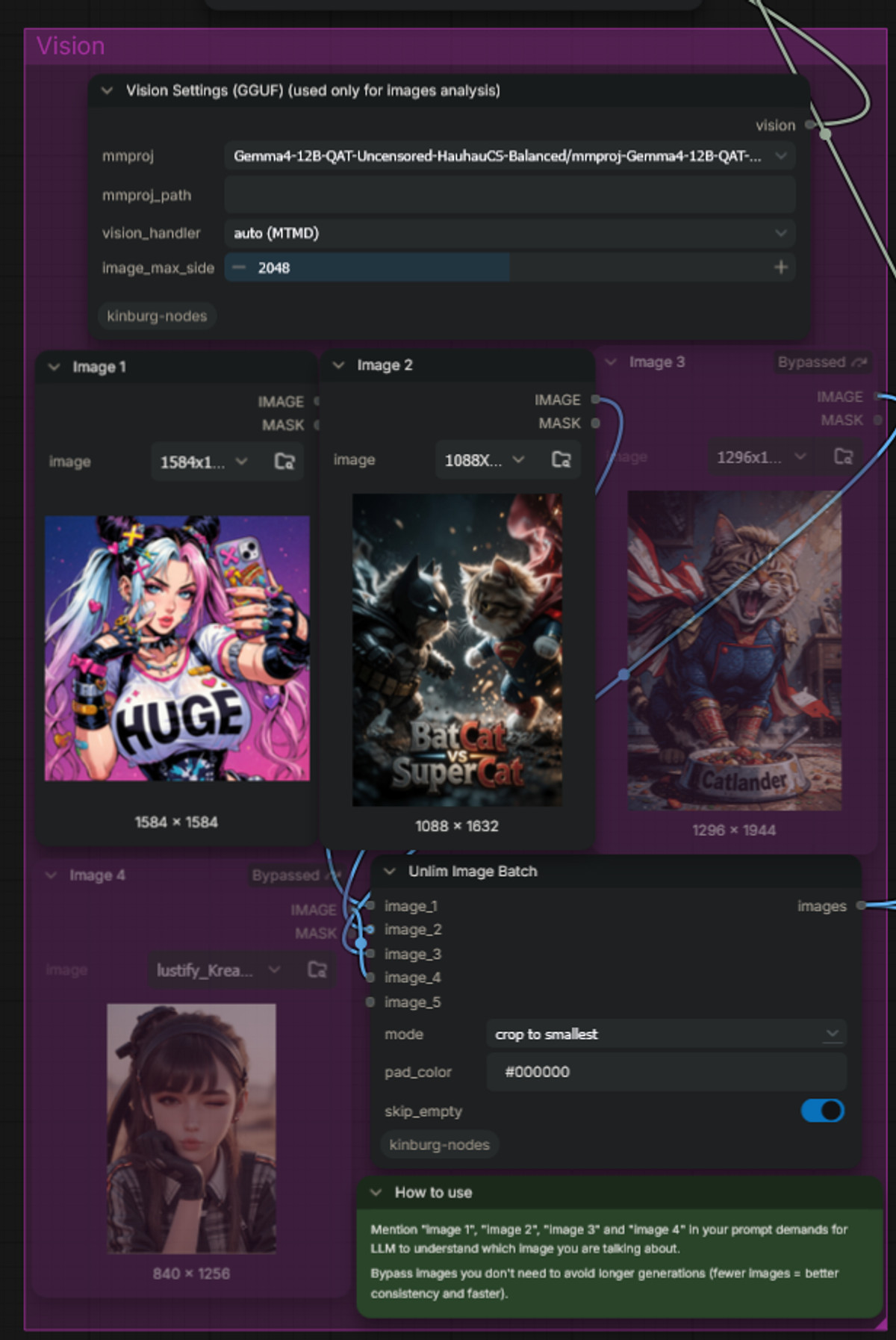
The H3 v2.0 tool workflow for directly calling LLMs to write/modify prompts in ComfyUI: The prompt generator and modifier can read images, and it includes an "Audio Generator" that uses H3 itself to generate audio files.
Maintained at B: The update content is clearly written, and the Audio Generator idea is practical, but dependencies and LLM details are not explained, with only screenshots and no final output examples.
Images
Reasons for Recommendation
- Version update: Compared to H3 v1.0, the prompt generator and modifier can upload up to 4 images for the LLM; the original "Text Voice Dialogue Generator" has been replaced with an "Audio Generator," which can generate an audio file from user input or prompts, which the author claims is convenient for controlling sound and voice in reference-to-video (ref2video)
- Audio Generator approach: First have the LLM write an audio prompt, then run your own H3 diffusion model at the lowest resolution to extract and save the audio track as a file, without needing to download another model (CLIP and audio VAE also reuse existing ones); the author claims generating 15 seconds of audio takes an average of 15-20 seconds on an RTX 5080
- Retains v1.0's image-reading prompt generation, prompt modification, and chatbot; usage for each group is written on green instruction cards within the workflow
- Has 2 workflow screenshots; free, license allows image generation, rental, on-site rental, and selling merges
How to Use
- Import llmEasyPromptEnhancer_minimaxH3V20.json (141 KB) and use Manager to complete nodes; in the Audio Generator, fill in your usual H3 diffusion model, text encoder, and audio VAE
- When reading images, specify in the user input whether the image is a first frame or a reference image; the specific LLM / vision model used and required node packages are not listed on the card by the author
Risks and Limitations
- The LLM backend and dependent nodes are not explained on the card, only visible after import; screenshots are not generated results, and there are no audio or video examples
- Generating at low resolution with H3 and then extracting the audio track: the author has not provided samples for audio quality and dialogue controllability; this entry has not been run
[B] MiniMax H3 Multi-Reference Apply · v1.0
Workflow · New Model · Author AIKSK · Published 10-31 15:51 · Downloads 20
The 5th item in AI-KSK's H3 RefMod six-piece set, and the first workflow that actually produces video (Multi-Reference Generation A: Apply): It injects four pre-saved reference assets—character, action, scene, and sound—into the conditions for H3 reference-to-video generation all at once.
Maintained at B: The only entry in the six-piece set that directly demonstrates "multi-reference synthesis" usage; parameters and dependencies are clearly written, but there are no final output examples, and the four preparation workflows must be run first.
Images

Reasons for Recommendation
- New model: First, the native MiniMaxH3ReferenceToVideo encodes the prompt and creates initial latents; then, MiniMaxH3RefModApply injects saved RefMod assets into the conditioning. The author notes that the text encoder does not see the reference images themselves during the encoding phase.
- Serves multi-reference short clips featuring "the same character, same scene, specified actions and voice"; an example configuration features the character Rin practicing punches and roundhouse kicks alone in a dojo, then speaking one line of Chinese dialogue, with no music and no other characters required.
- Parameters fully specified: strength 1 for each of the four slots, copies 1, Apply node retention=1, override=false, 832×480, 243 frames, seed 9527, Euler + beta, 4 steps, 24 fps H.264 output.
- Confirmed as H3 content: uses the H3 ref2va int8 checkpoint, H3 video/audio VAEs, and the RefMod node pack; the author labeled the base model as Other; free.
How to Use
- First run the four workflows in the same series 01–04 to create character / motion / scene / voice RefMods, or replace them with your own assets in the loader, then import minimaxH3Multi_v10.json for generation.
- Requires the RefMod node pack, Video Helper Suite, H3 ref2va pruned int8 checkpoint, Qwen3-VL-32B NVFP4-AWQ text encoder, H3 video/audio VAEs, and a 4 step Turbo LoRA (strength 1); these weights are not included with the workflow.
Risks and Limitations
- The only image is a cover illustration, not a generated result; the card explicitly states that dialogue and actions are merely prompt requirements and have not been verified, nor is there timing data; this entry has not been run.
- You must first create the four reference assets; you cannot separately control skeletons for two characters; the card includes a cloud platform deployment promotion link (with the author's invitation code).
- The license does not permit commercial use.
【B】MinimaxH3 Fully Auto Long Video & Digital Human · v1.0
Workflow · New Model · Author NicknickAI · Published 10-31 13:07 · Downloads 62
A ComfyUI workflow using H3 for audio-driven long videos and digital humans: provide a character reference image, an audio track, and prompts for each segment; it automatically generates segments sequentially, connecting the last frame of one segment to the next, and finally stitches them back into a complete audio-video output.
Maintain B: Clear direction and useful for long videos, but lacks visible examples and does not provide dependencies or parameters.
Image

Reasons for Recommendation
- New model: Splits the audio track into specified intervals for segment-by-segment generation, using the last frame of the previous segment to guide the next one for visual continuity, and automatically composes the final video and audio
- Suits needs longer than a single segment, such as talking avatars, character singing, MVs, and continuous narratives; adjustable aspect ratio, resolution, and segment duration, with optional RIFE frame interpolation
- Free, with a license permitting only on-site rental; released approximately 8 hours ago with 62 downloads (indicating attention only)
How to Use
- Import minimaxh3FullyAutoLong_v10.json (162 KB) and use Manager to complete the nodes; the author has not provided recommended values for the required H3 model files, steps, or segment duration
Risks and Limitations
- No visible examples (1 sensitive-level items hidden); cannot preview transitions and lip-sync effects for long videos
- The model card contains only a brief introduction, listing no dependency nodes or models; the author does not mention common frame drift in long videos with end-frame continuation; this entry has not been run
- The card image is an AI-generated schematic, not actual model output; the author has no publicly available standard-level examples
【B】KinetiX Ghost Rider Hellfire Wheels & Molten Ground Concept Slider · v1.0
LoRA · New Model · Author make676767 · Published 10-31 11:47 · Downloads 0 · Paid
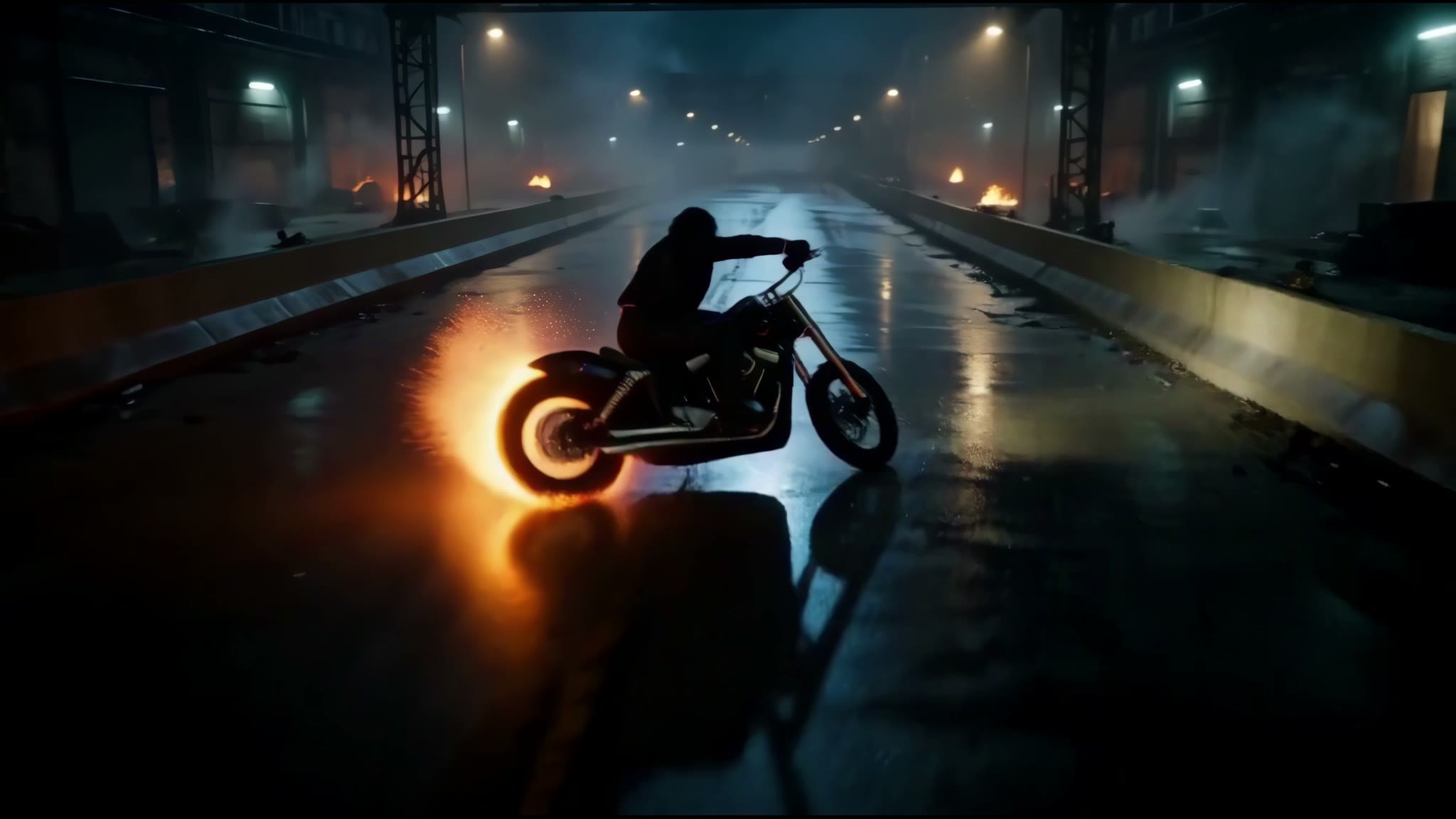
A bidirectional effect slider LoRA: positive values wrap motorcycle/car wheels in backward-swinging hellfire and burn glowing molten tracks into the road surface; negative values extinguish the flames, restoring cold steel bodies; the theme is Ghost Rider.
Upgraded from C to B: Effects, strength tiers, and prompts are clearly documented, and negative values can extinguish fire, but it requires payment, with only 1 visible examples.
Image
Reasons for Recommendation
- New model: The author states that fire adheres only to wheels and road surfaces, keeping the frame solid without melting; no trigger word required
- Strength tiers are clearly defined: +1.8 ~ +2.0 is the recommended range, +2.5 ~ +3.5 produces more intense fire and smoke, 0 is neutral, -1.5 ~ -2.0 extinguishes fire
- Provides three directly copyable bilingual prompts (nighttime highway motorcycle chase, 1969 Dodge Charger with four-wheel flames, stationary drift creating a fire ring) and optional enhancement words; includes workflow and resource archive
- Has 1 visible example videos (4K)
How to Use
- Load KinetiX_vfx_hellfire_cycle_h3_v1.0.safetensors (15 MB · BF16); try strength_model +1.8 ~ +2.0 first; can add blazing roaring hellfire wheels, violent centrifugal fire plumes, crackling molten scorched ground tracks
- Steps, CFG, and sampler are not specified by the author on the card (may be in the included workflow)
Risks and Limitations
- Paid download, currently 0 downloads
- Only 1 visible examples; 5 sensitive-level examples are hidden; Ghost Rider is a Marvel character, posing copyright risks for commercial use; this entry has not been run
Included Only (7)
- VOSR Image and video over-resolution, recommend · v1.0 — Workflow: A ComfyUI workflow for image and video super-resolution based on VOSR2: the image branch includes before-and-after comparisons, the video branch splits frames for upscaling and then recomposes them at the original frame rate and with the original audio, plus an additional path using RTX Video Super Resolution for further upscaling; it does not call H3 itself.
- MiniMax H3 RefMod Audio Reference · v1.0 — Workflow: Step 3 of the H3 RefMod six-piece set: encodes a vocal recording into a reusable H3 voice reference asset (RefMod) for use in subsequent Apply generation workflows.

- MiniMax H3 Multi-Reference TextEncode · v1.0 — Workflow: The 6th workflow in the H3 RefMod six-piece set (Multi-Reference Generation B: TextEncode): an alternative video generation route where a reference-aware text encoding node directly encodes reference assets into the conditioning, and can output reference mappings like <Video n> / <Picture n> to specify individual subjects in the prompt.

- MiniMax H3 RefMod Character Reference · v1.0 — Workflow: Step 1 of the H3 RefMod six-piece set: pre-encodes character photos from a folder into a reusable H3 character reference asset, allowing subsequent shots to point to the same named asset to maintain character appearance.

- Maya Belwyn · MiniMaxH3 — LoRA: An H3 LoRA for the original fictional female character Maya Belwyn; the model card is a character biography (from a Bruges family, owner of an antique book restoration shop) with no usage instructions.

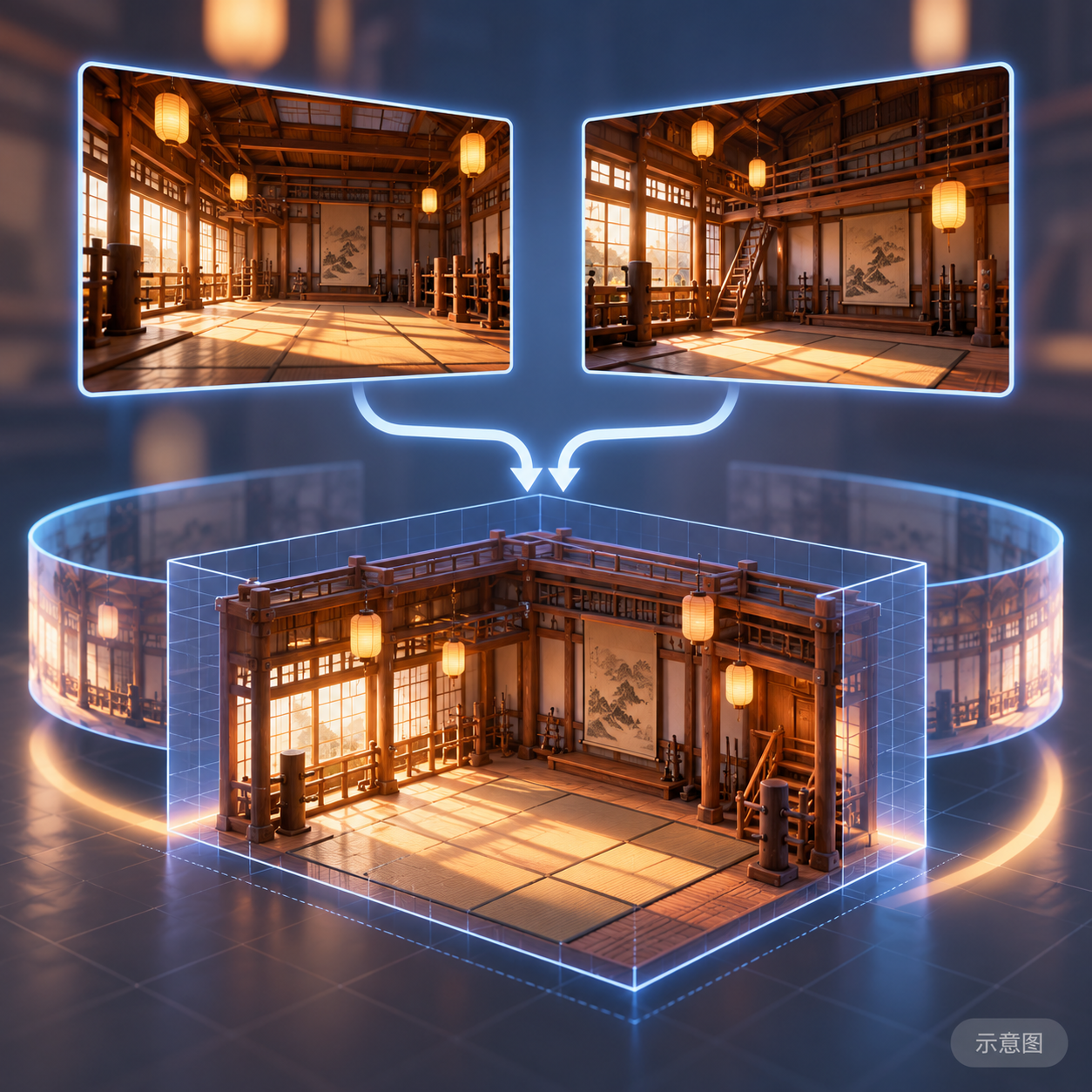
- MiniMax H3 RefMod Two-View Scene · v1.0 — Workflow: Step 4 of the H3 RefMod six-piece set: uses two images of the same location from different angles to create a reusable H3 scene reference asset, ensuring multiple shots maintain the same setting.
- MiniMax H3 RefMod Motion Reference · v1.0 — Workflow: Step 2 of the H3 RefMod six-piece set: encodes a motion video into an H3 motion reference asset, allowing motion prompts to be transferred to other characters during subsequent generation.

Data: Civitai Public API (base model MiniMax H3), inclusion window 10-31 08:31 → 10-31 21:01 (Beijing Time). Recommendation reasons reviewed by editors; download counts reflect attention only.