Zhenzhen's AI Radar · Qwen Image 2.1 · 2026-10-28 Morning Briefing
This issue features 1 new versions: Strongly Recommended 0 · Recommended 1 · Worth Watching 0 · Listed Only 0
Editor's Note This issue reviews 1 new Qwen 2.1 versions. The top pick is the few-step distilled LoRA P-Q-Image-2.1 v0.2, officially released by Pruna AI: applied on top of Qwen-Image-2.1, it completes text-to-image generation and editing in 6 steps; another variant distills prompt expansion as well, eliminating the need for a separate expansion call. Examples consist only of comparison images, and the license is the Qwen Research License, maintaining an A rating.
Recommended (1)
[A] P-Q-Image-2.1 · v0.2
LoRA · New Model · Author: PrunaAI · Released 10-28 00:41 · Downloads: 61
A collection of few-step distilled LoRAs for Qwen-Image-2.1: applied on top of the original base model, they complete text-to-image generation and reference image editing in 6 steps (v0.2) or 5 / 8 steps (v0.1), with no changes to the text encoder or VAE.
Maintaining A rating: The use case and step counts are clear, but scheduling parameters must be checked on the Hugging Face page, and the license is primarily for research purposes, so it does not receive an S rating.
Images
Reasons for Recommendation
- New capability: The author claims to compress generation/editing from the original 40 steps down to 6 steps; the v0.2 6-steps-upsampled variant distills the effects of prompt expansion into the LoRA, with the author claiming end-to-end savings of 41 to 80 seconds
- The two v0.2 variants have clear roles: 6-steps aims to preserve base model behavior and retains input during editing; 6-steps-upsampled uses short prompts to achieve better image quality
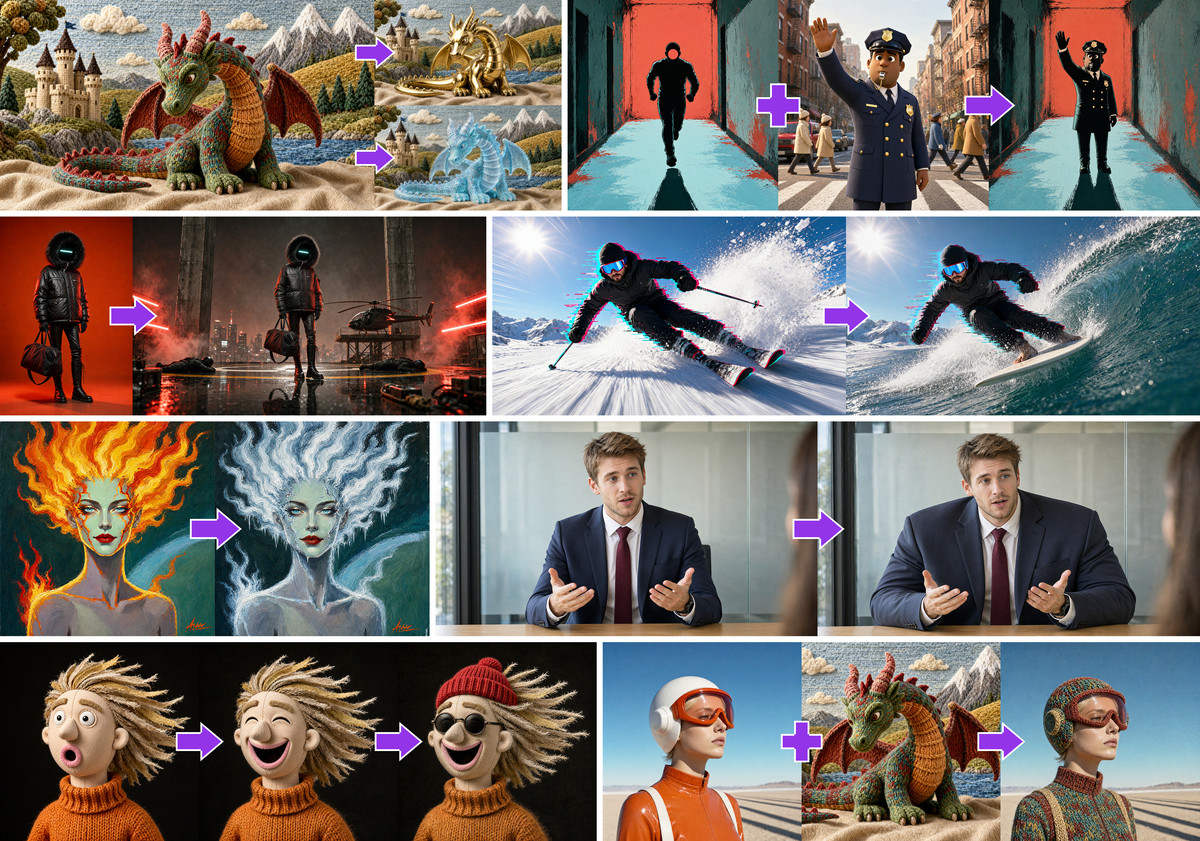
- Officially uploaded by Pruna AI, sharing the same weights as Hugging Face's PrunaAI/P-Q-Image-2.1; includes 2 comparison example images; released 8 hours ago with 61 downloads (indicating attention only)
How to Use
- Load one of the LoRAs onto the original Qwen-Image-2.1 workflow (load only one at a time): p_q_image_2.1_6_steps_v0.2 or p_q_image_2.1_6_steps_upsampled_v0.2, and set the steps to 6
- You must use the sigma schedule corresponding to that LoRA; v0.2 cannot reuse the schedule from v0.1; the author states that other step counts, schedules, and CFG values are not supported—see the Hugging Face page Quickstart for specific schedule values
- The author recommends starting with 1K square images, with a maximum of 3 reference images during editing
Risks and Limitations
- The author states that training was conducted only at 1K resolution; 2K and more reference images are outside the training scope; distillation does not guarantee output consistency with the base model, and v0.1 has lower image quality than the base model
- The model card specifies distribution under the Qwen RESEARCH LICENSE AGREEMENT, which is inconsistent with the commercial option checked in Civitai's license section; verification is required before commercial use
- The main file on the Civitai page is the v0.1 5-step version; v0.2 files are FP32 and larger in size, so ensure you select the correct file when downloading
- Examples consist only of 2 comparison images, with no ComfyUI workflows provided
Data: Civitai public API (base model Qwen 2.1), inclusion window 10-27 20:31 → 10-28 09:01 (Beijing Time). Recommendation reasons have been reviewed by editors; download counts indicate attention only.