Zhenzhen's AI Radar · Qwen Image 2.1 · 2026-11-02 Evening Report
This issue features 4 new versions: Strongly Recommended 0 · Recommended 1 · Worth Watching 1 · Listed Only 2
Editor's Note This issue reviews 4 new versions of Qwen 2.1. The top recommendation is the Q21 Emote LoRA: it generates specific expressions using the phrase "make the woman + emotion," serving comics and character expression sheets. The author admits to overfitting and recommends using it at low strength. The AIKSK Visual Prompt Reconstruction workflow has complete parameters but relies on the RunningHub online service, earning a B rating. The Qwen 2.1 version of the Mecha Detail LoRA is self-assessed by the author as the worst among several base models, and the Qwen text-to-image to H3 image-to-video workflow description is only two sentences long; both are downgraded to C.
Recommended (1)
[A] Qwen 2.1 Emote Lora · Q21 Emote - V1
LoRA · New Model · Author AirbagGuy · Published 11-02 19:02 · Downloads 42
An expression template LoRA: using simple phrases like "make the woman + emotion," it enables Qwen 2.1 to generate specified expressions (frustrated, shy, eye-roll, wink, saying ah/oh, etc.). The author trained it to unify character expressions while creating comics.
Maintaining A: The use case is specific, and the trigger phrases and strength ranges are actionable. It is free with a permissive license. Points are deducted because the author admits to overfitting and there are few visible examples.
Images

Reasons for Recommendation
- New capability: The model card lists all expressions and their corresponding trigger phrases, allowing for mixing in prompts and fine-tuning. Approximately 3/5 of the training set consists of cartoon/anime images, with the rest being realistic images; the author claims it works for both styles.
- Serves tasks requiring stable expression reproduction, such as comic storyboarding, character expression sheets, and multi-emotion comparisons for the same character.
- Free, with a license allowing sales and derivatives. This version has 42 downloads and 5 likes (representing popularity only).
How to Use
- Load Q21_Emote_Version 1.safetensors. Write phrases listed on the card in the prompt, such as "make the woman frustrated / make the woman wink / make the woman say ah." Multiple expressions can be combined.
- The author commonly uses a strength of .25 ~ .5 for controllable expressions. Increase strength for more exaggerated or cartoonish results; 1.0 will be very exaggerated. The author did not specify steps or CFG.
Risks and Limitations
- The author admits to obvious overfitting and states this is the first version. Some expressions work poorly, and some look better without the LoRA. Realistic images may become flat at high strengths.
- The training set is almost entirely female. The author claims it works for males but provides no examples. Only 2 visible examples are available (6 sensitive levels are hidden). This entry has not been tested.
Worth Watching (1)
[B] Qwen Image 2.1 — Visual-Prompt Image Reconstruction · v1.0
Workflow · New Model · Author AIKSK · Published 11-02 14:35 · Downloads 16
AIKSK's Qwen 2.1 "Visual Prompt Reconstruction" workflow: First, an online large model analyzes the original image to write a description. Then, combined with a fixed "keep as is" instruction, it redraws a larger image from an empty latent space. It is not a pixel-preserving upscaler.
Maintaining B: The process and parameters are clearly written, and limitations are stated frankly. However, it relies on an external online service and has no visible results.
Images

Reasons for Recommendation
- New workflow: The original image is sent only to RunningHub's LLM node (using gemini-3.1-flash-lite-preview) to generate a description. The encoder's latent space output is not connected, and the sampler starts from EmptyLatentImage. Therefore, it "redraws based on description," and composition and details are not guaranteed to match the original image.
- Serves the need to use Qwen 2.1 to generate a high-resolution version of old or small images. The author frankly states on the card that the preservation instruction does not guarantee identity, text, logos, or geometry remain unchanged.
- Parameters are fully specified: detail LoRA approx. 0.5, 25 steps, CFG 1, Euler/simple, denoise 1. Size is scaled based on area budget min(4, sqrt(2048²/(width×height))).
How to Use
- Import qwenImage21Visual_v10.json. Prepare qwen_image_2.1_bf16, qwen3vl_8b_fp8_scaled, qwen_image_2.1_vae_bf16, and elusarcas-qwen2-1-detailer-v1. Place the original image in node 514.
- The LLM description node depends on the RunningHub service. Locally, you must configure it first or replace it with another node that describes images. Afterwards, use the built-in original/result comparison node to check.
Risks and Limitations
- Relies on the RunningHub online LLM service. Account, billing, and data terms must be confirmed by the user.
- The author states no inference verification was performed, and there are no visible examples (1 hidden). The license does not allow derivatives. This entry has not been tested.
- The card image is an AI-generated diagram, not the actual model output. The author has no publicly available safe-for-work examples.
Listed Only (2)
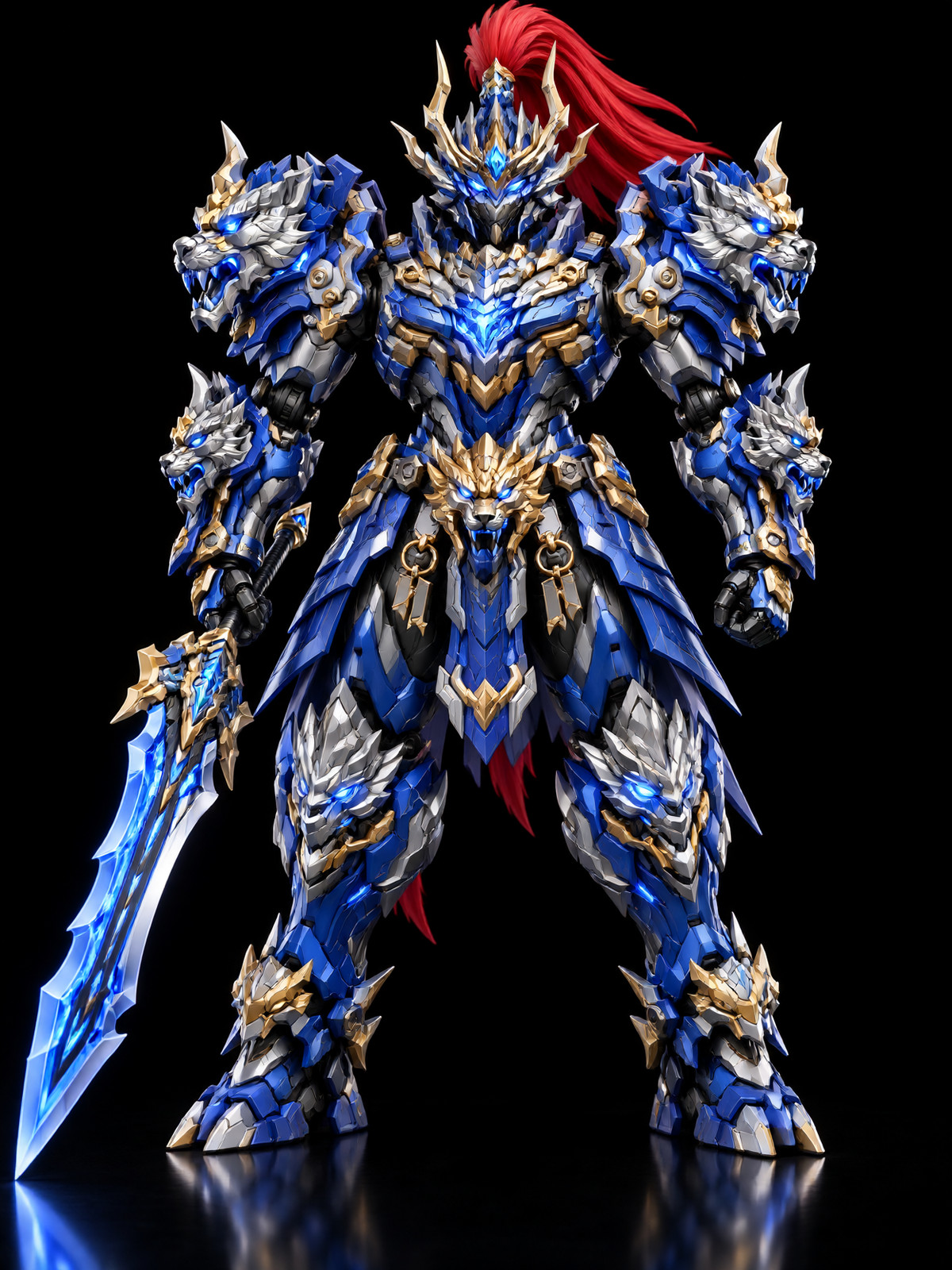
- Mecha Engrave · qwen-image2.1-v1 — LoRA: The Qwen 2.1 version of the Mecha Detail Enhancement LoRA. The author claims it thickens armor layers, enhances decorations like beast heads and spikes, and boosts glowing energy parts.
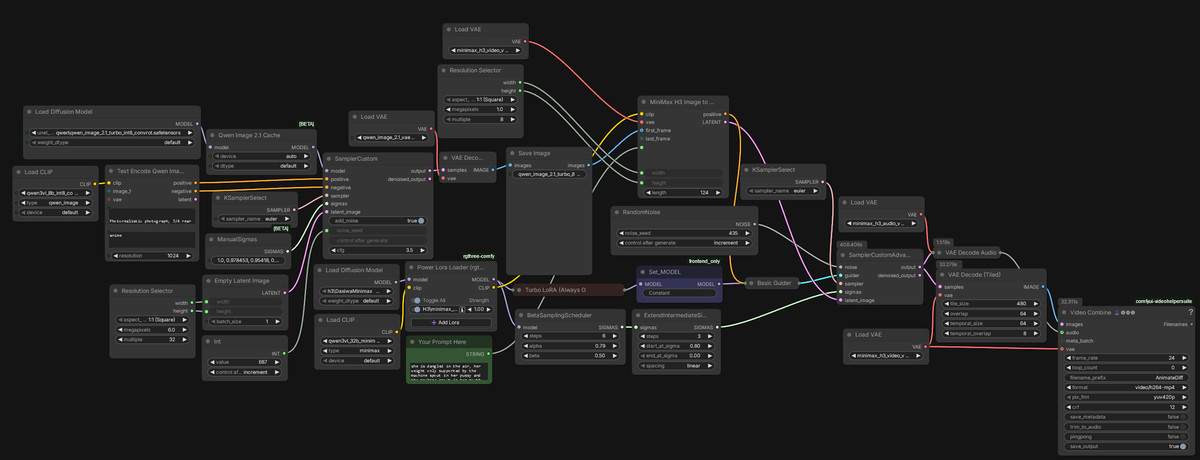
- qwen t2i to H3 i2v workflow · v1.0 — Workflow: A low-VRAM workflow chained together in one click: first uses Qwen for text-to-image, then feeds this image into H3 for image-to-video. The author uses it on a 4070 with 12G VRAM.
Data: Civitai Public API (Base Model Qwen 2.1), inclusion window 11-02 10:15 → 11-02 21:01 (Beijing Time). Recommendations are editor-reviewed; download counts represent popularity only.