Zhenzhen's AI Radar · MiniMax H3 · 2026-11-14 Morning Briefing
This issue features 16 new versions: Strongly Recommended 2 · Recommended 5 · Worth Watching 3 · Listed Only 6
Editor's Note This issue reviews 16 new versions of H3, with 2 rated S, 5 rated A, 3 rated B, and 6 rated C. Top pick: AusBoss's Pika Remix: supports up to four images plus one video, each assigned a specific purpose; using @1 in prompts enables reference-image-to-video generation, character swapping, object modification, motion copying, or video extension. The Low VRAM tier starts at 8 GB. Another S-rated entry is Ultimate 12GB, which switches between 8 H3 modes via a single dropdown and uses only core nodes; Viggle character replacement, Relight re-lighting, Person Swap v1.1, and Unified Nova.4 are rated A. Singularity face swap was downgraded from S to A due to its 53.2 GB download size, reliance on two custom node packages, and portrait consent issues. Easy MH3 v2.0 was downgraded to B; FastH3 lip-sync (a free sample from a paid package), Lora-Daddy V4, and Self Lift (insufficient documentation) were downgraded to C, as was EZ Cinematrix (all examples hidden). The two MikoGoblin character ports remain rated C.
Strongly Recommended (2)
[S] MiniMax H3 Pika Remix | High + Low VRAM, 8 GB+ · v1.0
Workflow · New Model · Author: AusBoss · Published 11-14 05:53 · Downloads: 67
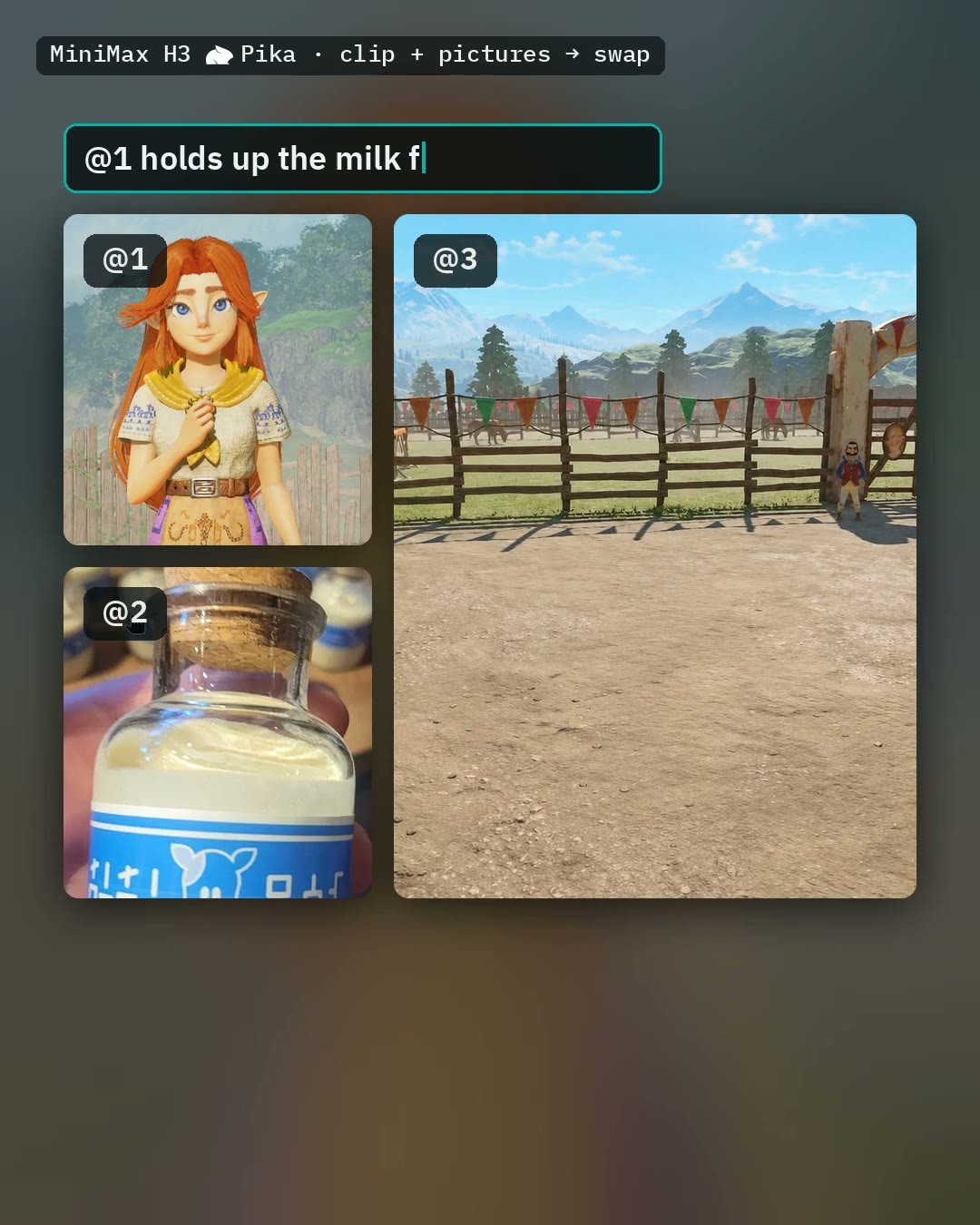
A multi-purpose workflow combining H3 and Pika: supports up to four images plus one video, with each asset assigned a specific role. It enables reference-image-to-video generation, character swapping in videos, modifying a single object within a video, copying motion, or extending the video.
Image
Reasons for Recommendation
- A new tool covering both reference-image-to-video generation and video editing in a single workflow: assign roles such as character / scene / clothing / object to each image, and refer to them using @1 or @2 in the prompt; for videos, choose options like "swap character," "modify one object," "copy motion," or "extend video," with support for adding original audio, voiceovers, or music.
- VRAM-conscious design: High VRAM mode is intended for cards with 24 GB or more, while Low VRAM mode covers 8 to 24 GB (using smaller main models and VAEs); additional toggles include Fast preview, Auto prompt, and FlashVSR for 2x upscaling and sharpening of the final output.
- Comprehensive examples: all 5 videos and 1 images are visible, accompanied by the author's YouTube tutorial; for character swapping only, a smaller Person Swap workflow by the same author is available.
How to Use
- Load images into Picture 1 and select their roles in the H3 Prompt Writer → write one line per action (e.g., @1 walks to the window and looks out) → select duration in Seconds → choose High / Low VRAM mode → Run.
- Keep Pika LoRA strength at 1; do not stack additional Turbo or Lightning LoRAs (Pika itself provides acceleration); requires ComfyUI version 0.38.0 or higher (0.45 or higher for 8 GB cards, 0.42.0 or higher for Auto prompt) and AusBoss nodes version 2.25.2 or higher.
Risks and Limitations
- Required models total approximately 44.5 GB (including the ref2va int8 main model at 21.0 GB, Qwen3-VL 32B text encoder at 15.7 GB, etc.); Auto prompt and FlashVSR require additional downloads.
- The author notes that for 8 GB cards, select Low VRAM mode, keep clip length under 10 seconds, and ensure system RAM is approximately 32 GB; when simultaneously swapping character, scene, and object, the original character may reappear mid-video—recommend modifying only one element at a time.
- Character swapping and motion copying involve other people's likenesses: use only with consented individuals and be mindful of portrait rights.
- The base model is subject to the MiniMax H3 community license.
[S] MiniMax H3 Ultimate 12GB — T2V/I2V/FFLF/R2V/Multiframe/ControlNet/Extend, one dropdown, with audio · v2.3.0
Workflow · New Model · Author: The_frizzy1 · Published 11-13 23:51 · Downloads: 55
A workflow that switches between 8 local H3 modes via a single dropdown: text-to-video, first frame, last frame, first-and-last frames, reference image, multi-frame guidance, ControlNet pose control, and video extension—all with audio support.
Image

Reasons for Recommendation
- A new tool covering major H3 tasks: text-to-video, image-to-video, first-and-last frames, reference images (use <Picture 1> in prompts), multi-frame guidance, pose control, and extension; uses only ComfyUI core nodes with no custom node dependencies.
- v2.3.0 adds "preserve original audio during extension": the last 0.9 seconds of audio and last 22 frames from the source video are fed in together to prevent audio discontinuity at the seam.
- The author provides VRAM peak usage of 11.3–11.6 GB and system RAM peak usage of 17–22 GB on an RTX 3060 with 12 GB; examples include 9 videos and 2 images, all visible.
How to Use
- Requires ComfyUI version 0.39.2 (v2.3.0); select the mode from the node's Mode dropdown, then bypass only the inputs unused by that mode (select and press Ctrl+B), keeping others active.
- Turbo LoRA is enabled by default: FL2VA uses 8 steps, Ref2VA uses 4 steps; disable Turbo to use 20 steps; enter duration in seconds—the workflow automatically converts it to a valid frame count.
Risks and Limitations
- All 10 models total approximately 69 GB; for text-to-video / image-to-video / first-and-last frames / extension only, 5 models are needed, totaling approximately 42 GB.
- The author notes that on an 12 GB card, keep resolution at 0.4 or 0.9 MP; 1.5 MP will cause VRAM overflow. If unused inputs are not bypassed, an "Invalid image file" error occurs before execution.
- Long videos require manually running Extend repeatedly; full-video character replacement mode is not included (use the separate Viggle workflow).
- 9 examples are hidden (mixed content).
Recommended (5)
[A] MiniMax H3 Singularity V2 Face Swap 12GB — one photo into your video, lip-sync, sound and room kept · v1.0.0
Workflow · New Model · Author: The_frizzy1 · Published 11-14 00:02 · Downloads: 71
Replace a real person in a video with the person from a single photo: preserves the room, camera movement, and original audio; generates the entire clip in one pass, with optional lip-sync.
Image

Reasons for Recommendation
- A new tool for video character replacement: SAM 3.1 tracks the target person, converting them into a gray silhouette that preserves pose, hands, and mouth shape; Singularity V2 (an H3 Ref2VA fine-tune) then repaints only the masked region based on the reference photo.
- Qwen3-VL 8B analyzes four frames to generate a one-sentence scene description; the author notes that without this description, Singularity ignores the gray silhouette and renders an oversized head in the center of the frame.
- The author successfully ran this on an RTX 3060 with 12 GB VRAM and 32 GB system RAM, observing VRAM peaks of 11,598–11,731 MiB; 5 videos are visible.
How to Use
- Open in App mode; input a video at 24 fps with no mirrors (max length 15 s), a clear photo with a large face and plain background, the object to replace (e.g., person or bald man), and a description of the new character's appearance; for Seconds, start with 3 seconds.
- Requires two custom node packages: comfyui-h3-oneclick-swap and ComfyUI-Fantastic-MiniMaxH3-PromptBuilder; the author used ComfyUI version 0.43.1; built-in settings use ref2v turbo LoRA strength 1.0, 6 steps, euler / simple sampler.
Risks and Limitations
- Character replacement tool: use only for yourself or individuals who have given consent; be mindful of portrait rights and avoid impersonating real people.
- Requires 7 files totaling 53.2 GB—the largest download set by this author; system RAM peaks at 22–23 GB.
- The author notes that heads may still appear oversized in full-body shots; if the photo cuts off at the waist, include pants and shoes in the description; replace only one person at a time; does not handle mirrors or reflections.
- 12 examples are hidden (mixed content); auto-rated S but downgraded to A due to large download size, dependency on two custom node packages, and portrait consent issues.
[A] Viggle-Animate (MiniMax H3) 12GB — character replacement in video, 4 steps, the driving clip's audio kept · v2.0.0
Workflow · New Model · Author: The_frizzy1 · Published 11-14 05:39 · Downloads: 29
Replace a character in a video using a single static character image: preserves motion, camera movement, background, and the driving video's original audio; generates output in 4 steps.
Image

Reasons for Recommendation
- A new tool for video character replacement / motion transfer: based on Viggle's 33B fine-tune of H3 Ref2VA, with only one mode—requires a driving video and a character image.
- The author provides VRAM peak usage of 11.2–11.6 GB on an RTX 3060 with 12 GB, and lists the required 4 model files and their storage directories.
How to Use
- Install comfyui-viggle-animate-h3 v1.3.2 from the Comfy registry, requiring ComfyUI 0.37.4 or higher; use the fp16 version of minimax_h3_video_vae_fp16 for the video VAE, not the int8 version commonly used in other H3 workflows
- Load The_frizzy1_viggle-animate-h3_v2.0.0.json, insert the driving video and character image, then Run with a fixed 4 steps
Risks and Limitations
- The author states that this workflow does not yet have its own demo video; the visible video is a general usage tutorial. Additionally, 3 images are visible and 3 examples are hidden.
- Only tested on clips of 5 seconds at 480x864 / 832x480, with VRAM nearly maxing out 12 GB; longer and larger resolutions have not been tested. The author did not specify what changed in v2.0.0 relative to v1.
- Main model: 21.0 GB
- Face swap tool: Use only for yourself or individuals who have given consent. Be mindful of portrait rights and do not use it to impersonate real people.
【A】MiniMax H3 Pika Person Swap | High + Low VRAM, 8 GB+ · v1.1
Workflow · Version Update · Author AusBoss · Published 11-14 05:53 · Downloads 93
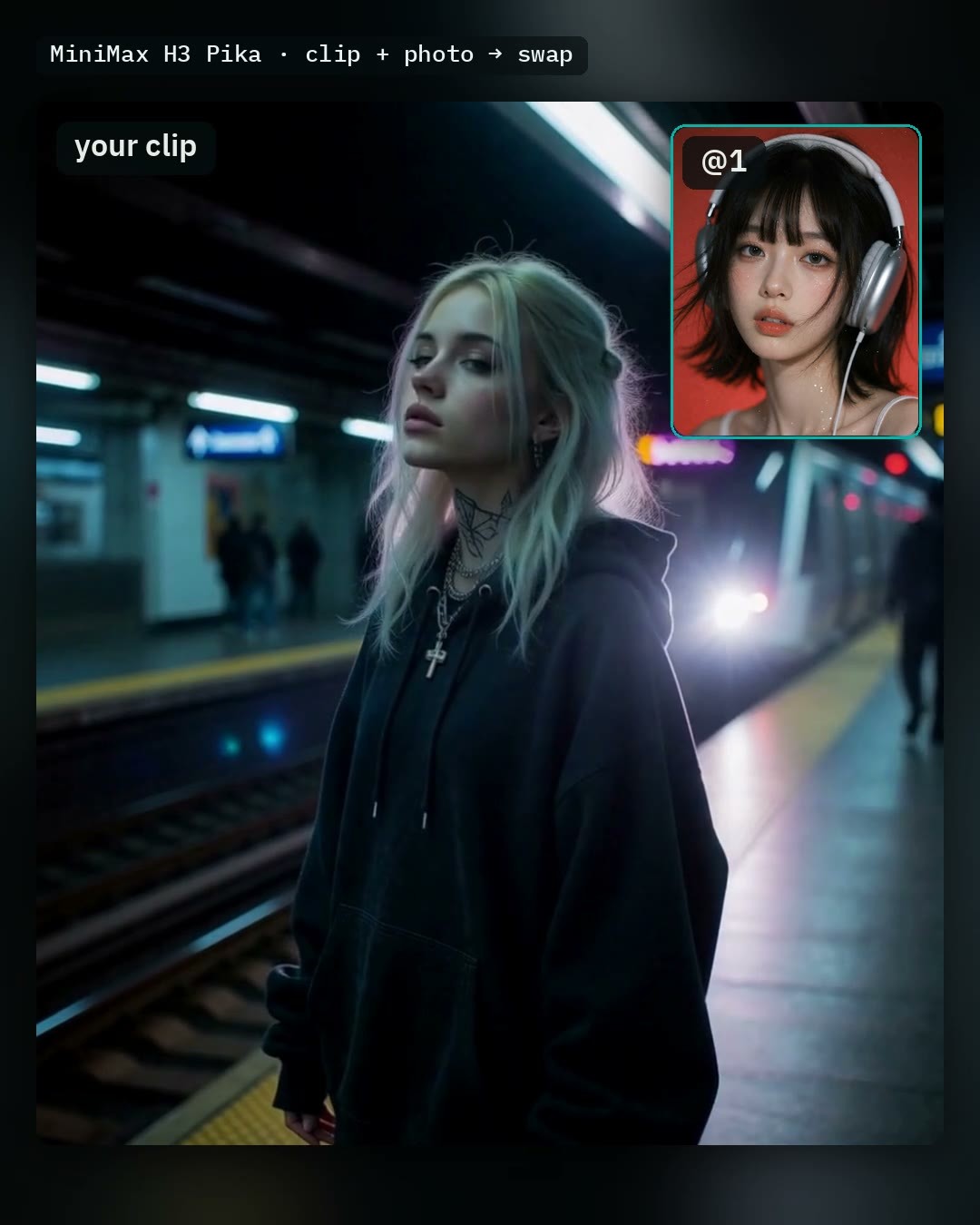
Replace the person in a video with someone from a photo, preserving the scene, actions, camera movement, and audio. v1.1 supports GPUs with 8 GB of VRAM, and the final upscaling now uses FlashVSR.
Images
Reasons to Recommend
- Version update: The Low VRAM option covers 8 to 24 GB. The author claims that cards with 8 GB can run full-size clips up to 8 seconds long under 32 GB of system RAM without startup parameters (ComfyUI 0.45).
- Final upscaling switched from SeedVR2 to FlashVSR: sharper results, 2x upscale, and requires only a single 3.5 GB model. The 'Steer the mouths' switch, which never worked, has been removed. When 'Keep the clip's sound' is enabled, the new person's lip movements still follow the original audio.
- 'Describe @1 for me' (automatically generates appearance descriptions from photos) reportedly runs within 32 GB of system RAM. Other latent errors caused by other H3 node packs have also been fixed.
How to Use
- Load a clip in 'Video - Your clip' and cut it into a single shot (max 10 seconds) → Place the new person's photo in Picture 1 → Write two lines of prompts: first specify who to replace (e.g., Replace the man in the red shirt with @1), then describe hair and face using '@1 looks like …' → Choose High (24 GB+) or Low VRAM → Run
- Requires AusBoss nodes 2.25.2 or higher and ComfyUI 0.38.0 or higher.
Risks and Limitations
- Face swap tool: Use only for yourself or individuals who have given consent. Be mindful of portrait rights and do not use it to impersonate real people.
- The author notes that if the face is too small or turned away from the camera, H3 may retain the original face and only change hair and clothing. If the second line of description is omitted, the swap may happen late or not at all.
- Main model 21.0 GB, text encoder 15.7 GB, etc., must be provided by the user. Visible examples include 1 videos and 1 images.
【A】MiniMax H3 Relight 12GB — relight any video from a light sphere, Full HD 1088p, up to 60 s, original sound · v1.0.0
Workflow · New Model · Author The_frizzy1 · Published 11-14 05:39 · Downloads 25
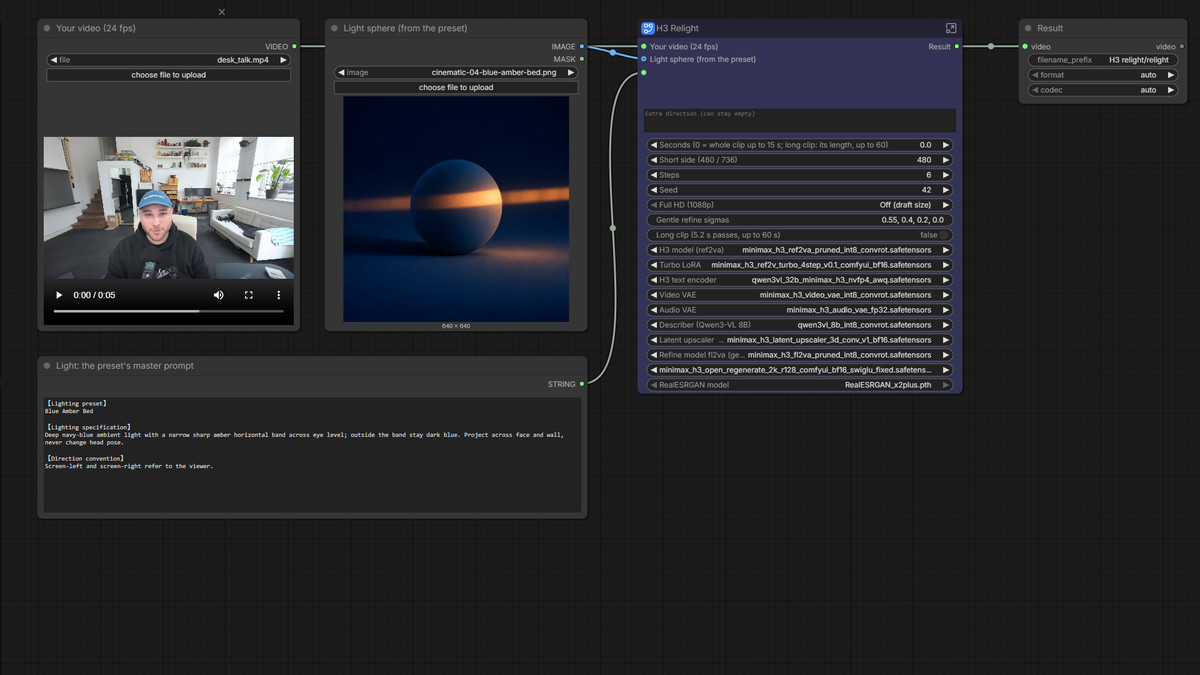
Relight existing videos: Input a video, a light sphere image, and a lighting description to output the same shot with new lighting effects. The person, room, camera position, pacing, and original audio remain unchanged.
Images
Reasons to Recommend
- New tool for video post-production lighting: Locally replicates Sirio Berati's open-source relight, originally written for a 80 GB rented GPU, on an 12 GB graphics card. Based on H3 Ref2VA int8 plus the ref2v turbo LoRA.
- Uses only ComfyUI core nodes; optional Full HD (H3 gentle repaint or RealESRGAN x2, short side up to 1088p). Long clips are processed in segments up to 60 s.
- The author provides peak VRAM usage of 11,841–11,945 MiB and peak system RAM usage of 21.4–22.6 GB on an RTX 3060 12 GB card.
How to Use
- Lighting presets and sphere images are taken from sirioberati/relight-open-source (MIT): Place the sphere image in the 'Light sphere' input, and the corresponding master text from presets.json in the 'Light text' input.
- Requires ComfyUI 0.44 or higher; videos are read at 24 fps, with a maximum single run of 15 s. For the short side, choose between a fast mode or a sharper mode. With the turbo LoRA, the author sets 6 steps.
Risks and Limitations
- Requires 6 files totaling 51.5 GB; enabling Full HD gentle repaint adds another 23.7 GB.
- The author states that Long clip processing and the RealESRGAN within the workflow have not yet been actually rendered on a GPU, so there is no timing data. Processing a 5.2 s clip with a 736 short side plus gentle repaint takes 31:48.
- No example videos are available, only 1 images.
【A】MiniMax H3 Unified (Lip-sync, Scene Prompts and Resumable Video) · Nova.4
Workflow · Version Update · Author Rvage · Published 11-14 05:10 · Downloads 26
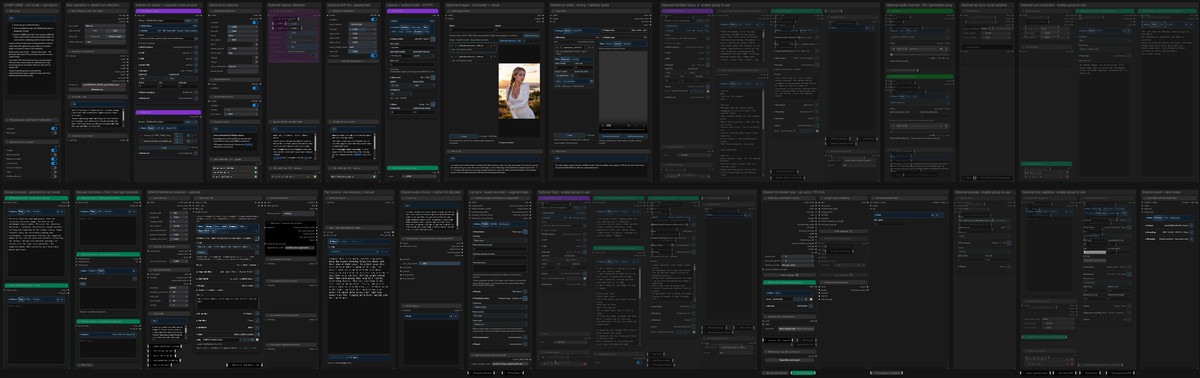
Integrated H3 long video workflow Nova.4: It can make character images lip-sync to existing songs or dialogue, and also generate videos with sound via text-to-video, image-to-video, or first/last frame generation based on scene prompts. Rendering is segmented, resumable, and allows restarting from a specific segment.
Images
Reasons to Recommend
- Version update: The first segment of lip-sync can have a separate hidden warm-up setting; the final video retains the complete audio track and timing. Multiple lip-sync images each correspond to a scene prompt. A single image can also manually set multiple cut points. Scene Detector checks for appearance changes in short dissolves more thoroughly.
- Added optional final upscaling group (before adding subtitles and saving). The Smart LM mode bar allows one-click stopping of stuck language models and their Ollama/Docker backends. Requires updating Eclipse Nova to 1.0.36 and SmartLLM Nova to 1.1.17.
- Serves long videos and music videos: Reference video analysis can cut scenes and describe actions; prompts can be edited in Prompt Review before rendering. Can connect YuE2 or MiniMax Music 3 to generate background music, with lyric extraction and dynamic subtitles.
How to Use
- Install the three node packs: Eclipse Nova, Smart Model Loader Nova, and SmartLLM Nova (H3 patches and Diff-Aid come from ComfyUI-sol-attn; Audio Separation Nodes are used for vocal separation, which can be muted initially).
- In START HERE, choose Lip-sync or Native H3, and select the corresponding presets in Smart Model Loader and LoRA Stack. Keep H3 at 24 FPS. The author's lip-sync example uses Euler / beta, CFG 1, 8 steps, and turbo LoRA strength 1.
- For storage, select 'Disk + Keep in output'. After an interruption, use 'Resume saved run' to continue, or 'Restart part' to specify which segment to redo.
Risks and Limitations
- License prohibits commercial use and derivatives.
- High dependency count: Three Nova node packs plus multiple optional packages. Lip-sync additionally requires the wav2vec2 audio encoder. After updates, restart ComfyUI and rerun scene analysis.
- Only 1 images are visible as examples, with 1 hidden (mixed content). The author notes that clips with rapid pose changes or similar backgrounds may still be missed by detection.
Worth Watching (3)
【B】Easy MH3 (video generation + upscale using chunking + 60 FPS) (low VRAM support) · v2.0
Workflow · Version Update · Author Crimson009 · Published 11-14 00:50 · Downloads 39
Two-stage workflow v2.0 for H3 generation plus chunked upscaling: First generate the video, then upscale in chunks and use RIFE to interpolate frames to 60 FPS, accommodating low VRAM.
Images
Reasons to Recommend
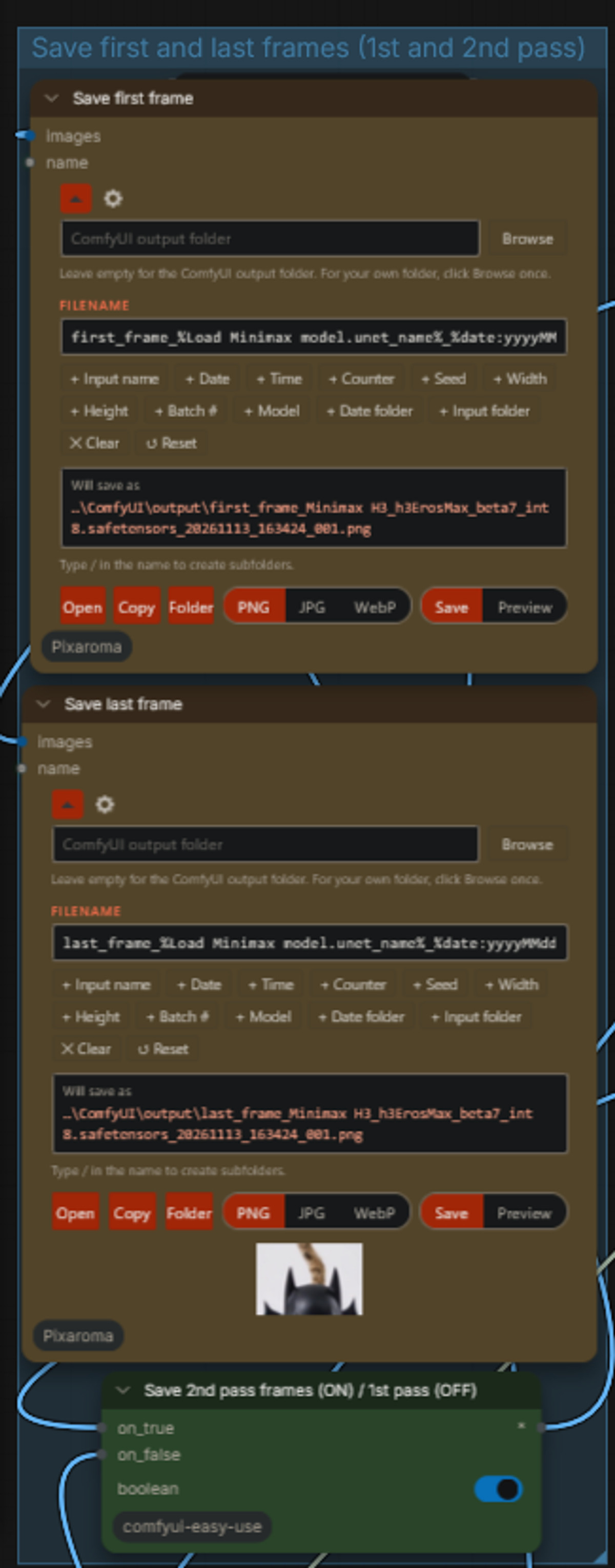
- Version update (noted in the model card, version notes are empty): Use purple switches to select single-stage or two-stage workflows; add quality/resource-saving options for both the single stage and the second stage. Both stages can save first/last frames (for chaining to the next segment) and audio-free versions.
- Defaults to Temporal chunk and RIFE to save VRAM and interpolate the final video to 60 FPS. If VRAM is lower, enable Spatial Chunk for further segmentation. Use the Free VRAM node after each segment to release memory.
How to Use
- Fill in prompts and assets in the 'Prompt, Loras and References' group → Adjust Video duration and Video settings in the first stage → Select Upscale Resolution Selector in the second stage → Run. Red nodes are for one-time model configuration.
- The author has not provided required model files, VRAM usage, or step counts.
Risks and Limitations
- Only 2 images are visible as examples, with 3 hidden. No videos are visible. Changes in this version focus on switches and save options; automatic A has been downgraded to B.
- Version notes are empty, and dependent custom nodes are not listed.
【B】HyperFlow H3 Flash — Fast Video with Sound in 4–8 Steps (ComfyUI) · v1.0
Workflow · New Model · Author lahcenbensalah19488 · Published 11-14 01:24 · Downloads 36
Free text-to-video preset for HyperFlow H3 Flash: Uses the author's claimed 13.7B compressed version of H3. Generates a draft clip with stereo audio in 4 steps, lasting 5.2 seconds. Switch to 6 or 8 steps for finalization.
Images

Reasons to Recommend
- New tool for quick prompt testing: The FastDraft preset uses 4 steps to preview shot and sound ideas, then switches to 6 steps (balanced) or 8 steps (quality) for the final version.
- Dependencies are clearly documented: ComfyUI 0.43.0 or higher plus ComfyUI-GGUF and ComfyUI-HyperFlow-Flash nodes. The author claims peak VRAM usage is approximately 21 GiB.
How to Use
- Unzip Civitai_HyperFlow_H3Flash.zip and load the workflow; model files (approx. 28 GB) are not included in the package and must be provided by the user. Step counts: 4 / 6 / 8.
Risks and Limitations
- This is a free sample of the author's $39 full package; the model card is mostly purchase links and discount codes; the model card does not provide a download address for the model files
- Requires a 24 GB GPU; visible examples include only 1 images, with no videos
- Author's reminder: Under the H3 Community License, self-hosted use in the US, EU, UK, and South Korea requires prior application
【B】MMH3 I2V/T2V Workflow with Latent Upscale and Context Continuation · v1.0
Workflow · New Model · Author bvga · Published 11-13 23:42 · Downloads 47
A two-stage image-to-video / text-to-video workflow: first generate low-resolution clips for selection, then perform latent space upscaling and feed into a second sampler to add details, while integrating context continuation within this two-stage sampling process.
Images

Reasons for Recommendation
- A new tool for rapid trial-and-error and video continuation: select satisfactory low-resolution clips first; the author claims the second sampler can clean up and supplement details and motion
- The author devised a method for passing two contexts between the two sampling stages, which the nodes do not natively support
How to Use
- Requires modifying a few lines of code in a specific node according to the comments in the workflow (allowing overwriting of pins on the latent); the author did not specify the model, steps, or strength
Risks and Limitations
- Requires manual modification of node source code, which may break after node updates
- The only example is hidden, with no visible examples; the model card contains only a brief introduction
- The card's image is an AI-generated diagram, not the actual output of the model; the author has no publicly available standard-level examples
Included Only (6)
- Lora-Daddy H3 Studio - Now Free <3 · V4 — Workflow: Lora-Daddy's H3 Studio node pack and workflow V4 (v4.0 Hydrogen), now free from this version onwards.
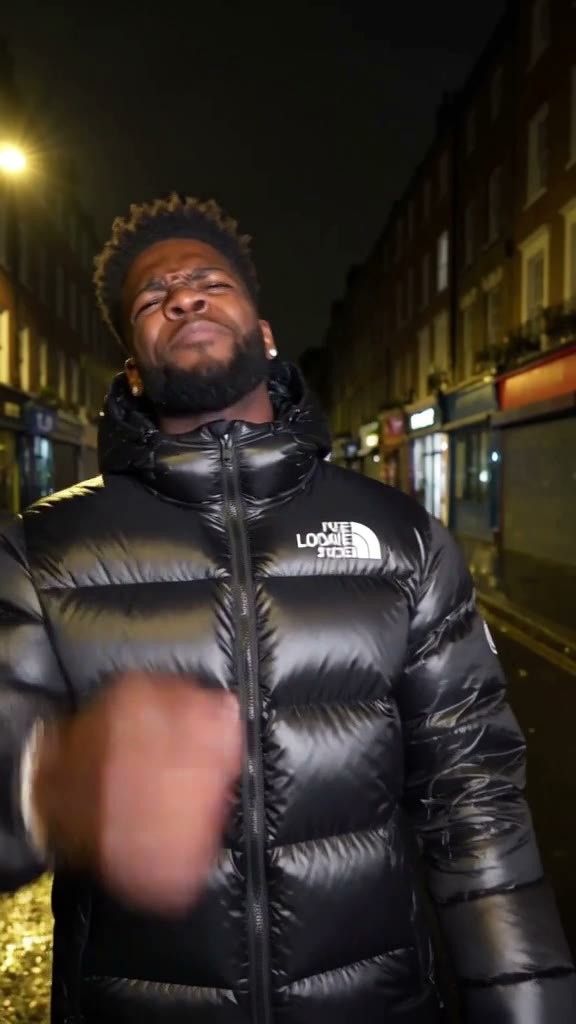
- FastH3 Omni Lip-Sync — Portrait + Voice Line to Talking Video (ComfyUI) · v1.0 — Workflow: A free workflow sample that generates a 5-second lip-synced talking head video from a portrait and a voice line audio clip.
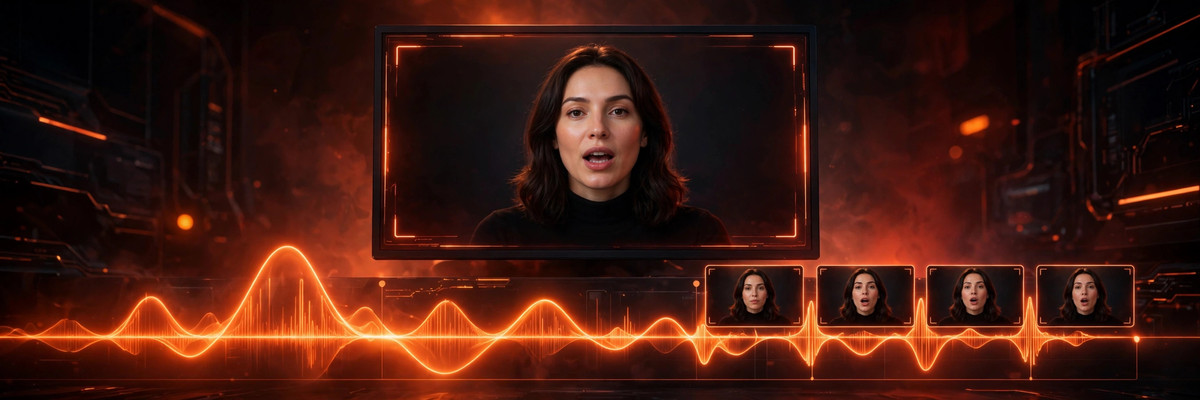
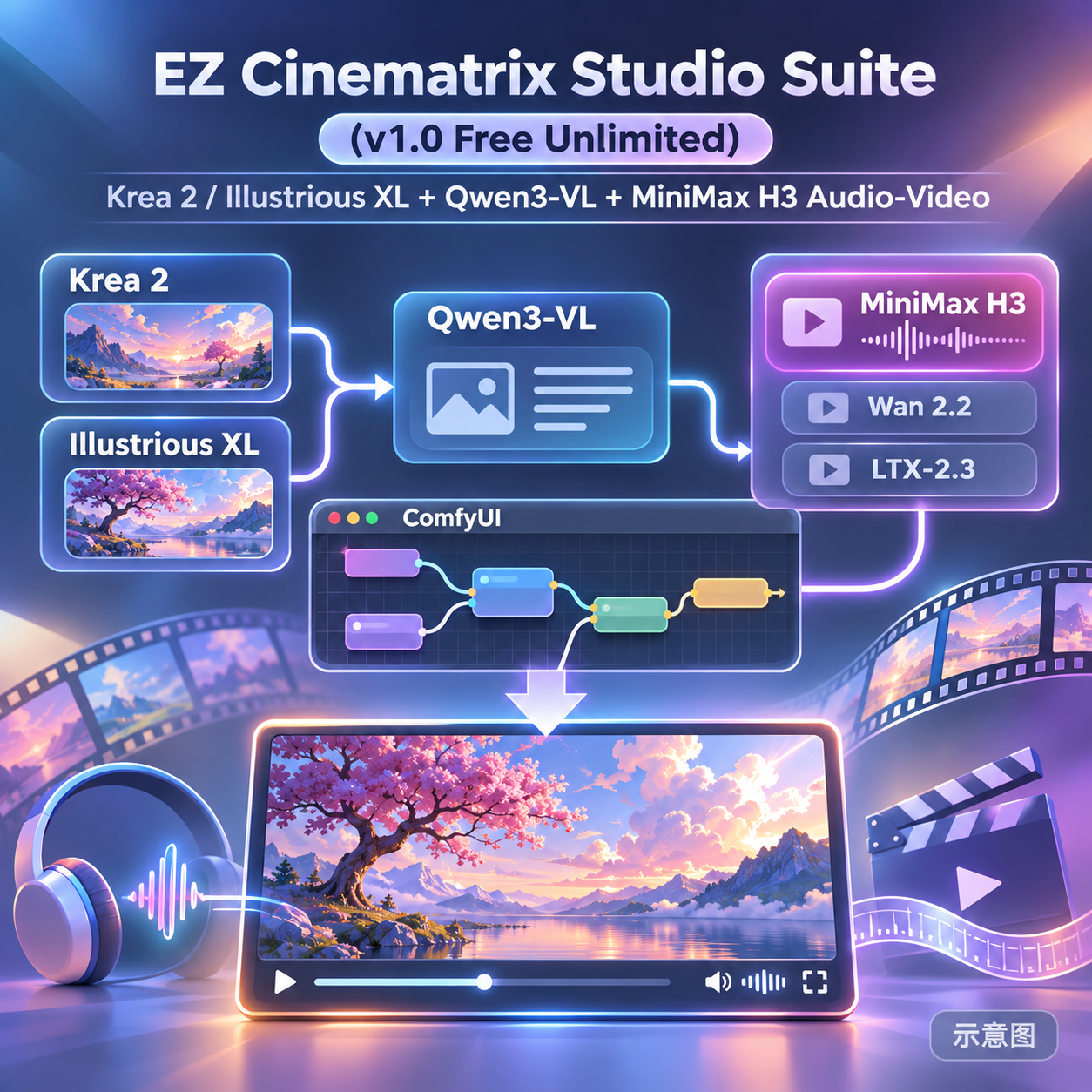
- EZ Cinematrix Studio Suite (v1.0 Free Unlimited) — Krea 2 / Illustrious XL + Qwen3-VL + MiniMax H3 Audio-Video · v1.0 — Workflow: A ComfyUI node suite for multiple base models: Krea 2 / Illustrious XL generate keyframes, Qwen3-VL writes prompts, which are then passed to MiniMax H3 (or Wan 2.2, LTX-2.3) to generate videos with audio, suitable for music videos.
- MiniMax H3 Self Lift Avatar + Face Refinement Workflow · v1.0 — Workflow: A workflow chaining MiniMax H3 Self Lift Avatar with face refinement.
- Sister Hazel · v1.0 H3 — LoRA: A character LoRA for the original chipmunk nun character Sister Hazel, ported from versions like Krea 2 to H3.

- Doctor Penny · v2.0 H3 — LoRA: A character LoRA for the original plague doctor character Doctor Penny, ported from versions like Krea 2 to H3.

Data: Civitai public API (base model MiniMax H3), inclusion window 11-13 20:31 → 11-14 09:18 (Beijing Time). Recommendations have been editorially reviewed; download counts reflect attention only.