Zhenzhen's AI Radar · MiniMax H3 Image · 2026-11-21 Evening Report
This issue features 7 new versions: Strongly Recommended 1 · Recommended 1 · Worth Watching 3 · Included Only 2
Editor's Note This issue reviews 7 new versions of H3 Image, with 1 S, 1 A, 3 B, and 2 C ratings, and no exclusions. Top recommendation: AusBoss's character sheet workflow: load a single portrait photo, and generate front, three-quarter, side, and back views in one go, with options to complete the full body, add head close-ups, or expression rows. DC Vast Expanse is a large-scale style LoRA ported from Krea 2, rated A; AIKSK's three workflows (6-step 4K text-to-image, skeleton-based posing, and 16-image reference editing) are labeled with the base model Flux.1 D, confirmed for use with H3 Image, but have few examples and heavy dependencies, rated B / C.
Strongly Recommended (1)
[S] MiniMax H3 Image Character Sheet | 16 MP Turnaround From One Photo · v1.1
Workflow · New Model · Author AusBoss · Published 11-21 11:10 · Downloads 154
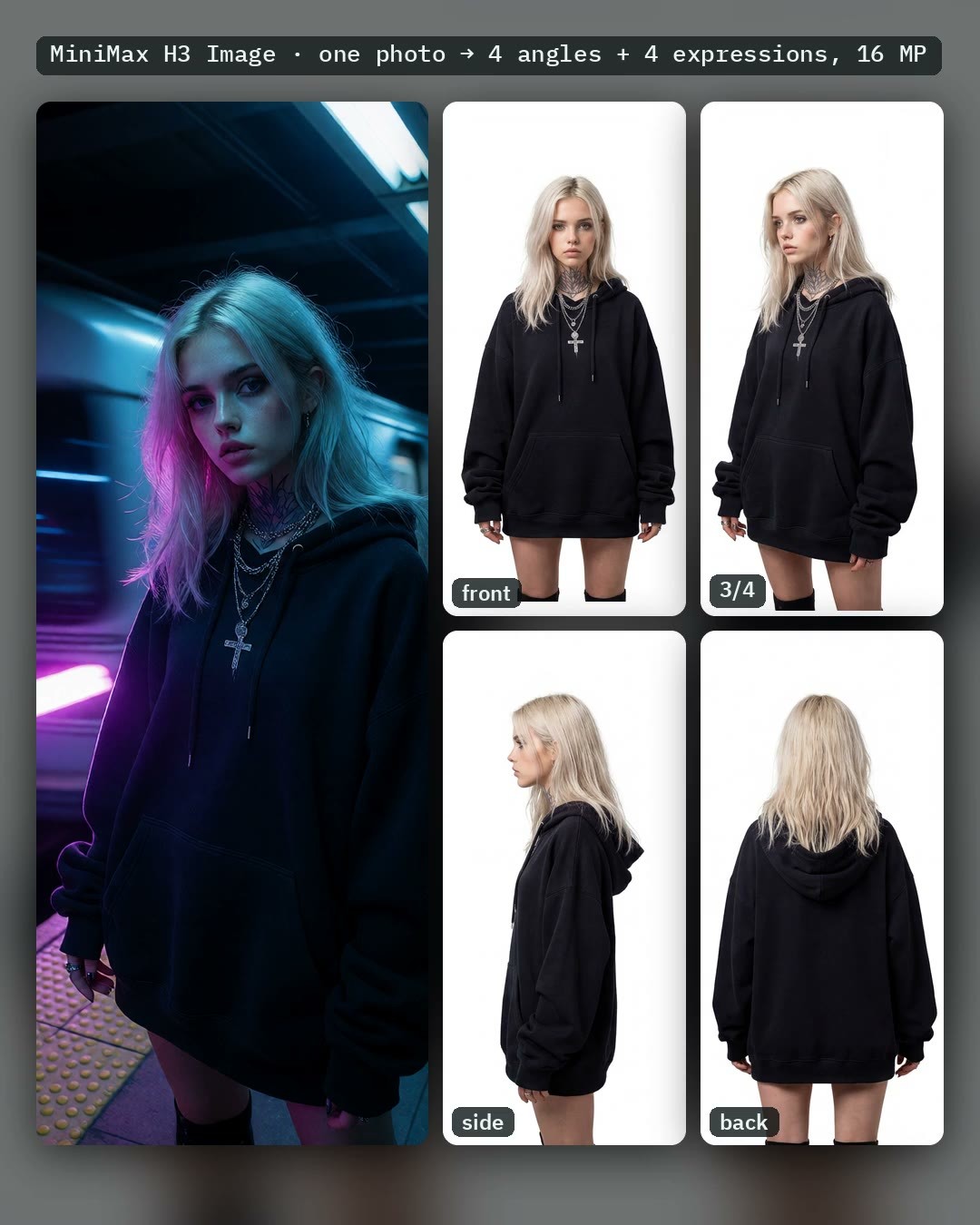
AusBoss's ComfyUI workflow: load a single portrait photo, and H3 Image generates a character sheet with front, three-quarter, side, and back views of the same person in one go, up to 16 MP (5504 × 3040), eliminating the need for upscaling.
Generate a full set of multi-angle character sheets from a single photo, with clear switches and dependency files; this is the top recommendation for this issue.
Images
Reasons for Recommendation
- New tool: The same author previously created character sheets using the H3 video model; this version switches to the H3 Image model. The author claims output resolution increased from approximately 5 MP to 16 MP, and processing time was roughly halved; suitable for character design, consistent character reference images, and preparing multi-angle assets for subsequent LoRA / video generation.
- Comprehensive switches: 'Head to toe' completes the full body down to the shoes from a half-body photo; 'Save each view too' saves each of the four views as separate images; 'Your photo on the left' places the original photo on the left side; 'Close-ups under the sheet' runs a second pass to add a row of four head close-ups (total image size becomes 5504 × 4416), which can also be replaced with four different expressions.
- Includes 1 example videos + 2 example images; free download; approximately 10 hours after publication, it has 154 downloads and 12 likes (indicating popularity only).
How to Use
- First, install ComfyUI 0.45.0 or update, and AusBoss nodes 2.26.5 or update (install the nightly version before Registry approval); load a clear portrait photo and run directly. Background and "parts not visible in the photo" (e.g., blue jeans and white sneakers) are optional; leaving the background blank results in pure white.
- Select Size as 4 / 8 / 16 MP (author claims 16 MP takes about 25 seconds, 4 MP takes about 11 seconds); select Body as Short / Regular / Tall to control the character's height in the views; select VRAM as High (int8, 32 GB card) or Low (w4a8, 24 GB card).
- 'Fast' uses akhaliq's pDMD LoRA to run 2 steps instead of the default 6 steps; 'Grain cleanup' has four levels: Off / Light / Medium / Strong, default is Off; other H3 Image LoRAs are connected via the LoRA Loader.
Risks and Limitations
- High barrier to entry: The first run requires loading approximately 38 GB of models (main model int8 version 21.0 GB or w4a8 version 12.5 GB, text encoder 15.7 GB, VAE 1.2 GB; 'Fast' requires an additional 1.96 GB pDMD LoRA); all processing times provided by the author are from an RTX 5090, with 'Fast' taking about 14 seconds per image.
- The back view and completed legs/feet are guessed by the model and may vary with each run; the author states they have only tested with photos, and soft photos yield soft images; when splitting into single views, if two views are adjacent, they may slightly bleed into each other.
- The workflow license only includes site rental; the base model is separately subject to the MiniMax-H3-Image community license, and the author advises reading it before commercial use.
Recommended (1)
[A] DC Vast Expanse · v1.0 [MinimaxH3Image]
LoRA · Port · Author dkpc69 · Published 11-21 20:17 · Downloads 15
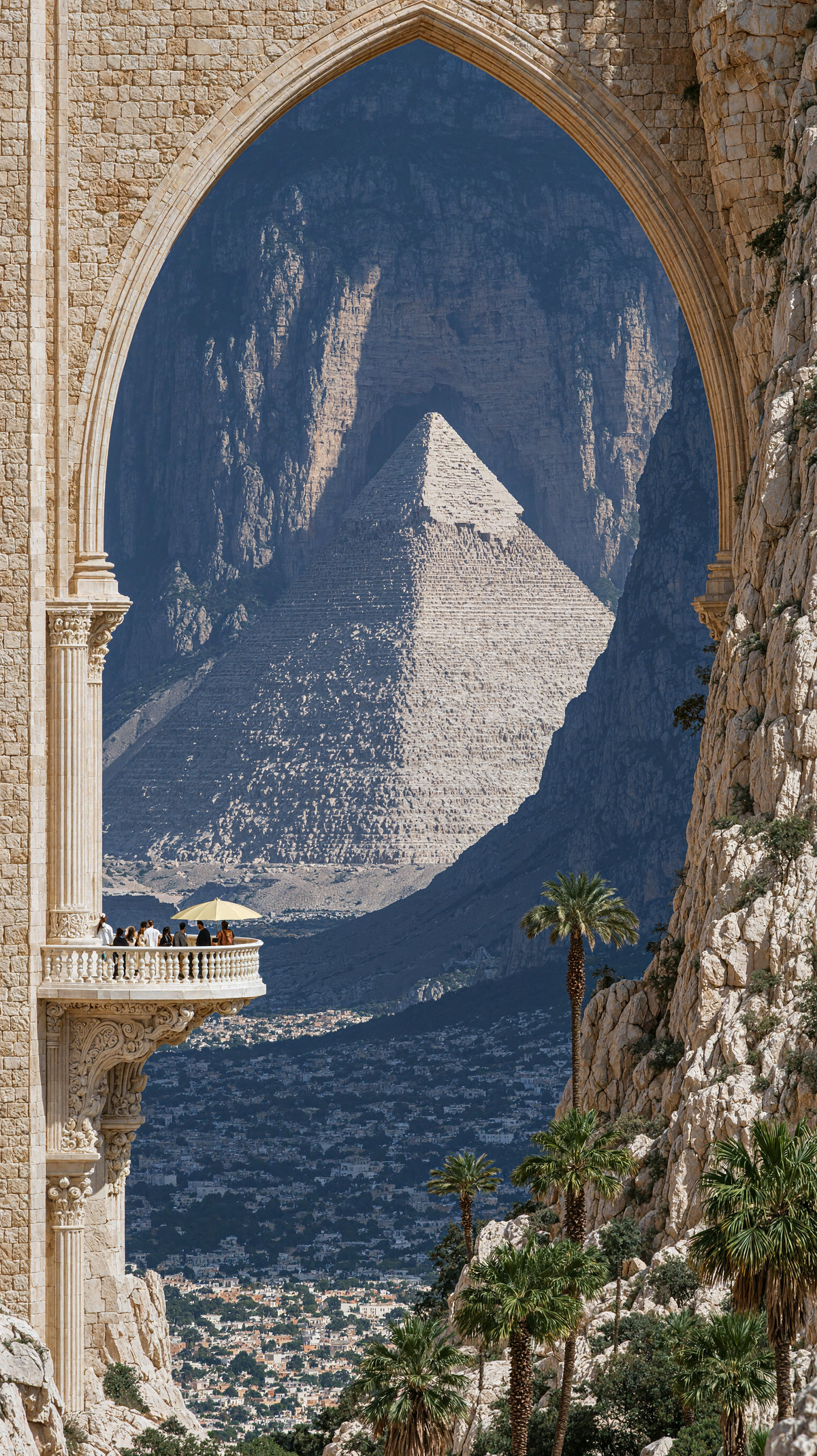
Large-scale style LoRA: high contrast, grand sense of scale, strong lighting and shadows; the author claims it is also suitable for portrait and fashion-style photos; ported from the Krea 2 version to H3 Image.
Images
Reasons for Recommendation
- Port: Previously available as a Krea 2 (Krea2Raw) version, trained on 448 Midjourney moodboard images; the H3 Image version uses the same dataset, trained only at 1536 and 2048 resolutions, 10,000 steps, Rank32, with the filename indicating GPT4.1 tagging.
- Clear trigger words, with 15 visible examples; the author claims all example images have embedded ComfyUI workflows, which can be dragged in directly for reproduction.
- The entire model page has 2418 downloads and 273 likes (indicating popularity only); this version has 15 downloads and 6 likes approximately 1 hours after publication.
How to Use
- Include the trigger word DCVSTEXP. (including the period) in the prompt; the author recommends generating at 4K, with higher resolution being better.
- The author did not provide a default strength value; if distant faces have issues, reduce to 0.7–0.8, or slightly reduce if the effect is too intense to let the base model take over; the author did not specify steps or sampler, refer to the embedded workflows in the example images.
Risks and Limitations
- The author admits that distant faces in the H3 Image version are poor, suspecting it was not trained at 1024 resolution.
- The training set consists of Midjourney-generated images, with a style similar to two X / Instagram creators; 5 sensitive-level examples have been hidden.
- The author requires attribution to their Civitai homepage when merging or reposting to other generation sites.
Trigger Words: DCVSTEXP.
Worth Watching (3)
[B] MiniMax H3 Image: Dual Pose Director - Manual VNCCS Skeleton Posing (ComfyUI) · v1.0
Workflow · New Model · Author AIKSK · Published 11-21 10:05 · Downloads 23
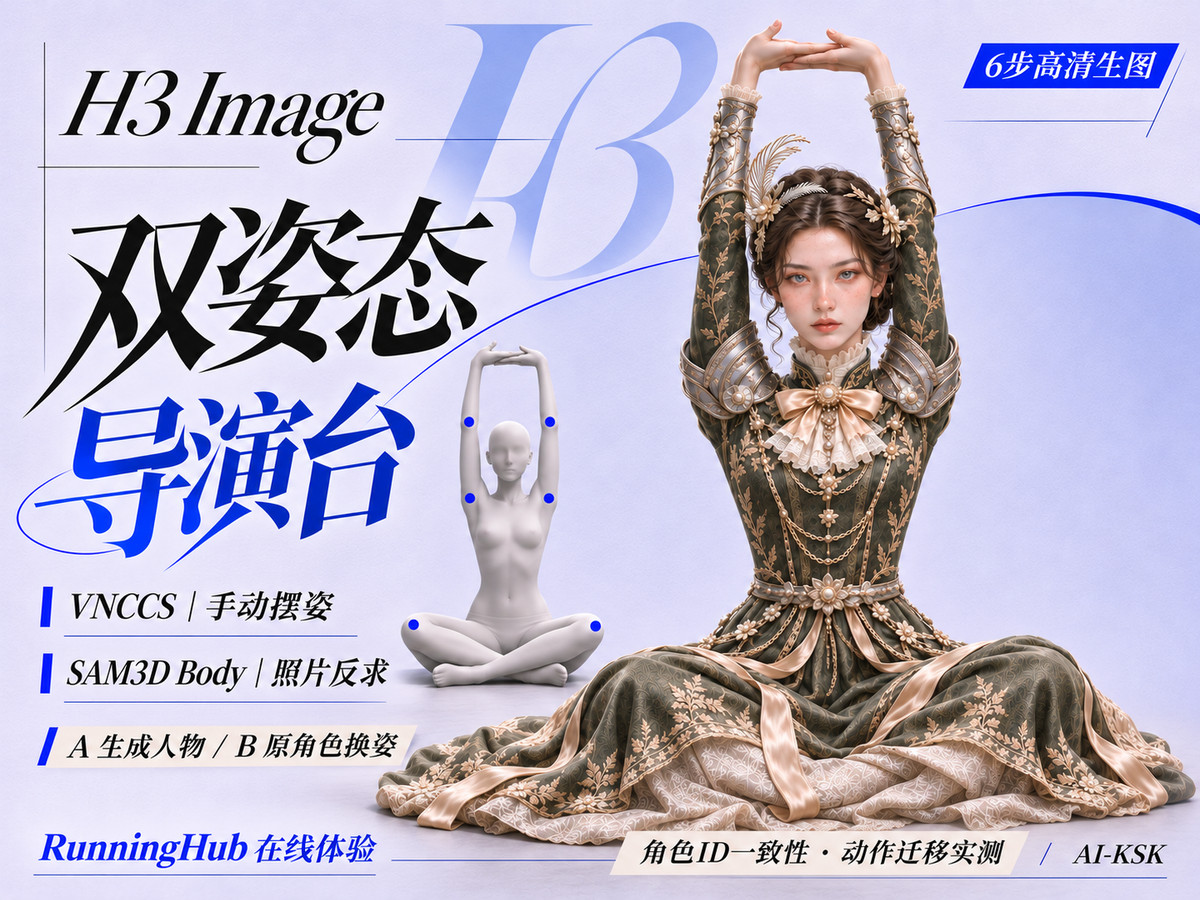
AIKSK's H3 Image manual posing ComfyUI workflow: manually pose a VNCCS 3D skeleton as a condition, while using a reference image to maintain character identity, generating high-resolution images in 6 steps.
Images
Reasons for Recommendation
- New workflow (not new weights): The base model is mislabeled as Flux.1 D, but the name, description, and dependency filenames are all for H3 Image, so it is categorized here.
- Serves character generation requiring precise action control: skeleton defines pose, reference image defines character; this is the A branch of the project, while the B branch (SAM3D reverse-engineering pose from photos) is only available as an online demo, with no downloadable JSON.
- Includes 1 visible examples; the author notes limitations: identity may drift in extreme poses, and 6 steps may require multiple runs.
How to Use
- Install VNCCS skeleton-related nodes and load the JSON; manually download the four files: minimax_h3_image_pruned_int8_convrot, minimax_h3_image_vae_fp16, qwen3.5_9b_w4a8_gptq, and qwen3vl_32b_minimax_h3_int8_convrot.
- Pose the skeleton, connect the character reference image, and run 6 steps; the author did not provide CFG or VRAM requirements.
Risks and Limitations
- The motion capture images embedded in the original workflow were removed due to unclear licensing and replaced with placeholders, which need to be supplied manually.
- The license does not allow any commercial use or derivatives; the online demo link contains the author's invitation code.
- Depends on VNCCS nodes and a 32B vision-language encoder; the author did not specify the exact node versions.
[B] Epic Seven Sprites · Sprites v2.0 MiniMax Img
LoRA · Port · Author iPiKo · Published 11-21 15:25 · Downloads 22
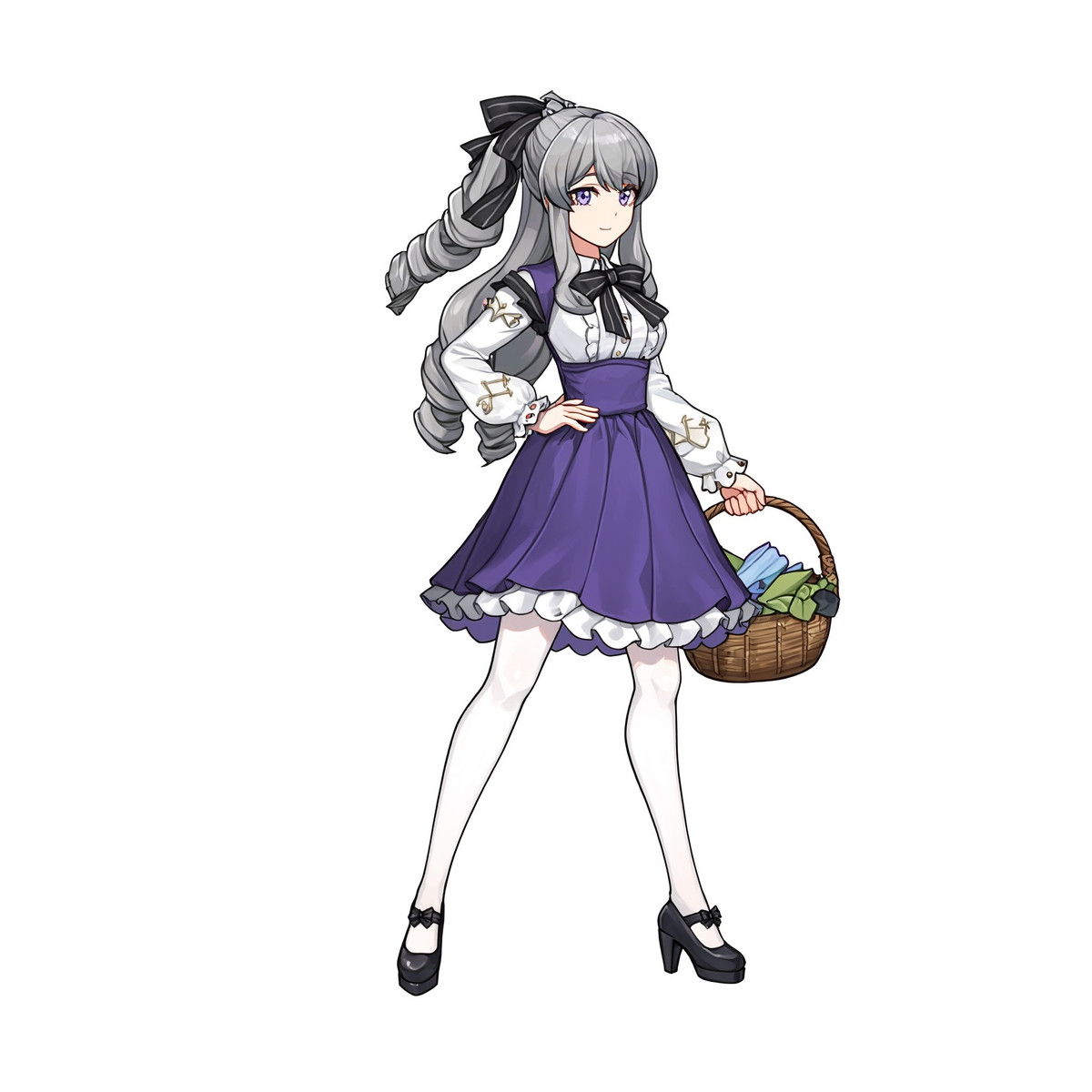
LoRA recreating the battle sprite style of the mobile game 'Epic Seven': clean outlines, full body, in-game idle poses, white background; the H3 Image version of the V2 series.
Images
Reasons for Recommendation
- Port: The V2 page already has Illustrious, Anima, and Krea 2 versions, trained on 305 white-background female hero sprites; the H3 Image version filename indicates 'base', epoch 10, but the model card does not specify differences between this version and others.
- Serves game art and 2D character sprites: side view is the classic battle angle, while three-quarter view shows more clothing details.
- Includes 1 visible examples; the entire model page has 844 downloads and 130 likes (indicating popularity only).
How to Use
- The model card states that the trigger word for all V2 versions is e7battlesprite (this version's API does not register a trigger word); H3 Image does not have a separate prompt syntax, so refer to the natural language style of the Krea 2 version: start with "A full-body game sprite in the e7battlesprite style shows a female hero standing in side view against a plain white background." then describe the character.
- The author recommends using a square canvas and requiring a full-body white background; the author did not provide strength or steps.
Risks and Limitations
- Trigger word not registered; the model card does not specify parameters or prompt rules for the H3 Image version.
- Trained only on female heroes; the author states that male and monster designs are experimental.
- Mimics commercial game art style; be mindful of original copyright before commercial use.
[B] MiniMax H3-Image: 16-image reference edit at 4K (ComfyUI) · v1.0
Workflow · New Model · Author AIKSK · Published 11-21 18:42 · Downloads 16
AIKSK's H3 Image Multi-Reference Editing ComfyUI Workflow: Edit with up to 16 reference images as conditions, maintaining consistency for characters or product sets across different angles, 4K output, 6 steps.
Image

Reasons to Recommend
- New workflow (not new weights): The base model is mislabeled as Flux.1 D, but the name, description, and tags all refer to H3 Image, so it is categorized in this section.
- Serves multi-angle consistency for character/product image generation; 48 nodes, author suggests using the single-image branch if there are only one or two images.
- Description is very short: No dependency filenames listed, no visible examples.
How to Use
- Load the JSON, connect reference images (up to 16) and run for 6 steps to get 4K output; weights are not included, specific files are not listed by the author in the model card.
- CFG and VRAM requirements are not provided by the author; the author states that memory usage and processing time increase with the number of reference images.
Risks and Limitations
- All examples are sensitive-rated (1 hidden), so effects cannot be previewed.
- The license does not allow any commercial use or derivatives; the online demo link includes an author invitation code.
- Dependent nodes and models must be verified by the user.
- The card image is an AI-generated illustration, not the actual model output; the author has no public non-sensitive examples.
Included Only (2)
- [H3 image]pwni style · v1.0 — LoRA: An experimental anime-style LoRA named pwni style, the first test version trained on the H3 Image pruned int8 version; the specific style is not described in the model card.
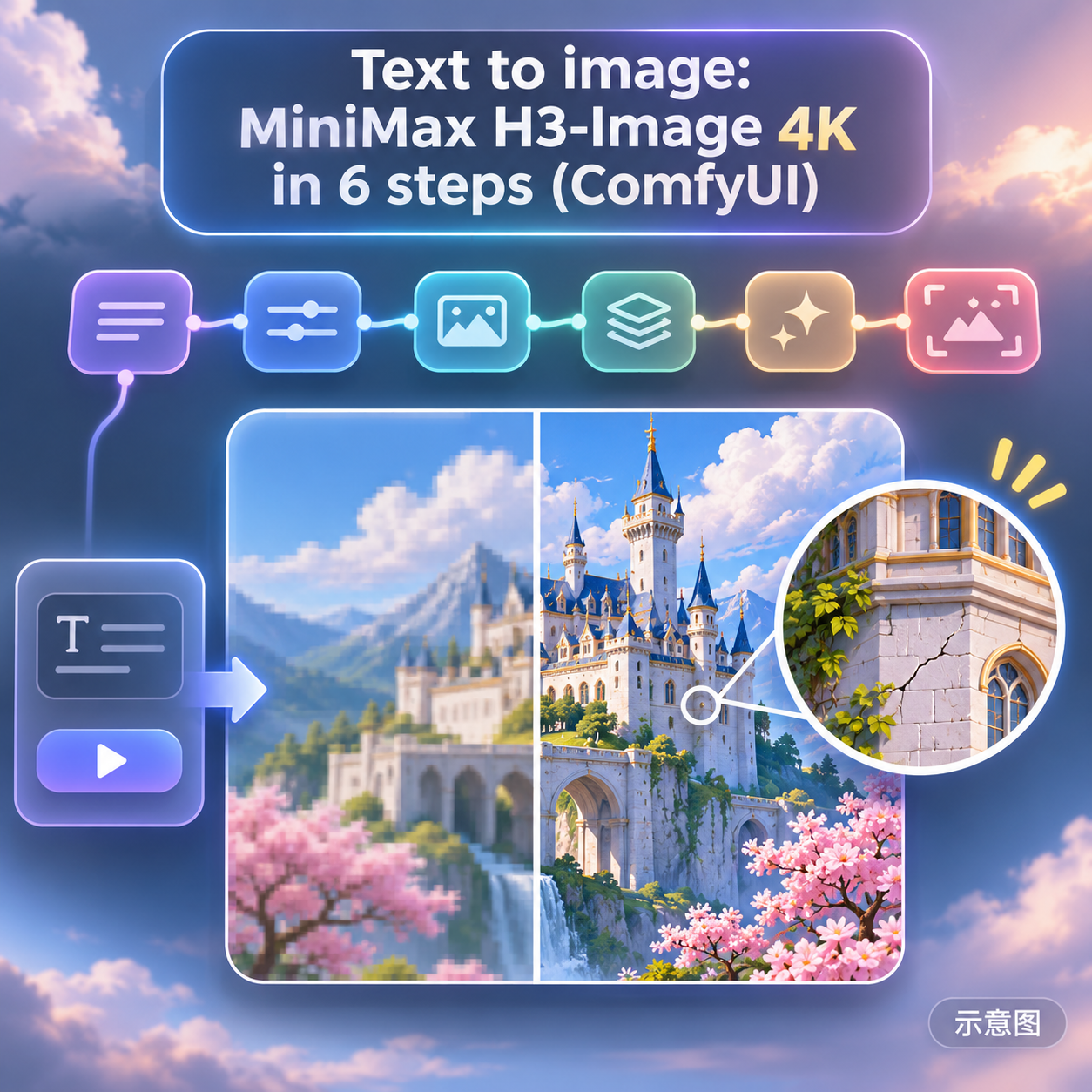
- Text to image: MiniMax H3-Image 4K in 6 steps (ComfyUI) · v1.0 — Workflow: AIKSK's basic text-to-image ComfyUI workflow for H3 Image: six nodes, input prompt, 6 step sampling, native 4K (approx. 16.8 MP) output.
Data: Civitai public API (base model MiniMax H3), inclusion window 11-21 08:31 → 11-21 21:01 (Beijing Time). Recommendations reviewed by editors; download counts only reflect attention.