Zhenzhen's AI Radar · MiniMax H3 · 2026-11-21 Morning Briefing
This issue features 14 new versions: Strongly Recommended 0 · Recommended 1 · Worth Watching 5 · Included Only 8
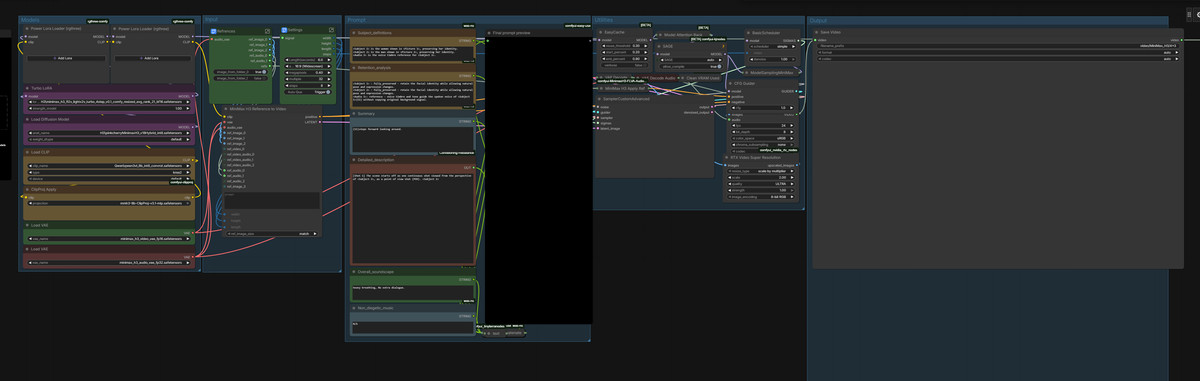
Editor's Note This issue reviewed 14 new versions of H3, with 1 rated A, 5 rated B, and 8 rated C; none were excluded. Top pick: Story Creator. It generates a complete story video from a properly formatted storyboard script in one go: Qwen Image 2.1 produces still frames, H3 generates scenes with dialogue shot-by-shot, and YuE2 provides the soundtrack, using only core nodes. Simply Advanced v1.7 adds video inpainting but includes only screenshot examples, so it is downgraded to B; Stable_Yogi’s batch of 4 workflows, 3 English voice cloning LoRAs, and free trial versions of two paid packages are listed as B / C.
Recommended (1)
[A] Story Creator 12GB — Script to Full Story Video: Qwen Image 2.1 Stills + MiniMax H3 Scenes with Voices + YuE2 Music · v1.4.0
Workflow · New Model · Author The_frizzy1 · Published 11-21 01:00 · Downloads 19
A ComfyUI workflow that generates a complete story video directly from a storyboard script: Qwen Image 2.1 Turbo produces still frames for each scene, MiniMax H3 converts each still into a shot with dialogue and sound effects, YuE2 generates the soundtrack, and a unified narrator voice is added.
The barrier to entry is time, not VRAM: first run one or two scenes using the included short script to confirm character consistency and lip-sync for dialogue before running the entire piece.
Images

Reasons for Recommendation
- Serves "long-form AI story videos": Input a properly formatted script, and output a finished video where the same protagonist appears throughout all scenes, every scene is animated, characters speak, and there is narration and music; the video portion is entirely handled by H3, so it is included in this section as usual (the same entry also appears in the Qwen 2.1 section)
- Approach to character consistency: Qwen Image 2.1 first generates a character image, and each scene's still frame is an edit of that image; H3 uses the FL2VA base model plus a 8-step turbo LoRA to generate scenes shot-by-shot, with duration automatically determined by the amount of dialogue; narration is run separately through H3 to extract only the voice, ensuring a consistent narrator voice throughout the film
- Uses only ComfyUI core nodes (Start Loop / End Loop), no custom nodes required; the author claims it runs on an RTX 3060 12 GB + 32 GB RAM setup, and lists download addresses and storage directories for all 9 model files
- The author also documents limitations: the built-in 8B text encoder performs poorly when automatically writing storyboards and is disabled by default; only the protagonist maintains consistency, while supporting characters require full description in every line
- Examples include 2 video segments + 6 images; the workflow itself is MIT licensed
How to Use
- Requires ComfyUI 0.39 or higher; download three Qwen Image 2.1 files (Turbo int8, Qwen3-VL 8B text encoder, VAE), five H3 files (fl2va pruned int8 base model, fl2v turbo 8step LoRA, Qwen3-VL 32B text encoder, video VAE, audio VAE), and one YuE2 file according to the model card
- Script format: The first line defines the overall art style with WORLD:; each subsequent line starts with [Camera Angle/Movement], followed by the scene description (location, full appearance of each character, actions); after || is off-screen narration, and after || Name: is the dialogue spoken by that character on screen; [continue] ensures the end of the current scene transitions smoothly to the next scene's visual rather than a hard cut
- Scene duration automatically ranges between 3–9 seconds; the author recommends using an LLM chat tool to write scripts according to the included HOW_TO_WRITE_A_SCRIPT.md, rather than using the workflow's built-in auto-writing feature
- The complete workflow is also available on the author's GitHub and FaceMirror mirror
Risks and Limitations
- The author states that v1.4.0 has no update notes and it is unclear what changed; timing data on the page comes from v1.0 and v1.2
- Very slow: The author's timing data shows a 1-minute final video takes about 43 minutes, a 3-minute video takes about 2 hours, and a 5-minute video (58 scenes) takes about 3 hours 35 minutes; a 5-minute story requires running overnight
- If exceeding approximately 30 scenes, split the run into two halves and stitch them together in editing software (memory usage increases by about 0.6 GB per scene); audio for each scene is generated separately, so loudness inconsistencies require post-production normalization
- Over-the-shoulder shots and characters partially cut off by the frame are prone to errors (protagonist appearing twice, two characters merging together)
- License conflicts: The workflow is MIT, but Qwen Image 2.1 (Qwen Research Licence) and YuE2 (CC-BY-NC-4.0) are non-commercial, and H3 has a separate community license; the commercial use checkbox on the Civitai page does not override these model licenses
- The base model is labeled as Other in the data; total model file size is tens of GB, and some examples are hidden (5 items)
Worth Watching (5)
[B] Simply Advanced - MiniMax H3 · v1.7
Workflow · Version Update · Author altoiddealer · Published 11-21 05:47 · Downloads 29
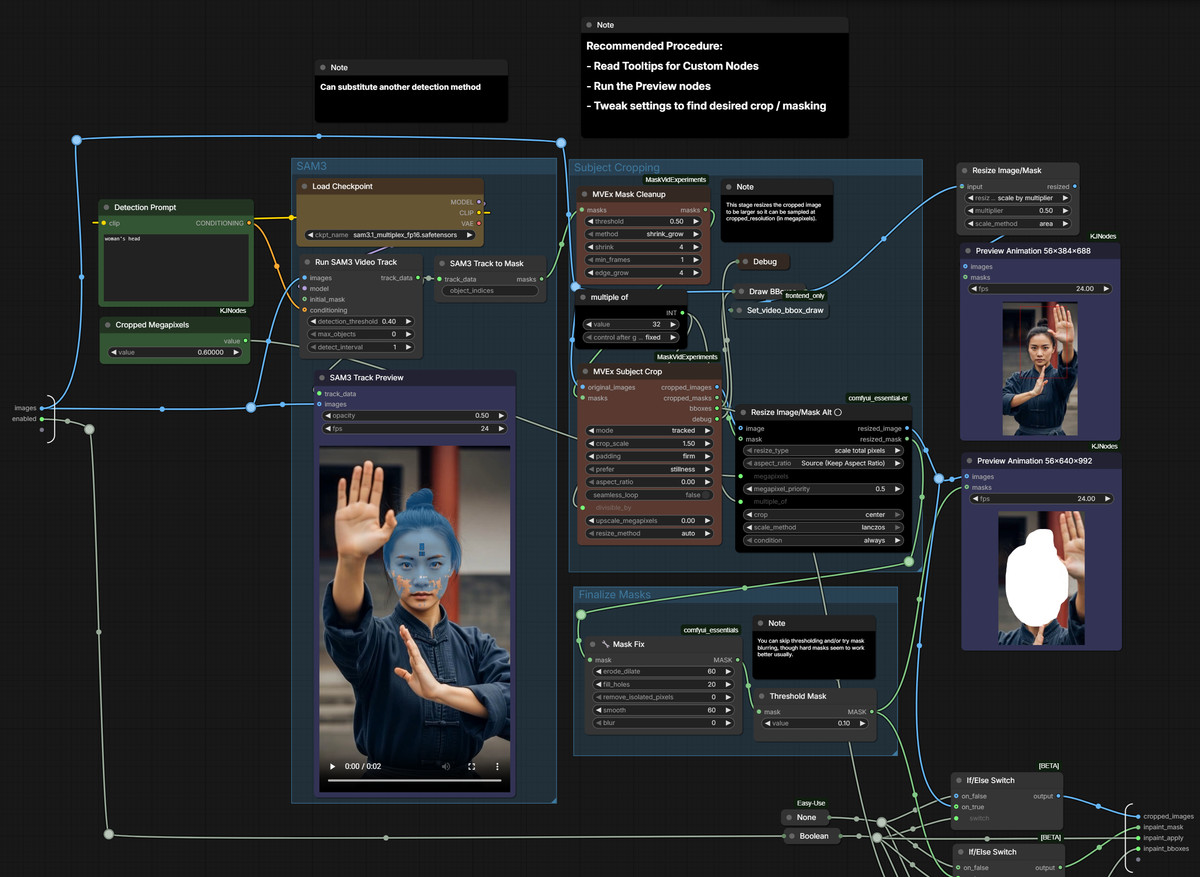
Version v1.7 of Simply Advanced, a multi-input integrated H3 workflow: adds a video inpainting toggle that regenerates content only within the tracked/masked area of the original video.
For those already using this workflow, this version primarily adds inpainting; beginners can disable LLM enhancement and inpainting initially, using only the reference/guidance parts. (Editor downgrade to B: This version's new feature has only 1 screenshots, with no video examples to judge the inpainting effect.)
Images
Reasons for Recommendation
- Version update: v1.7 adds Video Inpainting; enabling the toggle for the input Video 1 and simple configuration allows redrawing only the tracked masked area; cropping, masking, and pasting back are handled by MaskVidExperiments nodes
- Tool capabilities: Supports up to 6 images, 2 videos, and 3 audio clips, each configurable as reference, guide, or both; includes latent space upscaling / two-stage generation and staged LoRA management
- Seamless extension: Can continue from the end of the input video (Continuation), generate to the beginning of the input video (Convergence), or combine both to fill a segment between two videos
- Includes the author's 4-step Ref2VA prompt pipeline (expansion → reference analysis → creative blueprint → compilation into H3 prompt structure) and 1-step FL2VA prompt enhancement, with modes automatically determined by whether Image 1 / Image 2 contain images
- Cumulative model downloads: 1281, free
How to Use
- Required nodes: ComfyUI-Easy-Use, ComfyUI-KJNodes, and the author's comfyui_essential-er; for this version's video inpainting, also install MaskVidExperiments
- Optional nodes: VideoHelperSuite's Load Video, MiniMax H3 RefMods, Spectrum acceleration nodes, etc.
- Load simply-advanced_minimax_h3_v1.7.json, enable the Inpainting toggle on Video 1, and set up mask tracking; sampling parameters such as steps and strength use workflow defaults, which are not specified in the model card
Risks and Limitations
- The full model card requires comfyui-frontend version lower than v1.50.5 (Custom Combo nodes in subgraphs break with newer frontends), so users with new frontends need to downgrade
- Visible examples consist of only 1 screenshots (another 1 are hidden), with no video examples, making it impossible to judge the inpainting effect
- Many dependent nodes; LLM prompt enhancement requires a separate LLM configuration; this is a workflow JSON, not new weights
[B] MiniMax H3 Fused Turbo: Three Starter Workflows (Text, Image, Reference) · v1
Workflow · New Model · Author Stable_Yogi · Published 11-21 01:50 · Downloads 57
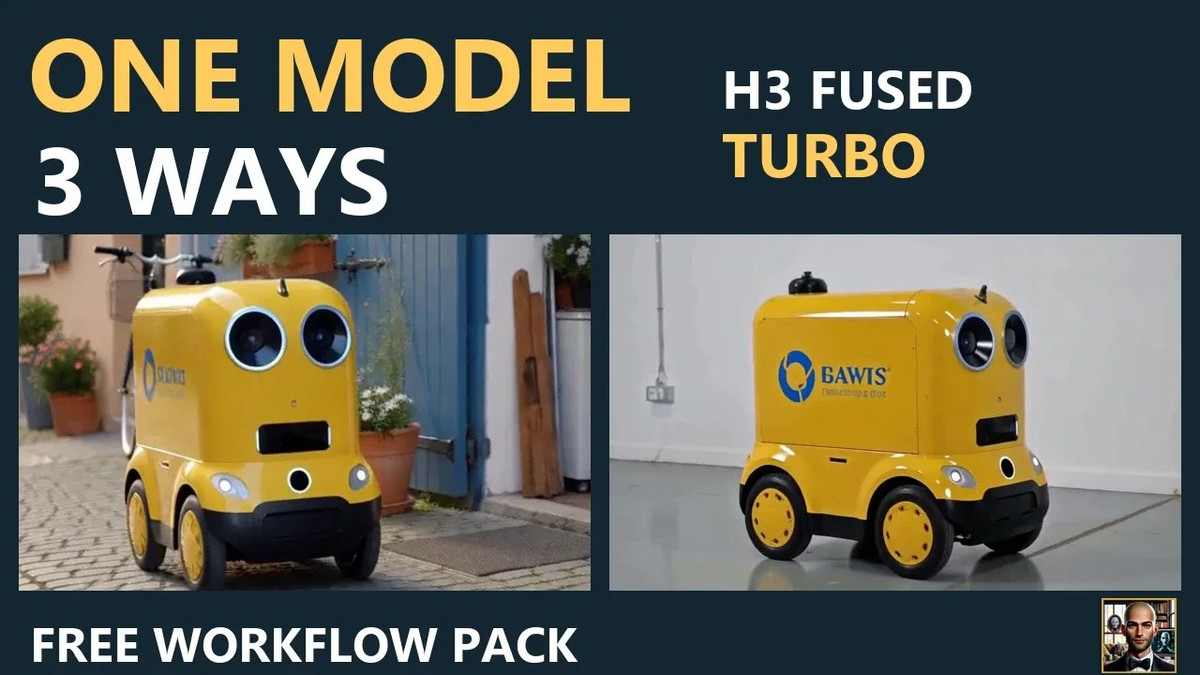
A starter workflow package by Stable_Yogi for the third-party fused acceleration model MiniMax H3 Fused Turbo: offering three starting methods—text-to-video, image-to-video (using your image as the first frame), and reference-to-video (using an image as a reference to shoot another shot).
Images
Reasons for Recommendation
- The same author released 4 H3 workflows on the same day; this is the starter pack: one model, three starting points, totaling 4 tested images (plus a 8-step version for comparison), with example images and QUICKSTART.md
- Few dependencies: Uses only ComfyUI core MiniMax H3 nodes; the zip file also contains .api.json versions for API calls
- Includes an author's YouTube tutorial video, free
How to Use
- Download MATLOWAI's minimax-h3-fused-turbo-int8-convrot from FaceMirror and place it in models/diffusion_models, then download the text encoder and video/audio VAEs from Comfy-Org/MiniMax-H3
- Unzip and drag one .json file into ComfyUI, select the model files in the loader, keep the CLIP loader type as minimax; test by running one image at a time
- The default step count for Fused Turbo is not specified by the author in the model card; check workflow defaults or compare with the 8-step version
Risks and Limitations
- Fused Turbo is a third-party fused model, not official weights; the author does not explain the quality difference compared to official acceleration LoRAs
- Examples consist of only 3 images, with no videos
- The author claims testing on ComfyUI 0.32; the license allows use of generated content but prohibits distribution of modified versions; detailed tutorials are hosted on the author's external portal
[B] MiniMax H3 Second Pass: Motion Repair Workflow · v1.0
Workflow · New Model · Author Stable_Yogi · Published 11-21 01:50 · Downloads 79
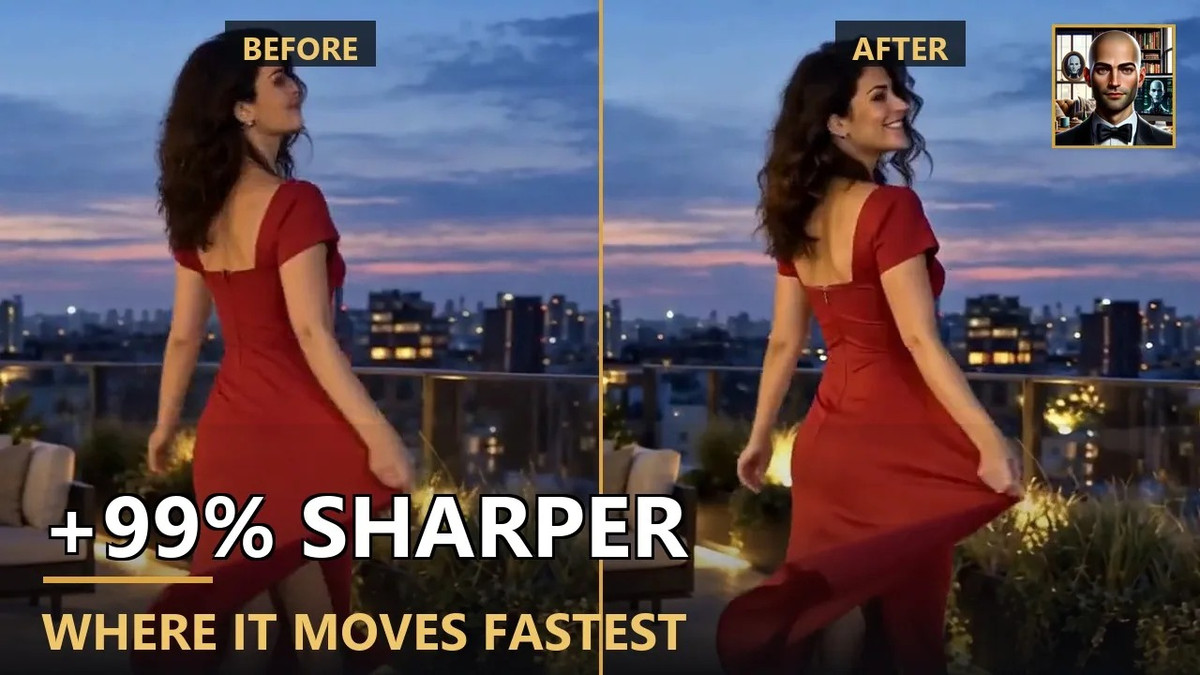
A video-to-video workflow that sends already generated H3 clips back through the model for a second pass to repair motion and clarity, while saving both the original and the second-pass results for easy comparison.
Suitable for testing with your own blurry action footage: the workflow automatically saves both versions side-by-side.
Images
Reasons for Recommendation
- Post-processing for H3 clips: The author claims that after the second pass, all parts of the image are clearer, with the fastest-moving parts improving by 99% (measured across all 124 frames; the specific metric is not specified by the author)
- Outputs two videos in one go (standard render + second pass), allowing for direct before-and-after comparison
- Unlike the same author's starter pack, this uses the official FL2VA pruned int8 base model plus the LightX2V 4 step adapter; the zip file includes example images and is free
How to Use
- Install ComfyUI-MAINodes v1.1.3 or higher (via Manager or git clone)
- Models: minimax_h3_fl2va_pruned_int8_convrot (19.5 GB), qwen3vl_32b_minimax_h3_nvfp4_awq text encoder (14.6 GB), minimax_h3_video_vae_fp16 (4.9 GB), audio VAE (missing it results in no sound), plus the LightX2V 4 step adapter placed in models/loras
- After unzipping, place example images into ComfyUI/input, check the paths for the 5 loaders, run once, and compare the two output videos; parameters such as denoising strength for the second pass are not provided by the author
Risks and Limitations
- The method used to measure the "99% improvement" is not public, so it can only be taken as the author's claim
- Only 1 example images are visible; there are no before-and-after comparison videos
- Specific filenames and links for the LightX2V 4 step adapter are not provided; the license only permits the use of generated content
[B] MiniMax H3 Location Sheet: The Same Room in Every Shot · v1.0
Workflow · New Model · Author Stable_Yogi · Published 11-21 01:50 · Downloads 75
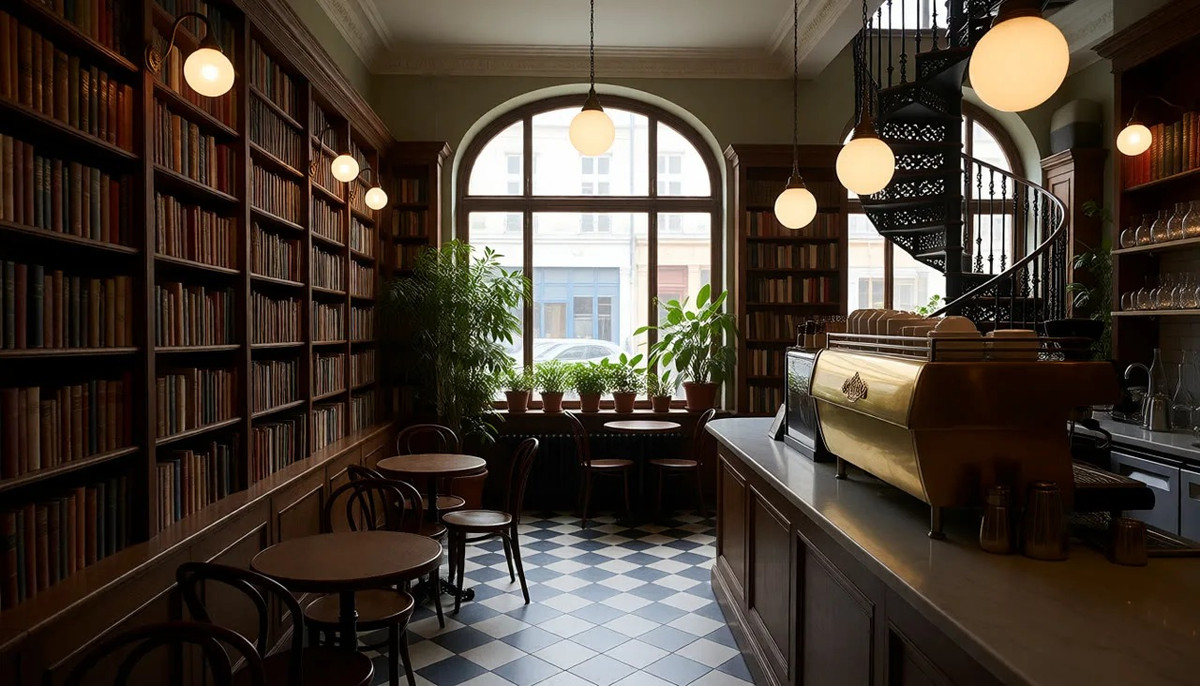
A three-stage workflow that maintains consistency of the same room across different camera angles: Krea 2 generates an empty room, FLUX.2 Klein 9B generates three additional views of the same room, and then H3 uses these as references to generate a 5-second shot with sound.
Image
Reasons for Recommendation
- Serves scene consistency: In multi-shot short films, room layouts often change when switching camera angles. Here, a "scene setting sheet" (one main view + three new views) is created first and then given to H3 as a reference; the author claims the room remains consistent during camera movements
- Three groups of nodes are arranged from left to right, using only core nodes; among the 4 workflows by the same author released that day, this is the only one that chains three model families
- Includes an explanatory video on the author's YouTube channel; free
How to Use
- Models: One Krea 2 model (the author uses their own Muse Krea2 V3.5) along with its text encoder and VAE; FLUX.2 Klein 9B along with its text encoder and VAE; MiniMax H3 Fused Turbo along with the H3 text encoder and VAE
- Run it as-is first to see the example room; when switching to your own scene, first modify the prompts in Group 1, clearly describing each large object and its position, and add "Empty, no people."
- Change the three view prompts in Group 2 to match your room and request significant angle changes; in the shot prompts, specify which part of the room each image corresponds to, then write a camera movement and one event that occurs
Risks and Limitations
- Heavy dependencies: Requires downloading and loading three sets of models simultaneously; VRAM and disk usage are not specified by the author
- Only 3 example images are provided, with no videos, so consistency effects cannot be judged from the page
- The zip file is small (workflow only); the license only permits the use of generated content; detailed tutorials are on the author's external portal
[B] The Daily Grind - Minimax H3 Workflow · v1.1
Workflow · Version Update · Author darkroast175696 · Published 11-20 23:00 · Downloads 43
A workflow v1.1 that combines several H3 tasks frequently used by the author (text-to-video, reference-to-video, etc.) into a single template, with optional two-stage rendering: loading action LoRAs and style/detail LoRAs at different stages.
Image
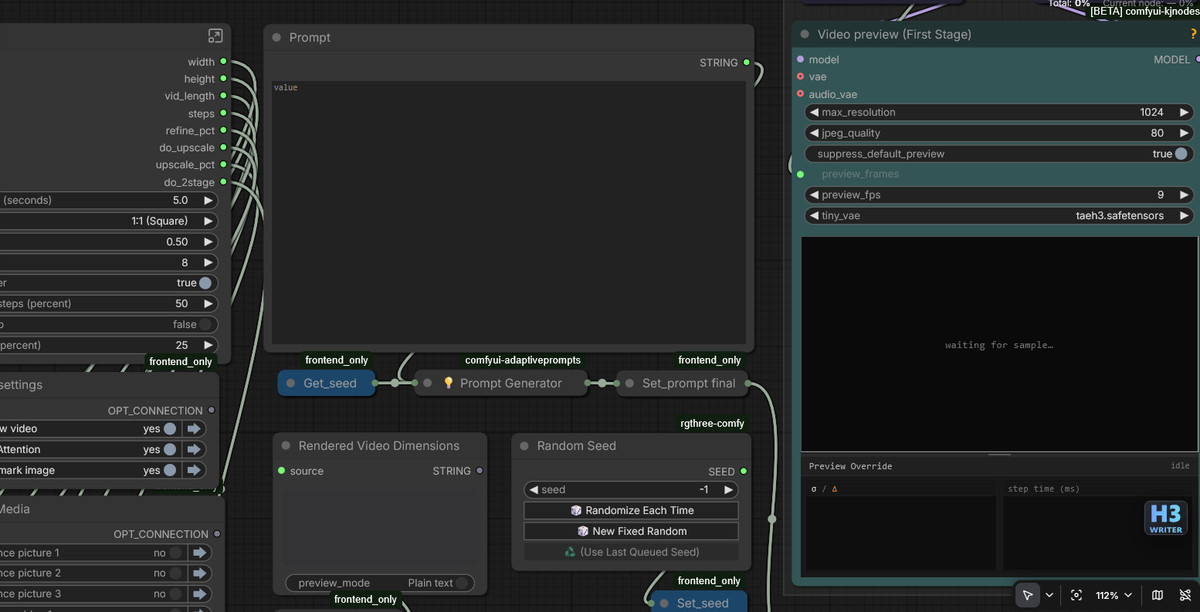
Reasons for Recommendation
- Two-stage rendering (similar in concept to Wan 2.2's dual-stage approach): The author claims that when action LoRAs become blurry at high resolution or style LoRAs corrupt the audio track, they can be placed in the stages where they are effective; the workflow includes recipe explanations for different scenarios
- Common settings are centralized in one screen area, eliminating the need to enter subgraphs to change parameters; switching between text-to-video and reference-to-video does not require changing templates; reproduction information such as seeds and prompts is easily accessible
- Version update: Replaced the prompt display node so that text is no longer lost when loading from old embedded video workflows; optional features are disabled by default to reduce required custom nodes; LoRA loaders are cleared by default, no longer pre-selecting the author's own LoRAs
How to Use
- After unzipping, load the workflow; red nodes either belong to groups disabled by available switches or are nodes that must be installed
- Currently, you must first enable Video Preview in the settings panel below the size/duration settings, otherwise the workflow will not run (a known issue acknowledged by the author, who states it will be fixed soon)
- Download models and LoRAs according to the author's recommended list; refer to the instructions within the workflow for steps and strength
Risks and Limitations
- Default settings have a known error; Video Preview must be manually enabled to run
- Only 4 workflow screenshots are provided, with no video examples
- The zip file name has been changed to h3-daily-driver; it is a workflow JSON, not new weights
Included Only (8)
- Ochaco Uraraka Voice (Eng) - My Hero Academia - Audio Only [Minimax H3] (Commission) · Minimax H3 v1.0 — LoRA: An H3 LoRA trained only on voice (timbre/voice cloning): Trained on English dubbing clips of Ochaco Uraraka from "My Hero Academia," enabling characters in generated videos to speak with her English voice.

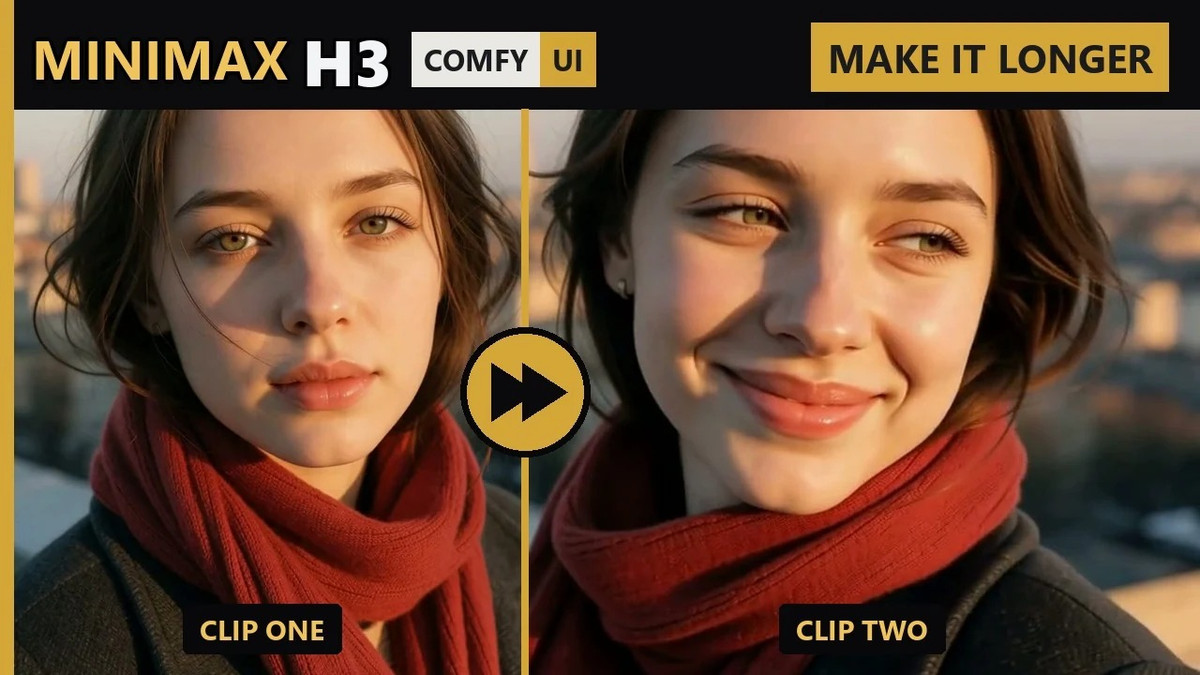
- MiniMax H3 Chain Clips: Make It Longer Than One Clip · v1.1 — Workflow: A basic continuation workflow that generates a second segment using the last frame of the first H3 clip, then stitches together the visuals and audio of both segments.
- HyperFlow H3 Flash — Fast Video with Sound in 4–8 Steps (ComfyUI) · v1.1 — Workflow: A free trial version v1.1 of the paid workflow pack HyperFlow H3 Flash: Quick draft presets for text-to-video using a compressed H3 model, generating short clips with stereo audio tracks in 4 steps.

- Maelle Voice (Eng) - Clair Obscur: Expedition 33 - Audio Only [Minimax H3] (Commission) · Minimax H3 v1.0 — LoRA: An H3 LoRA trained only on voice (timbre/voice cloning): Trained on English dubbing clips of Maelle from "Clair Obscur: Expedition 33," providing her voice for characters in generated videos.
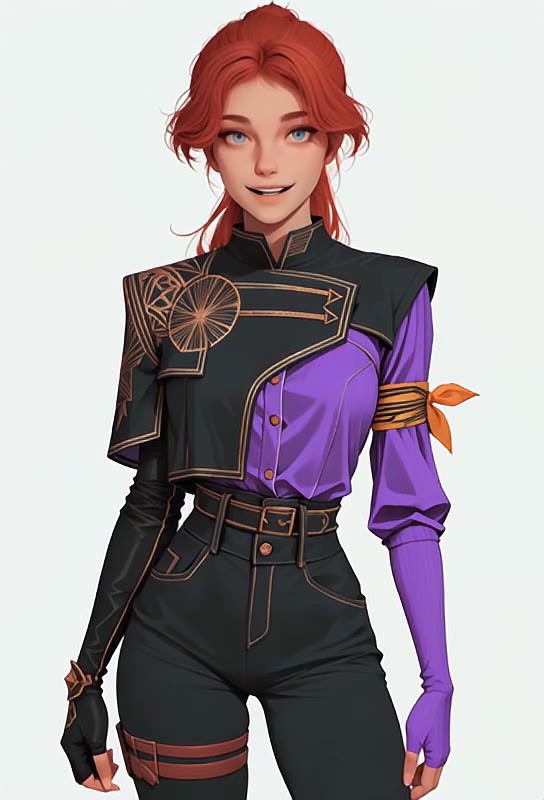
- FastH3 Omni Lip-Sync — Portrait + Voice Line to Talking Video (ComfyUI) · v1.1 — Workflow: A free trial version v1.1 of the paid workflow pack FastH3 Omni Lip-Sync: Input a portrait and a voice line to generate a 5-second lip-synced talking head video.
- MiniMax H3 Split Prompts · v1.0 — Workflow: Two workflows that split H3 prompts into separate input boxes for easier segmented editing: Ref2V (reference-to-video) v1.0 and FL2V (first-last frame) v1.1.
- Zelda Voice (Eng) - Breath of the Wild/Tears of the Kingdom - Audio Only [Minimax H3] (Commission) · Minimax H3 v1.0 — LoRA: An H3 LoRA trained only on voice (timbre/voice cloning): Trained on English dubbing clips of Zelda from "The Legend of Zelda: Breath of the Wild / Tears of the Kingdom."

- Gonzo Muppet · v1.0 — LoRA: An H3 LoRA for the Muppet character Gonzo, split into visual and audio files; the model card contains only the name.
Data: Civitai public API (base model MiniMax H3), inclusion window 11-20 20:31 → 11-21 09:01 (Beijing Time). Reasons for recommendation have been reviewed by editors; download counts represent attention only.