Zhenzhen's AI Radar · MiniMax H3 · 2026-11-06 Morning Report
This issue features 17 new versions: Strongly Recommended 2 · Recommended 3 · Worth Watching 5 · Listed Only 7
Editor's Note This issue reviews 17 new versions of H3. The top pick is the INBT cel-shading style LoRA: it unifies H3's default inconsistent animation style into a cel-shaded look with ink outlines and flat shading. Trigger words, weights, prompt structure, and sampling settings are fully documented, accompanied by 6 sample videos; Better Hair removes the frizzy, fragmented texture from H3's hair generation, also rated S. Other highlights include the Pika H3 Flex reference image workflow, Seed Hunter v3, and a segmented long-shot stitching workflow runnable on 12 GB GPUs (examples are hidden; rated A based on documentation). Updates for Minimax.. simple v5.1 and Lonecat V9.0 are minor or poorly documented, and Easy MH3 lacks a dependency list, so they are downgraded to B; six standard character LoRAs lack parameters, with most having no visible examples, so they are downgraded to C.
Strongly Recommended (2)
[S] INBT Cel Style - MiniMax H3 · H3 V1
LoRA · New Model · Author: AriaMaiven · Published 11-06 05:49 · Downloads: 54
A cel-shading animation style LoRA: featuring solid ink outlines, flat shading, and a rainy night neon color palette. It unifies H3's default animation style, which oscillates between American cartoons and Korean manhwa, into a single consistent look. The author claims the style remains unchanged during camera movements, character speech, and singing.
This style LoRA unusually specifies prompt division of labor: "Do not describe the drawing technique; describe the characters." Simply follow its first-sentence template to reproduce the results.
Images

Reasons for Recommendation
- Ideal for text-to-video 2D animated shorts, music videos, and dialogue scenes: The author claims that one-shot two-character scenes, lip-synced dialogue and singing, empty streets with no people, dusk, and neon lighting all maintain the style.
- The style itself does not impose fixed appearances; whatever character you describe in the prompt will be rendered in this style, allowing you to integrate your own characters into it.
- Usage instructions are complete: trigger words, weights, first-sentence prompt template, sampler, scheduler, steps, resolution, duration, and training base model are all provided; includes 6 sample videos.
- Free download; the license permits commercial use of generated images (requires attribution to the style).
How to Use
- Load inbt_h3_v1.safetensors with a weight of 0.8; write prompts following the official H3 format, placing the style description first: [Shot 1] 2D-animated in the inbtsint style, a medium shot at eye level...
- Do not describe lines, shadows, anime, or other drawing techniques (the trigger word handles this); fully specify each character's hairstyle, eyes, skin tone, tattoos, and clothing.
- Author's test environment: MiniMax H3 FL2VA pruned int8 ConvRot text-to-video in ComfyUI, 20 steps, res_multistep + simple scheduler, 768x1344 or 1344x768, 5 seconds; the training base model is FL2VA pruned.
Risks and Limitations
- When the weight is increased to 1.0, lines become heavier, and unrequested marks (such as crosses on the forehead or scratches on the temples) may appear on faces; the author therefore recommends a weight of 0.8.
- Background text turns into garbled glyphs; the author explains this is an inherent issue with H3 itself, unrelated to the LoRA.
- Redistribution is prohibited, and using its generated images to train other models is also forbidden (requires prior consent from the author); 1 sensitive-level examples are hidden; this entry has not been tested by us.
Trigger Word: inbtsint
[S] Minimax H3: t2va (T2V) – Polyhedron: Better Hair · v1.0
LoRA · New Model · Author: Polyhedron_AI · Published 11-06 01:41 · Downloads: 197
A LoRA for fixing H3's hair generation: The author notes that H3 often produces hair with frizzy, crackling textures. This LoRA adjusts the overall hair strand structure to remove this effect; the author describes the result as "better" rather than "perfect."
You can use the same prompt and seed to compare three intensity levels: 0 / 0.6 / 0.7, to see if hair frizz is reduced.
Images

Reasons for Recommendation
- Addresses hair texture issues in text-to-video generation (model name indicates t2va). It is a general-purpose repair LoRA that can be used alongside character and style LoRAs.
- Trigger words and intensity levels are provided: ha8ir, with an intensity of 0.6–0.7; the author also registers descriptive terms for hair quality such as perfect hair, thick hair, airy volume, and natural waves.
- Includes 3 sample videos; free download; achieved 197 downloads within 7 hours of release, making it one of the most watched entries this issue.
How to Use
- Load polyhedron_minimax_h3_image_lora__hair_ha8ir.safetensors with a strength of 0.6–0.7, and include "ha8ir" in the prompt; you can also add descriptions such as thick hair, natural waves, and soft flyaways.
- It works most reliably when used alone. The author did not specify the number of steps or CFG scale. The author's four accompanying workflows are available on their Patreon, and LoRA stacking can be combined with the ComfyUI-PolyhedronLoRAStack node from the author's GitHub.
Risks and Limitations
- The author explicitly states that results become complex and are not guaranteed when multiple LoRAs are stacked simultaneously.
- The license does not permit commercial use; the filename includes image_lora, suggesting the training material may be images rather than videos, though the author has not clarified this; 1 sensitive-level examples are hidden; this entry has not been tested by us.
Trigger Words: ha8ir, perfect hair, thick hair, airy volume, natural waves, soft flyaways, hair subsurface scattering
Recommended (3)
[A] Pika H3 Flex Reference Workflow | Direct Movie Scenes With Sound From Your Pictures | 6 Steps | ComfyUI · v1.0
Workflow · New Model · Author: TheLocalLab · Published 11-06 00:34 · Downloads: 63
A ComfyUI workflow: Use 1–3 of your own images as references to generate short films with camera movements, dialogue, sound effects, and music locally using Pika H3 Flex (a reference-image adapter based on H3's open weights by Pika Labs) in 6 steps. It includes a VSA acceleration gate and an optional Semantic Bridge toggle.
Images
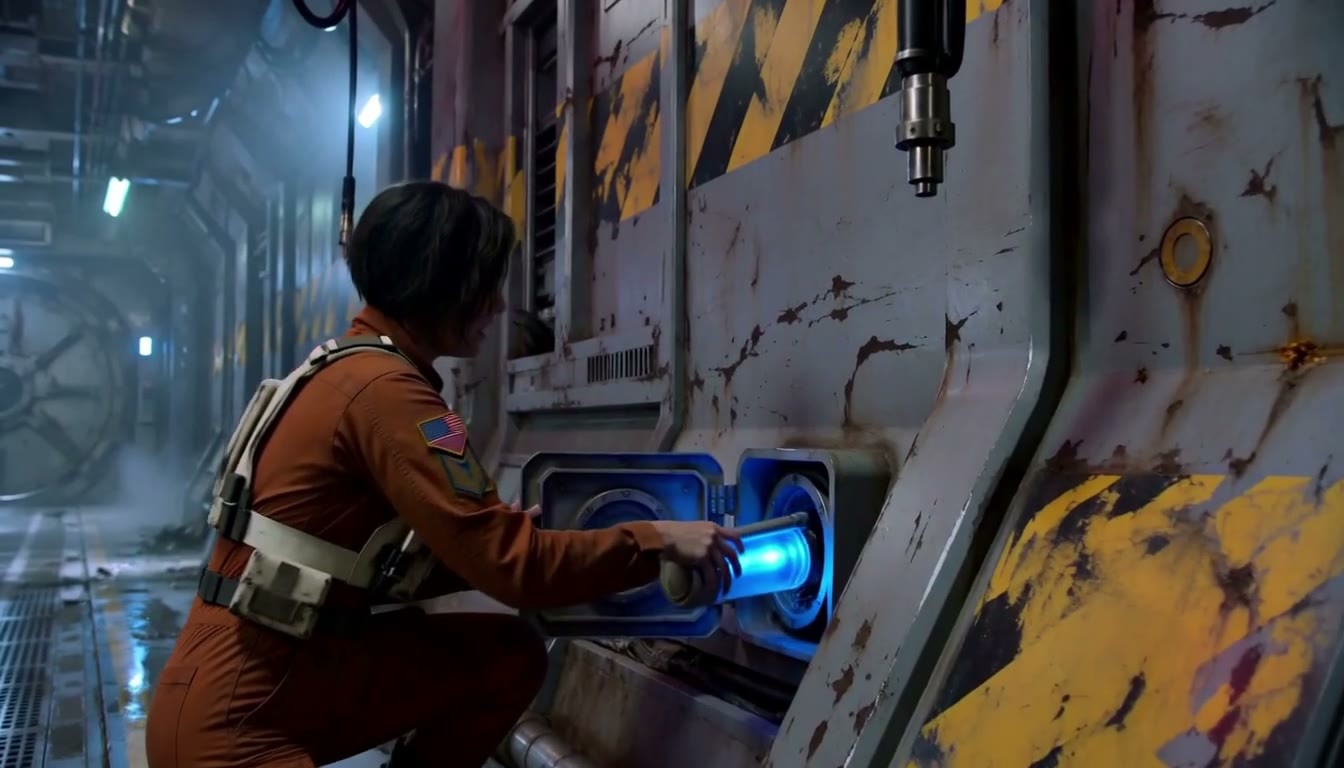
Reasons for Recommendation
- Supports reference-image-to-video (Ref2VA) and first-frame-to-video generation: Each reference image forms a group, or you can switch to First Frame Mode to start from a single image; outputs videos with audio, plus an option for 2x RTX upscaling.
- Chains together the H3 Ref2VA int8 main model, qwen3vl 32b text encoder, video/audio VAEs, pika_h3_flex_ref2va adapter, fasth3_vsa_gate acceleration gate, Semantic Bridge, as well as Ref2VA VSA, Semantic Bridge, Memory Cleanup, RTX, KJNodes, rgthree, and VideoHelperSuite nodes. The image notes list links for each model.
- Parameters are preset: lcm sampler, Pika's six manual sigmas, CFG 1, adapter strength 1, gate sparsity 0.75; the author provides timing data on an RTX A4500 (20 GB): a 0.6 MP (1056x608) 5-second clip takes 1:43, and 2:11 with the acceleration gate disabled.
- Includes prompt writing suggestions: one location and one complete small story per segment, describe positions relative to the frame, specify camera angles for each shot, articulate cause-and-effect relationships, and define each reference image separately when using multiple.
How to Use
- Download Pika-H3-Flex-References-SemanticBridge.json. Follow the notes in the image to download models and place them in diffusion_models / text_encoders / vae / loras and a newly created models/semantic_bridge directory. Install missing nodes using ComfyUI Manager.
- Keep preset parameters and ensure the memory cleanup node remains enabled; test prompts with short clips first. The author of Semantic Bridge found that enabling it improves visuals but disabling it improves audio in sitcom tests; try both settings.
Risks and Limitations
- Heavy dependencies: The author estimates total model size at approximately 48 GB, requiring CUDA 13 (cu130) version of PyTorch, NVIDIA drivers 580 or higher, and a relatively recent ComfyUI version (author tested on 0.44.0).
- VRAM requirements: On a 20 GB card, an 0.8 MP 15-second clip will cause out-of-memory errors. Three reference images at 1344x768 for 15 seconds require a 24 GB card; the 16 / 12 GB figures are simulated by limiting VRAM on a 20 GB card by the author, with peak usage around 17 GB for 15-second clips. It is recommended to start with short clips.
- The Semantic Bridge author lists reference image workflows as unsupported in v1 and warns of lip-sync issues with reference audio; Pika H3 Flex and H3 follow the MiniMax H3 community license, so review the license before commercial use.
- Only 1 sample videos are visible; 3 sensitive-level examples are hidden; this entry has not been tested by us.
[A] Minimax H3 SEED HUNTER - Latent Upscaler, Seamless Video Continuation, Dialogue Gen Tool, Speedups, Ref Mods · v3.0
Workflow · Version Update · Author: foxydits · Published 11-06 07:57 · Downloads: 55
Seed Hunter v3.0: A "seed hunting" workflow that first generates 3 low-resolution previews, allowing you to select a satisfactory seed before upscaling for the final output. This version switches to ComfyUI's built-in latent upscaler and adds options for frame extraction, animation frame sampling, and dual prompt editors.
Images
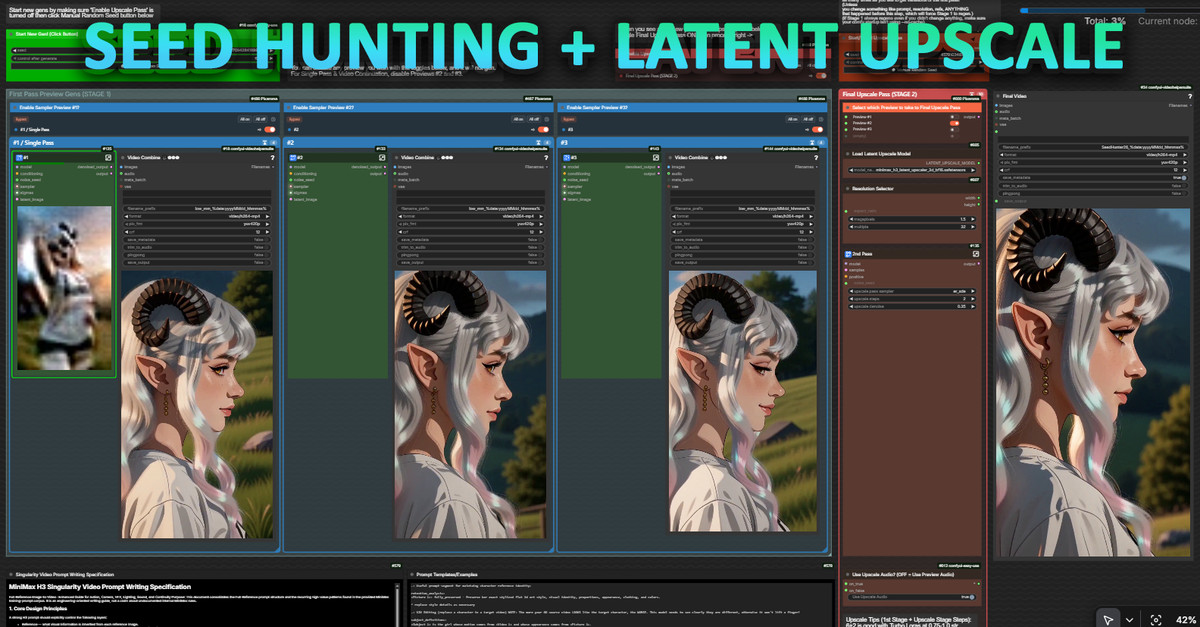
Reasons for Recommendation
- Version update: Switched to the Latent Upscaler built into ComfyUI 0.44 by Kijai (the author claims it is faster and resolves OOM issues caused by VRAM spikes), so an upgrade to 0.44 is required
- New features: First/last frames are saved separately to output/saved_frames/; Anime Cadence animation frame extraction makes the motion rhythm of 2D animation more like traditional animation; the final output can use the audio from the preview clip; a second prompt editor allows writing the next prompt while the current one is running; prompts are automatically saved to output/prompts/
- The workflow itself covers seamless continuation, custom audio, 24 FPS frame interpolation to 48-60, and dialogue/voice cloning tools; the entire model page has accumulated 39146 downloads, 1111 likes, and 307 comments, indicating high interest
How to Use
- After upgrading ComfyUI to 0.44, import FoxFurEssence H3 Seed Hunter v3.json; download the minimax_h3_latent_upscaler specified by the author and place it in the latent_upscale_models directory
- Nodes: Anime Cadence, Pixaroma, Prompt IDE, MiniMaxH3-PromptBuilder, RefMods, etc., most of which can be installed via Comfy Registry; for acceleration, configure the Silveroxide Dareties turbo LoRA recommended by the author and Kijai's int8 video VAE
Risks and Limitations
- The v3.0 usage instructions are marked by the author as "coming soon"; the existing guide is for v2.5; there are many dependent nodes, which need to be verified individually
- Only 2 visible image examples are provided, 5 sensitive-level examples are hidden, and there are no visible videos; this entry has not been run
[A] MiniMax H3 long take: one 40-50 s shot from chained segments (12 GB) · v1 (12 GB tested)
Workflow · New Model · Author semenovsas776 · Published 11-06 04:32 · Downloads 55
A workflow + script package that chains 4-6-second H3 clips into a 40-50-second continuous long take; the author completed it on an RTX 4070 SUPER 12 GB; the author claims that faces, clothing, and colors are maintained until the end, and the seams are invisible.
The most complete long-take solution in this issue: it provides the workflow, prompt planning, and quality check scripts together, suitable for those who want to do a one-shot dialogue scene to read the article before starting.
Images
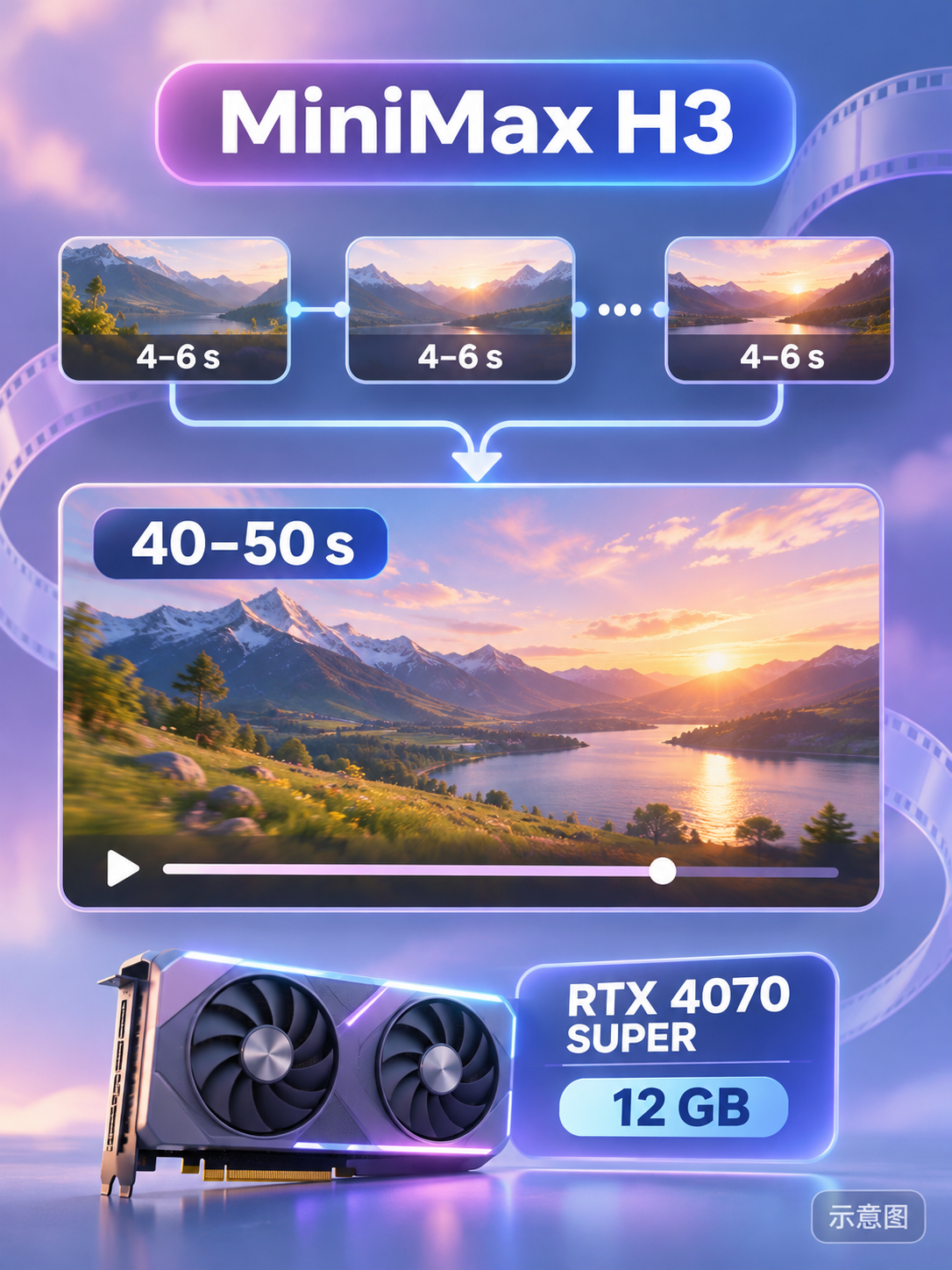
Reasons for Recommendation
- Solves the long video problem of limited single-segment duration and jump cuts during stitching for H3: each segment continues from the tail of the previous segment's latent (continuation mode of FeiHou Easy H3, 22+22 frames); from the 2th segment onwards, reference mode is used with face reference images and opening images; each segment repeats the full clothing description and describes props according to state
- The compressed package contents are complete: UI workflows for the 1th and Nth segments (including setup instructions), corresponding API format diagrams, system prompts for planning (paste into any chat assistant to generate text for each segment), and a storyboard plan for a cafe scene, along with scripts for plan checking, batch running chains via ComfyUI API, seam/stutter detection, face similarity, and review sheets
- The author provided time costs: 4070 SUPER + 96 GB RAM, the 1th segment takes about 1.5 minutes, and each subsequent segment takes 2.5-3.5 minutes; the complete method is in another article (civitai.com/articles/38141)
How to Use
- Requires ComfyUI + FeiHou Easy H3, FeiHou Toolbox, KJNodes, MiniMax H3 Remix v0.8 model, text encoder and VAE from Comfy-Org/MiniMax-H3, and H3 latent upscaler; ReActor is only needed when swapping faces in the first frame
- First use the planning prompt to have the chat assistant write the text for each segment, run the 1th segment, then use the Nth segment workflow to continue segment by segment, or use the attached script to automatically run the entire chain via API
Risks and Limitations
- Both example videos (realistic and comic versions of the same cafe scene) are marked as sensitive and hidden, so the actual seam effect cannot be seen; the rating is based on the documentation
- The main model uses MiniMax H3 Remix v0.8 rather than official weights; the author does not specify if the same continuity can be achieved after switching models; this entry has not been run
- The card image is an AI-generated diagram, not the actual effect of the model; the author has no publicly available non-sensitive examples
Worth Following (5)
[B] Minimax.. simple · v5.1
Workflow · Version Update · Author sy0ww4bb1984 · Published 11-06 03:10 · Downloads 35
v5.1 of the "Minimax.. simple" large reference-image-to-video + segmented extension + upscaling workflow: adds video reference options, instructions for video-to-video replacement, passthrough for upscaling, and re-adds kitchen attention.
Images
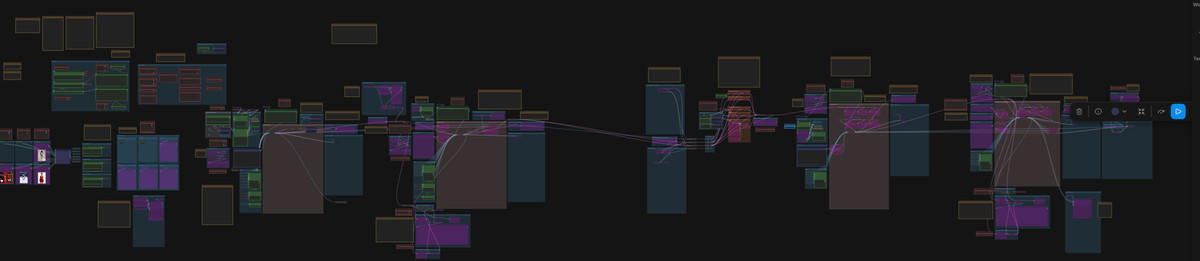
Reasons for Recommendation
- Version update: Compared to v5, it adds video reference input and vid2vid replacement instructions; the author stated on the page that v5.1 initially required a video reference to generate output, which was fixed in 5.11 (download filename is minimaxv5.11.zip)
- The entire process chains reference-image-to-video (multiple images, multiple audio references), batch extension by frame count with synchronized audio, and three types of upscaling (RTX / latent / resize); LoRAs, prompts, seeds, and references can be changed for each batch; the model page has accumulated 2860 downloads
- The author lists sources for accompanying distilled and upscaling LoRAs: Kijai's MiniMax-H3-experimental, Comfy-Org's loras, and Pika-H3-Flex-Turbo-LoRA
How to Use
- Download minimaxv5.11.zip, unzip, and import into ComfyUI; author's parameter tips: LoRA strength 0.4-1.0, segments set by frame count rather than seconds, maximum 300 frames at 1MP per batch, optional Beta57 8 / 6 / 4 step sigma
- It is recommended to use a 2x scaling factor for upscaling (the author claims non-integer multiples will stretch the image); memory nodes require keeping independent audio/video latents enabled and placed outside groups
Risks and Limitations
- Update notes are scattered: v5.1 and 5.11 are mixed together, and there is no elaboration on what kitchen attention is or how to connect video references
- The author claims to have only one mid-range computer and finds it difficult to fully test this large workflow; ComfyUI updates often break it; dependent nodes and models need to be verified by the user
- Only 1 visible image examples are provided, 4 sensitive-level examples are hidden, and there are no visible videos; this entry has not been run
[B] Lonecat’s MiniMax H3 FL2VA/ REF2VA | Low VRAM Video Workflow w/ Low VRAM Optimizers, Upscaler, & Post Production · V9.0 Faster & Better
Workflow · Version Update · Author lonecatone23 · Published 11-06 08:04 · Downloads 14
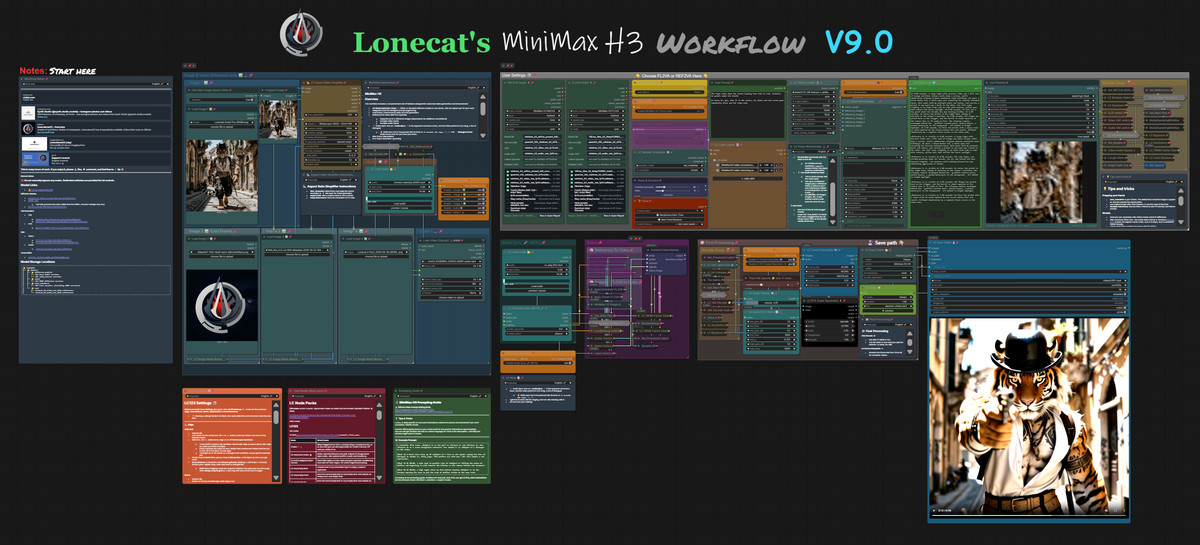
Lonecat's H3 first/last frame / reference-image-to-video large workflow V9.0: the only explicitly stated change is removing Ultimate Upscale and replacing it with an upscaling method the author tested while working on another workflow.
Images
Reasons for Recommendation
- Version update: The author claims that after testing many upscaling methods, they found that most people's approaches have issues, so they removed Ultimate Upscale; the author claims the final result is better, but the specific method is detailed in an external link and not elaborated on the model page
- The workflow itself supports first/last frame (FLF2V) and reference images (REF2V, up to 4 reference images), video and audio input, the author's custom LC Vision for image-to-prompt generation, RIFE frame interpolation, RTX super-resolution, and GGUF models; notes in the image are in Chinese
- Free; the entire model page has accumulated 5301 downloads and 207 likes
How to Use
- Import MiniMax H3 Ver 9.0 (1).json; the author recently updated their node package, so if errors occur, manually download from the author's GitHub (lonecatone23)
- The author states this is an advanced workflow, not for beginners; beginners can use the author's other simplified workflow. Step counts and VRAM requirements are not provided by the author
Risks and Limitations
- The update note is only one sentence, and details of the upscaling method are in an off-site link, making it impossible to verify on the model page
- Depends on multiple node packages by the author; only 1 visible image examples are provided, 2 sensitive-level examples are hidden; this entry has not been run
[B] Easy MH3 (video generation + upscale using chunking + 60 FPS) · v1.0
Workflow · New Model · Author Crimson009 · Published 11-05 23:15 · Downloads 67
A two-pass H3 workflow: the first pass generates the video, the second pass upscales to high resolution using temporal chunking, and then RIFE interpolates frames to 60 FPS, focusing on saving VRAM and ease of use.
Images
Reasons for Recommendation
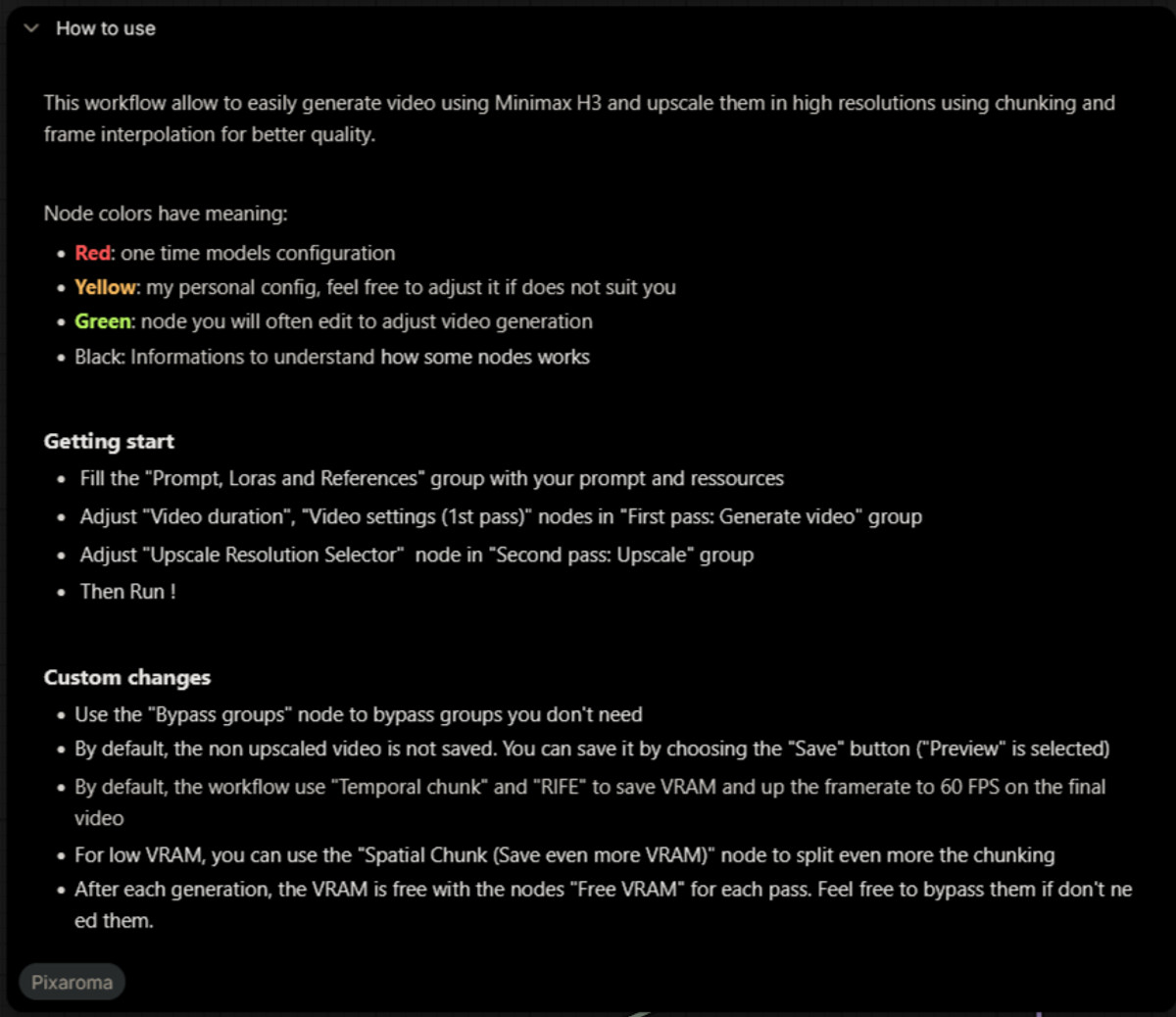
- Serves scenarios wanting high-resolution, high-frame-rate final videos but with limited VRAM: defaults to temporal chunking + RIFE; if VRAM is lower, Spatial Chunk can be used to further subdivide; a Free VRAM node releases VRAM at the end of each pass
- Nodes are color-coded by purpose: red is for one-time model configuration, yellow is for the author's personal settings, green is for frequently changed generation parameters, and black is for instructions
- Operation steps are clearly written: fill in the "Prompt, Loras and References" group, adjust video duration and first-pass settings, then select the upscale resolution and run; unnecessary groups can be turned off using the "Bypass groups" node
How to Use
- Import Easy_MMH3_2pass_chunked_RIFE_upscale_V1.json and fill in as described above; unupscaled videos are previewed but not saved by default; change Preview to Save if needed
- The author does not provide information on required models, nodes, step counts, or VRAM
Risks and Limitations
- Dependent models and custom nodes are not listed; you can only see what is missing after importing
- Only 1 visible image examples are provided, 2 sensitive-level examples are hidden, there are no visible videos, and the upscaling effect cannot be verified; this entry has not been run
[B] Prophetero Test Bench + Take Compare GLOBAL · v0.4
Workflow · New Model · Author Prophetero · Published 11-05 22:09 · Downloads 19
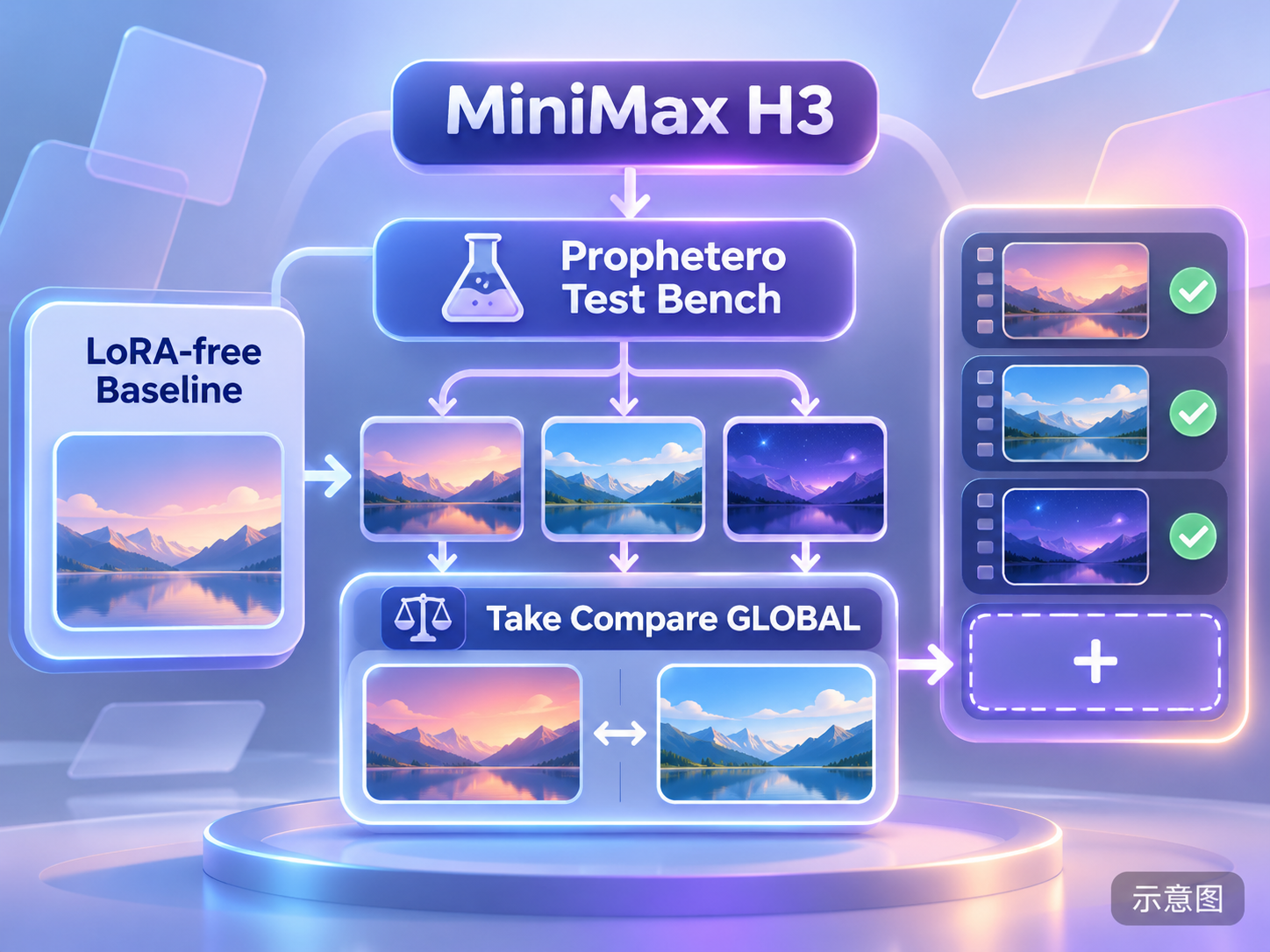
A testing and comparison tool (Test Bench + Take Compare, public beta) integrated into ComfyUI: it runs short test clips of a no-LoRA baseline and multiple LoRA combinations within the same workflow, compares visuals, motion, and audio side-by-side on the same page, and then converts the selected settings into a full-length render or exports the workflow with one click.
Images
Reasons for Recommendation
- Solves the workflow problem of repeatedly switching tabs and forgetting parameters when adjusting LoRA combinations: each sample card allows searching for LoRAs, setting toggles and strengths individually, and displaying saved settings; it recognizes H3 / LTX duration controls to automatically shorten test runs, and completed test runs are not re-run when adding new experiments
- Take Compare supports comparing up to four clips simultaneously, with frame-by-frame viewing, time offset, linked zoom, note markers, and 0.25x–2x playback speed; it displays mono/dual-channel waveforms and peak/RMS levels of the original audio track
- Supports Power Lora Loader (rgthree), LoraLoader, and LoraLoaderModelOnly; output nodes support SaveVideo and VHS_VideoCombine; the interface is available in eight languages
How to Use
- Unzip the entire ZIP file, stop the backend, run START_HERE.cmd and select the ComfyUI backend actually in use, restart SwarmUI / ComfyUI and refresh the browser; open a workflow that produces normal output, right-click on the blank canvas and select Prophetero · Test Bench + Take Compare
- Comparison limits: single segment 0.5–120 seconds, 1–60 FPS, maximum 8 MP and 2 GiB
Risks and Limitations
- Public beta version; the author states that inference was simulated during testing and compatibility with all real models and custom nodes is not guaranteed; a successful short test run does not guarantee that full-length rendering will succeed
- This is not a standard workflow JSON but a plugin package with Windows installation scripts; you should review the files inside the package before installation; the license prohibits selling the software
- There are only 1 sensitive-level examples, which are hidden, and no visible examples; this entry was not run
- The card image is an AI-generated schematic, not the actual effect of the model; the author has no publicly available normal-level examples
【B】H3: Authentic texture and award-winning, master-class acting. · v1.0
LoRA · New Model · Author TuTu_1018 · Published 11-05 21:29 · Downloads 254
“Authentic Texture, Award-Winning Acting” LoRA: The author claims it enhances facial details, micro-expressions, eye movement changes, and emotional expression, making characters in dialogue, emotional scenes, and dramatic scenes look like they are acting rather than performing mechanical actions.
Image

Reasons for Recommendation
- Serves text-to-video / image-to-video for realistic character dialogue and emotional close-ups; the focus is on performance quality rather than a specific character or art style
- Approximately 254 downloads and 21 likes within half a day of release, making it the most downloaded version this period, but this only indicates attention level
- The author posted an online workflow with the same name on RunningHub (the link includes an invitation code)
How to Use
- Load H3Authentic Texture Award-Winning Acting lora.safetensors; the author has not registered trigger words, nor provided strength or step counts
Risks and Limitations
- The model card contains only promotional descriptions, with no training information, parameters, or comparisons; the only example is sensitive-level and hidden, so the actual performance effect cannot be seen
- The description is repeated twice, primarily to drive traffic to external platforms; this entry was not run
- The card image is an AI-generated schematic, not the actual effect of the model; the author has no publicly available normal-level examples
Included Only (7)
- Bonnie Rabbit · v1.0 H3 — LoRA: Character LoRA for H3 of Bonnie Rabbit, an original rabbit-eared girl character created by the author (a carrot farmer in rural New Zealand), trigger word bonnielora.

- Nevaeh Belwyn · MiniMaxH3 — LoRA: Character LoRA for H3 of the fictional female character Nevaeh Belwyn (an ancient manuscript archivist in Bruges, dressed in vintage wool and antique lace); the author states she is not a real person.
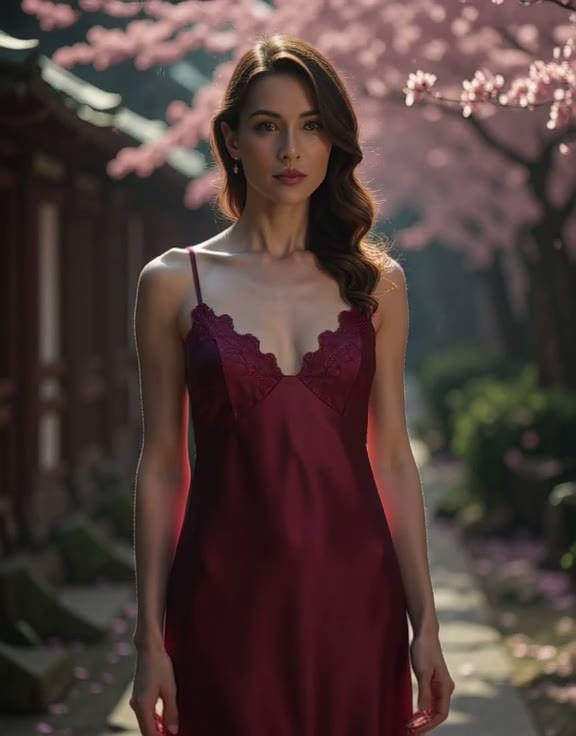
- Looney Red Riding Hood :: MMH3 Character · v1.0 — LoRA: A dark fairy tale version of the Little Red Riding Hood character LoRA (grinning maniacally, blonde hair, tattered red cloak), trained using character designs and style images by artist @phatestronaught, aimed at text-to-video.

- Sam Bramblepot · v1.0 H3 — LoRA: Character LoRA for H3 of Sam Bramblepot, an original dwarf gardener character created by the author, trigger word samlora.

- Nox · v1.0 H3 — LoRA: Character LoRA for H3 of Nox, an original “living shadow” female character created by the author (skin so black it absorbs light, silver eyes), trigger word noxlora.

- Flat Lindsay · v1.0 H3 — LoRA: LoRA for H3 of Flat Lindsay, an original character created by the author: a “paper cutout” girl who looks like a line-art illustration from the front, nearly disappears when turned sideways, yet lives normally in a three-dimensional world.

- 🎄LORU & RIBS: CHRISTMAS BONE DANCE · v1 — LoRA: A Christmas-themed dual-character LoRA: Loru, a white-hooded Grim Reaper, and its skeleton cat Ribs drinking hot cocoa by the fireplace, ice skating, and exchanging gifts; the author claims it excels at knitwear texture, skeletal structure, and magical light effects.

Data: Civitai public API (base model MiniMax H3), inclusion window 11-05 20:31 → 11-06 09:01 (Beijing Time). Recommendation reasons have been reviewed by editors; download counts only indicate attention level.