Zhenzhen's AI Radar · MiniMax H3 · 2026-11-14 Evening Report
This issue features 9 new versions: Strongly Recommended 1 · Recommended 3 · Worth Watching 2 · Included Only 3
Editor's Note This issue reviews 9 new H3 versions: 1 S, 3 A, 2 B, and 3 C. The top pick is the third chain lightning slider in the KinetiX VFX Suite: positive values make lightning jump between multiple targets, while negative values keep it at the impact point, with no trigger words required. The two 3–4 step acceleration LoRAs from CROWN HyperPDMD (first/last frame/image-to-video version and multi-image reference lip-sync version) have complete parameters, automatically upgrading from B to A; the female accent audio LoRA is split into one file per accent, listed as A. Two original character LoRAs lack distinctiveness and have mostly hidden examples, downgraded to C; re-quantizing the text encoder is not considered a new capability, listed as C.
Strongly Recommended (1)
[S] KinetiX Elemental VFX Suite · Chain Lightning V1.0
LoRA · Version Update · Author make676767 · Published 11-14 14:06 · Downloads 71
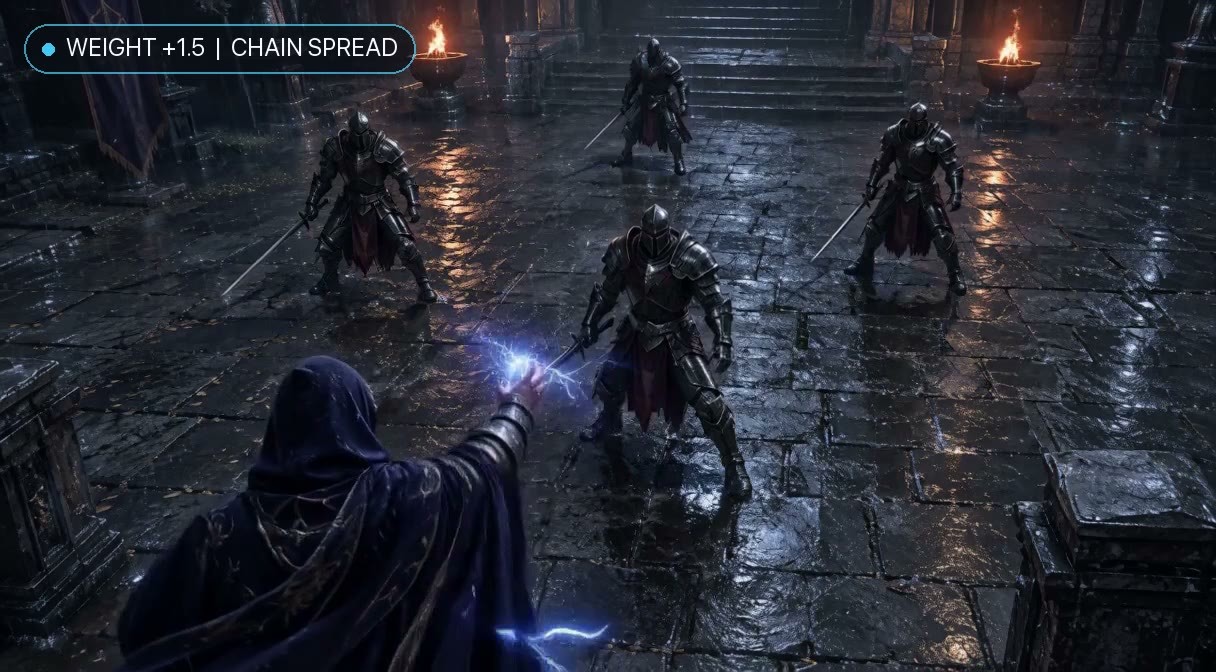
A chain lightning slider LoRA with adjustable positive and negative values: positive values cause lightning to jump between nearby people and metal objects after hitting the first target, while negative values keep the current at the impact point without spreading.
Images
Reasons for Recommendation
- The third effect in the KinetiX Elemental VFX series (the previous two were Fire Spread and Freeze Speed), not an update to an old effect; the version notes serve as the introduction to this effect
- Serves magic, combat, and sci-fi overload shots in text-to-video generation: no trigger words required; the author claims colors are not locked, so writing cyan, crimson, purple, or gold lightning in the prompt changes the color
- Actionable: the author provides intensity tiers and 4 copy-paste-ready scene prompts (including a comparison for negative single-point values), with 4 visible example videos; the file is only 7 MB, and the license allows derivatives
How to Use
- After loading the LoRA, adjust strength_model: +1.0 starts multi-target chaining, higher values create large-scale electric grids; 0 is standard local sparks; -1.2 to -5 locks to a single point without spreading; no trigger words required
- Clearly specify the first target hit, surrounding people or metal objects that can be chained (soldiers, armor, mechs, cargo boxes, etc.), and the lightning color in the prompt; a workflow resources zip file is also included
Risks and Limitations
- The author's intensity table is inconsistent: the English description lists the sweet spot as +1.0 ~ +5 and the overload tier as +1.8 ~ +2.5, with overlapping ranges; the Chinese description lists the sweet spot as +1.0 ~ +1.6 and +1.8 ~ +5 as the overload tier, suggesting starting near +1 and increasing
- 3 examples are hidden (mixed content); the base model version and step count are not specified in the description (possibly in the attached zip file, not opened for verification)
Recommended (3)
[A] CROWN HyperPDMD-HD 3-4 Step All-in-One Turbo & De-Quantization LoRA | MiniMax H3 (BF16 / INT8 / GGUF Q4) · v1.0 - Ref2VA Multi-Ref & Lip-Sync (3-4 Step r38)
LoRA · New Model · Author NineCrowns · Published 11-14 14:39 · Downloads 119
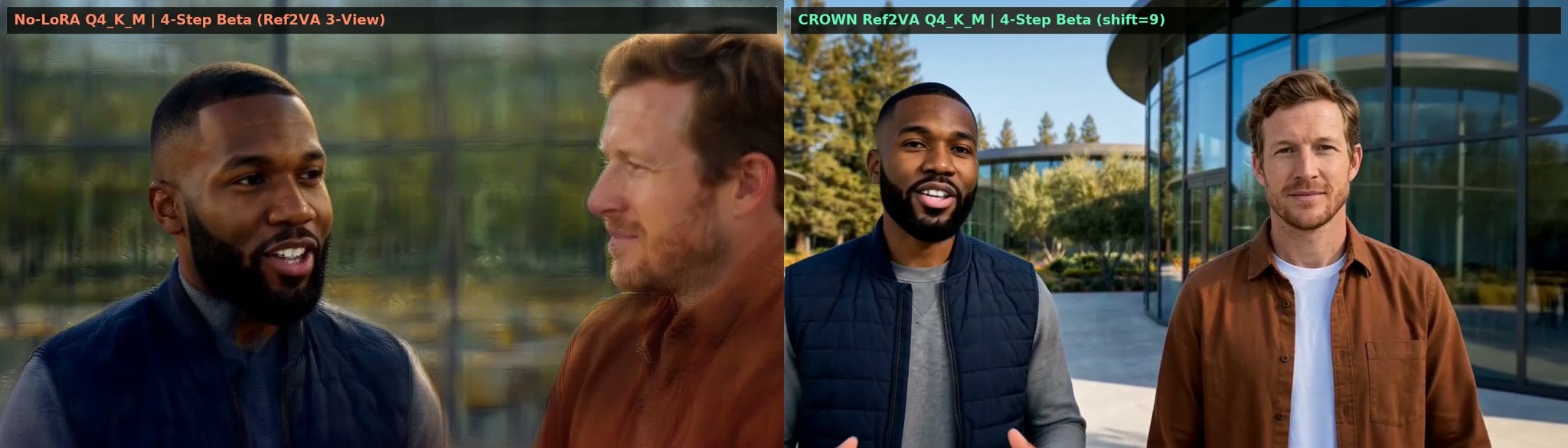
The Ref2VA version of the same 3–4 step acceleration LoRA set: used for multi-image subject reference (character multi-angle images plus scene images) and audio lip-sync, with the author claiming a maximum length of 15 seconds, and compatibility with BF16, INT8, and GGUF Q4 base models.
Images
Reasons for Recommendation
- Two versions of the same model as the FL2VA version: this version is only for Ref2VA base models, serving reference image-to-video and lip-sync, not first/last frames; the file is 340.3 MB, and the author claims it is a mixed compression of checkpoints trained for 2000 steps
- Parameters are identical to the FL2VA version: strength 1.0 (0.95 ~ 1.05), Euler, CFG 1.0, 3 or 4 steps; the author additionally suggests setting reference image size to max and shift_video to 9.0 to improve clarity for multiple characters
- 2 videos and 1 images are visible; automatically upgraded from B to A
How to Use
- Use Ref2VA as the base model: if VRAM is less than 9 GB, use Q4_K_M GGUF with UnetLoaderGGUFAdvanced (set patch_dtype to target), or use pruned int8 convrot or BF16
- LoRA strength 1.0, euler + BetaSamplingScheduler, CFG 1.0, 3 or 4 steps; set ref_image_size to max in MiniMaxH3ReferenceToVideo, and set shift_video to 9.0 in MiniMaxH3SigmaShift
Risks and Limitations
- The author provides shift_video as a range of 9.0 ~ 12.0, while shift_audio 3.0 and Beta scheduler alpha / beta 0.6 are only listed in the full model card
- Heavy promotional content: pore-level portraits, 8 B200 distillation images, etc., are all self-reported by the author, with no comparison examples without the LoRA
- Lip-syncing and referencing real people's photos require consent from the individuals, pay attention to portrait rights; the workflow zip file is uploaded as "training data" type, and security scanning is incomplete
[A] CROWN HyperPDMD-HD 3-4 Step All-in-One Turbo & De-Quantization LoRA | MiniMax H3 (BF16 / INT8 / GGUF Q4) · v1.0 - FL2VA / I2VA / T2VA (3-4 Step r38)
LoRA · New Model · Author NineCrowns · Published 11-14 14:39 · Downloads 72
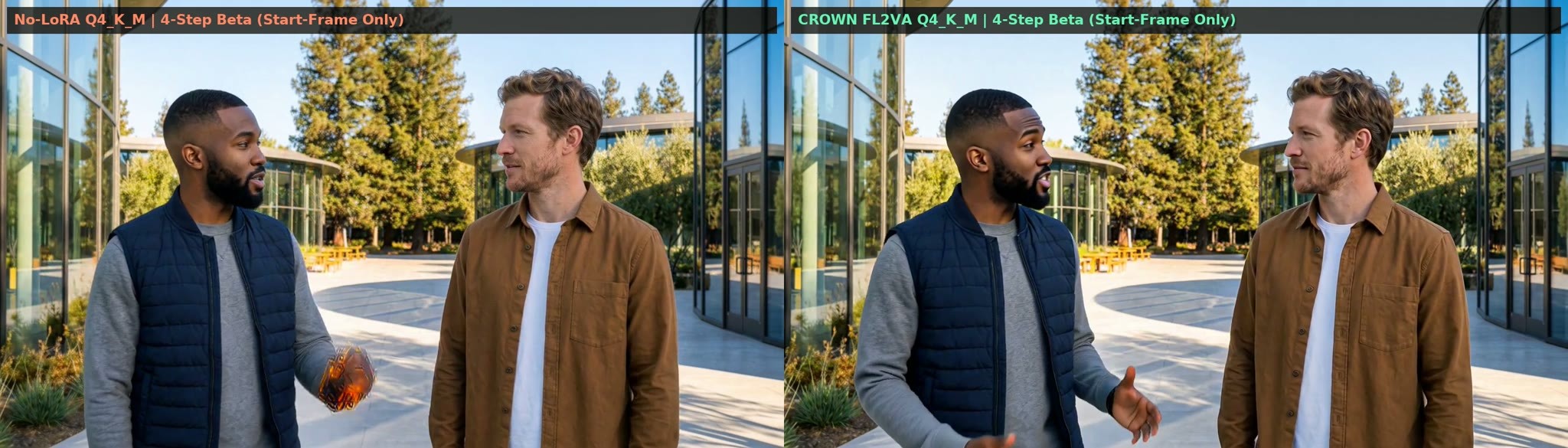
The 3–4 step acceleration LoRA for H3 (FL2VA version): used for text-to-video, single image-to-video, and first/last frames, with the author claiming the same file can be attached to BF16, INT8, and GGUF Q4 base models, and mitigating blurriness from low-bit quantization.
Images
Reasons for Recommendation
- One of two versions of the new model: this version is for FL2VA base models, covering T2V, I2V, and first/last frames, with the author claiming a maximum length of 15 seconds; the other version is only for Ref2VA (multi-image reference and lip-sync), and the two are not interchangeable
- The author claims that running 3–4 steps directly without the LoRA results in static images for single image I2V, blurry faces for pure T2V, and ghosting in the middle of first/last frames; this LoRA uses HyperPDMD distillation, alternately perturbing Q4_K_M, ConvRot INT8, and BF16 base models during training
- Complete parameters and visible examples: strength 1.0 (0.95 ~ 1.05), Euler, CFG 1.0, 3 or 4 steps; 3 videos and 2 images are visible; the file is 347 MB, with a ComfyUI workflow zip file attached; automatically upgraded from B to A
How to Use
- Use FL2VA as the base model: if VRAM is less than 9 GB, use Q4_K_M GGUF with UnetLoaderGGUFAdvanced (set patch_dtype to target), or use pruned int8 convrot or BF16 if VRAM is sufficient
- LoRA strength 1.0; SamplerCustomAdvanced + BasicGuider (CFG 1.0) + euler + BetaSamplingScheduler, 3 or 4 steps, followed by MiniMaxH3SigmaShift
Risks and Limitations
- Sampling parameters deviate from standard and are listed in the latter half of the full model card: this version has shift_video 12.0, shift_audio 3.0, and Beta scheduler alpha / beta 0.6; missing these settings may fail to achieve the example effects
- Heavy promotional content: clarity improvements of 6.5–10 times, 8 B200 distillation images, and retention of 99.96% energy are all self-reported by the author, with no comparison examples without the LoRA, nor comparisons with existing Turbo LoRAs
- The workflow zip file is uploaded as "training data" type, and security scanning is incomplete
[A] Minimax Female Accents · 1.1
LoRA · Version Update · Author imb101 · Published 11-14 10:00 · Downloads 173
A female accent LoRA that only affects audio: v1.1 splits the previously mixed accents into one LoRA per accent and adds Liverpool and Minnesota accents.
Images

Reasons for Recommendation
- Version update: the author claims the old single model mixed several accents together, and splitting them improves accent accuracy; there are now 5 files in total: Utah, Atlanta, New Jersey, Liverpool, Minnesota
- Serves videos with English dialogue (text-to-video / image-to-video): the author claims H3's built-in accents are flat, and this LoRA set only trains the audio part, not touching the video part, so it does not affect the visuals
- The author has released the training data for the first version: 66 audio segments, 22 segments per accent, automatically labeled using Qwen ASR
How to Use
- Load the corresponding file for the desired accent, with strength 0.6–0.8 (old version recommended 0.4–0.5), and set audio sampling to 3; if strange vocal fry occurs, increase audio sampling
- Prompts are the same as the old version: write "in a <accent name> accent" after the dialogue, e.g., The woman says <d>[English]…</d> in a atlanta accent
Risks and Limitations
- After splitting, only one accent can be used per generation, so dialogues with two people speaking different accents are not possible
- The author claims it is still far from accurate and is unsure about the Utah accent; only female accents are supported; 1 example videos are visible, and 4 are hidden (mixed content)
- Each accent file is approximately 296 MB; the license prohibits derivatives
Worth Watching (2)
[B] Tap to Screen — MiniMax H3 lip-sync MV for your own song (multi-scene timeline) · v1.3.2
Workflow · Version Update · Author koyan0418439 · Published 11-14 13:56 · Downloads 34
A timeline workflow for creating multi-scene lip-sync music videos using your own songs and images; v1.3.2 only adds exports for editing software: ProRes / FFV1 masters and clips split by scene.
Image

Why we recommend it
- Version update, timeline and generation parts unchanged: The "Join from files" node and the Export button at the top of the timeline now support ProRes 422 HQ, ProRes 4444 (10-bit, PCM audio), and FFV1 lossless masters, encoding directly from original frames in a single pass; the default h264 (crf 18) remains exactly the same as before
- scene_clips outputs each scene separately (including extra frames after cuts and the corresponding song segment), and includes a scenes.csv file recording the start time of each segment in both the video and the song, allowing transitions to be handled in Resolve or Premiere
- More stable file writing: explicit timestamps, separate folders for each run, stops early if disk space is low, and failed runs do not leave partial files
- The tool itself: press C to cut scenes while playing the song, press S to mark singing intervals, each song segment is sent to H3 as <Audio 1> for lip-syncing, and up to 4 character images maintain consistent appearance
How to use
- Copy custom_nodes/ComfyUI-H3Timeline into ComfyUI's custom_nodes folder and restart → drag the workflow from the workflows folder into the canvas → click Timeline in the bottom-left corner of the canvas to add songs and images → Run; if you need editing masters, select the codec at the top of the timeline under Export and check the option for one clip per scene
- Models listed by the author: H3 ref2va pruned int8 main model, ref2v turbo 4 step LoRA, Qwen3-VL nvfp4 text encoder, and video and audio VAEs
Risks and limitations
- This version offers no improvements to visuals or lip-syncing; those who do not need external editing can continue using v1.3.1
- The only example is hidden, with no visible examples
- ProRes 4444 does not support alpha, and source frames remain 8-bit; FFV1 masters consume disk space based on original frame size
- The card image is an AI-generated diagram, not the actual output of the model; the author has not published any standard-quality examples
[B] Score to Screen — Songs, voices and scenes: a music video studio (YuE2 × MiniMax H3) · v9.0
Workflow · Version Update · Author koyan0418439 · Published 11-14 19:06 · Downloads 14
A workflow that uses YuE2 for composition and vocals and H3 for generating multi-scene lip-sync music videos from a single prompt and a few images; v9.0 allows selecting the audio source for each scene individually: song, H3-generated dialogue and ambient sounds, song plus ambience, or silence.
Image

Why we recommend it
- Version update (relative to v8.2): The timeline scene box now includes "This scene's sound"; when "H3's sound" is selected, the song is muted for that scene, dialogue in quotes is spoken verbatim by the specified character while others remain silent; the song continues in the background and resumes afterward, keeping total length and cut points unchanged, with 0.25 s fades for both cut-in and cut-out
- Japanese dialogue containing kanji is rewritten into hiragana by the workflow's built-in LLM before being sent to H3 (the author states H3 misreads kanji); added total volume controls for the song and H3 audio; "Song + ambience" requires running a pure audio pass for the same scene again, roughly doubling the processing time
- The tool itself: a local LLM breaks down the prompt into YuE2 style tags, lyrics, and H3 prompts for each scene, supporting up to 64 scenes with cut points aligned to bar lines; the H3 engine can be selected as Standard (20 steps), Turbo, or FastH3 Omni (8 steps)
How to use
- After unzipping, copy the 4 folders from custom_nodes into ComfyUI/custom_nodes, install ComfyUI-Video-Saver separately, and run pip install demucs in ComfyUI's Python environment; restart and load the workflow
- Select the audio source for each scene in the timeline; write dialogue as quoted sentences with speakers, e.g., The silver-haired woman says: "…"; the default remains Song, and audio settings from v8.2 projects remain unchanged
Risks and limitations
- Heavy dependencies: YuE2 models, local LLM (automatically downloads llama-server and default Qwen3-VL 4B on first run), 4 custom node packages, and Demucs; drum beat synchronization requires installing STRUM separately
- The only example (cover video) is hidden, with no visible examples; the author describes this as a personal experimental workflow
- The author reports that on an RTX 5060 Ti 16 GB, creating a 13.8 second scene with the Standard engine takes 2000 s, while FastH3 Omni NVFP4 takes 458 s
- The card image is an AI-generated diagram, not the actual output of the model; the author has not published any standard-quality examples
Archive Only (3)
- Zaynab Von Vergin · MiniMaxH3 — LoRA: Character LoRA for the original fictional character Zaynab Von Vergin (from an Oxford family, running a high-end fashion boutique in a Paris apartment).
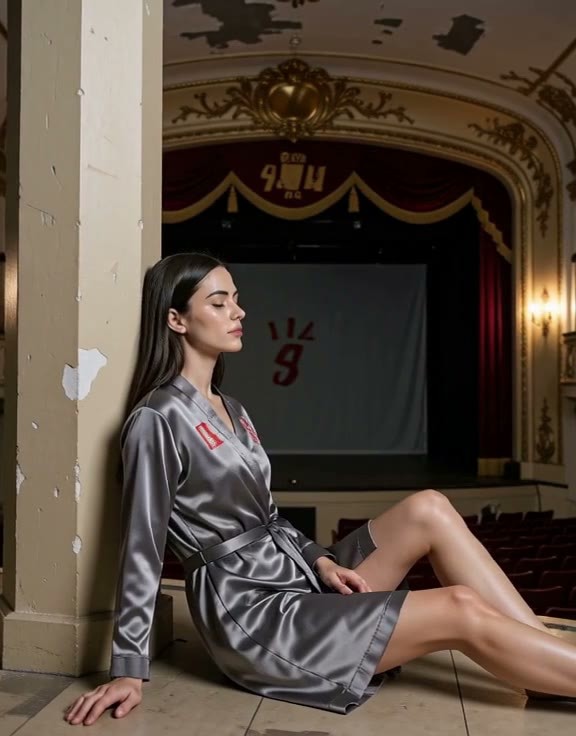
- Faith NordhavenLove · MiniMaxH3 — LoRA: Character LoRA for the original fictional character Faith NordhavenLove (a lighthouse keeper's assistant on a Swedish cape, often wearing a navy blue wool coat and a knit hat).

- Qwen for MinimaxH3 & Image (Updated Fast Scaled) · Scaled_Comfy_Quant — Text Encoder: Another quantized version of the Qwen3-VL 32B text encoder for H3: FP32 / FP16 / INT8 mixed precision, single file 26.2 GB.
Data: Civitai public API (base model MiniMax H3), inclusion window 11-14 08:48 → 11-14 21:01 (Beijing Time). Recommendations are editorially reviewed; download counts reflect attention only.