Zhenzhen's AI Radar · MiniMax H3 Image · 2026-11-16 Evening Report
This issue features 5 new versions: Strongly Recommended 0 · Recommended 3 · Worth Watching 1 · Listed Only 1
Editor's Note This issue reviews 5 new versions of H3 Image, with 3 rated A, 1 rated B, and 1 rated C. The top recommendation is voidhunter77's realism editing workflow: it uses the original image plus a facial close-up as reference to modify scene, pose, and clothing at 16 MP while preserving the subject's appearance. The author clearly documents the sampling approach and failure cases, but testing was limited to a 96 GB GPU. The rurudo flat-color anime style and Woodland camo BDU LoRAs have clear parameters or trigger words, earning an A rating; the GGUF quantized versions offer Q4_K_M and Q8_0 tiers with accompanying workflows but lack visible examples, earning a B rating; the "BETTER RESULTS" workflow, which has only a one-sentence description, earns a C rating.
Recommended (3)
[A] MiniMax H3 Image: Realism Edit Workflow (16 MP, ComfyUI) · v1.0
Workflow · New Model · Author voidhunter77 · Published 11-16 17:44 · Downloads 55
A ComfyUI workflow for realistic image editing with H3 Image: input a photo and a facial close-up, then change composition, pose, clothing, location, and lighting according to the prompt while preserving the original subject's appearance. Output at 16 MP to achieve detailed skin, stray hairs, and fabric textures.
The full model card includes an upscaling experiment section: the author states that 16–64 MP is suitable for daily use, but beyond this range, fine textures begin to block out.
Images
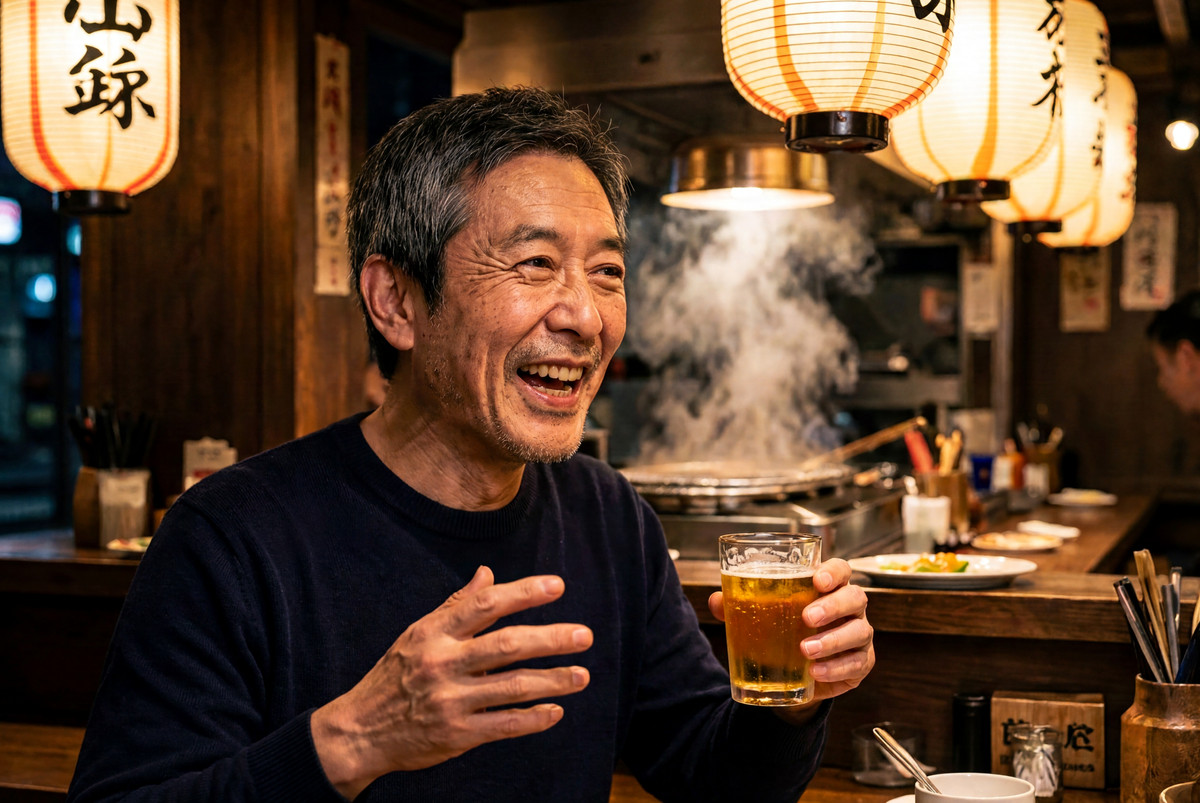
Reasons for Recommendation
- Provides two equivalent versions: a default-parameter version using the H3 Image KSampler single node (comfyui-h3-sampler, GPL-3.0), and a fully parameter-visible version built with native nodes plus RES4LYF; the author claims that identical seeds produce consistent composition and visual results.
- The author explains the recipe: the model is distilled on a fixed 6-step noise grid, using standard Euler for structural stages, then switching to res_2s_rkmk2e with eta 0.65 new noise injection in the final two steps to generate pores and grain; the author claims that other samplers produce repeated objects in tests across 10 seeds.
- Includes 20 example images, each embedding the workflow for drag-and-drop into ComfyUI; free, with a license permitting image output and sales.
How to Use
- Place the photo to be edited in Picture 1, and a tight crop of the same person's face (including some hair) in Picture 2; keep the first three and last three sentences of the prompt, replacing only the middle scene description, and maintain 16 MP.
- Requires a relatively recent ComfyUI version (tested by the author on 0.45.3), 21 GB for the diffusion model, 27 GB for the int8 text encoder (Blackwell GPUs can use the 15.7 GB NVFP4 version), and 1.2 GB for the VAE; the node version requires git cloning comfyui-h3-sampler, while the other version installs RES4LYF via Manager.
Risks and Limitations
- The author tested only on an RTX PRO 6000 with 96 GB VRAM; it is unknown whether standard GPUs can run 16 MP; the author's full page notes a processing time of approximately half a minute to one minute per image.
- The author states that extreme expressions (shouting, crying) cause the most facial distortion, and printed text on clothing often appears pasted-on, ghosted, or misspelled.
[A] [H3 image]rurudo style (るるど) · v0.8
LoRA · New Model · Author KaleidRuby · Published 11-16 09:26 · Downloads 53
An H3 Image LoRA for the style of Japanese illustrator rurudo (るるど): flat-color anime shading, triggered by @rurudo. The author notes it is intended only for H3 Image, not the video version.
Images

Reasons for Recommendation
- Parameters are fully provided: 16MP, cfg=1, step=6, strength 0.8-1.5.
- The author warns that H3 Image produces poor results when the total LoRA strength exceeds 2.0; increasing steps from 6 to 12 can mitigate this, which is useful when stacking LoRAs.
- Includes 4 visible examples; free, with a license permitting image output and sales.
How to Use
- Load rurudo_h3_v3.safetensors and include @rurudo in the prompt; use 16MP, cfg=1, 6 steps, and strength 0.8-1.5.
- When stacking with other LoRAs and total strength exceeds 2.0, increase steps to 12.
Risks and Limitations
- Mimics the personal style of a living artist; assess commercial use implications independently.
- Version v0.8; the 4 examples are hidden, and the description is only a few lines long.
Trigger Words: @rurudo
[A] Woodland Camo BDU, H3 Image (and video?) · v1.0
LoRA · New Model · Author andyx1976 · Published 11-16 09:05 · Downloads 35
An H3 Image version of a LoRA for vintage Woodland camouflage BDU uniforms: dresses subjects in retro US military woodland camo fatigues, triggered by "Woodland Camo BDU".
Images
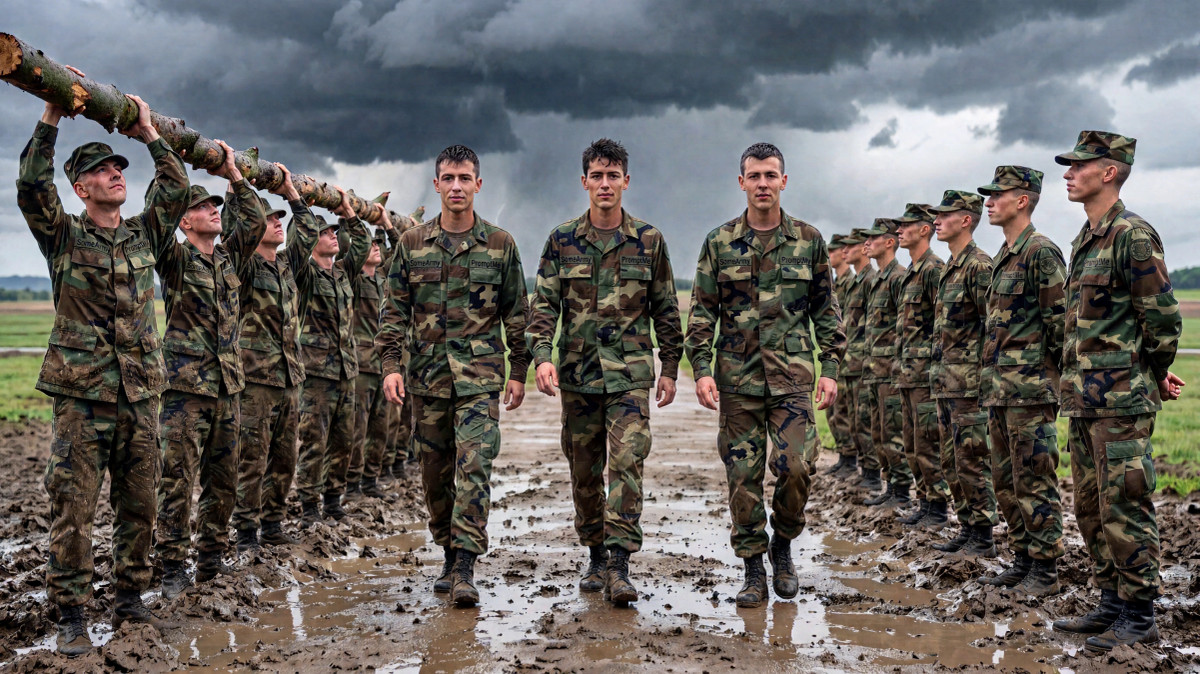
Reasons for Recommendation
- The author states that without the LoRA, H3 generates modern BDU styles with slanted pockets; this LoRA corrects them to the retro style and requires explicit trigger words more than versions for other base models.
- The author claims it also works on H3 Video; example videos have no starting image, with clothing generated entirely by the LoRA; details like name tapes become garbled on p-h3.
- Includes 6 images and 1 videos; free, with a license permitting image output and sales; the author shares training insights: rank 16 is too weak for H3, while rank 32 performs better.
How to Use
- Include "Woodland Camo BDU" in the prompt (the author did not register it in the version metadata, but noted it in the description); the author suggests a strength around 0.8 to leave more room for the model.
- Steps and CFG were not specified by the author; the author claims it can be used alongside H3 fine-tuned models like 10eros.
Risks and Limitations
- Training images are mostly low-resolution old photos; the author states that at 16 MP, details rely on model interpolation, with a warning to "not expect miracles."
- The author claims complexity and human anatomy fidelity are inferior to models like Krea2.
Worth Watching (1)
[B] Minimax H3 Image - GGUF · v1.0
Base Model / Checkpoint · New Model · Author molbal · Published 11-16 17:40 · Downloads 21
GGUF quantized conversions of the H3 Image base model, offering Q4_K_M and Q8_0 tiers, accompanied by text-to-image and editing workflows using the author's maintained GGUF loading nodes.
Images

Reasons for Recommendation
- Serves users with insufficient VRAM to load original weights: the Q4_K_M file is significantly smaller than Q8_0, allowing selection based on available memory.
- Provides both minimax-h3-image-gguf.json (text-to-image) and minimax-h3-image-edit-gguf.json (editing) workflows.
- Free, with a license permitting image output and sales.
How to Use
- Install the author's ComfyUI-GGUF branch (comfyui-gguf-reboot), use its loading nodes to read gguf files replacing the original base model, then import the accompanying workflows.
- Whether quantized versions are needed for the text encoder and VAE, as well as steps and CFG settings, were not specified by the author.
Risks and Limitations
- The only example is hidden, with no comparison showing quality loss after quantization.
- Description is only two lines; requires switching to non-official GGUF loading nodes.
- Card images are AI-generated diagrams, not actual model outputs; the author has no publicly available standard-level examples.
Listed Only (1)
- mini max image - BETTER RESULTS workflow - very nice quality with FASTER prompt upsampler · v1.0 — Workflow: Adapts the Qwen 2.1 workflow for H3 Image in ComfyUI, named to indicate faster prompt upsampling, with a description consisting of only one sentence.
Data: Civitai Public API (Base Model MiniMax H3), inclusion window 11-16 08:31 → 11-16 21:01 (Beijing Time). Recommendations reviewed by editors; download counts reflect attention only.